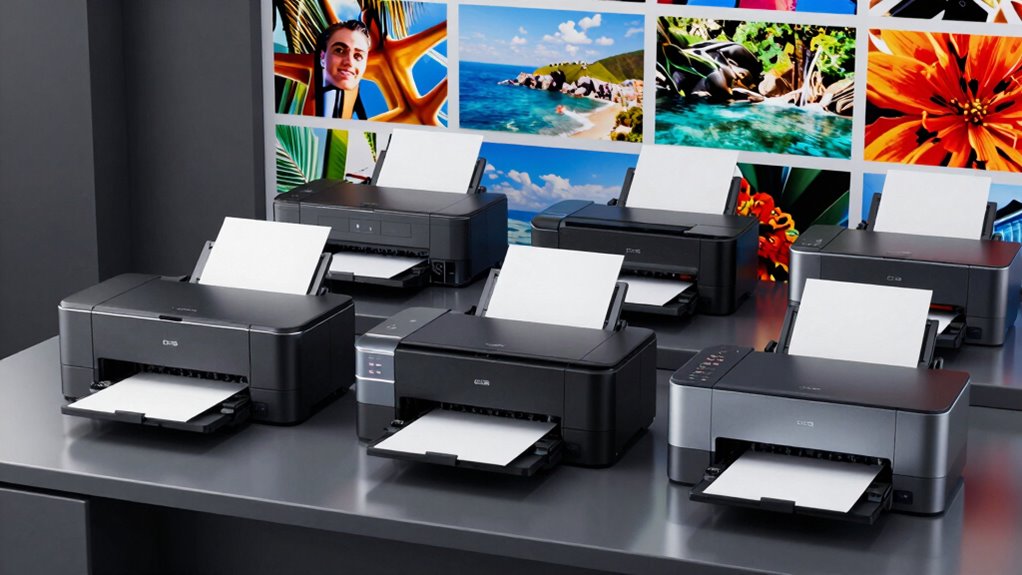
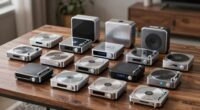
Among these professional photo printers, I rank the Canon imagePROGRAF PRO-1100 as the best overall for photographers who want a dedicated 17-inch print workflow, while the Epson SureColor P700 is a strong smaller-format choice and the Canon imagePROGRAF PRO-4100 suits oversized studio and exhibition work. The central tradeoff is between print size and professional control on one side, and footprint, versatility, and simpler day-to-day use on the other. Dedicated photo printers prioritize print-focused workflows, while the EcoTank all-in-ones add scanning and lower-intervention ink systems at the cost of a less specialized setup. Read on for the full breakdown of which model fits your output size, workspace, and working style.

Get kitchen gear delivered free — and shop member deals
- Fast, free delivery on millions of items
- Access to Prime Big Deal Days deals on October 6–7
- Prime Video, Amazon Music and more included
Complete the kit



Key Takeaways
- The PRO-1100 is the roundup’s balanced dedicated pick: its 17-inch format sits between compact desktop printers and the much larger PRO-2600 and PRO-4100.
- Print width changes the job you can take on: the PRO-2600 and PRO-2100 support 24-inch work, while the PRO-4100 reaches 44 inches for large exhibition and studio output.
- The P700 and PRO-310 suit photographers who do not need wide-format capacity: both offer a professional-focused 13-inch format without the space demands of larger machines.
- EcoTank versatility is a different kind of value: the ET-8550 and ET-8500 combine photo printing with all-in-one functions, while dedicated Canon and Epson PRO models focus more directly on photo output.
- Lower-cost entry into wide-format printing involves compromises: the XP-15000 offers a broader print size than 13-inch desktop models, but the lineup’s dedicated PRO printers are more purpose-built for professional photo workflows.
| Canon imagePROGRAF PRO-4100 44-Inch Large-Format Inkjet Printer |  | Best for Gallery-Scale Production | Printer type: Inkjet | Maximum print width: 44 inches | Print resolution: Up to 2400 × 1200 dpi | VIEW ON AMAZON | See Our Full Breakdown |
| Epson SureColor P700 13-Inch Photo Printer |  | Best for Compact Professional Output | Printer type: Inkjet | Maximum media size: 8.5 × 14 inches | Print resolution: 5760 × 1440 | VIEW ON AMAZON | See Our Full Breakdown |
| Epson EcoTank Photo ET-8550 Wireless Wide-Format All-in-One Printer |  | Best All-in-One for Photo Work | Printer type: Inkjet | Functions: Print, scan, copy | Ink system: Refillable six-color Claria ET Premium ink tanks | VIEW ON AMAZON | See Our Full Breakdown |
| Canon imagePROGRAF PRO-1100 17-Inch Professional Wireless Inkjet Photo Printer |  | Best for Professional 17-Inch Prints | Printer type: Inkjet | Ink system: 11-color pigment-based LUCIA PRO II with Chroma Optimizer | Ink volume: 80 mL per ink | VIEW ON AMAZON | See Our Full Breakdown |
| Canon imagePROGRAF PRO-2600 24-Inch Professional Large-Format Printer |  | Best for Mid-Size Fine-Art Production | Printer type: Inkjet | Maximum media width: 24 inches | Ink system: 11 colors plus Chroma Optimizer | VIEW ON AMAZON | See Our Full Breakdown |
| Canon imagePROGRAF PRO-310 Professional 13-Inch Wireless Inkjet Photo Printer |  | Best for Glossy, Durable 13-Inch Prints | Printer type: Wireless inkjet photo printer | Maximum print size: 13 inches | Ink system: 9-color pigment ink with Chroma Optimizer | VIEW ON AMAZON | See Our Full Breakdown |
| Epson EcoTank Photo ET-8500 Wireless Color All-in-One Supertank Printer |  | Best for Mixed Photo and Media Work | Printer type: Wireless color all-in-one supertank printer | Ink system: Claria ET Premium 6-color ink | Display: 4.3-inch touchscreen | VIEW ON AMAZON | See Our Full Breakdown |
| Canon PIXMA PRO-200S Wireless Professional Inkjet Photo Printer |  | Best for Vivid Borderless Prints | Printer type: Inkjet photo printer | Ink system: 8-color dye-based ink | Maximum borderless print size: 13 x 19 inches | VIEW ON AMAZON | See Our Full Breakdown |
| Epson Expression Photo HD XP-15000 Wireless Wide-Format Inkjet Printer |  | Best Compact Wide-Format Pick | Printer type: Wireless wide-format inkjet printer | Ink system: 6-color Claria Photo HD, including red and gray | Maximum media size: 13 x 19 inches | VIEW ON AMAZON | See Our Full Breakdown |
| Canon PRO-2100 24-Inch Wide-Format Fine Art Printer |  | Best for 24-Inch Fine-Art Output | Model: PRO-2100 | Maximum print width: 24 inches | Intended use: Fine-art printing | VIEW ON AMAZON | See Our Full Breakdown |
| professional photo printer | Printer type | Ink system | Connectivity | Weight |
|---|---|---|---|---|
| Canon imagePROGRAF PRO-4100 44 | Inkjet | 12 individual pigment-based LUCIA PRO ink tanks | USB 2.0, Gigabit Ethernet, Wi-Fi | 345 pounds |
| Epson SureColor P700 13-Inch P | Inkjet | UltraChrome PRO10, 10 colors including Violet | Wi-Fi, Ethernet, USB | — |
| Epson EcoTank Photo ET-8550 Wi | Inkjet | Refillable six-color Claria ET Premium ink tanks | Wireless; app control for iOS and Android | — |
| Canon imagePROGRAF PRO-1100 17 | Inkjet | 11-color pigment-based LUCIA PRO II with Chroma Optimizer | Wireless devices | 83 pounds |
| Canon imagePROGRAF PRO-2600 24 | Inkjet | 11 colors plus Chroma Optimizer | Ethernet, Wi-Fi | 223 pounds |
| Canon imagePROGRAF PRO-310 Pro | Wireless inkjet photo printer | 9-color pigment ink with Chroma Optimizer | — | — |
| Epson EcoTank Photo ET-8500 Wi | Wireless color all-in-one supertank printer | Claria ET Premium 6-color ink | Wi-Fi and Wi-Fi Direct | — |
| Canon PIXMA PRO-200S Wireless | Inkjet photo printer | 8-color dye-based ink | Wi-Fi, Ethernet, and USB | 32 pounds |
| Epson Expression Photo HD XP-1 | Wireless wide-format inkjet printer | 6-color Claria Photo HD, including red and gray | Wireless, Ethernet, and USB | 18.7 pounds |
| Canon PRO-2100 24-Inch Wide-Fo | — | — | — | — |
More Details on Our Top Picks
Canon imagePROGRAF PRO-4100 44-Inch Large-Format Inkjet Printer
For studios producing exhibition prints, oversized artwork, or demanding client work, the 44-inch print width sets the PRO-4100 apart from the 17-inch Canon imagePROGRAF PRO-1100 and 24-inch PRO-2600. Its 12-channel print head and 12 pigment ink tanks are built for detailed, consistent output across large media, while automatic media detection and remaining-media estimates help manage roll jobs. USB, Gigabit Ethernet, and Wi-Fi give studios several ways to fit it into an established workflow. This scale comes with serious practical costs: at 345 pounds and nearly six feet wide, it needs a dedicated, accessible workspace, not a spare desk. I’d choose it for large-format capacity over the more compact models, but skip it if 17- or 24-inch prints meet the brief.
Pros:- Prints up to 44 inches wide for gallery-scale photos and artwork.
- Twelve pigment ink tanks and a 12-channel print head support detailed color output.
- Automatic media detection and remaining-media estimates assist with roll-media production.
- USB, Gigabit Ethernet, and Wi-Fi support varied studio workflows.
Cons:- At 345 pounds, it requires planned delivery, installation, and a sturdy location.
- Its 41.75 × 68.5 × 36.25-inch footprint is excessive for many small studios.
- Its large-format capacity is unnecessary if most work fits on a 17- or 24-inch printer.
Best for: Fine-art print studios, galleries, and commercial shops that regularly produce photo or artwork prints up to 44 inches wide.
Not ideal for: Home studios and photographers whose largest output fits the PRO-1100 or PRO-2600; the PRO-4100 demands substantial floor space and careful placement.
- Printer type:Inkjet
- Maximum print width:44 inches
- Print resolution:Up to 2400 × 1200 dpi
- Ink system:12 individual pigment-based LUCIA PRO ink tanks
- Ink tank capacities:160 ml, 330 ml, and 700 ml
- Connectivity:USB 2.0, Gigabit Ethernet, Wi-Fi
- Dimensions:41.75 × 68.5 × 36.25 inches
- Weight:345 pounds
Our verdict“Choose the PRO-4100 when regular 44-inch photo and art output matters more than space and ease of installation.”
Epson SureColor P700 13-Inch Photo Printer
The SureColor P700 is the most compact fit here for photographers who want a dedicated photo printer without moving to the footprint or capacity of the Canon imagePROGRAF PRO-1100. Its 10-color UltraChrome PRO10 ink system, including Violet, targets a broad color range, and dedicated Photo Black and Matte Black nozzles avoid switching inks when changing between glossy and matte work. Roll-media and thick-sheet support add useful flexibility for a printer in this class, while the touchscreen and Wi-Fi make routine job setup more approachable. Its 8.5 × 14-inch maximum media size is the main ceiling: it cannot produce the larger 17 × 22-inch output available from the PRO-1100. Epson genuine-cartridge dependence also limits ink choice, and the supplied permanence claims remain under testing.
Pros:- Ten-color UltraChrome PRO10 ink, including Violet, is designed for a wide color gamut.
- Dedicated Photo Black and Matte Black nozzles avoid ink switching between media types.
- Roll media and thick sheets provide more media flexibility than a basic sheet-only photo printer.
- Wi-Fi, Ethernet, USB, and a customizable touchscreen support flexible operation.
Cons:- Maximum media size of 8.5 × 14 inches rules out larger portfolio and exhibition prints.
- Designed for use with genuine Epson cartridges, limiting ink-system flexibility.
- Print permanence claims are still being tested.
Best for: Photographers with limited studio space who mainly print smaller, color-managed photos and want dedicated photo and matte-black channels.
Not ideal for: Artists and print studios needing 17-inch-wide or larger output, or buyers who want broad third-party cartridge options.
- Printer type:Inkjet
- Maximum media size:8.5 × 14 inches
- Print resolution:5760 × 1440
- Ink system:UltraChrome PRO10, 10 colors including Violet
- Connectivity:Wi-Fi, Ethernet, USB
- Duplex printing:Automatic
- Maximum sheet capacity:120
- Display:4.3-inch customizable touchscreen
Our verdict“Pick the P700 for compact, color-focused photo work, but choose the Canon PRO-1100 if larger prints are part of the job.”
Epson EcoTank Photo ET-8550 Wireless Wide-Format All-in-One Printer
The ET-8550 suits photographers who need more than a dedicated print engine: it combines photo printing, scanning, and copying with borderless output up to 13 × 19 inches. Its refillable six-color Claria ET Premium system shifts the ownership model away from replacing cartridges, which can be useful for studios handling frequent mixed photo and document jobs. It also accepts media up to 1.3 mm thick, offering room for selected specialty papers. Compared with the Epson SureColor P700, this model adds scanning and copying and reaches 13 × 19-inch output, but it uses six colors rather than the P700’s 10-color professional ink set. That makes the P700 the more focused choice for photographers prioritizing color-set breadth; the ET-8550 is a practical hybrid, though its broad footprint and genuine-ink recommendation are real constraints.
Pros:- Prints borderless photos up to 13 × 19 inches.
- Print, scan, and copy functions support a mixed studio workload.
- Refillable six-color ink tanks reduce cartridge replacement frequency and cartridge waste.
- Accepts media up to 1.3 mm thick.
Cons:- Its 29.8 × 20.6 × 16.9-inch dimensions take up substantial workspace.
- The six-color ink system is less specialized than the P700’s 10-color professional setup.
- Epson recommends genuine ink to support print quality and performance.
Best for: Small creative businesses and photographers who need wide-format photos alongside scanning, copying, and everyday document printing.
Not ideal for: Printmakers seeking a dedicated, more color-specialized photo printer or anyone short on desk and counter space.
- Printer type:Inkjet
- Functions:Print, scan, copy
- Ink system:Refillable six-color Claria ET Premium ink tanks
- Maximum print size:13 × 19 inches
- Supported media thickness:Up to 1.3 mm
- Color print speed:12 pages per minute
- Connectivity:Wireless; app control for iOS and Android
- Dimensions:29.8 × 20.6 × 16.9 inches
Our verdict“Choose the ET-8550 if one refillable wide-format machine must handle photos, scanning, copying, and documents.”
Canon imagePROGRAF PRO-1100 17-Inch Professional Wireless Inkjet Photo Printer
The PRO-1100 makes the strongest case for a dedicated professional photo printer when 17-inch-wide output is enough. Its 11-color LUCIA PRO II pigment system includes a Chroma Optimizer, aimed at smooth glossy presentation as well as detailed dark tones. A maximum 17 × 22-inch sheet size gives photographers more room for portfolio and exhibition prints than the Epson SureColor P700, while avoiding the floor space and 44-inch scale of the PRO-4100. Print-management software and wireless connectivity help it fit into a working studio, and its 250-sheet capacity supports longer print runs. The tradeoff is focus: it is print-only, unlike the Epson ET-8550, and at 83 pounds it still needs a stable, dedicated location. It is a better fit for serious photo output than for general office use.
Pros:- Eleven-color LUCIA PRO II pigment ink system includes a Chroma Optimizer.
- Supports media up to 17 × 22 inches, larger than the P700’s stated maximum.
- Designed for detailed color and black-and-white photo output.
- Includes print-management software and a one-year limited warranty.
Cons:- Print-only operation lacks the scan and copy functions of the ET-8550.
- At 83 pounds, it is heavy for a desktop-oriented studio setup.
- Its 17-inch width cannot match the larger-format capacity of the PRO-2600 or PRO-4100.
Best for: Professional photographers and printmakers who need detailed pigment-based prints up to 17 × 22 inches in a dedicated photo workflow.
Not ideal for: Buyers who need scanning or copying, or studios that need output wider than 17 inches and should consider the PRO-2600 or PRO-4100.
- Printer type:Inkjet
- Ink system:11-color pigment-based LUCIA PRO II with Chroma Optimizer
- Ink volume:80 mL per ink
- Maximum media size:17 × 22 inches
- Maximum paper capacity:250 sheets
- Maximum print resolution:2400 × 1200 dpi
- Connectivity:Wireless devices
- Weight:83 pounds
Our verdict“Choose the PRO-1100 for dedicated, pigment-based photo printing up to 17 × 22 inches without stepping up to a larger-format production printer.”
Canon imagePROGRAF PRO-2600 24-Inch Professional Large-Format Printer
The PRO-2600 occupies the useful middle ground between the Canon PRO-1100’s 17-inch output and the PRO-4100’s 44-inch production scale. Its 24-inch maximum media width opens the door to larger fine-art and photo prints without committing to the PRO-4100’s much greater size and weight. An 11-color ink system with Chroma Optimizer is built for detailed color, while the ink is designed for scratch resistance and lightfastness—relevant for prints that will be handled or displayed. Ethernet and Wi-Fi support studio placement and network workflows. The compromise remains physical: at 223 pounds and 36 × 40 × 46 inches, this is not a casual desktop printer. Its listed speed of three pages per minute also favors considered print production over rapid document throughput.
Pros:- Twenty-four-inch maximum media width supports larger photo and fine-art prints than the PRO-1100.
- Eleven-color ink system with Chroma Optimizer is designed for detailed color output.
- Ink is designed for improved scratch resistance and lightfastness.
- Ethernet and Wi-Fi provide wired and wireless connectivity options.
Cons:- At 223 pounds, it requires a planned installation and a suitable location.
- Its 36 × 40 × 46-inch dimensions take up substantial studio space.
- Listed print speed of three pages per minute is better suited to print production than fast document runs.
Best for: Fine-art studios and photographers who regularly need prints wider than 17 inches but do not require the PRO-4100’s 44-inch capacity.
Not ideal for: Small workspaces, high-speed document environments, or photographers whose output fits the more compact PRO-1100.
- Printer type:Inkjet
- Maximum media width:24 inches
- Ink system:11 colors plus Chroma Optimizer
- Ink colors:Cyan, magenta, yellow, black, gray, red, blue, green, orange, light cyan, light magenta
- Print resolution:4800 × 1200
- Print speed:3 pages per minute
- Connectivity:Ethernet, Wi-Fi
- Weight:223 pounds
Our verdict“Pick the PRO-2600 when 24-inch fine-art and photo output is needed but the PRO-4100’s 44-inch scale is more printer than your studio requires.”
Canon imagePROGRAF PRO-310 Professional 13-Inch Wireless Inkjet Photo Printer
The PRO-310 is the strongest fit here for photographers who want pigment-ink output and a polished finish at up to 13 inches. Its 9-color system with Chroma Optimizer is designed to even out gloss across printed areas, while the stated scratch resistance suits prints that will be handled or displayed without glazing. Compared with the PIXMA PRO-200S, which uses dye inks for vivid color and supports borderless 13 x 19-inch prints, the PRO-310 emphasizes pigment output and surface consistency rather than a larger listed borderless format. The anti-clogging system, skew correction, and color LCD also help with routine operation. The tradeoff is a narrower maximum size than the PRO-200S, and the supplied details do not specify connectivity options beyond wireless or document-handling capacity.
Pros:- 9-color pigment ink system with Chroma Optimizer is aimed at detailed photographic output.
- Chroma Optimizer supports more uniform gloss across printed areas.
- Described as offering enhanced scratch resistance for prints that may be handled.
- Anti-clogging features, skew correction, and a color LCD support printer upkeep and status checks.
Cons:- Maximum print size is 13 inches, below the PIXMA PRO-200S’s stated 13 x 19-inch borderless capability.
- The provided specifications do not detail media capacity or connectivity beyond wireless printing.
- The supplied ink details mention Matte Black and LUCIA PRO II but do not list the full ink set.
Best for: Photographers making detailed 13-inch pigment prints who value an even glossy finish and scratch resistance.
Not ideal for: Photographers who need borderless 13 x 19-inch output or want listed details on paper capacity and connection choices.
- Printer type:Wireless inkjet photo printer
- Maximum print size:13 inches
- Ink system:9-color pigment ink with Chroma Optimizer
- Ink details:Matte Black; LUCIA PRO II
- Display:3-inch color LCD
- Print features:Anti-Clogging System and Skew Correction
Our verdict“Choose the PRO-310 for 13-inch pigment prints with a more consistent glossy finish, but choose the PIXMA PRO-200S if larger borderless output matters more.”
Epson EcoTank Photo ET-8500 Wireless Color All-in-One Supertank Printer
The ET-8500 stands apart from the print-only models in this group by pairing photo printing with all-in-one functionality and support for varied media, including cardstock, envelopes, CDs, and DVDs. Its six-color Claria ET Premium ink is aimed at detailed, vivid photos, while Wi-Fi and Wi-Fi Direct give buyers options for wireless printing. Against the XP-15000, which offers 13 x 19-inch output and a stated six-color photo ink set with red and gray, the ET-8500’s clearest advantage is its broader everyday role rather than a documented wide-format size or dedicated black-and-white ink advantage. A 4.3-inch touchscreen makes on-device control more direct. The tradeoff for professional photo buyers is that the supplied specifications omit print size, paper capacity, and speed, so it is harder to judge fit for a production workflow.
Pros:- Six-color Claria ET Premium ink is specified for vivid, detailed photos.
- All-in-one design serves more office and studio tasks than the print-only PRO-200S.
- Supports cardstock, envelopes, CDs, and DVDs for varied project formats.
- Wi-Fi, Wi-Fi Direct, and a 4.3-inch touchscreen offer flexible operation.
Cons:- The provided data does not specify maximum photo print size, limiting comparison with wide-format options such as the XP-15000.
- Print speed and paper capacity are not supplied, making workload planning difficult.
- Its all-in-one emphasis may be unnecessary for buyers seeking a dedicated professional photo printer.
Best for: Photographers and small creative studios that need photo output alongside scanning or copying and printing on specialty media.
Not ideal for: Fine-art or wide-format photographers who need a confirmed 13 x 19-inch print size, production details, or a print-only specialist.
- Printer type:Wireless color all-in-one supertank printer
- Ink system:Claria ET Premium 6-color ink
- Display:4.3-inch touchscreen
- Connectivity:Wi-Fi and Wi-Fi Direct
- Supported media:Cardstock, envelopes, CDs, and DVDs
- Functions:Wireless color all-in-one printing
Our verdict“Pick the ET-8500 if one machine needs to handle photos, specialty media, and all-in-one tasks, but look to a wide-format specialist for clearly specified large prints.”
Canon PIXMA PRO-200S Wireless Professional Inkjet Photo Printer
The PIXMA PRO-200S earns its place for photographers prioritizing vivid color and a generous borderless size without moving to a 24-inch machine. Its 8-color dye ink system supports saturated photo output, and borderless prints reach 13 x 19 inches; the listed media range also extends to 13 x 39 inches for longer formats. Compared with the PRO-310, this Canon offers a larger stated borderless size and dye-based color, while the PRO-310 uses pigment ink and Chroma Optimizer to target gloss uniformity and scratch resistance. Connectivity is broader on paper, with Wi-Fi, Ethernet, and USB, and two trays provide more flexibility for different media. The tradeoffs are that it is print-only and its listed 90-second A3+ speed applies to bordered prints, not every job or format.
Pros:- Eight-color dye ink system is suited to vibrant photographic output.
- Borderless prints up to 13 x 19 inches accommodate large portfolio and display work.
- Listed media support extends from 3.5 x 3.5 inches to 13 x 39 inches.
- Wi-Fi, Ethernet, USB, two trays, and a color LCD support flexible setup and media handling.
Cons:- Print-only design lacks the all-in-one functions offered by the ET-8500.
- The 90-second figure is for bordered A3+ prints, so it should not be read as a universal job speed.
- At 32 pounds and 28.7 inches wide, it needs more dedicated space than the XP-15000.
Best for: Photographers who want vivid dye-ink prints up to 13 x 19 inches, plus the flexibility to print longer custom formats.
Not ideal for: Buyers who need scanning or copying, pigment-ink characteristics, or a printer that takes little workspace.
- Printer type:Inkjet photo printer
- Ink system:8-color dye-based ink
- Maximum borderless print size:13 x 19 inches
- Supported media sizes:3.5 x 3.5 inches to 13 x 39 inches
- Print resolution:4800 x 2400 dpi
- Connectivity:Wi-Fi, Ethernet, and USB
- Paper capacity:100 sheets
- Display:3-inch color LCD
- Weight:32 pounds
Our verdict“Choose the PRO-200S for vivid, borderless prints up to 13 x 19 inches and varied media sizes, but choose the PRO-310 if pigment ink and surface durability take priority.”
Epson Expression Photo HD XP-15000 Wireless Wide-Format Inkjet Printer
The XP-15000 is the practical choice for photographers who want 13 x 19-inch prints but have less room for a wide-format printer. Its six-color Claria Photo HD set includes red and gray inks, a combination described as broadening color and improving black-and-white output. Unlike the PIXMA PRO-200S, which also supports 13 x 19-inch borderless work but weighs 32 pounds, the XP-15000 is listed at 18.7 pounds and includes automatic duplex document printing. Its front and rear trays also give it more stated sheet capacity than the PRO-200S. The compromise is that it remains print-only, and the supplied product data restricts use to genuine Epson cartridges, with firmware updates potentially affecting non-Epson or altered cartridges. Its compact label should not obscure its 30.9-inch stated width.
Pros:- Supports borderless wide-format photos up to 13 x 19 inches.
- Six-color ink system includes red and gray for expanded color and black-and-white work.
- Listed weight of 18.7 pounds is lower than the PRO-200S’s 32 pounds.
- Automatic duplex printing and front and rear trays add document and media flexibility.
Cons:- Print-only design does not provide scanning or copying, unlike the ET-8500.
- Product details specify genuine Epson cartridges and warn that firmware updates may affect altered or non-Epson cartridges.
- Despite its compact positioning, the stated 30.9-inch width still requires substantial desk space.
Best for: Home-based photographers who need 13 x 19-inch photo capability, strong black-and-white options, and document duplexing in a lighter printer.
Not ideal for: Studios that require all-in-one functions, pigment-ink specifications, or freedom to use third-party cartridges.
- Printer type:Wireless wide-format inkjet printer
- Ink system:6-color Claria Photo HD, including red and gray
- Maximum media size:13 x 19 inches
- Resolution:5760 x 1440 dpi
- Connectivity:Wireless, Ethernet, and USB
- Duplex printing:Automatic
- Sheet capacity:200 sheets in front tray; 50 sheets in rear tray
- Weight:18.7 pounds
- Dimensions:18.7 inches deep x 30.9 inches wide x 16.2 inches high
Our verdict“Choose the XP-15000 when 13 x 19-inch output and a lighter footprint matter, but skip it if you need an all-in-one or third-party ink flexibility.”
Canon PRO-2100 24-Inch Wide-Format Fine Art Printer
The PRO-2100 is the specialist choice in this group for fine-art buyers whose work needs prints up to 24 inches wide. That format places it beyond the 13-inch desktop printers, including the PRO-310 and PIXMA PRO-200S, and makes it better suited to larger exhibition pieces than routine home photo printing. The supplied details identify its fine-art purpose and include a one-year on-site Canon warranty through the listed Canon Platinum Reseller, CES Imaging. That service arrangement matters more for a large-format purchase than for a compact printer that can be moved or replaced more easily. The major tradeoff is limited product information: the data does not specify ink system, resolution, connectivity, dimensions, or media handling. Buyers should confirm those workflow details before choosing it over the more fully specified 24-inch PRO-2600.
Pros:- Supports prints up to 24 inches wide, larger than the desktop models in this batch.
- Designed specifically for fine-art printing.
- Includes a one-year on-site warranty from Canon.
- Sold by CES Imaging, identified in the supplied details as a Canon Platinum Reseller.
Cons:- The supplied product data does not specify ink system, resolution, connectivity, or media handling.
- Its 24-inch format is excessive for buyers whose work fits within 13-inch printers such as the PRO-310.
- The provided details do not include dimensions or weight to help plan installation and workspace.
Best for: Fine-art photographers and print studios that need output up to 24 inches wide and value on-site Canon warranty support.
Not ideal for: Desktop users, photographers who only print up to 13 inches, or buyers who need confirmed ink, connectivity, and media-handling specifications before purchase.
- Model:PRO-2100
- Maximum print width:24 inches
- Intended use:Fine-art printing
- Warranty:One-year on-site warranty by Canon
- Seller:CES Imaging, Canon Platinum Reseller
- Printer category:Wide-format fine-art printer
Our verdict“Choose the PRO-2100 for fine-art work requiring 24-inch-wide prints and on-site Canon warranty support, after confirming the technical details your workflow needs.”

How We Picked
I ranked these models around the needs that distinguish professional photo printing from occasional document printing: supported media and print size, photo-focused ink and workflow, usability, workspace demands, and versatility. A printer’s maximum width matters only if the buyer will use it; I weighed compact, dedicated printers more favorably for photographers whose work fits their format, while reserving the top large-format positions for studios that need to produce bigger prints in-house.
The order reflects how well each printer serves a clear professional use case, not a claim that one format suits every photographer. Dedicated imagePROGRAF and SureColor models rank ahead for focused photo production, while the EcoTank all-in-ones earn attention for mixed home and creative work. I also accounted for the practical tradeoffs of large equipment, specialized workflows, and multifunction features, so a model is not ranked higher simply because it can print wider.
| professional photo printer | Printer type |
|---|---|
| Canon imagePROGRAF PRO-4100 44 | Inkjet |
| Epson SureColor P700 13-Inch P | Inkjet |
| Epson EcoTank Photo ET-8550 Wi | Inkjet |
| Canon imagePROGRAF PRO-1100 17 | Inkjet |
| Canon imagePROGRAF PRO-2600 24 | Inkjet |
| Canon imagePROGRAF PRO-310 Pro | Wireless inkjet photo printer |
| Epson EcoTank Photo ET-8500 Wi | Wireless color all-in-one supertank printer |
| Canon PIXMA PRO-200S Wireless | Inkjet photo printer |
| Epson Expression Photo HD XP-1 | Wireless wide-format inkjet printer |
| Canon PRO-2100 24-Inch Wide-Fo | — |
Factors to Consider When Choosing Professional Photo Printers
Before choosing a printer, I would start with the work you actually need to produce, then match the printer’s format and workflow to that job. These broader decisions often matter more than a headline feature: they affect what media you can use, how much room the printer needs, and whether owning the machine simplifies your production.
Choose Print Width From Finished Work, Not Aspirations
Think about the largest print you sell, exhibit, or regularly deliver, then allow room for borders and trimming. A 13-inch printer can handle many portfolio and client prints, but it cannot substitute for a 24-inch or 44-inch machine when large output is part of the service. Moving up in width brings more than a larger footprint: it can change paper handling, placement, and the space needed to operate the printer. A common mistake is buying for occasional oversized work that could be sent to a lab. If wide prints are infrequent, outsourcing them may cost less in space and workflow disruption than maintaining a larger printer. Choose a wider model when large-format control or repeat production is part of your regular business.
Match the Printer to Your Media and Print Workflow
Make a list of the paper types, finishes, and sizes you expect to use before settling on a model. A printer intended for photo production may fit a fine-art workflow better than an all-in-one, but the exact media support and handling still need to match your preferred papers. Check how paper loads, whether the formats you use are practical to switch between, and whether the printer fits your computer and editing setup. Do not assume that a printer marketed for professional photos will suit every specialty paper or production method. If you frequently change media, ease of loading and switching may matter as much as maximum width. A stable, repeatable workflow can save more time than a capability you rarely use.
Compare Dedicated Photo Printers With All-in-One Models
Dedicated photo models make the most sense when printing is a central part of your work and you want a printer designed around that task. The ET-8550 and ET-8500 add scanning and copying, which can make them more useful in a home studio that handles varied projects. That versatility also means they should not be treated as direct substitutes for every professional-focused model in the lineup. Ask whether you need an all-in-one every week or whether the extra functions will take up space without improving your photo workflow. For a shared household or creative workspace, the added functions may earn their place. For a print-focused studio, a dedicated model may be the clearer fit.
Plan for Space, Setup, and Ongoing Use
Measure the printer’s operating area, not just the shelf or floor space it occupies when idle. Large-format machines need room for paper handling and access during setup and maintenance, and their location can affect how easily you manage finished prints. Also consider how often you print: a high-capability machine is harder to justify if it sits unused for long stretches. Review the manufacturer’s maintenance guidance and consumable requirements before committing, since ownership includes more than the initial installation. A compact printer may be the better professional tool for a small studio if it makes regular printing easier. Choose capacity that matches your actual workload rather than the largest model you can fit.
Decide When to Pay for a Wider or More Specialized Printer
Paying for a larger format is most sensible when it lets you bring repeat jobs in-house, control production timing, or offer work that smaller printers cannot produce. The PRO-2600, PRO-2100, and PRO-4100 serve different width requirements, so the decision should follow your largest recurring output rather than the models’ positioning alone. A professional-focused printer can also be worth choosing over a multifunction option when photo production is the main job. On the other hand, a buyer who mostly prints smaller work may gain little from width they seldom use. Avoid treating professional-grade equipment as an automatic upgrade: the right upgrade solves a specific production limit. Pay more for capacity and workflow features only when they support work you actually do.
Frequently Asked Questions
Is a 13-inch photo printer large enough for paid photography work?
It can be, if your client prints, portfolios, and finished pieces fit within that format. Models such as the Epson SureColor P700 and Canon PRO-310 occupy a smaller workspace than the wide-format options, which can make regular in-house production more practical. The limit appears when you need oversized prints or want to offer larger formats without outsourcing. Think about your largest recurring deliverable rather than the occasional exception. If larger work is a meaningful part of your business, compare the 17-inch and 24-inch options before deciding.
Should I choose an all-in-one EcoTank or a dedicated photo printer?
Choose an all-in-one if scanning and copying are useful parts of your regular studio or household workflow, not just extra features you might use someday. The ET-8550 and ET-8500 combine those functions with photo printing, giving them a broader role than the dedicated PRO models. A dedicated printer is a more direct fit when photo output is the primary job and you do not need multifunction capability. Compare the specific media and output needs of your work rather than assuming one category always produces the better fit. Your choice is mainly about workflow priorities and how much versatility you will use.
When does a 24-inch or 44-inch printer make more sense than outsourcing?
In-house wide-format printing can make sense when large prints are frequent, deadlines are tight, or you need close control over production. A 24-inch model may fit photographers producing regular large prints, while the PRO-4100’s 44-inch capacity is aimed at substantially wider work. If oversized prints are occasional, outsourcing may avoid the space and operational demands of a large machine. Compare the time and control you gain with how often you will use the added width. The decision should follow repeatable demand, not the appeal of owning the largest format.
Is the Canon PRO-1100 a better fit than a 13-inch printer?
The PRO-1100 is a better fit when you want a larger 17-inch working format and your studio has room for it. Compared with 13-inch models such as the P700 and PRO-310, that extra width gives more flexibility for larger prints, but it also calls for a larger physical setup. If your work consistently stays within 13 inches, the smaller printers may be easier to place and operate. Consider the largest size you produce regularly and whether moving up a format would change your offerings. Do not upgrade on width alone if your current work already fits comfortably.
Which printer should I choose if I am starting a small photo studio?
Start by deciding whether the studio needs a dedicated photo printer, an all-in-one, or wide-format production. The P700 and PRO-310 suit a print-focused setup with a smaller format, while the ET-8550 adds scanning and copying for a mixed-use workspace. If your business depends on large prints from the outset, evaluate the wide-format models instead of buying a compact printer you may quickly outgrow. Leave room in your plan for media handling, setup, and maintenance, not just the printer itself. For a new studio with uncertain print demand, a smaller workflow can be a more measured starting point.
Conclusion
For most photographers seeking one dedicated model with room beyond 13-inch output, I recommend the Canon imagePROGRAF PRO-1100 as best overall. My best value for a mixed-use creative workspace is the Epson EcoTank Photo ET-8550, because it combines photo printing with all-in-one functions; choose the ET-8500 if its more compact role better matches your needs. For best premium large-format capacity, the Canon imagePROGRAF PRO-4100 serves studios that regularly need 44-inch output, while the PRO-2600 or PRO-2100 better match 24-inch work. Beginners who want a dedicated, smaller-format printer should compare the Epson SureColor P700 and Canon PRO-310; those prioritizing broader household use can look at the ET-8550. For a specific need, choose the PRO-4100 for very wide production, the PRO-2600 or PRO-2100 for 24-inch prints, and the XP-15000 when wide-format capability is the draw in a less specialized setup. The best choice is the one whose print width and workflow match the work you expect to produce regularly.
Fall Picks
fall essentials
As an affiliate, we earn on qualifying purchases.