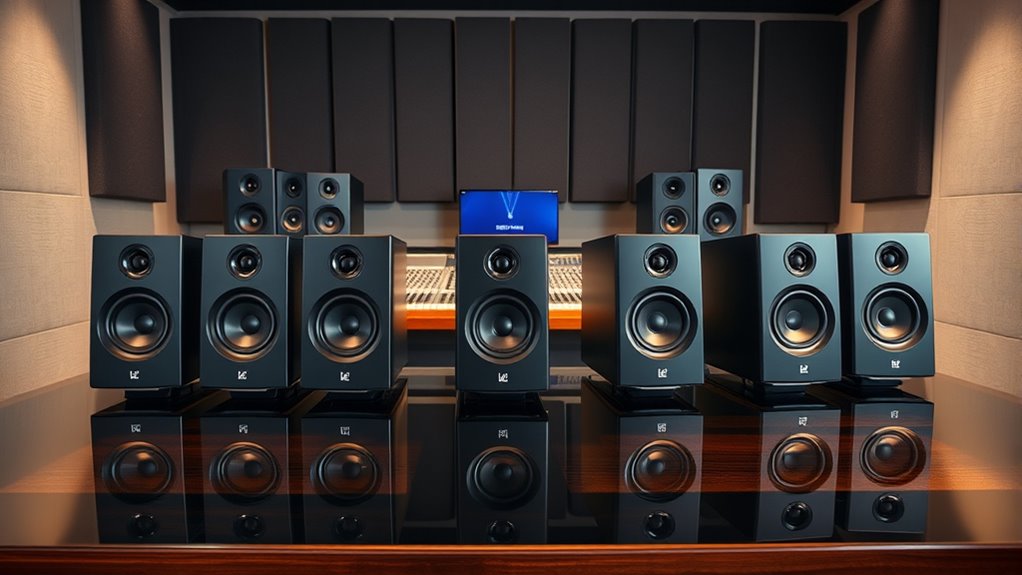

Studio monitors help you hear mixes with less added coloration, but the right choice depends on your room, listening distance, and need for connections beyond your audio interface. I’d pick the JBL 305P MkII as the best overall option in this lineup for its established nearfield design and useful room controls; the Yamaha HS5 is a strong alternative for buyers who want a revealing, mix-focused sound, while the ADAM Audio D3V suits compact desktop setups. Smaller speakers are easier to place but offer less low-end reach, while larger models need more space and careful setup. Read on for how all 14 options compare and which tradeoffs matter most.

Get kitchen gear delivered free with Prime
- Fast, free delivery on millions of items
- Prime Video, Amazon Music and more included
- Member-only deals all year
Complete the kit


Key Takeaways
- The JBL 305P MkII leads as the most balanced general-purpose nearfield pick; its 5-inch format and room controls make it a more adaptable starting point than the smallest desktop pairs.
- Yamaha HS5 and PreSonus Eris E7 XT serve different mixing priorities: the HS5 favors a revealing, restrained presentation, while the larger Eris is better suited to listeners with room for a bigger monitor.
- Compact models trade bass extension for easier placement. The ADAM D3V, PreSonus Eris 3.5, Mackie CR3.5, and M-Audio BX3 fit desktop use better than larger nearfield speakers, but sub-bass decisions may need headphones or a subwoofer.
- Connectivity and listening modes separate many desktop-friendly choices. Bluetooth on the Ortizan C7 adds convenience, while tone controls and multiple inputs on some compact models can help with casual playback as well as production.
- Several entries are close variants or duplicates: the two Ortizan C7 listings differ by color, and the PreSonus Eris 3.5 appears in multiple listings. Buyers should compare the exact configuration rather than assume each listing represents a different sound profile.
| ADAM Audio D3V Active Desktop Studio Monitor Speakers, Black |  | Best for USB-C Desktop Production | Configuration: Active stereo pair | Woofer: 3.5 inches | Tweeter: 1.5-inch D-ART | VIEW ON AMAZON | See Our Full Breakdown |
| Ortizan C7 Powered Studio Monitor Speakers, Pair, Bluetooth 5.3, Black |  | Best for Flexible Everyday Connectivity | Configuration: Powered stereo pair | Woofer: 3.5-inch carbon fiber mid-bass driver | Tweeter: 0.75-inch silk dome | VIEW ON AMAZON | See Our Full Breakdown |
| Mackie CR3.5 Powered Studio Monitors, Pair, 3.5-Inch Woofers, Tone Knob, Black | 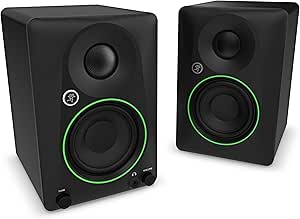 | Best for Adjustable Desk Listening | Configuration: Powered stereo pair | Woofer: 3.5 inches | Tweeter: 1 inch | VIEW ON AMAZON | See Our Full Breakdown |
| PreSonus Eris 3.5 Powered Desktop Studio Monitors, Pair, 50W, White |  | Best for Beginners and Headphone Switching | Configuration: Powered stereo pair | Total power: 50 W (25 W per side) | Frequency range: 80 Hz–20 kHz | VIEW ON AMAZON | See Our Full Breakdown |
| PreSonus Eris E7 XT 2-Way Active Studio Monitor |  | Best for Larger-Room Monitoring | Configuration: 2-way active studio monitor; pack size 1 | Woofer: 6.5-inch woven composite | Tweeter: 1.25-inch silk dome | VIEW ON AMAZON | See Our Full Breakdown |
| JBL 305P MkII 5-Inch Two-Way Powered Studio Monitors, Pair |  | Best Overall | Included quantity: 2 monitors | Speaker type: Powered studio monitor | Drivers: 5-inch woofer and 1-inch (25 mm) tweeter | VIEW ON AMAZON | See Our Full Breakdown |
| Edifier MR3 Powered Studio Monitor Speakers |  | Best for Beginners | Audio channels: 2 (stereo) | Drivers: 3.5-inch woofer and 1-inch tweeter | Frequency response: 52 Hz–40 kHz | VIEW ON AMAZON | See Our Full Breakdown |
| Edifier MR4.5 Bi-Amped Studio Monitor Speakers, 80W RMS, Black |  | Best for Connected Home Studios | Power: 80 W RMS total | Drivers: 4.5-inch mid-bass drivers and 1-inch silk dome tweeters | Frequency response: 50 Hz–40 kHz | VIEW ON AMAZON | See Our Full Breakdown |
| Ortizan C7 Powered Studio Monitors, Pair, White |  | Best for Flexible Desktop Connectivity | Included quantity: Pair | Speaker type: Powered studio monitors | Mid-bass drivers: 3.5-inch carbon fiber | VIEW ON AMAZON | See Our Full Breakdown |
| Yamaha HS5 Powered Studio Monitors, Pair |  | Best for Accuracy-Focused Mixing | Included quantity: 2 monitors | Speaker configuration: 2-way, bass reflex, bi-amplified | Drivers: 5-inch woofer and 1-inch dome tweeter | VIEW ON AMAZON | See Our Full Breakdown |
| PreSonus Eris 4.5 2-Way 4.5-Inch Nearfield Studio Monitors (Pair) |  | Best for Flexible Desktop Setups | Included quantity: Pair | Woofer: 4.5-inch woven-composite | Tweeter: 1-inch silk-dome | VIEW ON AMAZON | See Our Full Breakdown |
| M-Audio BX3 3.5-Inch Wired Studio Monitors (Pair) |  | Best Value Starter Pair | Speaker type: Powered studio monitor pair | Woofer: 3.5-inch Kevlar | Tweeter: 1-inch silk dome | VIEW ON AMAZON | See Our Full Breakdown |
| Yamaha HS4 Powered Studio Monitor Pair, Black |  | Best for Editing and Mix Decisions | Package: Powered two-way monitor pair | Woofer: 4.5-inch cone | Tweeter: 1-inch dome | VIEW ON AMAZON | See Our Full Breakdown |
| PreSonus Eris 3.5 Powered Studio Monitors, Stereo Pair |  | Best Compact Desktop Pick | Speaker type: Active near-field monitors | Quantity: Two speakers | Amplification: 50W | VIEW ON AMAZON | See Our Full Breakdown |
| studio monitor | Woofer | Tweeter | Inputs |
|---|---|---|---|
| ADAM Audio D3V Active Desktop | 3.5 inches | 1.5-inch D-ART | USB-C and balanced 1/4-inch TRS |
| Ortizan C7 Powered Studio Moni | 3.5-inch carbon fiber mid-bass driver | 0.75-inch silk dome | — |
| Mackie CR3.5 Powered Studio Mo | 3.5 inches | 1 inch | — |
| PreSonus Eris 3.5 Powered Desk | 3.5-inch woven-composite | 1-inch silk dome | Balanced 1/4-inch TRS, RCA, and front-panel AUX |
| PreSonus Eris E7 XT 2-Way Acti | 6.5-inch woven composite | 1.25-inch silk dome | — |
| JBL 305P MkII 5-Inch Two-Way P | — | — | Balanced XLR and 1/4-inch TRS |
| Edifier MR3 Powered Studio Mon | — | — | — |
| Edifier MR4.5 Bi-Amped Studio | — | — | XLR, TRS, RCA, and AUX |
| Ortizan C7 Powered Studio Moni | — | — | — |
| Yamaha HS5 Powered Studio Moni | — | — | XLR and TRS phone jack |
| PreSonus Eris 4.5 2-Way 4.5-In | 4.5-inch woven-composite | 1-inch silk-dome | ¼-inch balanced TRS, RCA unbalanced, ⅛-inch stereo aux |
| M-Audio BX3 3.5-Inch Wired Stu | 3.5-inch Kevlar | 1-inch silk dome | ¼-inch, ⅛-inch, and RCA |
| Yamaha HS4 Powered Studio Moni | 4.5-inch cone | 1-inch dome | XLR/TRS combo, RCA, and stereo mini |
| PreSonus Eris 3.5 Powered Stud | 3.5-inch woven-composite | 1-inch silk-dome | Balanced TRS, RCA, and front-panel aux |
More Details on Our Top Picks
ADAM Audio D3V Active Desktop Studio Monitor Speakers, Black
The ADAM Audio D3V is the most direct fit here for a computer-centered setup that also needs balanced analog connections. Its USB-C input accepts digital audio from a computer or compatible mobile device, while TRS inputs suit audio interfaces. Compared with the Mackie CR3.5, which leans on tone adjustment and included setup accessories, the D3V puts more emphasis on flexible connections and placement tuning. Its 3.5-inch woofers and passive radiators are specified to reach down to 45 Hz, a useful extension for a small desktop monitor, though they cannot replace a subwoofer for checking deep bass. DSP switches and angled detachable stands help accommodate desk placement. The tradeoff is that these are still compact, cord-powered speakers, and the supplied information does not establish how their sound compares in a treated room.
Pros:- USB-C and balanced TRS inputs cover digital playback and audio-interface connections.
- Specified bass response reaches down to 45 Hz for a compact desktop design.
- DSP switches can help address placement-related acoustic changes.
- Angled detachable stands support desktop positioning.
Cons:- The 3.5-inch woofers limit deep-bass authority compared with larger monitors such as the PreSonus Eris E7 XT.
- Corded power restricts placement to locations near an outlet.
- The supplied product information does not establish listening performance beyond the listed specifications.
Best for: Computer-based producers who want USB-C playback, balanced interface connections, and compact monitors with placement adjustments.
Not ideal for: Producers who need deep, high-level bass monitoring or a complete battery-powered setup; these require mains power and use 3.5-inch woofers.
- Configuration:Active stereo pair
- Woofer:3.5 inches
- Tweeter:1.5-inch D-ART
- Amplifier power:80 W
- Frequency response:Down to 45 Hz
- Inputs:USB-C and balanced 1/4-inch TRS
- Mounting:Tabletop or microphone stand; 15° stand angle
- Power:Corded electric
Our verdict“Choose the D3V if USB-C convenience and desktop placement options matter more than the greater low-frequency capacity of a larger monitor.”
Ortizan C7 Powered Studio Monitor Speakers, Pair, Bluetooth 5.3, Black
The Ortizan C7 is the connectivity-first choice for a desk shared by music production, gaming, and casual listening. Its Bluetooth 5.3, USB, RCA, AUX, and balanced TRS inputs make it easier to switch sources than on the more production-focused ADAM Audio D3V, which centers on USB-C and TRS. A headphone output adds a convenient option for private monitoring, while the 24-bit DAC supports its digital-input feature set. The compact 3.5-inch driver format suits a desktop, but it also limits low-frequency scale compared with the PreSonus Eris E7 XT and its 6.5-inch woofer. Bluetooth is handy for playback, though buyers focused on critical production may prefer a direct wired connection. These speakers need corded power, and the supplied information offers no listening results to establish their reference accuracy.
Pros:- Wide choice of Bluetooth and wired connections, including balanced TRS.
- Headphone output supports private listening from the speaker system.
- Compact pair is suited to desktop and home-studio placement.
- A 24-bit DAC is included for digital audio connections.
Cons:- The 3.5-inch woofers offer less low-frequency capacity than the larger PreSonus Eris E7 XT.
- Corded electric power is required.
- The supplied information does not provide listening results or measured frequency response.
Best for: Desktop users who want one compact speaker pair for wired production sources, Bluetooth playback, gaming, and headphone monitoring.
Not ideal for: Mixers who need stronger bass extension or documented reference performance, or anyone who needs speakers that work without mains power.
- Configuration:Powered stereo pair
- Woofer:3.5-inch carbon fiber mid-bass driver
- Tweeter:0.75-inch silk dome
- Connectivity:Bluetooth 5.3, USB, RCA, 3.5 mm AUX, 6.35 mm TRS
- DAC:24-bit
- Headphone output:Yes
- Power:Corded electric
Our verdict“Pick the C7 for a source-flexible desktop setup, but choose a larger monitor if bass monitoring is the priority.”
Mackie CR3.5 Powered Studio Monitors, Pair, 3.5-Inch Woofers, Tone Knob, Black
The Mackie CR3.5 suits buyers who want a pair that can shift between studio-oriented listening and a more tailored everyday sound. Its tone knob provides a hands-on way to adjust the presentation, while a location switch helps account for placement near a wall or in open space. That makes it more immediately adjustable than the PreSonus Eris 3.5, which instead offers high- and low-frequency acoustic controls. Mackie also includes isolation pads and connection cables, reducing the need to source basic setup accessories separately. RCA and TRS connections cover common consumer and studio sources. The limitation is the familiar one for compact monitors: 3.5-inch woofers cannot deliver the bass reach or scale of a larger option such as the Eris E7 XT. They also require corded power.
Pros:- Tone knob allows quick sound adjustment for studio or casual listening.
- Location switch helps adapt the monitors to near-wall or open placement.
- Includes foam isolation pads, speaker wire, and connection cables.
- RCA and TRS inputs support consumer and studio equipment.
Cons:- The 3.5-inch woofers provide less bass capacity than the PreSonus Eris E7 XT.
- The listed connections do not include USB or Bluetooth.
- Corded electric power is required.
Best for: Desk listeners and home-studio beginners who want simple sound and placement adjustments plus cables and isolation pads in the box.
Not ideal for: Producers who need authoritative low-bass monitoring, or buyers seeking USB or Bluetooth playback, which are not listed among the connections.
- Configuration:Powered stereo pair
- Woofer:3.5 inches
- Tweeter:1 inch
- Maximum output power:50 W
- Connectivity:RCA and TRS
- Controls:Tone knob and location switch
- Included accessories:Connection cables, speaker wire, and foam isolation pads
- Power:Corded electric
Our verdict“Choose the CR3.5 for an adaptable, accessory-ready desk setup, not for deep-bass production monitoring.”
PreSonus Eris 3.5 Powered Desktop Studio Monitors, Pair, 50W, White
The white PreSonus Eris 3.5 is a practical entry point for a compact production desk, especially when a front-panel headphone jack will get regular use. Its TRS and RCA inputs, front-panel AUX connection, and acoustic tuning controls give new producers a straightforward way to connect and adjust a desktop system. The front-facing headphone output is more convenient to reach than the Ortizan C7’s listed headphone output, while the C7 offers Bluetooth and a wider set of connection types. Compared with the Mackie CR3.5, the Eris provides explicit high- and low-frequency controls rather than a tone knob and placement switch. Its 3.5-inch woofers keep the footprint manageable, but the stated response starts at 80 Hz, so it offers less bass information than the ADAM Audio D3V’s specified 45 Hz extension. It is a nearfield choice, not a substitute for larger monitors.
Pros:- Front-panel headphone output makes switching to private listening convenient.
- TRS, RCA, and AUX inputs support common studio and desktop sources.
- High- and low-frequency controls help tailor playback to the room.
- Compact stereo pair fits shelf and desktop setups.
Cons:- Specified frequency range begins at 80 Hz, leaving deep bass less represented than on the ADAM Audio D3V.
- The listed connections do not include Bluetooth or USB.
- Not water resistant, so the speakers are intended for indoor use.
Best for: New home-studio owners who need compact wired monitors, accessible headphone switching, and basic room and tone adjustments.
Not ideal for: Bass-focused producers who need monitoring below 80 Hz, or buyers who want wireless playback.
- Configuration:Powered stereo pair
- Total power:50 W (25 W per side)
- Frequency range:80 Hz–20 kHz
- Woofer:3.5-inch woven-composite
- Tweeter:1-inch silk dome
- Inputs:Balanced 1/4-inch TRS, RCA, and front-panel AUX
- Headphone output:Front-panel 1/8-inch
- Color:White
Our verdict“The Eris 3.5 is a sensible beginner pair for wired desktop production when accessible headphone monitoring matters more than deep bass.”
PreSonus Eris E7 XT 2-Way Active Studio Monitor
The Eris E7 XT is the lineup’s larger-format option for buyers who need more output and a broader listening area than compact desktop monitors can provide. Its 6.5-inch woofer gives it a clear size advantage over the ADAM Audio D3V and the other 3.5-inch models, while the EBM waveguide’s stated 100° horizontal by 60° vertical dispersion is designed to widen the listening sweet spot. Acoustic Space, level, high-frequency, low-frequency, and high-pass controls offer several ways to adapt it to a room. RCA, TRS, and XLR connections also suit a more established studio signal chain. The key catch is that this listing is for one monitor, not a pair; buyers building stereo monitoring need two. It is also a less natural fit for a crowded desktop than the compact Eris 3.5.
Pros:- 6.5-inch woofer offers greater driver area than the compact 3.5-inch monitors in this batch.
- EBM waveguide specifies wide horizontal and vertical dispersion.
- Room controls include Acoustic Space, HPF, LF Trim, and HF Trim.
- RCA, TRS, and XLR inputs support varied studio connections.
Cons:- Sold as a single monitor, so stereo use requires a second unit.
- Its larger format is less suited to tight desktop setups than the Eris 3.5.
- Not water resistant.
Best for: Producers who need a larger active monitor with room-tuning controls, broad stated dispersion, and RCA, TRS, or XLR connectivity.
Not ideal for: Buyers seeking a ready-to-use stereo pair, compact desktop speakers, or a monitor for wet or exposed spaces.
- Configuration:2-way active studio monitor; pack size 1
- Woofer:6.5-inch woven composite
- Tweeter:1.25-inch silk dome
- Waveguide dispersion:100° horizontal × 60° vertical
- Maximum sound level:104 dB
- Connectivity:RCA, TRS, and XLR
- Acoustic controls:Level, HPF, LF Trim, HF Trim, and Acoustic Space
- Enclosure:Ported
Our verdict“Choose the Eris E7 XT when you need a larger, room-adjustable monitor and are prepared to buy a second unit for stereo.”
JBL 305P MkII 5-Inch Two-Way Powered Studio Monitors, Pair
I’d put the JBL 305P MkII first for buyers who want a dedicated nearfield pair with room-adjustment controls. Its Image Control Waveguide is designed to give a broad listening sweet spot and precise stereo placement, useful when more than one person needs to hear a mix clearly. Boundary EQ and HF Trim let you adapt the monitors to their placement and room, unlike the simpler Ortizan C7, whose supplied data lists no room-tuning controls. Balanced XLR and TRS inputs also suit common studio interfaces. The 5-inch woofer and 108 dB peak SPL give it more headroom potential than the smaller Edifier MR3, but this is still a nearfield monitor, not a substitute for a subwoofer when deep bass is the priority. Its footprint may also be too large for a crowded desktop.
Pros:- Image Control Waveguide is designed for precise imaging across a wider listening area.
- Boundary EQ and HF Trim provide useful room and placement adjustments.
- Balanced XLR and TRS inputs work with common studio interfaces.
- Sold as a pair, with dual 41-watt Class-D amplification in each monitor.
Cons:- The 5-inch cabinets take up more desk or stand space than compact monitors such as the Edifier MR3.
- The supplied specifications do not state a frequency response range, making bass extension harder to compare directly.
- A 5-inch woofer may not provide the lowest bass needed for bass-critical work without a subwoofer.
Best for: Home-studio producers who want a 5-inch nearfield pair, balanced interface connections, and controls for adjusting speaker response to room placement.
Not ideal for: Desktop listeners with very little space or producers who need strong, extended sub-bass without adding a subwoofer.
- Included quantity:2 monitors
- Speaker type:Powered studio monitor
- Drivers:5-inch woofer and 1-inch (25 mm) tweeter
- Amplification:Dual 41-watt Class-D amplifiers
- Inputs:Balanced XLR and 1/4-inch TRS
- Room controls:Boundary EQ and HF Trim
- Peak SPL:108 dB
- Dimensions:9.9 × 7.3 × 11.75 inches
Our verdict“Choose the JBL 305P MkII if you want capable nearfield monitoring with room controls and can accommodate its larger cabinets.”
Edifier MR3 Powered Studio Monitor Speakers
The Edifier MR3 is the approachable pick for a new home setup that needs to handle production and everyday listening without a stack of extra gear. It combines balanced TRS, RCA, AUX, and headphone connections with Bluetooth multipoint, so an interface, computer, and phone can fit into one flexible system. The Music, Monitor, and Custom modes, plus app-based EQ, offer more ways to shape playback than the straightforward Yamaha HS5. That flexibility is helpful for mixed use, though it gives the MR3 a less studio-focused character than a monitor built primarily around accurate reproduction. Its 3.5-inch woofer and 92.5 dB peak SPL also make it better suited to a desk and moderate listening levels than a larger room. Buyers who need more output or low-frequency weight should look at the JBL 305P MkII instead.
Pros:- Balanced TRS, RCA, AUX, and headphone connections accommodate varied desktop sources.
- Bluetooth 5.4 multipoint adds convenient wireless playback from compatible devices.
- App-based EQ and three sound modes allow adjustments for production and casual listening.
- Compact 3.5-inch driver format suits desktop use better than larger monitors.
Cons:- The 3.5-inch woofer is less suited to deep bass and room-filling output than the JBL 305P MkII’s 5-inch driver.
- The listed 92.5 dB peak SPL limits its appeal for louder listening environments.
- Its multiple sound modes and EQ offer flexibility but may be less direct for buyers seeking a dedicated, fixed reference presentation.
Best for: New producers and editors building a compact desktop setup who want multiple wired connections, Bluetooth, and selectable listening modes.
Not ideal for: Producers mixing bass-heavy material at higher levels or anyone who wants a more dedicated 5-inch nearfield monitor like the JBL 305P MkII.
- Audio channels:2 (stereo)
- Drivers:3.5-inch woofer and 1-inch tweeter
- Frequency response:52 Hz–40 kHz
- RMS output power:18 W × 2
- Peak SPL:92.5 dB
- Wired connections:Balanced TRS, RCA, AUX, and headphone output
- Wireless connectivity:Bluetooth 5.4 with multipoint
- Warranty:2 years
Our verdict“Pick the Edifier MR3 for a compact starter studio that also needs wireless and everyday playback options.”
Edifier MR4.5 Bi-Amped Studio Monitor Speakers, 80W RMS, Black
I’d choose the Edifier MR4.5 for a nearfield setup that has to switch easily between production, wired sources, and wireless listening. Its XLR and TRS inputs cover common studio connections, while RCA, AUX, and Bluetooth 6.0 with LDAC add useful options for other devices. The 9-band app EQ and acoustic compensation give it more adjustment range than the Yamaha HS5, whose supplied description focuses on accurate reproduction and balanced or unbalanced inputs rather than app tuning. A 4.5-inch driver and 80 W RMS total output place the MR4.5 between compact desktop models such as the Edifier MR3 and larger 5-inch monitors like the JBL 305P MkII. That middle ground saves space, but buyers seeking more physical scale or a simple, strictly studio-oriented feature set may prefer those alternatives.
Pros:- XLR and TRS inputs support common balanced studio connections.
- App-based 9-band EQ and acoustic compensation provide substantial room-tuning flexibility.
- Bluetooth 6.0 with LDAC adds wireless playback alongside RCA and AUX.
- The 4.5-inch driver and 80 W RMS total output offer a middle ground between compact desktop speakers and larger monitors.
Cons:- The smaller 4.5-inch drivers offer less physical scale for bass-heavy mixes than the JBL 305P MkII’s 5-inch woofers.
- Wireless and app features may be unnecessary for buyers seeking a simple, dedicated studio-monitor setup.
- The stated Bluetooth range is 10 meters, which may constrain wireless placement.
Best for: Home producers who want balanced studio inputs, app-based room adjustment, and convenient Bluetooth playback in a mid-size nearfield pair.
Not ideal for: Mixers who want a no-frills reference monitor or buyers who need larger 5-inch cabinets and the extra physical scale of the JBL 305P MkII.
- Power:80 W RMS total
- Drivers:4.5-inch mid-bass drivers and 1-inch silk dome tweeters
- Frequency response:50 Hz–40 kHz
- Inputs:XLR, TRS, RCA, and AUX
- Wireless connectivity:Bluetooth 6.0 with LDAC
- Audio processing:24-bit/96 kHz DSP
- Room tuning:9-band EQ and app-based acoustic compensation
- Dimensions:8.19 × 5.51 × 9.61 inches (D × W × H)
Our verdict“Choose the MR4.5 if you want studio connections and detailed app tuning in a monitor that also serves as a flexible home speaker.”
Ortizan C7 Powered Studio Monitors, Pair, White
The Ortizan C7 stands out for buyers who want a small pair of powered speakers that can connect to studio equipment and everyday devices. Its balanced TRS, USB-C, RCA, AUX, and Bluetooth 5.3 connections make it more versatile at a mixed-use desk than the more studio-focused Yamaha HS5, which lists XLR and TRS inputs but no wireless option. The 24-bit DAC and two-way driver design are useful features for desktop listening and content creation, while the white finish offers a distinct alternative to the black JBL 305P MkII. However, the supplied specifications omit both power output and frequency response. That makes it harder to judge available headroom and bass reach for monitoring, so I’d treat the C7 as a flexible entry-level option rather than a data-rich choice for critical mix decisions.
Pros:- Balanced TRS input supports connection to compatible studio equipment.
- USB-C, RCA, AUX, and Bluetooth 5.3 suit a range of desktop and home sources.
- A 24-bit DAC and two-way driver design are specified for the system.
- Sold as a pair in a white finish for a desktop-friendly setup.
Cons:- The supplied data gives no power output, making available loudness and headroom difficult to compare.
- No frequency-response range is provided, leaving bass extension and tonal coverage unclear.
- The 3.5-inch mid-bass drivers are smaller than the 5-inch woofers in the JBL 305P MkII and Yamaha HS5.
Best for: Desktop creators who need balanced TRS for an audio interface alongside USB-C, Bluetooth, and consumer audio connections.
Not ideal for: Buyers who need published output and frequency-response figures to compare monitoring capability, or producers seeking a clearly specified mix-reference pair.
- Included quantity:Pair
- Speaker type:Powered studio monitors
- Mid-bass drivers:3.5-inch carbon fiber
- Tweeters:0.75-inch silk dome
- DAC:24-bit
- Connectivity:Bluetooth, RCA, 3.5 mm AUX, 6.35 mm TRS, and USB Type-C
- Wireless connectivity:Bluetooth 5.3
- Enclosure materials:ABS, metal, and wood
Our verdict“Consider the Ortizan C7 for a connection-rich desktop setup, but choose a monitor with published response and output data for more informed critical mixing.”
Yamaha HS5 Powered Studio Monitors, Pair
The Yamaha HS5 is the pick here for producers who value a studio-focused presentation over convenience features. Its two-way, bi-amplified design pairs a 5-inch woofer with a 1-inch dome tweeter, and the stated 54 Hz–30 kHz response gives buyers a clearer reference point than the Ortizan C7, whose supplied data does not list a frequency range. Balanced and unbalanced XLR and TRS inputs also make the HS5 adaptable to different studio connections. Compared with the JBL 305P MkII, the HS5 is presented as an accuracy-oriented monitor, while the JBL adds specified Boundary EQ and HF Trim for room adjustment. The Yamaha’s more restrained feature set will suit a focused mix position, but buyers wanting wireless playback, app EQ, or explicit room controls should look at the Edifier MR4.5 or JBL instead.
Pros:- Two-way bi-amplified design is specified at 70 W total, split between low- and high-frequency amplifiers.
- The 54 Hz–30 kHz frequency range provides a useful comparison point against models with no stated response.
- XLR and TRS inputs accept balanced and unbalanced signals.
- Sold as a pair with 5-inch woofers and 1-inch dome tweeters.
Cons:- The supplied feature list does not include Bluetooth or app-based EQ, unlike the Edifier MR4.5.
- Room-adjustment controls are not listed, whereas the JBL 305P MkII includes Boundary EQ and HF Trim.
- The 54 Hz lower frequency limit may leave the deepest bass outside its stated range.
Best for: Mixers setting up a dedicated nearfield position who want a 5-inch bi-amplified pair with a stated frequency range and balanced or unbalanced inputs.
Not ideal for: Desktop listeners who want Bluetooth and app tuning, or producers who need room-adjustment controls included in the supplied feature set.
- Included quantity:2 monitors
- Speaker configuration:2-way, bass reflex, bi-amplified
- Drivers:5-inch woofer and 1-inch dome tweeter
- Frequency response:54 Hz–30 kHz
- Amplifier power:70 W total (45 W LF + 25 W HF)
- Inputs:XLR and TRS phone jack
- Weight:5.3 kg
- Intended use:Music production and studio monitoring
Our verdict“Choose the Yamaha HS5 for a dedicated mixing setup where a stated response range and bi-amplified 5-inch design matter more than wireless features or app tuning.”
PreSonus Eris 4.5 2-Way 4.5-Inch Nearfield Studio Monitors (Pair)
The Eris 4.5 is the most adaptable pick here for a desktop setup that needs to serve both production and everyday listening. Its 4.5-inch woofers give it a fuller low end than the smaller Eris 3.5 and M-Audio BX3, while TRS, RCA, and aux inputs make it easy to connect audio interfaces alongside consumer devices. High- and low-frequency tuning controls help adjust the sound for a desk or room, and the front headphone output is convenient when switching to private monitoring. The tradeoff is that its bass extension has limits: buyers who need stronger sub-bass may want a separate subwoofer. Its idle power-saving mode can also interrupt a setup left inactive for extended periods. Choose it for versatility, not maximum low-frequency reach.
Pros:- 4.5-inch woofers offer more low-frequency presence than the Eris 3.5 and BX3
- Balanced TRS, RCA, and stereo aux inputs accommodate varied sources
- High- and low-frequency controls help tailor response to the listening space
- Front headphone output makes switching to private monitoring simple
Cons:- A separate subwoofer is needed for stronger low-frequency extension
- Idle power-saving mode activates after 40 minutes without use
Best for: Home producers and desktop listeners who want larger-than-compact speakers, room tuning, and connections for both studio and consumer audio gear.
Not ideal for: Producers who need deep sub-bass from the monitors alone or who leave their system idle for long stretches between sessions.
- Included quantity:Pair
- Woofer:4.5-inch woven-composite
- Tweeter:1-inch silk-dome
- Amplification:50W Class AB total (25W per side)
- Inputs:¼-inch balanced TRS, RCA unbalanced, ⅛-inch stereo aux
- Tuning controls:High- and low-frequency
- Headphone output:Front-panel output with built-in amplifier
- Power-saving mode:Activates after 40 minutes of idle time
Our verdict“Choose the Eris 4.5 if you want a versatile desktop pair with room tuning and fuller bass than smaller monitors, and can accept limited deep-bass output.”
M-Audio BX3 3.5-Inch Wired Studio Monitors (Pair)
The BX3 is a practical entry point for a small production desk, especially for buyers who want useful connections and setup extras in one package. Its 3.5-inch Kevlar woofers keep the cabinets suited to tabletop use, while rear EQ controls let you make basic adjustments for speaker placement. Compared with the larger PreSonus Eris 4.5, the BX3 is the more compact choice but is less suited to listeners seeking fuller low-frequency output. Front aux and headphone connections also make it convenient for a computer-centered setup. The included cables, foam feet, and MPC Beats software add utility for a beginner building a first workstation. The main compromise is that these are wired-only monitors, and their small woofers limit bass authority; the listed 120W figure does not remove that physical limitation.
Pros:- Compact 3.5-inch speaker format fits tabletop workspaces
- Rear EQ controls and speaker-position switch provide placement adjustments
- Front aux input and headphone output suit computer-based listening
- Package includes cables, foam feet, and MPC Beats software
Cons:- Small woofers provide less low-frequency presence than the Eris 4.5
- Wired connection only, with no wireless playback specified
Best for: First-time home producers and computer users who want compact wired monitors, front-panel connections, and included setup accessories.
Not ideal for: Producers mixing bass-heavy material who need substantial low-frequency detail, or buyers seeking wireless playback.
- Speaker type:Powered studio monitor pair
- Woofer:3.5-inch Kevlar
- Tweeter:1-inch silk dome
- Power:120W
- Inputs:¼-inch, ⅛-inch, and RCA
- Front connections:⅛-inch aux input and headphone output
- Cabinet material:Engineered wood
- Included accessories:Foam feet, speaker interconnect cable, aux cable, RCA cable, and MPC Beats software
Our verdict“Pick the BX3 for a compact starter setup with helpful accessories and connections, but choose a larger monitor if bass accuracy is a priority.”
Yamaha HS4 Powered Studio Monitor Pair, Black
The Yamaha HS4 is the focused choice in this group for producers and video editors who want a compact, straightforward monitor pair with recognized studio-style connections. Its 4.5-inch woofer gives it more potential for low-frequency monitoring than the 3.5-inch M-Audio BX3, while room control and high trim offer useful adjustments when desk or wall placement colors playback. XLR/TRS combo inputs, RCA, and stereo mini cover common studio and consumer sources. Compared with the PreSonus Eris 4.5, the HS4 is similarly sized but lists a 26W output, so it is a less compelling fit for buyers prioritizing high output. Its stated frequency response reaches 60 Hz at -10 dB, which helps set expectations: it is not a substitute for a subwoofer when judging deep bass.
Pros:- 4.5-inch woofer provides a larger driver than the BX3’s 3.5-inch unit
- Room control and high trim allow adjustments for the listening setup
- XLR/TRS combo, RCA, and stereo mini inputs support varied sources
- Includes speaker cable, stereo mini-to-RCA cable, and anti-slip pad
Cons:- Listed output power is 26W, limiting appeal for buyers seeking greater output
- Frequency response reaches 60 Hz at -10 dB, so deep bass monitoring is limited
Best for: Video editors and home producers who want compact monitors with balanced professional and consumer inputs plus basic room-response adjustments.
Not ideal for: Users who need high playback levels or dependable deep-bass judgment without adding a subwoofer.
- Package:Powered two-way monitor pair
- Woofer:4.5-inch cone
- Tweeter:1-inch dome
- Output power:26W
- Frequency response:60 Hz–22 kHz (-10 dB)
- Inputs:XLR/TRS combo, RCA, and stereo mini
- Controls:Room control and high trim
- Included accessories:Stereo mini-to-RCA cable, 2.5 m speaker cable, and anti-slip pad
Our verdict“Choose the HS4 for compact production or editing work with flexible inputs and room adjustments, but look elsewhere if output or deep bass matters most.”
PreSonus Eris 3.5 Powered Studio Monitors, Stereo Pair
For a crowded desk, the Eris 3.5 makes more sense than the Eris 4.5: it keeps the same general nearfield approach in a smaller 3.5-inch format, with 50 watts of built-in amplification and useful connections for a computer, interface, or other source. Adjustable high- and low-frequency controls help compensate for a less-than-ideal desktop position, and the front headphone jack makes late-night editing easier. Compared with the Yamaha HS4, this pair is aimed more squarely at compact desktop use, while the HS4 has a 4.5-inch woofer and a stated 60 Hz lower response point. The Eris 3.5’s listed range begins at 80 Hz, so bass-heavy mixing will call for headphones or a subwoofer. It also has no Bluetooth connectivity specified.
Pros:- Compact dimensions suit small desks and bookshelf placement
- 50-watt amplification is built into the stereo pair
- TRS, RCA, and front-panel aux inputs accommodate several sources
- Tuning controls and a front headphone jack support desktop workflows
Cons:- Listed frequency range starts at 80 Hz, limiting deep-bass monitoring compared with larger monitors
- Bluetooth connectivity is not specified
Best for: Bedroom producers, podcasters, and editors who need a small stereo monitor pair with tuning controls and easy front-panel access.
Not ideal for: Bass-focused producers who need low-frequency extension for mix decisions, or buyers who want Bluetooth playback.
- Speaker type:Active near-field monitors
- Quantity:Two speakers
- Amplification:50W
- Woofer:3.5-inch woven-composite
- Tweeter:1-inch silk-dome
- Frequency range:80 Hz–20 kHz
- Inputs:Balanced TRS, RCA, and front-panel aux
- Dimensions:5.5 × 6 × 8.3 inches
Our verdict“Pick the Eris 3.5 when desk space and flexible connections matter more than deep bass or wireless playback.”

How We Picked
I ranked these studio monitors by their usefulness for real recording and mixing workflows, not by feature count alone. The main criteria were the potential for clear, balanced nearfield playback; driver size and likely low-frequency limits; placement and room-adjustment options; connection flexibility; and how well each model suits a desk, small room, or larger listening space. I also considered whether a speaker’s controls and format make it practical for everyday use alongside production work.
The JBL 305P MkII ranks first as the strongest all-round fit because it combines a useful nearfield size with room-adjustment features. The Yamaha HS5 and PreSonus Eris E7 XT rank as more focused alternatives for buyers prioritizing mix scrutiny or larger-room output. Compact and feature-rich desktop models follow: they can be the better choice for tight spaces, casual listening, or a first setup, but their smaller cabinets limit low-end judgment. Duplicate and color-variant listings are treated as the same underlying option, not as separate performance leaders.
Factors to Consider When Choosing Studio Monitors
Choosing studio monitors is less about finding the biggest speaker and more about matching the monitor to your room and working distance. These broader checks can help you avoid buying a capable speaker that is poorly suited to your setup.
Match driver size to your room and listening distance
A larger woofer can support stronger low frequencies, but it does not automatically make a monitor a better fit. In a small untreated room, extra bass can become harder to judge because room boundaries and resonances affect what reaches your ears. Compact models often work more comfortably at a desk, where the listening distance is short. Larger nearfield monitors make more sense when you have room to position them symmetrically and sit farther back. Avoid choosing by woofer size alone; think about where the speakers will sit and how loud you need to work. If you produce bass-heavy music on small monitors, plan to check the low end on headphones or another playback system.
Treat your room as part of the monitoring system
Even a well-designed monitor cannot correct every problem caused by an untreated room. A desk, bare wall, or corner can alter bass and reflections, making a mix sound different elsewhere. Before spending more on speakers, try to place them at equal distances from side walls and keep both monitors and your listening position arranged as symmetrically as practical. Room controls can help compensate for placement-related changes, but they are not a replacement for acoustic treatment or good positioning. A common mistake is to blame the speakers for a room problem and upgrade without changing the setup. If treatment is not possible, prioritize monitors with useful adjustment options and compare your mixes on familiar headphones and speakers.
Choose connections for your actual workflow
For mixing, a direct connection from an audio interface is usually the simplest route, so check that the monitor inputs match your available outputs and cables. Desktop speakers may add Bluetooth or consumer-friendly inputs, which can make them more convenient for music playback and everyday computer use. That convenience does not replace a reliable wired signal path when you are making mix decisions. Also check whether the pair is truly a matched stereo set or whether a listing describes one monitor; product titles can be unclear. Avoid paying for inputs you will not use, but do not overlook the cost and hassle of adapters if your interface and speakers use different connections. Make a short list of your sources before choosing.
Decide whether convenient sound controls help or distract
Tone knobs and listening modes can make compact monitors more flexible for games, videos, and casual listening. For production, though, frequent tone changes can make it harder to learn a speaker’s normal response and judge whether a mix translates. A useful approach is to establish a consistent reference setting, then use alternate settings only for non-critical listening or specific checks. Bluetooth is handy for quickly playing reference tracks from a phone, but wired playback from your production setup should remain the main monitoring path. If more than one person will use the speakers, simple controls may be a real advantage. If your priority is repeatable mix decisions, favor a stable setup over extra sound-shaping features.
Budget for stands, cables, and placement—not just monitors
Monitors placed directly on a resonant desk can pass vibration into the furniture and put the tweeters at the wrong height. Stands or isolation pads can improve positioning and reduce unwanted desk interaction, so include them in your setup plan. Check what cables are included and whether you need balanced cables, adapters, or longer runs to reach your interface. A cheaper speaker pair can become less economical if the required accessories are missing or awkward to source. Buying a subwoofer later also adds setup work: its crossover and level need careful adjustment to avoid a gap or bass buildup. If funds are limited, a properly positioned pair you can use consistently may serve you better than a larger model squeezed into a poor location.
Pay more for a specific need, not a bigger number
Spending more can make sense when it solves a clear limitation, such as needing more headroom, broader placement flexibility, or a larger listening area. It is less useful when the room is too small or untreated to take advantage of the extra output. Beginners often benefit more from learning one monitoring setup and checking mixes across familiar systems than from buying several upgrades early. For compact desktop work, a smaller pair may be the more practical choice even if a larger model appears more capable on paper. If you need Bluetooth or convenient tone controls, value those features as workflow benefits rather than proof of greater mixing accuracy. Set your budget around the complete setup and the work you do most often.
Frequently Asked Questions
Can I mix bass-heavy music on compact studio monitors?
You can make useful mix decisions on compact monitors, but small cabinets generally provide less low-frequency extension than larger models. That makes deep bass harder to judge by speakers alone, especially if the room also has bass buildup or cancellation. Check low-end balance with familiar headphones and reference tracks, and test mixes on other playback systems before finishing. A subwoofer can extend the system, but it needs careful placement and level matching to blend well. For a first setup, consistent cross-checking is often a simpler step than adding a sub immediately.
Should I choose a pair with Bluetooth for production?
Bluetooth can be useful for casual listening and for quickly playing a reference from a phone, but it should not be your main connection for critical production work. A wired connection from an audio interface is a more direct and predictable workflow. If Bluetooth is included, treat it as a convenience feature rather than a reason to expect better mix accuracy. Check that the speakers also have inputs suited to your interface and that you can connect both monitors as a stereo pair. Buyers who only need a dedicated mixing setup may prefer to focus on placement, room controls, and wired compatibility.
Do I need a matched pair, or can I buy one monitor?
Stereo mixing and most music production call for a matched pair so left and right playback behave consistently. Some product names describe a single monitor, while others clearly list a pair, so check the exact listing and package contents before ordering. One speaker can still work for mono checks or a temporary setup, but it cannot provide the normal stereo image used to judge panning and spatial balance. If you buy a second speaker later, matching the model and revision is preferable to combining unrelated monitors. Also confirm whether cables and power supplies are included for both speakers.
Are room-adjustment controls enough for an untreated bedroom?
Room controls can help reduce some placement-related tonal changes, but they cannot remove reflections, nulls, or every bass problem in an untreated room. Start by positioning the speakers away from corners where possible, keeping the pair symmetrical, and placing the tweeters near ear height. Use adjustment switches as a modest correction rather than a substitute for room treatment. If you cannot add treatment, compare your mixes on headphones and familiar consumer speakers to catch errors the room may hide. The monitor’s size and controls matter, but the listening space remains part of the result.
Should I upgrade from a compact pair to larger monitors?
Upgrade when you can name a limitation that affects your work, such as insufficient clean output, poor low-frequency confidence, or a listening area that is too large for the current pair. A larger monitor may reveal more bass, but it can also excite room problems and needs suitable placement. If you work close to a computer in a small room, a compact pair may remain the more practical choice. Before replacing it, check speaker position, listening level, and whether headphones or reference checks can fill the gap. Spend more only when the room and workflow can make use of the added capability.
Conclusion
For the best overall studio monitors, I’d start with the JBL 305P MkII for its balanced nearfield fit and room-adjustment options. The best value direction is a compact pair such as the PreSonus Eris 3.5 or M-Audio BX3 when desk space and basic production needs matter more than deep bass. For a best premium, larger-monitor choice, the PreSonus Eris E7 XT is the lineup’s option for buyers with room to place a bigger speaker; the Yamaha HS5 is a more restrained alternative for mix-focused work. Beginners who need an approachable desktop setup can compare the Eris 3.5, Mackie CR3.5, and Edifier MR3, while the ADAM Audio D3V is the specific pick for compact desktop use and the Ortizan C7 suits buyers who value Bluetooth convenience. Choose by room, listening distance, and workflow first; then select the model whose tradeoffs fit those needs.