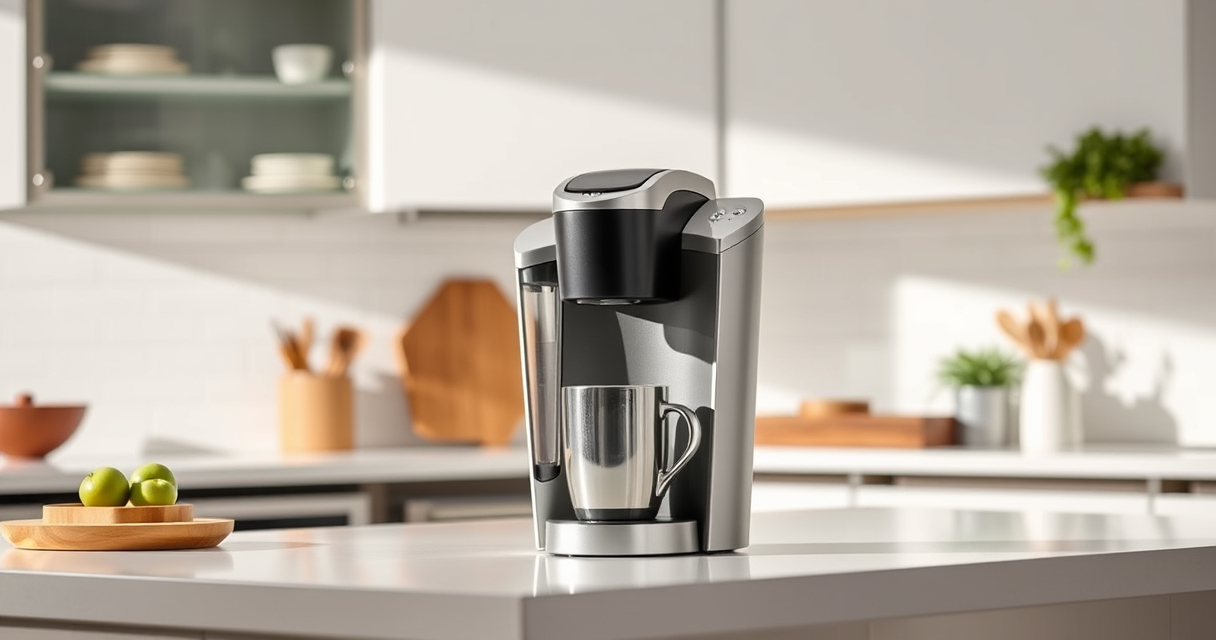

The Keurig K-Mini is a compact and convenient coffee maker perfect for small spaces. However, like any appliance, it can encounter issues over time. Proper troubleshooting and regular maintenance are essential to ensure your machine brews great-tasting coffee every time.

Get kitchen gear delivered free — and shop member deals
- Fast, free delivery on millions of items
- Access to Prime Big Deal Days deals on October 6–7
- Prime Video, Amazon Music and more included
This guide provides practical, safe, and clear steps to diagnose common problems, perform routine care, and keep your Keurig K-Mini functioning optimally. Whether it’s a brewing problem, mineral buildup, or cleaning needs, you’ll find straightforward solutions here.
Key Takeaways
| Regular Cleaning is Key | Clean your brewer regularly to prevent flavor carry-over and buildup. |
| Descale Periodically | Use descaling solutions every 3 months to remove mineral deposits. |
| Troubleshoot Common Issues | Identify and fix problems like no water flow or inconsistent brewing. |
| Use Reusable Filters | Enhance flavor and save money with My K-Cup® reusable filter. |
Identifying Common Problems
Before troubleshooting, it’s helpful to recognize typical issues with the Keurig K-Mini. Common problems include the machine not turning on, water not flowing, inconsistent brew sizes, or the machine shutting off unexpectedly. Noticing these early signs can help you address them quickly.
First, check if the machine is plugged in and the power outlet is working. If the machine powers on but doesn’t dispense water, there might be a clog or mineral buildup. For inconsistent brewing or weak coffee, cleaning and descaling are often the remedy.
Step-by-Step Troubleshooting
- Ensure Proper Power Connection: Confirm the machine is plugged in securely. Try another outlet if needed.
- Check Water Reservoir: Make sure the water reservoir is filled and properly seated.
- Clear Clogs or Blockages: Remove the water reservoir and drip tray, then inspect for any blockages. Clean with a damp cloth and ensure no debris obstructs the water flow.
- Perform a Descale: If mineral buildup is suspected, use a descaling solution as per the instructions below.
- Reset the Machine: Unplug the Keurig for 30 seconds, then plug back in. Try brewing again.
- Test with a Different K-Cup: Sometimes, the issue is with the pod. Try a different, fresh K-Cup to rule that out.
Routine Cleaning & Maintenance
Regular cleaning prevents many issues and extends the life of your Keurig K-Mini. Follow these steps:
- Daily: Empty the drip tray and clean it with soap and water. Wipe the exterior with a damp cloth.
- Weekly: Remove the water reservoir and wash it thoroughly. Clean the needle entry point with a paperclip or the cleaning tool provided.
- Every 3 Months: Descale your machine using a descaling solution to remove mineral deposits. Use the maintenance kit that includes descaling solution, rinse pods, and water filter cartridges for best results.
Descaling Your Keurig K-Mini
Mineral deposits from water can clog your machine and affect brew quality. Descaling every three months helps maintain optimal performance.
- Fill the water reservoir with one part descaling solution and one part water.
- Turn on the machine and run a cleansing brew without a K-Cup, allowing the solution to flow through.
- Repeat until the reservoir is empty.
- Fill the reservoir with fresh water and run several brew cycles to rinse out any residual descaling solution.
- Clean the exterior and drip tray afterward.
Using Reusable Filters and Accessories
To customize your brew and save money, consider using the My K-Cup® reusable coffee filter. It allows you to brew your own ground coffee, providing more flavor options and reducing waste. Ensure it is compatible with your Keurig model and cleaned regularly for the best experience.
The Products in This Guide

Keurig K-Mini Single Serve K-Cup Pod Coffee Maker
- ✔ Width: Less than 5 inches
- ✔ Brew Range: 6-12 oz
- ✔ Mug Height: Up to 7 inches

My K-Cup® Reusable Coffee Filter
- ✔ Material: BPA-free plastic
- ✔ Capacity: Single cup
- ✔ Dishwasher Safe: Yes
Keurig K-Mini Single Serve K-Cup Pod Coffee Maker
The Keurig K-Mini Single Serve K-Cup Pod Coffee Maker is a versatile, space-saving machine ideal for apartments, offices, or travel. Its simple design and quick brew time make it a popular choice, and with proper care, it can serve you reliably for years.
Pros:
- Space-efficient design
- Fast brew time
- Easy to clean
- Compatible with reusable filters
Cons:
- Limited water reservoir
- No on/off button
- No temperature control
Best for: Small spaces, quick coffee needs, travel
Not ideal for: Large households or those seeking temperature control
Bottom line: A compact, efficient coffee maker perfect for small spaces and quick mornings.
My K-Cup® Reusable Coffee Filter
The My K-Cup® Reusable Coffee Filter provides an eco-friendly way to enjoy your favorite ground coffee with your Keurig. It’s simple to use and compatible with the K-Mini, making it a valuable addition to your brewing routine.
Pros:
- Cost-effective
- Eco-friendly
- Easy to clean
- Brew your preferred grounds
Cons:
- Requires more cleanup
- Potential for clogging if not cleaned
- Slightly longer brew time
Best for: Custom coffee lovers, eco-conscious users, cost savings
Not ideal for: Those preferring quick, single-use pods
Bottom line: An eco-friendly, cost-efficient way to brew your own ground coffee with Keurig.
Frequently Asked Questions
Why is my Keurig K-Mini not brewing?
Check if the water reservoir is filled and properly seated. Clean the needle and descale the machine if necessary. Ensure the pod is correctly placed.
How often should I descale my Keurig K-Mini?
It’s recommended to descale every 3 months using a descaling solution to prevent mineral buildup that can clog the system.
Can I use ground coffee instead of K-Cups?
Yes, with the My K-Cup® reusable filter, you can brew your favorite ground coffee, enhancing flavor options and reducing waste.
What should I do if water is leaking from my Keurig?
Inspect for clogs or damage in the water reservoir and needle. Clean the needle with a paperclip and ensure all parts are correctly assembled.
How do I clean my Keurig K-Mini properly?
Wipe the exterior, clean the drip tray, wash the water reservoir weekly, and perform descaling every three months for optimal performance.
Keep Your Keurig K-Mini Brewing Perfectly
With regular maintenance and troubleshooting, your Keurig K-Mini will continue to serve up fresh coffee with ease. Addressing issues promptly and performing routine cleaning ensures longevity and optimal flavor. Enjoy your coffee moments without worry, knowing your machine is well cared for.
Affiliate disclosure: As an Amazon Associate we earn from qualifying purchases. Prices and availability are accurate as of the time of publishing.
Halloween Picks
halloween
As an affiliate, we earn on qualifying purchases.