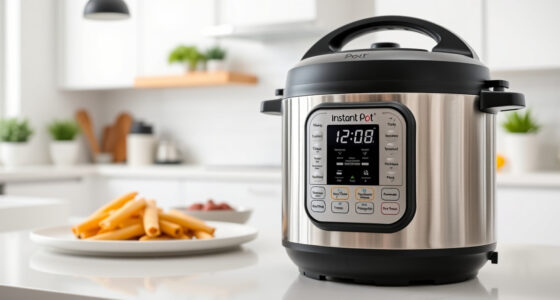
If your Instant Pot 4QT RIO Mini keeps showing a burn error, it can be frustrating and disrupt your meal prep. This guide provides clear, practical steps to troubleshoot and resolve the issue safely, ensuring your pressure cooker functions perfectly again.

Get kitchen gear delivered free with Prime
- Fast, free delivery on millions of items
- Prime Video, Amazon Music and more included
- Member-only deals all year
Understanding common causes and following these steps will help you fix the problem quickly, whether it’s due to food sticking, sealing issues, or other obstructions.
Key Takeaways
| Identify the cause | Burn errors often result from food sticking, sealing ring issues, or improper layering. |
| Check sealing ring | A damaged or improperly seated sealing ring can cause pressure loss and burn errors. |
| Clean the bottom | Food residue or thick sauces can cause burning; cleaning the bottom may resolve this. |
| Layer ingredients properly | Avoid overfilling or stacking ingredients too high, which can prevent even cooking. |
| Ensure correct sealing | Make sure the lid is securely sealed with the lid properly aligned. |
Step 1: Turn Off and Unplug the Instant Pot
Before troubleshooting, turn off your Instant Pot and unplug it. Release any remaining pressure by carefully turning the steam release handle to vent, and wait until the float valve drops. Open the lid and inspect the interior.
Step 2: Check the Sealing Ring and Lid
- Remove the sealing ring and inspect it for cracks, deformation, or residue. Replace it if damaged.
- Ensure the sealing ring is properly seated in the lid groove.
- Check that the lid is aligned correctly and securely locked in place.
Step 3: Clean the Inner Pot and Bottom
Remove the inner pot and clean the bottom thoroughly with warm, soapy water. Use a non-abrasive sponge to remove any stuck food or burnt residue. Dry completely before reassembling.
Step 4: Adjust Ingredients and Layer Properly
- Do not overfill your cooker—leave at least 1-2 inches of space at the top.
- Place thicker ingredients at the bottom, and avoid stacking ingredients too high.
- Use a steamer basket if needed to keep ingredients separated and prevent burning.
Step 5: Reassemble and Test
Reinsert the sealing ring, close the lid securely, and ensure the steam release valve is set to sealing. Run a short pressure cooking cycle to see if the burn error persists. If it does, repeat the cleaning and inspection process.
The Products in This Guide

Instant Pot 4QT RIO Mini 7-in-1 Multi-Cooker
- ✔ Weight: 8.4 lbs
- ✔ Dimensions: 11.8 x 9.2 x 9.2 inches
- ✔ Warranty: 1-year

AOZITA Steamer Basket
- ✔ Capacity: Two tiers
- ✔ Color: Silver
- ✔ Weight: 1 lb
Instant Pot 4QT RIO Mini 7-in-1 Multi-Cooker
The Instant Pot 4QT RIO Mini 7-in-1 Multi-Cooker combines multiple cooking functions into a small, easy-to-store device. It offers pressure cooking, slow cook, sauté, steam, rice making, yogurt, and warming, making it ideal for small households or limited kitchen space.
Pros:
- 7 versatile functions
- Compact size perfect for small kitchens
- Easy to use with clear status indicator
- Fast cooking times
Cons:
- Limited 4-quart capacity
- Not suitable for large families
- Potential for burn errors if not used properly
Best for: Small families, singles, or students needing versatile cooking tools in limited space
Not ideal for: Large meal preparation or multiple servings at once
Bottom line: A highly versatile, space-saving multi-cooker for small households.
AOZITA Steamer Basket
The AOZITA Steamer Basket is a great addition for your Instant Pot, allowing you to steam vegetables, eggs, and more efficiently while keeping flavors separate. Its 2-tier design maximizes cooking capacity.
Pros:
- Stainless steel, durable construction
- Two-tier stacking for multiple foods
- Easy to clean and dishwasher safe
- Fits 6-quart and 8-quart models
Cons:
- Additional cost
- Requires extra space inside the cooker
- May take some time to get used to stacking
Best for: Cooking multiple items at once, steaming vegetables, eggs, or seafood
Not ideal for: Using as a replacement for sealing rings or lid components
Bottom line: Great for expanding your Instant Pot’s steaming capabilities.
Frequently Asked Questions
Why does my Instant Pot keep showing a burn error?
Burn errors typically occur when food sticks to the bottom, the sealing ring is damaged, or the cooker is overfilled. Proper cleaning and ingredient layering can prevent this.
How do I reset the burn error on my Instant Pot?
Turn off and unplug the cooker, release pressure, clean the bottom and sealing ring, then restart with proper ingredient placement and sealing. If the error persists, inspect the sealing ring and lid for damage.
Can I still use my Instant Pot after a burn error?
Yes, if you identify and fix the cause — such as cleaning the bottom or replacing the sealing ring — your cooker should function normally afterward.
What safety precautions should I take?
Always unplug the cooker before cleaning, ensure the sealing ring is intact, and never force the lid closed. Follow manufacturer instructions for safe operation.
Mastering Your Instant Pot for Trouble-Free Cooking
With these troubleshooting steps, you can quickly resolve a burn error and get back to enjoying your favorite meals. Regular maintenance, proper ingredient layering, and using quality accessories like a steamer basket can extend your Instant Pot’s lifespan and performance. Remember, safety first — always unplug and handle hot components carefully.
Affiliate disclosure: As an Amazon Associate we earn from qualifying purchases. Prices and availability are accurate as of the time of publishing.
Halloween Picks
halloween
As an affiliate, we earn on qualifying purchases.