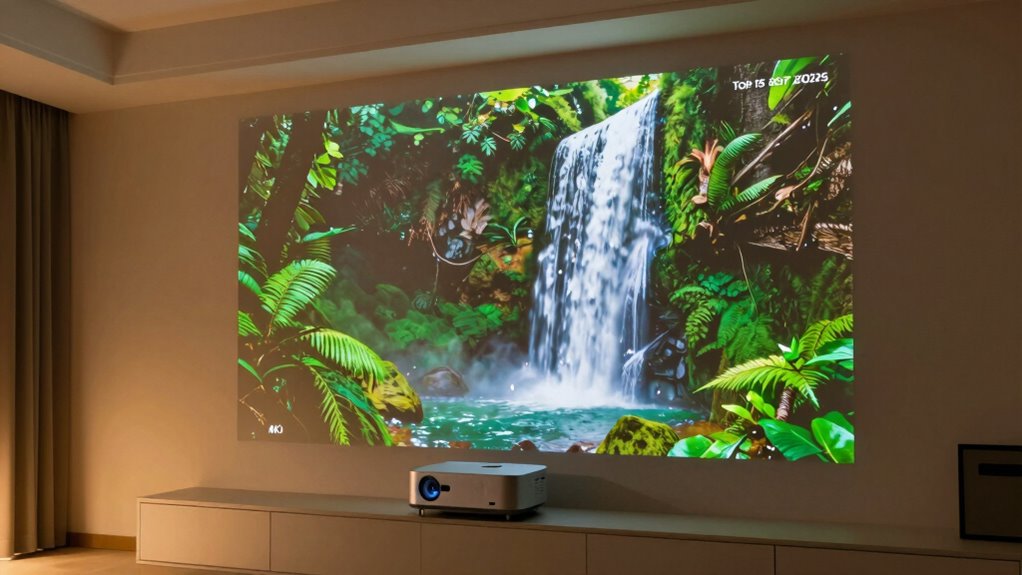

Among these 4K projectors, I’d make the Epson Home Cinema 3800 my overall pick for a dedicated movie setup, while the ViewSonic PX749-4K stands out for gaming and the XGIMI HORIZON 20 for a smart, triple-laser home theater. The lineup also includes portable and outdoor models, though several advertise 4K support or decoding rather than native 4K resolution. The main tradeoffs are image detail, brightness in your room, gaming responsiveness, and how much setup you want to handle yourself. A projector that suits a dark theater may struggle outdoors or in a bright living room. Read on for my comparison, buying guidance, and picks by use case.

Get kitchen gear delivered free with Prime
- Fast, free delivery on millions of items
- Prime Video, Amazon Music and more included
- Member-only deals all year
Complete the kit



Key Takeaways
“4K” describes different things in this lineup: the VIDAA Smart Projector is listed as native 1080p with 4K decoding, so buyers seeking a true 4K image should distinguish decoding from native resolution.
The Epson Home Cinema 3800 is my balanced movie pick: its 3LCD design and HDR support make it a strong fit for home cinema, while its setup is less appliance-like than smart projectors with automatic adjustments.
Gaming and movie priorities diverge: the ViewSonic PX749-4K is explicitly positioned for gaming, while the Optoma UHZ36’s laser light source and HDR focus suit buyers prioritizing a home theater setup.
Outdoor claims need context: several models emphasize high brightness, speakers, and streaming features, but a dark setting and a suitable screen still matter for a satisfying large image.
Convenience features can change the buying decision: Google TV, VIDAA, auto focus, and bundled streaming devices reduce setup friction, but they do not establish native resolution or image quality on their own.
| ViewSonic PX701-4K UHD Projector |  | Best for Bright-Room Gaming | Resolution: 4K UHD (3840 × 2160) | Brightness: 3,200 ANSI lumens | Refresh rate: Up to 240Hz | VIEW ON AMAZON | See Our Full Breakdown |
| VOPLLS G7 4K Outdoor Projector with Google TV |  | Best for Streaming and Easy Setup | Throw ratio: 1.24:1 | 100-inch image distance: About 9 feet | HDR support: HDR10+ | VIEW ON AMAZON | See Our Full Breakdown |
| Epson Home Cinema 3800 4K PRO-UHD 3LCD Projector |  | Best for Flexible Home Theater Placement | Projection technology: 3-chip 3LCD with pixel-shifting | Resolution: 4K PRO-UHD enhancement | HDR: Full 10-bit HDR support | VIEW ON AMAZON | See Our Full Breakdown |
| XGIMI HORIZON 20 4K RGB Triple Laser Home Projector |  | Best Premium All-in-One | Native resolution: 3840 × 2160 | Brightness: 3,200 ISO lumens | Contrast ratio: 100,000:1 | VIEW ON AMAZON | See Our Full Breakdown |
| VIDAA Smart Projector with 4K Decoding |  | Best for Budget-Minded 1080p Streaming | Native resolution: 1920 × 1080 | Maximum decoded resolution: 3840 × 2160 pixels | Display type: LCD | VIEW ON AMAZON | See Our Full Breakdown |
| Smart Outdoor Projector with WiFi and Bluetooth, P62 Pro |  | Best for Easy Streaming Setup | Native resolution: 1920 × 1080 | 4K support: 4K input support; displayed at native 1080p | Brightness: 600 ANSI lumens | VIEW ON AMAZON | See Our Full Breakdown |
| TOPTRO X9 Pro VIDAA Smart Projector |  | Best for Built-In Entertainment | Native resolution: 1920 × 1080 | 4K support: 4K decoding; displayed at native 1080p | Brightness: 920 ISO ANSI lumens | VIEW ON AMAZON | See Our Full Breakdown |
| ViewSonic PX749-4K 4K UHD Gaming Projector |  | Best for Fast 4K Gaming | Resolution: 4K UHD, 3840 × 2160 | Brightness: 4,000 ANSI lumens | Refresh rate: Up to 240Hz | VIEW ON AMAZON | See Our Full Breakdown |
| ONOAYO ONO3Pro 2.0 Portable 4K-Support Projector |  | Best Compact Smart Pick | Model: ONO3Pro 2.0 | Video support: 4K decoding | Native resolution: Not specified | VIEW ON AMAZON | See Our Full Breakdown |
| Optoma UHZ36 4K UHD Laser HDR Home Theater Projector |  | Best for Laser Home Theater | Resolution: 4K UHD | Light source: Laser | HDR: Supported | VIEW ON AMAZON | See Our Full Breakdown |
| AuKing 5000 ANSI & 70W Dolby 4K Outdoor Projector with Auto Focus |  | Best for Brighter Rooms | Resolution: Native 1080p; accepts and downscales 4K input | Brightness: 5000 ANSI lumens (claimed) | HDR: HDR10+ | VIEW ON AMAZON | See Our Full Breakdown |
| Smart 4K Projector [Bundled with Google TV Stick] with WiFi and Bluetooth, 3000ANSI, Auto Lens Cap, Portable Outdoor Movie Projector with Built-in Apps Auto Focus for Ceiling/Home Theater/Bedroom | with WiFi and Bluetooth, 3000ANSI, Auto Lens Cap, Portable Outdoor Movie Projector with Built-in Apps Auto Focus for Ceiling/Home Theater/Bedroom” image=”https://m.media-amazon.com/images/I/71LLNEJdLxL._AC_SY300_SX300_QL70_FMwebp_.jpg” link=”0″] | Best for Google TV Convenience | Resolution: Native 1080p; supports 4K decoding | Brightness: 3000 ANSI lumens | Streaming: Bundled Google TV Stick; Netflix, YouTube, and other apps | VIEW ON AMAZON | See Our Full Breakdown |
| VOPLLS G3 4K Smart Projector with Google TV, WiFi 6, Bluetooth 5.2, Dolby Audio, and Auto Focus |  | Best for Family Streaming | Resolution: Native 1080p; supports 4K input | Operating system: Google TV | Wireless connectivity: Wi-Fi 6, Bluetooth 5.2 | VIEW ON AMAZON | See Our Full Breakdown |
| 4k projector | Brightness | Resolution |
|---|---|---|
| ViewSonic PX701-4K UHD Project | 3,200 ANSI lumens | 4K UHD (3840 × 2160) |
| VOPLLS G7 4K Outdoor Projector | — | — |
| Epson Home Cinema 3800 4K PRO- | 3,000 lumens (color and white) | 4K PRO-UHD enhancement |
| XGIMI HORIZON 20 4K RGB Triple | 3,200 ISO lumens | — |
| VIDAA Smart Projector with 4K | 550 ANSI lumens | — |
| Smart Outdoor Projector with W | 600 ANSI lumens | — |
| TOPTRO X9 Pro VIDAA Smart Proj | 920 ISO ANSI lumens | — |
| ViewSonic PX749-4K 4K UHD Gami | 4,000 ANSI lumens | 4K UHD, 3840 × 2160 |
| ONOAYO ONO3Pro 2.0 Portable 4K | Not specified | — |
| Optoma UHZ36 4K UHD Laser HDR | — | 4K UHD |
| AuKing 5000 ANSI & 70W Dolby 4 | 5000 ANSI lumens (claimed) | Native 1080p; accepts and downscales 4K input |
| Smart 4K Projector [Bundled wi | 3000 ANSI lumens | Native 1080p; supports 4K decoding |
| VOPLLS G3 4K Smart Projector w | — | Native 1080p; supports 4K input |
More Details on Our Top Picks
ViewSonic PX701-4K UHD Projector
The PX701-4K is the clearest fit here for players who want a 4K UHD image with fast response. Its 4.2ms input lag and refresh rates up to 240Hz suit responsive play, while 3,200 ANSI lumens give the picture more headroom in a room with some ambient light than the Epson Home Cinema 3800’s 3,000-lumen rating. That brightness and gaming focus make it a more straightforward pick for mixed-use rooms than the Epson, whose lens shift and 3LCD design favor flexible home theater placement.
The tradeoff is setup distance: a 100-inch image needs about 10.9 feet, and the 1.1× optical zoom offers limited room to adjust framing. HDR and HLG support add compatibility, but buyers seeking streaming apps or built-in premium sound will need other equipment. I’d choose it for gaming and bright-room versatility, provided the room can accommodate its throw distance.
Pros:- 4K UHD resolution for detailed large-screen images
- 3,200 ANSI lumens suit rooms with some ambient light
- 4.2ms input lag and refresh rates up to 240Hz support responsive gaming
- Auto keystone and four-corner adjustment simplify image alignment
Cons:- A 100-inch image requires about 10.9 feet of throw distance
- The 1.1× optical zoom gives limited placement flexibility
- No built-in smart platform or streaming apps are listed
Best for: Console and PC players who want a large 4K UHD image, low input lag, and enough brightness for a room that is not fully dark.
Not ideal for: Viewers with a short throw distance or limited placement flexibility, since a 100-inch image requires about 10.9 feet and optical zoom is only 1.1×.
- Resolution:4K UHD (3840 × 2160)
- Brightness:3,200 ANSI lumens
- Refresh rate:Up to 240Hz
- Input lag:4.2ms
- HDR support:HDR/HLG
- Maximum projection size:Up to 300 inches
- Optical zoom:1.1×
- Connectivity:Dual HDMI, powered USB-A
- Image adjustment:Auto keystone and four-corner adjustment
Our verdict“Choose the PX701-4K for bright-room gaming and responsive play if you have enough distance for its large image.”
VOPLLS G7 4K Outdoor Projector with Google TV
The VOPLLS G7 puts Google TV and automated setup at the center of its pitch. Officially licensed access to streaming apps means fewer extra devices than the ViewSonic PX701-4K, while autofocus, 6D keystone correction, obstacle avoidance, and screen fit are aimed at buyers who move a projector between rooms or set one up occasionally. Its 1.24:1 throw ratio also makes a 100-inch image at a stated 9 feet, giving it a shorter setup distance than the PX701-4K’s 10.9 feet.
The product description makes strong brightness claims but does not provide a standard brightness figure, so I can’t compare its light output directly with the ViewSonic or Epson. HDR10+ and built-in Dolby Audio broaden its appeal, though built-in speakers may not replace a dedicated sound system. This is best for convenience-focused streaming; buyers prioritizing clearly specified brightness or gaming response should look at the ViewSonic instead.
Pros:- Licensed Google TV offers access to major streaming apps without a separate stick
- Autofocus, keystone correction, obstacle avoidance, and screen fit automate setup
- 1.24:1 throw ratio can produce a 100-inch image from a stated 9 feet
- HDR10+ and Dolby Audio are listed
Cons:- No standard brightness figure is provided for direct comparison
- No input-lag or refresh-rate specification is listed
- Built-in speakers may not meet the needs of a dedicated home theater
Best for: Streaming-first households that want licensed Google TV apps, automatic image setup, and the flexibility to use the projector indoors or outdoors.
Not ideal for: Buyers who need a verifiable brightness specification or documented gaming performance, since neither a standard brightness figure nor input lag is provided.
- Throw ratio:1.24:1
- 100-inch image distance:About 9 feet
- HDR support:HDR10+
- Built-in platform:Licensed Google TV
- Image setup:Autofocus, 6D keystone correction, obstacle avoidance, and screen fit
- Digital zoom:50%–100%
- Audio:Dolby Audio with dual speakers and DSP chip
- Connectivity:Bluetooth 5.2, AirPlay, Miracast, Chromecast, HDMI, and USB-C
- Warranty:3 years
Our verdict“Pick the VOPLLS G7 if easy streaming and automatic setup matter more to you than clearly documented brightness and gaming figures.”
Epson Home Cinema 3800 4K PRO-UHD 3LCD Projector
The Epson Home Cinema 3800 is a strong home theater choice for buyers who value lens placement flexibility and color brightness. Its 3-chip 3LCD system displays the full RGB color signal without the rainbow effect associated with some projector designs, and it lists 3,000 lumens for both color and white output. Compared with the ViewSonic PX701-4K, the Epson gives you horizontal and vertical lens shift for easier placement; the ViewSonic, by contrast, specifies a 240Hz refresh rate and 4.2ms input lag for gaming.
There is a resolution distinction to understand: Epson uses pixel-shifting for 4K PRO-UHD enhancement rather than native 4K panels. Its contrast claim of up to 100,000:1, HDR support, and active 3D add home theater options, while Bluetooth and stereo speakers handle basic audio needs. I’d favor it over the ViewSonic for a more adjustable movie setup, but its pixel-shifted image and modest built-in speakers may not suit every dedicated theater.
Pros:- 3-chip 3LCD design displays the full RGB color signal without a rainbow effect
- 3,000 lumens specified for both color and white brightness
- Horizontal and vertical lens shift help accommodate varied installation positions
- Supports full 10-bit HDR and active 3D
Cons:- Uses pixel-shifting for 4K PRO-UHD enhancement rather than native 4K panels
- Built-in 10 W stereo speakers may be limited for a dedicated theater
- Does not list the PX701-4K’s high refresh rate or low input lag
Best for: Home theater buyers who need flexible projector placement, bright color output, and support for HDR and active 3D.
Not ideal for: Buyers who require native 4K panels or prioritize the ViewSonic PX701-4K’s specified high refresh rate and low input lag for gaming.
- Projection technology:3-chip 3LCD with pixel-shifting
- Resolution:4K PRO-UHD enhancement
- HDR:Full 10-bit HDR support
- Brightness:3,000 lumens (color and white)
- Contrast ratio:Up to 100,000:1
- HDMI:HDMI 2.0, 18 Gbps; supports 4K HDR at 60 Hz
- Lens adjustment:Vertical and horizontal lens shift
- Speakers:Dual 10 W stereo
- 3D support:Active 3D
Our verdict“Choose the Epson for an adjustable home theater installation where 3LCD color and lens shift matter more than native 4K panels.”
XGIMI HORIZON 20 4K RGB Triple Laser Home Projector
The XGIMI HORIZON 20 combines native 4K resolution with a triple-laser light source, Google TV, and Harman Kardon speakers. Its entertainment features make it a more self-contained setup than the ViewSonic PX701-4K, which emphasizes brightness and gaming response but does not list a smart platform or built-in speakers. The XGIMI also specifies 240Hz refresh and 1ms response, plus VRR and ALLM according to the product data, so it can serve both movie viewers and players without making them choose one role.
Its listed 3,200 ISO lumens and 100,000:1 contrast ratio are paired with HDR formats including Dolby Vision and HDR10+, while lens shift and optical zoom help with placement. That breadth comes with a practical constraint: a large-screen projector needs a suitable room and surface. Unlike the Epson Home Cinema 3800, the XGIMI lists native 3840 × 2160 resolution, but buyers who do not need integrated Google TV, speakers, and gaming features may prefer a simpler projector.
Pros:- Native 3840 × 2160 resolution with an RGB triple-laser light source
- Google TV and Harman Kardon speakers reduce the need for separate devices
- Supports Dolby Vision, HDR10+, Filmmaker Mode, and IMAX Enhanced
- 240Hz refresh rate and 1ms response time suit gaming as well as movies
Cons:- Requires suitable space for large-screen projection
- Its combination of integrated entertainment and gaming features may be unnecessary for simpler setups
- Brightness is specified in ISO lumens, so direct comparison with ANSI-lumen figures requires care
Best for: Buyers building a premium living-room setup who want native 4K, integrated streaming and sound, and gaming features in one projector.
Not ideal for: People with limited wall or screen space, or buyers who only need basic movie projection and would not use the integrated platform and gaming features.
- Native resolution:3840 × 2160
- Brightness:3,200 ISO lumens
- Contrast ratio:100,000:1
- Maximum image size:300 inches
- Refresh rate:240Hz
- Response time:1ms
- Built-in platform:Google TV
- Speakers:Harman Kardon
- Warranty:2 years
Our verdict“Pick the HORIZON 20 for a feature-rich room where native 4K, built-in streaming, sound, and fast gaming response will all see use.”
VIDAA Smart Projector with 4K Decoding
This VIDAA projector is included for buyers drawn to 4K-compatible playback and streaming convenience, but its native resolution is 1920 × 1080, not 4K. It can decode 4K content, yet that does not make its projected image equivalent to the ViewSonic PX701-4K’s 4K UHD output or the XGIMI HORIZON 20’s native 4K resolution. Its real appeal is a built-in VIDAA platform, listed access to apps and live TV, plus autofocus, keystone correction, AirPlay, and Dolby Audio.
At 550 ANSI lumens, it is better suited to a darkened room than the ViewSonic PX701-4K, which lists 3,200 ANSI lumens. HDR10+ and MEMC add playback features, but neither changes the panel’s 1080p native resolution. I’d treat this as an accessible smart projector for casual viewing, not as a true 4K pick for buyers focused on fine image detail or a bright room.
Pros:- VIDAA OS lists access to more than 1,200 apps and 1,000 live TV channels
- Autofocus and 6D keystone correction simplify setup
- Supports AirPlay, HDR10+, and MEMC
- Wi-Fi 6 and Bluetooth 5.4 are included
Cons:- Native resolution is 1920 × 1080 despite 4K decoding support
- Listed brightness is 550 ANSI lumens, limiting suitability for brighter rooms
- The 300-inch maximum image size does not indicate that the projector can maintain high brightness at that size
Best for: Casual streamers who want VIDAA apps, wireless casting, and automatic setup in a darkened room and are comfortable with native 1080p projection.
Not ideal for: Buyers who specifically need a native 4K image or want projection bright enough for a room with substantial ambient light.
- Native resolution:1920 × 1080
- Maximum decoded resolution:3840 × 2160 pixels
- Display type:LCD
- Brightness:550 ANSI lumens
- Maximum image size:300 inches
- Throw distance:4.5 to 16.4 feet
- Connectivity:Wi-Fi 6, Bluetooth 5.4, HDMI, and 3.5mm audio
- Features:VIDAA OS, autofocus, 6D keystone correction, HDR10+, MEMC, AirPlay, and Dolby Audio
- Mounting:Ceiling, tablet, or wall mount
Our verdict“Choose this VIDAA model for smart 1080p viewing in a dark room, but select the ViewSonic or XGIMI if true 4K projection is your priority.”
Smart Outdoor Projector with WiFi and Bluetooth, P62 Pro
Built-in streaming apps and automatic image adjustments make the P62 Pro a convenient pick for casual movie nights. It supports 4K video input, but its native resolution is 1080p, so it does not deliver the pixel detail of the ViewSonic PX749-4K. Its listed 600 ANSI brightness also points to evening viewing or a darkened room rather than competing with ambient light. Two HDMI ports, Wi-Fi 6, and Bluetooth give it more connection flexibility than a basic projector, while autofocus and keystone correction can reduce setup fiddling. The dual 10W speakers simplify playback, though the X9 Pro’s listed 40W audio system is better suited to viewers who want fuller sound without an external speaker. Choose the P62 Pro for app access and flexible connections; skip it if native 4K is your priority.
Pros:- Built-in apps include YouTube and Prime Video
- Autofocus and automatic keystone correction simplify setup
- Two HDMI ports and two USB ports support several connected devices
- Wi-Fi 6 and two-way Bluetooth add wireless streaming and audio options
Cons:- Native 1080p resolution means 4K content is displayed at 1080p
- Listed 600 ANSI brightness is less suited to rooms with substantial ambient light
- Dual 10W speakers have less stated output than the TOPTRO X9 Pro’s 40W system
Best for: Movie-night viewers who want built-in streaming, simple setup, and multiple HDMI connections in a dark room
Not ideal for: Buyers seeking native 4K detail, brighter daytime viewing, or powerful built-in sound
- Native resolution:1920 × 1080
- 4K support:4K input support; displayed at native 1080p
- Brightness:600 ANSI lumens
- HDR:HDR10
- Built-in audio:Dual 10W speakers with Dolby audio
- Connections:2 HDMI, 2 USB, 3.5mm audio
- Wireless:Wi-Fi 6, Bluetooth 5.2
- Automatic adjustments:Autofocus, auto keystone, obstacle avoidance, screen alignment
Our verdict“Pick the P62 Pro for convenient app-based 1080p viewing, but choose the ViewSonic PX749-4K if native 4K is the deciding feature.”
TOPTRO X9 Pro VIDAA Smart Projector
The X9 Pro is aimed at viewers who want a smart TV style interface on a large screen, with VIDAA, popular streaming apps, and more than 1,000 listed live channels. Its 920 ISO ANSI lumens give it a brightness advantage over the P62 Pro’s listed 600 ANSI lumens, though neither model offers native 4K: the X9 Pro decodes 4K video and displays it at 1080p. That distinction matters if fine detail is the main reason for buying a 4K projector; the ViewSonic PX749-4K provides native 4K UHD instead. The X9 Pro’s 40W Dolby speakers, Wi-Fi 6, AirPlay 2, and automatic focus and screen fit make it a more self-contained entertainment setup than the ViewSonic, which lists no built-in streaming apps. Its tradeoff is resolution: convenience and audio take priority over native 4K detail.
Pros:- VIDAA OS includes popular streaming apps and more than 1,000 listed live channels
- 920 ISO ANSI lumens is a higher stated brightness than the P62 Pro’s 600 ANSI lumens
- Dual 20W Dolby speakers provide 40W total stated output
- AI focus, keystone, obstacle avoidance, and screen fit automate setup
Cons:- Native resolution is 1080p despite 4K decoding support
- The listed connections include one HDMI port, fewer than the P62 Pro’s two
- No optical zoom is specified in the provided product information
Best for: Households who want built-in streaming, live channels, AirPlay support, and strong stated speaker output in one projector
Not ideal for: Viewers who want native 4K resolution or need a projector for bright daytime spaces
- Native resolution:1920 × 1080
- 4K support:4K decoding; displayed at native 1080p
- Brightness:920 ISO ANSI lumens
- HDR:HDR10
- Built-in audio:Dual 20W speakers, 40W total, Dolby Audio
- Operating system:VIDAA OS
- Wireless:Wi-Fi 6, Bluetooth 5.4, AirPlay 2
- Connections:HDMI with ARC/CEC, USB, 3.5mm audio
- Automatic adjustments:Autofocus, 6D keystone, obstacle avoidance, screen fit
Our verdict“Choose the X9 Pro for a self-contained streaming and audio setup, while the ViewSonic PX749-4K is the clearer fit for native 4K.”
ViewSonic PX749-4K 4K UHD Gaming Projector
For buyers who want native 4K UHD and responsive gaming, the PX749-4K has the most specific performance case in this group: up to 240Hz refresh, 4.2ms input lag, and Xbox-focused 1440p at 120Hz. Its 4,000 ANSI lumens also give it a stated brightness advantage over the 920-lumen TOPTRO X9 Pro, making it the more suitable choice for spaces where some ambient light remains. The tradeoff is convenience. Unlike the X9 Pro and P62 Pro, the ViewSonic description does not list built-in streaming apps, so a console or separate streaming device may be needed. Its 1.3x optical zoom helps with placement, but the stated distance for a 100-inch image is about 13 feet. Choose this model for gaming performance and true 4K; skip it if you want an all-in-one smart projector.
Pros:- 4K UHD resolution is native, unlike the 1080p P62 Pro and TOPTRO X9 Pro
- Up to 240Hz refresh rate and 4.2ms input lag target responsive gameplay
- 4,000 ANSI lumens is the highest stated brightness among these three models
- 1.3x optical zoom adds placement flexibility
Cons:- A 100-inch image requires about 13 feet of projection distance
- Built-in streaming apps are not specified
- The product details do not state built-in speaker wattage
Best for: Console and PC gamers who want native 4K, high refresh rates, and strong stated brightness for a dedicated viewing room
Not ideal for: Buyers who want built-in streaming apps, a short throw setup, or a lightweight portable projector
- Resolution:4K UHD, 3840 × 2160
- Brightness:4,000 ANSI lumens
- Refresh rate:Up to 240Hz
- Xbox support:1440p at 120Hz
- Input lag:4.2ms
- HDR:HDR and HLG
- Maximum image size:300 inches
- Optical zoom:1.3x
- Connectivity:USB-C, LAN control, 12V trigger output
Our verdict“Choose the PX749-4K when native 4K gaming and brightness matter more than built-in streaming convenience.”
ONOAYO ONO3Pro 2.0 Portable 4K-Support Projector
At 2.4 pounds, the ONO3Pro 2.0 is the portability pick for buyers who want a projector they can move between rooms or take along. Its smart OS, built-in apps, Wi-Fi 6, and Chromecast aim to make streaming straightforward, while AI focus, keystone correction, obstacle avoidance, and screen fit reduce setup steps. It supports 4K decoding, but the supplied description does not state its native resolution or brightness; that leaves less to judge about picture detail and room suitability than with the ViewSonic PX749-4K’s listed native 4K and 4,000 ANSI lumens. The dual 50W speakers and eARC are ambitious features for a compact model, though actual brightness and resolution remain unclear from the provided data. Choose it for mobility and automatic setup, not as a proven native-4K alternative.
Pros:- Light 2.4 lb design suits portable use
- Built-in apps, Wi-Fi 6, and Chromecast provide several streaming routes
- AI focus, keystone, obstacle avoidance, and screen fit simplify placement
- Dual 50W speakers and eARC are listed for integrated audio setups
Cons:- Native resolution and brightness are not specified in the provided details
- 4K decoding does not establish that the projector displays native 4K
- Listed speaker output and performance claims are not independently verified in the supplied data
Best for: Frequent movers and travelers who want a lightweight projector with built-in apps and automated image setup
Not ideal for: Buyers who need confirmed native 4K resolution, stated brightness for ambient-light viewing, or verified picture performance
- Model:ONO3Pro 2.0
- Video support:4K decoding
- Native resolution:Not specified
- Brightness:Not specified
- Operating system:Smart TV OS 2.0
- Audio:Dolby Audio, dual 50W speakers, eARC
- Wireless:Wi-Fi 6, Bluetooth, Chromecast
- Weight:2.4 lb
- Automatic adjustments:AI focus, keystone, obstacle avoidance, screen fit, orientation detection
Our verdict“Pick the ONO3Pro 2.0 for a portable smart setup, but choose the ViewSonic PX749-4K if confirmed native 4K and brightness are essential.”
Optoma UHZ36 4K UHD Laser HDR Home Theater Projector
The UHZ36 earns a place for buyers focused on a 4K UHD laser light source and HDR home theater viewing. Filmmaker Mode is intended to preserve the director’s original presentation, giving this model a more cinema-focused pitch than the ViewSonic PX749-4K, whose supplied details emphasize fast gaming and high brightness. The Optoma’s stated specs are sparse, however: they do not list brightness, refresh rate, input lag, zoom, throw distance, built-in audio, or streaming apps. That makes it harder to compare its room flexibility and gaming suitability with the ViewSonic, or its convenience with smart models such as the TOPTRO X9 Pro. I would shortlist it for a laser-based 4K theater setup, then verify those missing details against the room and equipment plan before choosing it.
Pros:- 4K UHD resolution
- Laser light source
- HDR support
- Filmmaker Mode is aimed at preserving the intended presentation
Cons:- Brightness is not specified in the provided product data
- Refresh rate and input lag are not listed for gaming comparisons
- Connectivity, audio, and setup details are not provided
Best for: Home theater buyers who specifically want a 4K laser projector with HDR and a filmmaker-oriented picture mode
Not ideal for: Gamers or smart-projector shoppers who need listed input lag, brightness, setup range, or built-in streaming details
- Resolution:4K UHD
- Light source:Laser
- HDR:Supported
- Picture mode:Filmmaker Mode
Our verdict“Choose the UHZ36 for its laser 4K home theater focus, provided its unlisted brightness and setup details suit your room.”
AuKing 5000 ANSI & 70W Dolby 4K Outdoor Projector with Auto Focus
Brightness is this AuKing’s clearest advantage: its listed 5000 ANSI lumens make it a stronger fit for rooms with some ambient light than the VOPLLS G3, whose listing gives no brightness figure. That spec could also help when an outdoor screening starts before full darkness. The resolution caveat matters, though: this is a native 1080p projector that accepts 4K input, so it does not resolve images at native 4K. Built-in Prime Video and YouTube, fast TOF autofocus, and automatic keystone make setup and streaming simpler than with a projector that needs a separate source device. Its foldable stand adds flexible placement, while Wi-Fi 6 and Bluetooth 5.2 support wireless connections. Buyers should weigh those conveniences against the unverified brightness claim in the supplied description and the lack of listed throw distance and detailed connectivity specs.
Pros:- Listed 5000 ANSI lumens suit brighter viewing conditions better than projectors with no stated brightness.
- Built-in Prime Video and YouTube reduce the need for a separate streaming device.
- TOF autofocus and automatic keystone simplify setup.
- Foldable stand offers adjustable placement for different viewing angles.
Cons:- Native resolution is 1080p, so 4K input is downscaled rather than displayed at native 4K.
- The supplied data does not substantiate the brightness claim or give throw distance.
- Connectivity and audio specifications are less complete than those listed for the VOPLLS G3.
Best for: Viewers planning outdoor movies or daytime living-room viewing who want built-in streaming, automatic setup, and a stated high brightness figure.
Not ideal for: Buyers seeking true native 4K detail or those who need verified brightness, throw distance, and connection specifications before choosing a projector.
- Resolution:Native 1080p; accepts and downscales 4K input
- Brightness:5000 ANSI lumens (claimed)
- HDR:HDR10+
- Operating system:Linux OS
- Wireless connectivity:Wi-Fi 6, Bluetooth 5.2
- Focus and correction:TOF autofocus; automatic keystone correction
- Audio:Dolby Audio; 70W stated in product title
- Stand:Foldable, removable; 360° horizontal rotation and 180° vertical tilt
- Warranty:2-year protection plan
Our verdict“Choose the AuKing if a stated high brightness level and easy outdoor setup matter more to you than native 4K resolution and fully specified performance.”
Smart 4K Projector [Bundled with Google TV Stick] with WiFi and Bluetooth, 3000ANSI, Auto Lens Cap, Portable Outdoor Movie Projector with Built-in Apps Auto Focus for Ceiling/Home Theater/Bedroom
with WiFi and Bluetooth, 3000ANSI, Auto Lens Cap, Portable Outdoor Movie Projector with Built-in Apps Auto Focus for Ceiling/Home Theater/Bedroom” image=”https://m.media-amazon.com/images/I/71LLNEJdLxL._AC_SY300_SX300_QL70_FMwebp_.jpg” link=”0″]Best for Google TV Convenience
View on AmazonThe bundled Google TV Stick and voice remote make this Pemoon a straightforward choice for viewers who want familiar streaming access without setting up a separate interface. Its listed 3000 ANSI lumens give buyers a concrete brightness figure, although the supplied information does not explain how it was measured. Like the AuKing and VOPLLS G3, it is native 1080p with 4K support, so 4K sources do not become native 4K projection. The auto lens cover is a distinctive practical touch for households where dust or pets are a concern, and the rotating stand plus autofocus and keystone correction help with flexible placement. Compared with the VOPLLS G3, this model specifies a brightness figure and a 50–100% digital zoom; the tradeoff is that its listing is less clear about the projector’s own operating system and audio capabilities.
Pros:- Bundled Google TV Stick provides access to streaming apps and Google Assistant voice control.
- Auto lens cover helps protect the lens from dust, pet hair, and scratches.
- Rotating stand, autofocus, and keystone correction support flexible setup.
- 50–100% digital zoom allows image resizing without moving the projector.
Cons:- Native resolution is 1080p despite support for 4K sources.
- The description does not specify built-in speaker performance or the projector’s operating system.
- The listed brightness figure is not accompanied by measurement conditions.
Best for: Households that want Google TV and voice search, flexible ceiling or tabletop placement, and a lens cover for storage around pets or dust.
Not ideal for: Buyers who want native 4K resolution or need clearly documented built-in audio, projector operating system, and installation specifications.
- Resolution:Native 1080p; supports 4K decoding
- Brightness:3000 ANSI lumens
- Streaming:Bundled Google TV Stick; Netflix, YouTube, and other apps
- Focus and correction:AI autofocus, auto keystone, smart screen alignment
- Digital zoom:50%–100%
- Wireless connectivity:Wi-Fi 6, Bluetooth 5.2
- Stand:360° rotating stand
- Mounting:1/4-inch tripod and bracket screw hole
- Warranty and support:2-year warranty; 1-year replacement policy
Our verdict“Pick this model if bundled Google TV, voice control, and lens protection are your priorities, and native 1080p is sufficient.”
VOPLLS G3 4K Smart Projector with Google TV, WiFi 6, Bluetooth 5.2, Dolby Audio, and Auto Focus
Google TV is the VOPLLS G3’s strongest point: family profiles, kid-safe settings, Google Assistant, and access to streaming apps give it a more organized shared-TV experience than the AuKing’s Linux interface as described. It also lists Chromecast, AirPlay, and Miracast, so it can accommodate different phones and casting habits. For picture setup, autofocus, keystone correction, screen fit, and a 360° rotating body ease placement around a room. The key limit for a 4K roundup is that its native resolution is 1080p; it supports 4K input rather than projecting at native 4K. Compared with the Google TV Stick bundle in the Pemoon, VOPLLS specifies dual Dolby Audio speakers and a broad set of image adjustments. However, its product data omits brightness and throw distance, making room fit harder to judge.
Pros:- Google TV includes family profiles, kid-safe settings, and Google Assistant.
- Autofocus, auto keystone, screen fit, and a rotating body simplify placement.
- Supports Chromecast, AirPlay, and Miracast for varied devices.
- Lists Dolby Audio with dual speakers.
Cons:- Native resolution is 1080p rather than 4K.
- Brightness and throw distance are not specified in the supplied product data.
- Digital zoom can reduce the projected image area when used to shrink the picture.
Best for: Families who want Google TV profiles and kid-safe controls, broad casting support, and flexible room placement from one projector.
Not ideal for: Buyers who need native 4K projection or must compare brightness and throw distance against their room before buying.
- Resolution:Native 1080p; supports 4K input
- Operating system:Google TV
- Wireless connectivity:Wi-Fi 6, Bluetooth 5.2
- Audio:Dolby Audio; dual speakers
- Image features:HDR10, autofocus, auto keystone, smart avoidance, screen fit
- Digital zoom:50%–100%
- Projection:360° rotating body
- Color coverage:98% NTSC
- Cooling noise:30 dB
Our verdict“Choose the VOPLLS G3 for family-friendly Google TV and flexible casting, provided its unspecified brightness suits your room.”

How We Picked
I ranked these projectors by how well their stated features match distinct buyer needs: movie watching, gaming, flexible room use, outdoor viewing, and easy setup. I gave more weight to clearly described resolution, light source, imaging approach, HDR support, and intended use than to broad marketing labels such as “4K support.” A model listed as native 1080p with 4K decoding should not be treated as equivalent to a projector specified as 4K UHD.
I also considered the practical tradeoffs behind each design. Smart platforms and automatic focus can simplify installation, while a more traditional home theater projector may offer a better fit for a buyer who prioritizes the viewing setup over built-in apps. Gaming-focused models earn a distinct place because responsiveness matters alongside image detail. Since the supplied product information does not give comparable measurements for every model, I avoid treating advertised brightness figures as directly comparable and rank by stated capabilities and fit.
Factors to Consider When Choosing 4k Projectors
Before choosing a model, decide what kind of image you expect and where you’ll watch. A label alone cannot tell you whether a projector suits your room, screen size, or streaming habits. These factors help translate headline features into a better match.
Check Whether 4K Means Native Resolution
Product pages may use “4K” to describe a projector’s output support, input compatibility, or displayed resolution, and those claims are not interchangeable. Look for an explicit statement of native resolution and how the projector produces its image before comparing models. A projector that decodes a 4K signal can still display at a lower native resolution, as the VIDAA model’s description makes clear. That may be acceptable for casual viewing or a secondary room, but it changes the value proposition for a large screen viewed up close. Do not assume a 4K streaming source automatically means a native 4K picture. If the listing does not clearly specify the imaging resolution, treat that as an information gap and check the manufacturer’s documentation.
Match Brightness to the Room and Screen
Brightness needs depend on how much ambient light reaches the screen, how large the image will be, and the screen surface. A projector used after dark in a controlled room faces a different job from one used for backyard gatherings or daytime viewing. Larger images spread the available light over more area, so the same projector can look less vivid as the image grows. Brightness figures also may be stated using different measurement methods, which makes direct comparisons unreliable without matching specifications. A high advertised figure does not remove the need to manage stray light or choose an appropriate screen. Decide when you will watch and how big an image you need before paying extra for a brightness claim.
Choose Gaming Features for Your Actual Games
For gaming, resolution is only one part of the experience. Input lag, supported refresh rates, and connection options affect how responsive and compatible the setup feels, so look for those details in the manufacturer’s specifications. The ViewSonic PX749-4K is explicitly marketed for gaming, which gives it a clearer use case than a general movie projector. Still, a gaming label does not tell you every console or PC mode it supports. Check whether the modes you use are supported at the resolution and refresh rate you want. If you mostly watch films, prioritize image and room fit instead of paying for gaming capabilities you will rarely use.
Decide How Much Setup You Want to Manage
Throw distance, lens shift, zoom, keystone correction, and placement options determine how easily a projector fits your room. Automatic focus can sharpen the image after placement, but it does not guarantee that the projector can fill your screen from the location you have available. Digital correction may make a picture appear less crisp, so avoid relying on it to compensate for a badly placed unit. Before ordering, measure the distance from the likely projector position to the screen and compare it with the model’s throw specifications. Smart features and built-in apps can reduce the number of devices in your setup, while a bundled streaming stick may add another connection and remote. Make sure the convenience features solve a real setup need.
Think Beyond the Projector About Outdoor Viewing
Outdoor use adds practical requirements that a product’s portable label cannot answer. You need a stable surface or mount, access to power, a suitable screen, and a plan for connecting or streaming content. Built-in speakers can simplify a casual movie night, but speaker wattage alone does not tell you how well audio will carry across an open yard. Wireless features also depend on a reliable connection where you intend to watch. Evening viewing in a dark yard is usually a different brightness challenge from watching before sunset. Plan the location and viewing time first, then check whether the projector’s stated features fit that setup.
Know When a Premium Light Source Is Worth It
A higher-end projector can make sense when it brings a feature you will use regularly, such as a laser light source, a specific imaging approach, or a better match for a dedicated theater. The Optoma UHZ36’s laser design distinguishes it from many general-purpose and smart portable picks in this group. That distinction alone does not prove it is the right choice for every room or that it will outperform every competing model. Compare the full specifications, including resolution, installation flexibility, connectivity, and warranty terms. For occasional viewing, a simpler model with suitable resolution and easy setup may fit better. Pay more when the upgrade solves a clear limitation in your current viewing plan.
Frequently Asked Questions
Does a projector with 4K decoding give me a native 4K image?
No. 4K decoding means the projector can accept or process a 4K signal, while native resolution describes the image the projector actually displays. The VIDAA Smart Projector in this lineup is specified as native 1080p with 4K decoding, so buyers seeking native 4K should not treat it as equivalent to a model specified as 4K UHD. Check the manufacturer’s resolution details rather than relying on the product title. If you sit far from a smaller screen, the difference may matter less to you than smart features or portability. For a large screen or close seating, clarify native resolution before choosing.
Can I use an outdoor projector before sunset?
You can, but ambient light makes a large projected image harder to see clearly. A projector that works well after dark may look washed out while the sky is still bright, even if its listing emphasizes high brightness. The result also depends on screen size, screen material, and light from nearby homes or outdoor fixtures. Consider scheduling viewing after dusk if you want a bigger, more visible image. If early-evening use matters, compare brightness specifications from reliable sources and plan for a smaller screen or more light control. Do not assume an “outdoor” label guarantees a clear picture in daylight.
Which features should I check before buying a projector for gaming?
Look for input lag, supported refresh rates, resolution modes, and the connections needed by your console or PC. The ViewSonic PX749-4K has a stated gaming focus in this lineup, but you should still verify that its supported modes match your equipment. A 4K label by itself says little about responsiveness. Consider where the projector will sit as well, since a gaming room may need flexible placement or a screen size that suits your seating distance. If you mostly play slower, story-led games, your priorities may differ from those of a competitive player. Check the full specifications for the specific mode you plan to use.
Are built-in streaming apps enough, or do I need a separate streaming device?
Built-in Google TV or VIDAA can simplify a setup when your preferred services are supported and the projector can connect reliably to your network. App availability, updates, and playback support can vary, so confirm that the services you use are available on that model. A separate streaming stick can offer a familiar interface or broader app support, but it takes an HDMI input and may require another remote or power connection. One projector in this roundup includes a Google TV stick, while several others advertise built-in apps. Choose based on the services and controls you actually use, not the number of apps named in a listing.
Should I choose a laser projector or a less specialized home theater model?
A laser light source may appeal if you want a projector designed for regular home theater use and its other specifications match your room. The Optoma UHZ36 is the laser-focused option in this roundup, while the Epson Home Cinema 3800 offers a different home cinema approach with 3LCD and HDR support. Compare installation range, brightness, resolution details, connectivity, and warranty information before deciding. A specialized light source does not by itself answer whether a projector will fit your screen or seating distance. For occasional movie nights, a less specialized model may cover your needs with fewer features to evaluate. Pay for the laser design when its stated benefits matter to your usage.
Conclusion
For the best overall movie setup, I’d start with the Epson Home Cinema 3800 because its 3LCD and HDR positioning gives it a clear home cinema role. For gaming, the ViewSonic PX749-4K is the more targeted pick; for a premium laser option, consider the Optoma UHZ36 after checking its fit against your room and screen. For beginners who value easy setup and streaming, compare the Google TV and VIDAA smart models, while checking native resolution carefully. For portable or outdoor use, the XGIMI HORIZON 20 and the outdoor-focused models offer convenience features, but plan for darkness, power, screen, and sound. The right choice depends on whether image detail, gaming, premium theater use, or simple setup matters most to you.
Halloween Picks
halloween
As an affiliate, we earn on qualifying purchases.