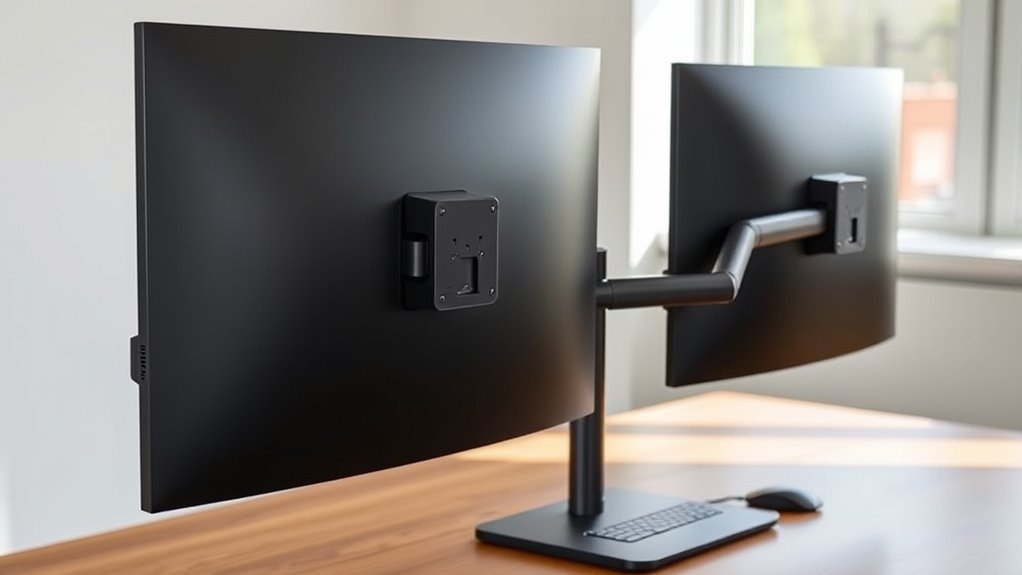

For most dual-monitor desks, I’d start with the HUANUO FlowLift Pro for its flexible positioning on screens up to 27 inches, while the WALI Adjustable Dual Monitor Arm stands out for broader screen-size compatibility and the HUANUO HNDS7 for support up to 40 inches and built-in USB. The right choice depends on more than screen size: arm movement, desk mounting, available space, and how often you reposition your displays all affect day-to-day fit. Some stands favor straightforward, stable positioning, while gas-spring arms make frequent adjustments easier. Check your monitor weight, VESA pattern, desk thickness, and clearance before choosing. Read on for the full comparison and recommendations by setup.

Get kitchen gear delivered free — and shop member deals
- Fast, free delivery on millions of items
- Access to Prime Big Deal Days deals on October 6–7
- Prime Video, Amazon Music and more included
Complete the kit


Key Takeaways
- HUANUO FlowLift Pro is my leading choice for a compact dual setup with 13–27-inch screens, while owners of larger displays should compare its fit with the WALI or HNDS7.
- WALI’s 13–32-inch range offers useful flexibility across common monitor sizes, though its size range alone does not confirm that a particular monitor’s weight and VESA pattern will fit.
- HUANUO HNDS7 supports screens up to 40 inches and adds USB, making it the standout for larger displays and convenient desk connections; its broader format may be more than a small-screen setup needs.
- VIVO’s STAND-V002 and the HUANUO 17–32-inch stand suit buyers who favor a conventional stand format, while users who frequently change screen position may prefer an arm with more adjustable movement.
- Screen-size ranges vary widely across the lineup, from models capped at 27 or 30 inches to the HNDS7 at 40 inches, so I’d check each monitor’s weight, VESA mount, and desk fit before ranking compatibility by size alone.
| WALI Adjustable Dual Monitor Arm for 13–32-Inch Screens |  | Best for Wide Reach | Screen size: 13–32 inches | Maximum load: 22 lbs per arm | VESA compatibility: 75×75 mm and 100×100 mm | VIEW ON AMAZON | See Our Full Breakdown |
| HUANUO FlowLift Pro Dual Monitor Mount for 13–27-Inch Screens |  | Best for Easy Setup | Model: HNDMA119B-DS | Screen size: 13–27 inches | Monitor capacity: 2 monitors | VIEW ON AMAZON | See Our Full Breakdown |
| VIVO Dual Monitor Stand with Fully Adjustable Arms for 17–32 Inch Screens |  | Best for Spring-Arm Adjustability | Model: STAND-V002O | Screen size: 17–32 inches | Screen weight capacity: 4.4–19.8 lbs per screen | VIEW ON AMAZON | See Our Full Breakdown |
| HUANUO Dual Monitor Stand for 17–32 Inch Screens |  | Best for Tall Stacked Setups | Screen size: Up to 32 inches per monitor | Monitor weight capacity: 4.4–19.8 lbs per monitor | VESA compatibility: 75×75 mm or 100×100 mm | VIEW ON AMAZON | See Our Full Breakdown |
| HUANUO FlowLift Dual Monitor Desk Mount |  | Best for Broad Screen-Size Compatibility | Monitor size: 13–32 inches | Weight capacity: 4.4–19.8 lbs per arm | VESA compatibility: 75×75 mm and 100×100 mm | VIEW ON AMAZON | See Our Full Breakdown |
| HUANUO Dual Monitor Stand for 13″–40″ Monitors with USB, Height Adjustable VESA Mount, Clamp/Grommet Base, HNDS7 |  | Best for Large, Heavy Monitors | Monitor size range: 13–40 inches | Weight capacity: 26.4 lbs per arm | VESA compatibility: 75×75 mm, 100×100 mm | VIEW ON AMAZON | See Our Full Breakdown |
| HUANUO Dual Monitor Desk Mount for 13–32-Inch Screens, White |  | Best White Finish | Screen size: 13–32 inches | Weight capacity: 4.4–19.8 lbs per arm | VESA compatibility: 75×75 mm, 100×100 mm | VIEW ON AMAZON | See Our Full Breakdown |
| EVEO Dual Monitor Arm Mount for 14–32-Inch Screens |  | Best for Flexible Screen Orientation | Screen size compatibility: 14–32 inches | VESA compatibility: 75×75 mm, 100×100 mm | Rotation: 360° | VIEW ON AMAZON | See Our Full Breakdown |
| ErGear Dual Monitor Arm for 13–32-Inch Screens |  | Best for Straightforward Setup | Screen size: 13–32 inches | Maximum load: 19.8 lbs per arm | VESA compatibility: 75×75 mm, 100×100 mm | VIEW ON AMAZON | See Our Full Breakdown |
| VIVO Dual Monitor Desk Mount for Screens up to 30 Inches, STAND-V002 |  | Best Steel Build | Screen size: 13–30 inches | Weight capacity: 22 lbs per monitor | VESA compatibility: 75×75 mm, 100×100 mm | VIEW ON AMAZON | See Our Full Breakdown |
| adjustable monitor arms for dual setup | VESA compatibility | Screen size |
|---|---|---|
| WALI Adjustable Dual Monitor A | 75×75 mm and 100×100 mm | 13–32 inches |
| HUANUO FlowLift Pro Dual Monit | 75×75 mm and 100×100 mm | 13–27 inches |
| VIVO Dual Monitor Stand with F | 75×75 mm and 100×100 mm | 17–32 inches |
| HUANUO Dual Monitor Stand for | 75×75 mm or 100×100 mm | Up to 32 inches per monitor |
| HUANUO FlowLift Dual Monitor D | 75×75 mm and 100×100 mm | — |
| HUANUO Dual Monitor Stand for | 75×75 mm, 100×100 mm | — |
| HUANUO Dual Monitor Desk Mount | 75×75 mm, 100×100 mm | 13–32 inches |
| EVEO Dual Monitor Arm Mount fo | 75×75 mm, 100×100 mm | — |
| ErGear Dual Monitor Arm for 13 | 75×75 mm, 100×100 mm | 13–32 inches |
| VIVO Dual Monitor Desk Mount f | 75×75 mm, 100×100 mm | 13–30 inches |
More Details on Our Top Picks
WALI Adjustable Dual Monitor Arm for 13–32-Inch Screens
The WALI is a strong fit for a dual setup that needs room to pull screens toward the user or reposition them across a broad desk. Its 19.3-inch extension and 17.3-inch maximum height give it more reach than the HUANUO FlowLift Dual Monitor Desk Mount, which tops out at 15.75 inches high. The 13–32-inch screen range and 22-pound limit per arm also cover larger, heavier displays than the HUANUO FlowLift Pro, whose capacity is capped at 15.4 pounds per monitor. That flexibility comes with a desk-fit caveat: the manufacturer recommends a wooden desk, and underside crossbeams may block installation. Choose it for adjustable reach and broad monitor compatibility; skip it if your desk material or underside layout is uncertain.
Pros:- Supports screens from 13 to 32 inches and up to 22 pounds per arm
- 19.3-inch extension and 17.3-inch maximum height provide broad positioning range
- Tilt, swivel, and rotation allow flexible viewing angles
- C-clamp and grommet mounting options with cable management
Cons:- Manufacturer recommends installation on a wooden desk
- Underside crossbeams can obstruct mounting
- Requires compatible 75×75 mm or 100×100 mm VESA holes
Best for: People with two larger or heavier VESA monitors who want substantial height and extension adjustment at a wooden desk.
Not ideal for: People with glass or non-wood desks, or desks with crossbeams beneath the mounting point.
- Screen size:13–32 inches
- Maximum load:22 lbs per arm
- VESA compatibility:75×75 mm and 100×100 mm
- Maximum extension:19.3 inches
- Maximum height above desktop:17.3 inches
- Movement:Swivel +90°/-90°; tilt +70°/-45°; rotation 360°
- Desk mounting:C-clamp or grommet; desk thickness 0.39–2.76 inches
- Durability testing:20,000+ cycles
Our verdict“Choose the WALI if you need extra reach and capacity for two substantial monitors and have a compatible wooden desk.”
HUANUO FlowLift Pro Dual Monitor Mount for 13–27-Inch Screens
The FlowLift Pro prioritizes a less fussy setup for two lighter monitors. Its tool-free monitor attachment and visual tension indicator help buyers attach screens and tune arm support without relying on guesswork. That makes it more approachable than the VIVO Dual Monitor Stand with Fully Adjustable Arms, which uses mechanical spring arms and has arms that extend past the desk edge. The tradeoff is a narrower fit: the FlowLift Pro accepts 13–27-inch screens weighing 4.4–15.4 pounds each, while the VIVO reaches 32 inches and supports up to 19.8 pounds per screen. Its wood desk restriction also limits placement options. I’d pick this for a tidy, straightforward dual setup with monitors inside its weight range, but not for larger displays or heavier panels.
Pros:- Tool-free VESA plate simplifies monitor attachment
- Visual tension indicator helps calibrate arm support
- Tilt, swivel, and rotation provide viewing-angle adjustment
- Five-year warranty and 90% metal construction
Cons:- Limited to monitors weighing 4.4–15.4 pounds each
- Screen size support stops at 27 inches
- Designed for wood desks 0.59–3.54 inches thick
Best for: First-time dual-arm buyers with two 13–27-inch monitors weighing 4.4–15.4 pounds each and a compatible wood desk.
Not ideal for: People with monitors over 27 inches or 15.4 pounds, or desks outside the stated wood and thickness requirements.
- Model:HNDMA119B-DS
- Screen size:13–27 inches
- Monitor capacity:2 monitors
- Supported weight:4.4–15.4 lbs per monitor
- VESA compatibility:75×75 mm and 100×100 mm
- Desk compatibility:Wood desks 0.59–3.54 inches thick
- Construction:90% metal
- Warranty:5 years
Our verdict“Choose the FlowLift Pro for a simpler setup with lighter, smaller monitors on a compatible wood desk.”
VIVO Dual Monitor Stand with Fully Adjustable Arms for 17–32 Inch Screens
VIVO’s mechanical spring arms suit a desk where both screens need frequent repositioning. Tool-free arm adjustment, a wide tilt range, and 360-degree screen rotation make it easy to change viewing angles, while open-top VESA plates simplify attaching monitors. Compared with the HUANUO Dual Monitor Stand for 17–32 Inch Screens, VIVO is the more movement-focused choice; HUANUO instead offers a stated maximum height of 25.19 inches, which can better serve stacked arrangements. VIVO supports monitors up to 32 inches and 19.8 pounds each, though it starts at 17 inches, excluding some smaller displays. Its arms extend beyond the desk edge, so the mount may not suit shallow desks or setups where that overhang gets in the way.
Pros:- Mechanical spring arms allow tool-free adjustment
- Supports screens up to 32 inches and 19.8 pounds each
- C-clamp or optional grommet mounting
- Open-top VESA plates simplify monitor installation
Cons:- Arms extend past the desk edge, requiring clearance
- Does not list support for screens smaller than 17 inches
- Grommet mount supports desks up to 1.9 inches thick
Best for: People who frequently reposition two 17–32-inch monitors and have desk depth to accommodate arms extending beyond the edge.
Not ideal for: People with monitors under 17 inches, shallow desks, or a need for a particularly high stacked arrangement.
- Model:STAND-V002O
- Screen size:17–32 inches
- Screen weight capacity:4.4–19.8 lbs per screen
- VESA compatibility:75×75 mm and 100×100 mm
- Movement:Tilt +90° to -90°; swivel 180°; rotation 360°
- Monitor capacity:2 screens
- C-clamp desk thickness:Up to 3.1 inches
- Grommet mount desk thickness:Up to 1.9 inches
Our verdict“Choose VIVO for frequently adjusted mid-size or large monitors if your desk has room for the arms’ overhang.”
HUANUO Dual Monitor Stand for 17–32 Inch Screens
This HUANUO stand is the lineup’s clearest choice for a vertical dual-monitor arrangement. It raises screens up to 25.19 inches, a better match for stacking than the VIVO Dual Monitor Stand with Fully Adjustable Arms, whose product details emphasize spring-arm movement and desk-edge clearance instead of a stated high lift. Both support monitors up to 32 inches and 19.8 pounds per screen, so the choice turns on layout: HUANUO favors height and integrated cable management, while VIVO is suited to active repositioning. The HUANUO’s 17-inch extension adds some reach, but its installation requires compatible VESA holes and a solid wood or metal desk. It is not suitable for glass, which rules it out for some otherwise convenient desk setups.
Pros:- Maximum height of 25.19 inches suits stacked screens
- Supports monitors up to 32 inches and 19.8 pounds each
- C-clamp and grommet installation options
- Integrated cable management keeps wiring organized
Cons:- Not suitable for glass desks
- Monitors need compatible VESA holes and must meet the stated weight range
- 17-inch extension may not provide enough reach for some desk layouts
Best for: People building a vertically stacked setup who need substantial lift and have a solid wood or metal desk.
Not ideal for: People with glass desks, monitors outside the stated weight range, or a preference for a side-by-side setup with frequent arm repositioning.
- Screen size:Up to 32 inches per monitor
- Monitor weight capacity:4.4–19.8 lbs per monitor
- VESA compatibility:75×75 mm or 100×100 mm
- Maximum height:25.19 inches
- Extension:17 inches
- Movement:Tilt 90°; swivel 180°; rotation 360°
- Mounting options:C-clamp or grommet
- Desk compatibility:Solid wood or metal; thickness 0.39–3.54 inches
Our verdict“Choose this HUANUO for a high, stacked dual-monitor layout on a compatible solid desk.”
HUANUO FlowLift Dual Monitor Desk Mount
The FlowLift covers an unusually broad range of screen sizes for a dual arm: 13–32 inches, with support for up to 19.8 pounds on each arm. That makes it more flexible across mixed or upgraded setups than the HUANUO FlowLift Pro, which stops at 27 inches and 15.4 pounds per monitor. Full-motion tilt, swivel, and rotation help align both displays, and built-in cable management keeps wires from dominating the desk. Its 15.75-inch maximum height is more modest than the WALI’s 17.3 inches, so buyers who need extra lift should compare those figures before choosing. Installation is another constraint: HUANUO recommends a wooden desk, and clearance beneath the mount is needed for the clamp or grommet hardware.
Pros:- Supports 13–32-inch screens weighing 4.4–19.8 pounds per arm
- Tilt, swivel, and rotation allow full-motion positioning
- C-clamp and grommet mounting options
- Built-in cable management helps organize the setup
Cons:- Not recommended for plastic or glass desks
- Requires clearance beneath the desk mounting point
- Maximum height is lower than the WALI’s stated 17.3 inches
Best for: People pairing different-size monitors, or planning to upgrade, who want one mount that supports screens from 13 to 32 inches.
Not ideal for: People with glass or plastic desks, limited underside clearance, or a need for more lift than 15.75 inches.
- Monitor size:13–32 inches
- Weight capacity:4.4–19.8 lbs per arm
- VESA compatibility:75×75 mm and 100×100 mm
- Movement:Tilt +85°/-50°; swivel ±90°; rotation 360°
- Maximum height:15.75 inches
- Mounting options:C-clamp or grommet
- Desk compatibility:Wooden desks 0.59–3.54 inches thick
Our verdict“Choose the FlowLift for broad monitor-size compatibility when your desk is wooden and offers clear space below the mount.”
HUANUO Dual Monitor Stand for 13″–40″ Monitors with USB, Height Adjustable VESA Mount, Clamp/Grommet Base, HNDS7
The HNDS7’s 26.4-pound capacity per arm and support for screens up to 40 inches make it the strongest fit here for a pair of larger displays. Compared with the VIVO STAND-V002, which supports up to 30-inch screens and 22 pounds each, this HUANUO leaves more room for hefty monitors and broad positioning. Its 25.59-inch maximum extension helps bring screens closer or spread them across a wide desk, while the USB ports keep charging within reach. Clamp and grommet mounting add flexibility, but their desk dimensions need checking before installation. The aluminum build and many moving parts also make setup more involved than a simpler mount such as the EVEO, whose listed specs omit weight capacity.
Pros:- Supports monitors up to 40 inches and 26.4 pounds per arm
- Long 25.59-inch extension and 21.1-inch height adjustment offer broad positioning
- Two built-in USB ports put device charging near the monitors
- Clamp and grommet mounting suit different desk layouts
Cons:- Clamp and grommet installations have specific desk thickness and hole-size requirements
- Multiple adjustment mechanisms can make assembly more involved
- The larger screen support may be unnecessary for a setup with compact monitors
Best for: People pairing large or heavier monitors who need long arm reach and USB charging at the desk
Not ideal for: Buyers with desks outside the listed clamp or grommet dimensions, or anyone seeking a quick, simple installation
- Monitor size range:13–40 inches
- Weight capacity:26.4 lbs per arm
- VESA compatibility:75×75 mm, 100×100 mm
- Maximum height adjustment:21.1 inches
- Maximum extension:25.59 inches
- Tilt range:−30° to +85°
- Mounting:Clamp or grommet
- USB ports:2 built-in
Our verdict“Choose the HNDS7 for a dual setup with large, heavy screens and wide reach, provided your desk fits its mounting requirements.”
HUANUO Dual Monitor Desk Mount for 13–32-Inch Screens, White
This HUANUO’s clearest distinction is its white finish, which gives buyers a way to coordinate a dual-monitor setup with a light-colored desk or accessories. Its spring arms handle 13–32-inch screens weighing 4.4–19.8 pounds each, with height adjustment, tilt, swivel, and rotation for everyday repositioning. Compared with the larger-screen HNDS7, it gives up capacity and reach details but fits a more conventional monitor pair; unlike the ErGear, the provided specs do not state extension or height measurements, so buyers have less information for planning a precise layout. Clamp or grommet mounting and cable management cover the basics. Check each display’s weight and VESA pattern first, and expect to assemble the mount before use.
Pros:- White finish can coordinate with light desks and accessories
- Spring arms support height, tilt, swivel, and rotation adjustments
- Clamp and grommet installation options
- Cable management helps keep the work surface tidier
Cons:- Screens must fall within the stated size, weight, and VESA limits
- Installation and assembly are required
- The provided specifications do not give exact height or extension ranges
Best for: Buyers building a light-colored workstation with two standard 13–32-inch VESA monitors
Not ideal for: Owners of screens over 32 inches or 19.8 pounds, or shoppers who need specified reach and height measurements
- Screen size:13–32 inches
- Weight capacity:4.4–19.8 lbs per arm
- VESA compatibility:75×75 mm, 100×100 mm
- Adjustments:Height, tilt, swivel, and rotation
- Mounting options:C-clamp or grommet
- Cable management:Built in
- Color:White
Our verdict“Pick this HUANUO for a white dual-monitor setup with standard-size displays when color coordination matters more than detailed reach specifications.”
EVEO Dual Monitor Arm Mount for 14–32-Inch Screens
The EVEO is a straightforward choice for dual screens that need frequent portrait and landscape positioning: each arm offers 360-degree rotation and up to 90 degrees of swivel in either direction. That gives it a clear role beside the VIVO STAND-V002, whose listed swivel range is 180 degrees overall. Both offer clamp or grommet mounting, but EVEO’s stated size range starts at 14 inches, leaving out smaller displays that the ErGear can accommodate from 13 inches. The main planning gap is its unspecified weight capacity; the screen size and VESA pattern alone do not confirm that a monitor is supported. Buyers should verify load limits before choosing it, and check the different desk thickness limits for each mounting method.
Pros:- 360-degree rotation supports portrait or landscape screen orientation
- Up to ±90-degree swivel gives broad side-to-side positioning
- Clamp and grommet installation options
- Fits common 75×75 mm and 100×100 mm VESA patterns
Cons:- The supplied product data does not state a monitor weight capacity
- Does not support screens below 14 inches
- Clamp and grommet installations have different desk thickness limits
Best for: People who regularly rotate 14–32-inch monitors between portrait and landscape orientation
Not ideal for: Buyers who cannot confirm their monitors’ weight compatibility or who have screens smaller than 14 inches
- Screen size compatibility:14–32 inches
- VESA compatibility:75×75 mm, 100×100 mm
- Rotation:360°
- Swivel:±90°
- Clamp desk thickness:0.39–1.97 inches
- Grommet mount thickness:0.39–1.56 inches
- Warranty:2 years
Our verdict“Consider the EVEO when frequent screen rotation matters and you can verify that both monitors meet its load requirements.”
ErGear Dual Monitor Arm for 13–32-Inch Screens
The ErGear stands out for tool-free VESA mounting and cable clips, which can make attaching compatible screens and tidying the desk less fiddly. It supports flat or curved monitors from 13 to 32 inches, up to 19.8 pounds each, and its 17.5-inch height adjustment and 18.1-inch extension provide concrete layout limits for planning a dual setup. Compared with the white HUANUO mount, ErGear supplies more measurements; compared with the HNDS7, it supports smaller, lighter screens and has less extension. Its tilt range is broad, with ±90-degree swivel and 360-degree rotation for repositioning. The manufacturer recommends a wooden desk, which narrows its fit for some workstations, and buyers still need to confirm screen weight and VESA compatibility.
Pros:- Tool-free VESA plate simplifies monitor attachment
- Supports flat or curved screens from 13–32 inches
- Height, extension, tilt, swivel, and rotation ranges are specified
- Cable clips help organize cords along the arms
Cons:- Manufacturer recommends installation on a wooden desk
- Maximum load is 19.8 pounds per arm
- Extension is shorter than the HUANUO HNDS7’s stated 25.59 inches
Best for: People mounting two standard flat or curved monitors on a wooden desk who want quick VESA attachment and defined reach limits
Not ideal for: Buyers with non-wood desks, monitors over 19.8 pounds, or a need for more than 18.1 inches of extension
- Screen size:13–32 inches
- Maximum load:19.8 lbs per arm
- VESA compatibility:75×75 mm, 100×100 mm
- Maximum height adjustment:17.5 inches
- Maximum extension:18.1 inches
- Tilt:+80°/−50°
- Swivel and rotation:±90° swivel; 360° rotation
- Mounting:C-clamp or optional grommet
Our verdict“Choose ErGear for a defined, easy-to-plan setup with two compatible monitors on a wooden desk.”
VIVO Dual Monitor Desk Mount for Screens up to 30 Inches, STAND-V002
The VIVO STAND-V002 suits buyers who want a steel dual mount with a clearly stated 22-pound capacity per screen and support for monitors up to 30 inches. That makes it a more bounded choice than the HUANUO HNDS7, which reaches 40 inches and 26.4 pounds per arm, but the VIVO’s 3-year warranty provides a useful ownership detail absent from the supplied HNDS7 specs. Tilt, 360-degree rotation, height adjustment, and cable clips cover everyday positioning and organization. Its listed 180-degree swivel is less expansive than the EVEO’s ±90-degree range, so buyers who need to swing screens widely should compare those layouts. A desk clamp or grommet mount adds flexibility, subject to the desk’s thickness and VESA compatibility.
Pros:- Steel construction with support for two monitors up to 22 pounds each
- Tilt, swivel, rotation, and height adjustment support ergonomic positioning
- C-clamp or grommet mounting options
- Cable clips and detachable VESA plates simplify setup and cord routing
Cons:- Limited to monitors up to 30 inches
- Maximum clamp desk thickness is 3.25 inches
- Listed 180-degree swivel is narrower than the EVEO’s ±90-degree range
Best for: Buyers who want a steel mount for two monitors up to 30 inches and value a stated three-year warranty
Not ideal for: Owners of monitors larger than 30 inches or those who need a wider stated swivel range
- Screen size:13–30 inches
- Weight capacity:22 lbs per monitor
- VESA compatibility:75×75 mm, 100×100 mm
- Tilt:+90° to −90°
- Swivel:180°
- Rotation:360°
- Maximum desk thickness:3.25 inches
- Warranty:3 years
Our verdict“Choose the VIVO STAND-V002 for a steel mount with a stated warranty and capacity for two medium-sized monitors.”
How We Picked
I compared these arms for the decisions that shape a dual-monitor setup: supported screen size, ease of positioning, mounting method, desk-space impact, and features that affect everyday use. I treated compatibility as a combined fit question: a listed screen size is only a starting point, since monitor weight, VESA pattern, desk thickness, and available clearance also matter. I also distinguished adjustable arms from more conventional stand-style mounts, because buyers who move their screens often have different needs from those who set them once and leave them in place.
The ranking favors models with a clear advantage for a common dual-screen need, then gives narrower picks credit when they serve a specific setup well. The FlowLift Pro leads for compact screens, the WALI offers a broader size range among the arm-style choices, and the HNDS7 earns a distinct place for its 40-inch support and USB. Options with tighter screen limits or a more fixed stand format rank lower for general use, though they can still make sense for buyers whose monitors and desk match those tradeoffs. I did not treat feature counts as proof of superior build or performance.
Factors to Consider When Choosing Adjustable Monitor Arms For Dual Setups
Before choosing a model, I’d check the whole desk setup rather than matching a mount to screen size alone. These broader checks can prevent fit problems and help you decide when extra movement, a larger supported range, or a simpler stand is worth prioritizing.
Check Weight and VESA Fit Separately
A mount’s screen-size range does not tell you whether it can hold your exact displays. Screen weight without the stand, VESA hole spacing, and any adapter requirements all affect compatibility. Dual arms also need to support each display individually, so add-on accessories or unusually heavy screens deserve particular attention. Check both monitors’ specifications against the mount’s stated limits before ordering. If one screen sits near a limit, a model with a wider size range is not automatically a safer choice; weight capacity still needs to match. This check matters even when both monitors have the same diagonal measurement.
Measure Desk Depth, Thickness, and Rear Clearance
A clamp can save surface space, but the desk edge must provide a secure clamping area and enough clearance beneath it. Grommet mounting uses a desk hole, which can suit some layouts but depends on the hole’s position and size. Measure desk thickness and check for drawers, a rear lip, cable trays, or a wall that might obstruct the base or arms. Then map where the screens will sit at their closest and farthest positions. A wide pair of monitors may need more rear clearance than the arms’ product photos suggest. Planning these measurements can be more useful than choosing a mount by appearance.
Choose Movement for How You Work
Think about whether you adjust both screens daily or mostly want them at a fixed height. If you switch between sitting positions, share the desk, or rotate a screen for reading, a mount with convenient independent arm movement can make those changes easier. If the monitors rarely move, a simpler stand-style option may be adequate and easier to evaluate around your desk layout. Check what kind of height and tilt adjustment is available instead of treating the word “adjustable” as a guarantee of every motion. Also consider how close the screens need to sit together; two arms can have limits on how narrowly or widely they position displays. Your work habits should guide the movement features you prioritize.
Account for Different-Sized Monitors
Matching monitors create a straightforward pairing, but many desks combine a primary screen with a smaller secondary display. In that case, consider whether each arm can position its screen independently and whether the two displays can align at the height and angle you want. Different screen widths affect how far apart their centers sit, while different weights can affect balance. A mount that supports both diagonal sizes still may not place them comfortably side by side. Sketch the intended arrangement or measure the monitor widths before choosing. This is especially helpful when one display will sit vertically or beside a laptop.
Decide Which Convenience Features Matter
Extras are useful when they solve a real desk problem. USB ports on the HNDS7, for example, may appeal if you want a connection point near your screens, but they do not replace checking the monitor fit or mount location. Cable management can reduce visible clutter, though the route must still accommodate the movement of both arms. Color can help a mount blend into a light desk setup, but it does not change its supported weight or adjustment range. List the feature that would make your workspace easier to use, then compare whether it affects a daily task. That keeps a long feature list from distracting from basic compatibility.
Pay More for a Need You Can Name
Additional adjustment, wider screen support, or integrated connections can justify choosing a more feature-rich model when they address your actual setup. A buyer with small monitors that rarely move may get little practical benefit from extra range. Someone upgrading to larger displays may value the HNDS7’s stated support up to 40 inches, provided the weight and VESA checks also pass. For a first dual setup, an uncomplicated stand can be easier to place if the intended screen positions are already clear. Avoid paying for movement you will not use, but do not select a limited range if an upgrade is likely soon. Compare the cost of replacing a mount later with the value of headroom you can use now.
Frequently Asked Questions
Can I use one of these mounts with monitors of different sizes?
Often, but both screens must fit the mount’s individual size and weight limits, and each needs a compatible VESA connection or adapter. Different widths can make the pair harder to align even when both screens fall inside the listed range. Check whether the arms can move independently enough for your intended layout. Measure screen widths and note whether either display will be vertical. A size range is a starting point, not a guarantee of a comfortable side-by-side fit.
Should I choose a clamp base or a grommet base for two monitors?
Choose based on your desk, since the base supports both screens and needs a secure attachment. A clamp requires an accessible edge and a suitable desk thickness; a grommet base requires a usable hole in the right location. Drawers, support rails, and cable trays can interfere with either installation. Check the mounting instructions for dimensions before buying. If your desk has no suitable edge or hole, neither mounting style may fit without a change to the workspace.
Will an arm rated for a larger screen give me more room to adjust?
Not necessarily. A larger supported screen limit says little on its own about how far an arm extends, how low it sits, or how closely two monitors can meet. Those details affect whether the pair fits your desk and viewing position. Compare the mount’s adjustment range with your desk depth and screen dimensions where that information is available. Also check the weight limit for each arm; a high diagonal limit does not settle that question. The HNDS7’s 40-inch support is useful for larger displays, but it still needs to match your exact monitor specifications.
Is a gas-spring arm worth choosing if I rarely move my screens?
It depends on whether easy repositioning matters to you, not simply on the type of mechanism. Frequent changes between shared users, sitting positions, or portrait and landscape layouts make convenient movement more useful. If you set both screens once and keep them there, a stand-style mount may meet your needs with less emphasis on repositioning. Check the adjustment directions and setup requirements for the exact model, since arm designs differ. In either case, desk fit and monitor compatibility should come first.
What should I verify before mounting two monitors on one desk?
Confirm the monitors’ weight without their original stands, VESA patterns, and dimensions, then compare those details with the mount’s limits. Measure the desk thickness, attachment area, rear clearance, and the space needed for the screens to move. Check for obstructions such as shelves, walls, cable trays, or drawers. Think through where the screen centers and heights should land, especially if the displays differ in size. Doing these checks first can prevent a mount that technically attaches but cannot create the arrangement you want.
Conclusion
For the broadest set of everyday compact dual-screen needs, I’d choose the HUANUO FlowLift Pro as best overall, particularly when both monitors are within its 13–27-inch range. The WALI Adjustable Dual Monitor Arm is my best value-oriented pick for buyers who want a listed range up to 32 inches, while the HUANUO HNDS7 is the premium-feature choice for larger displays and a built-in USB connection. Beginners who plan to position their screens once and leave them there can start with the conventional VIVO STAND-V002, after checking its 30-inch limit against their monitors. For a white desk setup, I’d look at the white HUANUO 13–32-inch arm; for smaller displays, the HUANUO FlowLift Pro remains the more focused pick. Before committing, confirm each monitor’s weight and VESA pattern along with your desk’s mounting fit.
Fall Picks
fall essentials
As an affiliate, we earn on qualifying purchases.