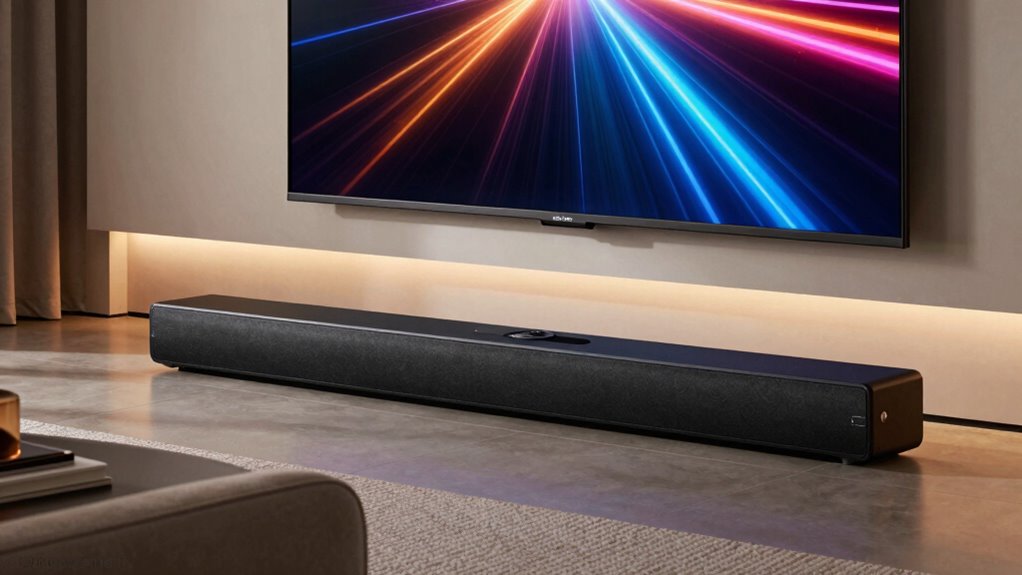

For most buyers, the TCL S60K is my best overall pick because its 3.1-channel layout gives dialogue its own channel while keeping a wireless subwoofer in the system. The Fire TV Soundbar Plus with Subwoofer is a strong alternative for viewers who want Dolby Atmos, DTS:X, and dialogue features, while the ULTIMEA 5.1.2-Channel Dolby Atmos Soundbar System is better suited to buyers prioritizing a more immersive surround setup. The main tradeoffs are bass and room impact, clearer speech, added surround channels, and the space or setup work those features can require. Some options use a separate subwoofer, while the Samsung HW-B400F has a built-in woofer and makes fewer demands on floor space. Continue reading for the full breakdown, ranking logic, and guidance on choosing a system that fits your room and listening habits.

Get kitchen gear delivered free with Prime
- Fast, free delivery on millions of items
- Prime Video, Amazon Music and more included
- Member-only deals all year
Complete the kit



Key Takeaways
- Dialogue-focused layouts stand out: The TCL S60K and Fire TV Soundbar Plus with Subwoofer add a center channel, a useful distinction for viewers who often struggle to hear speech.
- More channels add setup demands: The ULTIMEA 5.1.2 and TCL S65K offer a stronger case for surround-focused viewing, but extra speakers require more placement and cable planning than a basic 2.1 system.
- A separate subwoofer is not the only space-saving path: The Samsung HW-B400F keeps bass hardware within the bar, trading deeper dedicated-subwoofer impact for a simpler footprint.
- Room calibration and app controls can help with placement: TCL S55H and S60K include AI room calibration, while buyers should still check that the subwoofer and any surround speakers can be positioned sensibly.
- Similar names can hide different systems: The Fire TV Soundbar Plus with Subwoofer and the model with built-in subwoofer differ in bass hardware, so buyers should confirm which configuration suits their room before choosing.


| soundbars with subwoofer | Channels | Mounting |
|---|---|---|
| Samsung HW-B400F 2.0-Channel S | 2.0 | Wall mount |
| Samsung HW-B550F 2.1-Channel S | 2.1 | — |
| Polk Audio Signa S2 Ultra-Slim | — | — |
| TCL S55H 2.1 Sound Bar with Wi | 2.1 | — |
| ULTIMEA 5.1.2-Channel Dolby At | 5.1.2 | Tabletop or wall mount |
| TCL S65K 5.1-Channel Soundbar | 5.1 | Wall mount |
| Maraawa 120W Sound Bar with Wi | — | Desktop or wall mount |
| Ultimea Poseidon M60 5.1 Chann | 5.1 | — |
| Sony HT-S400 2.1ch Soundbar fo | 2.1 | Wall mount |
| TCL S60K 3.1-Channel Soundbar | 3.1 | Wall mount |
| ULTIMEA Sound Bar with Wireles | 2.1 | — |
| Fire TV Soundbar Plus with Sub | 3.1 with external subwoofer | — |
| Saiyin Sound Bar with Subwoofe | — | Wall mount |
| Fire TV Soundbar Plus with Bui | 3.1 with built-in subwoofer | — |
More Details on Our Top Picks
Samsung HW-B400F 2.0-Channel Soundbar with Built-In Woofer
The HW-B400F suits buyers who want a simpler TV-audio upgrade without adding a separate subwoofer. Its built-in woofer adds some bass while keeping the setup to one compact bar, and dialogue enhancement can help voices stand out in everyday shows. Night mode reduces both volume and bass, a useful fit for late viewing in shared homes. Compared with the Samsung HW-B550F, this model gives up the wireless subwoofer and 2.1-channel layout, so it is less suited to bass-heavy films or room-filling sound. In return, it takes up less space and avoids placing an extra speaker near the TV. Its 2.0-channel audio remains the main limit: buyers seeking convincing surround effects should look to the TCL S55H or a system with rear speakers.
Pros:- Built-in woofer adds bass without a separate subwoofer
- Dialogue enhancement helps voices stand out
- Night mode reduces volume and bass for quieter viewing
- Compatible Samsung TV remotes can control key functions
Cons:- 2.0-channel design offers less spatial impact than the HW-B550F and other 2.1 systems
- Built-in woofer cannot match the placement flexibility or bass output of a separate subwoofer
- Some control features depend on having a compatible Samsung TV
Best for: Samsung TV owners in small rooms who want clearer dialogue and modest bass without a separate subwoofer taking up floor space.
Not ideal for: Movie and gaming fans who want deep, independent subwoofer bass or a more enveloping surround presentation.
- Channels:2.0
- Woofer:Built-in
- Maximum output power:40 watts
- Dimensions:4.21 × 25.23 × 2.62 inches
- Weight:4.6 pounds
- Mounting:Wall mount
- Power:Corded electric
- Warranty:1-year manufacturer warranty
Our verdict“Choose the HW-B400F if compactness and simpler setup matter more than the deeper bass of the Samsung HW-B550F.”
Samsung HW-B550F 2.1-Channel Soundbar with Wireless Subwoofer
The HW-B550F is the clearest step up from a TV’s built-in speakers for buyers who want separate, wireless subwoofer bass without assembling a full surround kit. Its 2.1-channel layout and DTS Virtual:X aim to make movies and games feel broader, while adaptive sound and voice enhancement help keep speech and quieter details audible. Compared with the compact Samsung HW-B400F, it takes more space and needs room for a second unit, but its included subwoofer gives low-end effects more presence. Virtual spatial audio is not the same as physical rear speakers; adding those speakers costs extra, and they connect to each other by wire. I’d choose this Samsung for a straightforward bass-focused setup, but the ULTIMEA 5.1.2 system is the stronger fit when rear-channel immersion matters more than wireless subwoofer placement.
Pros:- Included wireless subwoofer adds dedicated bass without a cable running from the bar
- DTS Virtual:X creates a wider presentation without rear speakers
- Adaptive sound and voice enhancement can make dialogue easier to follow
- Optional rear speakers allow later expansion
Cons:- Virtual surround does not provide the physical rear-channel effects of the ULTIMEA 5.1.2 system
- Rear speakers are optional and connect to each other by wire
- Separate subwoofer requires additional room and placement
Best for: Viewers who watch action films or play games and want a wireless subwoofer with virtual surround, without starting with separate rear speakers.
Not ideal for: Buyers who need true rear-channel surround included, have no space for a subwoofer, or want a one-piece soundbar setup.
- Channels:2.1
- Subwoofer:Included, wireless
- Audio technology:DTS Virtual:X
- Maximum output power:300 watts
- Audio output mode:Surround
- Dimensions:11.64 × 33.81 × 13.5 inches
- Weight:15 pounds
- Power:Corded electric
Our verdict“Pick the HW-B550F if wireless bass is your priority and virtual surround is enough for your room.”
Polk Audio Signa S2 Ultra-Slim Sound Bar for Smart TV with Subwoofer
The Signa S2 pairs a 2-inch-tall bar with a wireless subwoofer, making it a useful middle ground for buyers who want real bass but need the soundbar to sit neatly below a TV. Its VoiceAdjust technology targets clearer dialogue, and HDMI ARC, optical, AUX, and Bluetooth give it more connection choices than the Samsung HW-B400F. The tradeoff is that the bar’s slim profile does not mean a one-piece setup: the subwoofer still needs space, and its listed wireless range is up to 7 meters. Compared with the TCL S55H, the Polk’s standout is its low profile and straightforward connectivity rather than room calibration or Dolby Atmos and DTS:X support. I’d favor it for a tight TV stand, but buyers wanting a more feature-rich format suite should compare the TCL.
Pros:- Low 2-inch profile fits under many TVs and can be wall-mounted
- Wireless subwoofer adds bass without a cable between it and the bar
- VoiceAdjust is designed to improve dialogue clarity
- HDMI ARC, optical, AUX, and Bluetooth support varied sources
Cons:- Listed wireless range of up to 7 meters can constrain subwoofer placement
- Does not list Dolby Atmos or DTS:X support like the TCL S55H
- Plastic construction may feel less substantial than metal-enclosure alternatives
Best for: Apartment and bedroom TV owners who need a low-profile bar, want a separate wireless subwoofer, and value multiple connection options.
Not ideal for: Buyers seeking Dolby Atmos or DTS:X features, or those who cannot place the subwoofer within its stated wireless range.
- Bar height:2 inches
- Woofer driver:5.25 inches
- Tweeter size:2 inches
- Subwoofer:Included, wireless
- Connectivity:HDMI ARC, optical, AUX, Bluetooth
- Bluetooth range:10 meters
- Maximum wireless range:7 meters
- Material:Plastic
Our verdict“Choose the Signa S2 when a slim bar and flexible connections matter more than newer immersive audio formats.”
TCL S55H 2.1 Sound Bar with Wireless Subwoofer – Dolby Atmos, DTS:X, AI Sonic Auto Room Calibration, 220 W, Bluetooth, App & Remote Control
The TCL S55H brings a wireless subwoofer together with Dolby Atmos, DTS:X, and AI Sonic room calibration, giving it a broader feature set than the Polk Signa S2. Calibration is intended to tune the sound to the room, which may help the bar and subwoofer feel more balanced across different placements. Its 220-watt output and multiple inputs, including HDMI eARC/ARC, optical, AUX, and Bluetooth 5.2, make it a flexible TV and music hub. The tradeoff is still a 2.1-channel configuration: format support does not add physical rear speakers, unlike the ULTIMEA 5.1.2 system. The TCL also requires space for a separate floor-standing subwoofer, so its low-profile bar does not make the whole setup compact. I’d pick it over the Signa S2 for calibration and format support, not for true rear surround.
Pros:- Wireless subwoofer provides dedicated bass without a cable to the bar
- AI Sonic auto room calibration aims to balance sound for the listening space
- Dolby Atmos and DTS:X support broaden format compatibility
- HDMI eARC/ARC, optical, AUX, and Bluetooth 5.2 cover common sources
Cons:- 2.1 channels do not deliver physical rear surround like the ULTIMEA 5.1.2 system
- Separate floor-standing subwoofer needs a suitable spot in the room
- More setup features may be unnecessary for buyers seeking simple dialogue improvement
Best for: TV owners who want a wireless subwoofer, room-calibration features, and Atmos or DTS:X support without adding rear speakers.
Not ideal for: Buyers who want physical rear surround speakers included or need a single compact unit with no separate subwoofer.
- Channels:2.1
- Subwoofer:Included, wireless
- Power output:220 W
- Audio formats:Dolby Atmos, DTS:X
- Room calibration:AI Sonic auto room calibration
- Connectivity:HDMI eARC/ARC, optical, Bluetooth 5.2, AUX
- Soundbar dimensions:31.89 × 2.36 × 3.86 inches
- Subwoofer dimensions:7.68 × 12.60 × 7.68 inches
Our verdict“Choose the S55H if room calibration and immersive-format support matter more than included rear speakers.”
ULTIMEA 5.1.2-Channel Dolby Atmos Soundbar System
The ULTIMEA is the most surround-focused option here: its 5.1.2-channel setup combines up-firing Atmos drivers, two rear speakers, and a wired subwoofer. That gives effects more physical separation than the virtual surround of the Samsung HW-B550F or the TCL S55H’s 2.1 layout, while HDMI eARC supports lossless audio transmission. App controls offer a 10-band EQ, 13-step level adjustment, and numerous presets for tailoring the system. Those extras bring setup demands: the rear speakers and subwoofer require wired connections, so cable routing and placement matter more than with a wireless-subwoofer package. It also lacks DTS compatibility, a meaningful limitation for buyers with DTS sources. I’d choose this system when immersive Dolby Atmos and included rear speakers outweigh the convenience of the Polk Signa S2 or other simpler bars.
Pros:- 5.1.2-channel layout includes two rear speakers and up-firing Atmos drivers
- Wired subwoofer is included as part of the surround system
- HDMI eARC supports lossless audio transmission
- App offers a 10-band EQ, level adjustment, and sound presets
Cons:- Not compatible with DTS
- Wired subwoofer and rear speakers make placement and cable routing less flexible than the TCL S55H
- More components require more setup space than the Samsung HW-B550F
Best for: Home-theater buyers who want included rear speakers and up-firing Dolby Atmos drivers, and can route wires around the room.
Not ideal for: Listeners with DTS-based sources or anyone who needs a wireless subwoofer and minimal cable management.
- Channels:5.1.2
- Speaker configuration:Soundbar, two rear surround speakers, wired subwoofer
- Audio format:Dolby Atmos
- Subwoofer diameter:5.25 inches
- Connectivity:HDMI eARC, Bluetooth 5.4, CEC
- App controls:13-step level adjustment, 10-band EQ, 121 presets
- Mounting:Tabletop or wall mount
- Dimensions:31.5 × 1.81 × 3.54 inches
- DTS compatibility:Not compatible
Our verdict“Choose the ULTIMEA if physical rear surround and Dolby Atmos matter more than wireless placement or DTS support.”
TCL S65K 5.1-Channel Soundbar System with Dolby Atmos and Wireless Surround Speakers
I’d choose the TCL S65K when separate surround speakers matter as much as bass. Its 5.1-channel layout pairs a wireless subwoofer with wireless surrounds, giving movies and games more directional sound than the S60K’s 3.1-channel arrangement. Dolby Atmos and DTS:X add format support, while AI Sonic calibration adapts the sound to the room. HDMI eARC and Bluetooth cover TV audio and casual music playback.
The tradeoff is a larger, more involved setup than a simpler bar-and-subwoofer system, and the speakers still need power. ChoruSound is useful only with compatible TCL TVs, so I wouldn’t choose this for that feature alone. Compared with the Ultimea Poseidon M60, the S65K includes wireless rear speakers, while the M60 offers extensive app EQ controls and a wired subwoofer instead.
Pros:- Wireless surround speakers create a more distinct rear sound field than a soundbar-only virtual surround system
- Wireless subwoofer avoids a direct audio cable connection to the bar
- Dolby Atmos and DTS:X support a broad range of cinematic audio formats
- AI Sonic room calibration can tailor sound to the listening space
Cons:- Separate speakers require more placement and power planning than a compact soundbar setup
- ChoruSound is limited to compatible TCL TVs
- The system needs corded power despite its wireless audio connections
Best for: Movie and gaming households that want physical surround speakers and a wireless subwoofer without running audio cables to the rear speakers
Not ideal for: Buyers seeking a minimal one-bar setup, or anyone unwilling to place and power separate surround speakers
- Channels:5.1
- Maximum output power:630 watts
- Subwoofer driver:6.5 inches
- Audio formats:Dolby Atmos and DTS:X
- Connectivity:Bluetooth, USB, Wi-Fi, HDMI, wireless
- TV connection:HDMI eARC
- Room calibration:AI Sonic
- Mounting:Wall mount
Our verdict“Choose the S65K if you want real wireless surround speakers alongside a subwoofer, and skip it if a simple, low-clutter setup matters more.”
Maraawa 120W Sound Bar with Wired Subwoofer
The Maraawa KY-2020E is a straightforward pick for buyers who want a separate subwoofer and several ways to connect a TV without getting into room calibration or surround formats. Bluetooth 5.3, ARC, optical, and AUX make it adaptable to different sources, and the 30-inch bar can sit on furniture or mount on a wall. Its remote keeps everyday input and volume changes simple.
The main compromise is the wired subwoofer: placement depends on the cable reaching the bar, unlike the wireless bass units on the Sony HT-S400 and TCL S60K. The supplied details also don’t list Atmos or DTS:X, so I’d treat this as a basic TV-audio upgrade rather than a cinematic surround system. Choose it over the Sony only if its mix of connection options suits your setup better than Sony’s wireless subwoofer arrangement.
Pros:- ARC, optical, AUX, and Bluetooth 5.3 support a range of TV and audio sources
- Separate subwoofer adds a bass component that a bar without one cannot provide
- The 30-inch form offers a relatively compact soundbar footprint
- Can be placed on a stand or wall-mounted, with remote control included
Cons:- Wired subwoofer limits placement and adds cable management
- Product details do not specify Dolby Atmos or DTS:X support
- The provided frequency-response figure is listed as 20 kHz without a range, limiting useful bass-performance comparison
Best for: TV owners who need ARC, optical, AUX, and Bluetooth options in a compact bar-and-subwoofer setup
Not ideal for: Buyers who need a wireless subwoofer, documented immersive audio formats, or a clearly specified bass response
- Model:KY-2020E
- Maximum output power:120 watts
- Soundbar size:30 inches
- Subwoofer connection:Wired
- Connectivity:Bluetooth 5.3, ARC, optical, AUX
- Mounting:Desktop or wall mount
- Controls:Remote control
- Warranty:1 year
Our verdict“Pick the Maraawa for flexible basic connections and a separate subwoofer, but choose the Sony HT-S400 if wireless bass placement is a priority.”
Ultimea Poseidon M60 5.1 Channel Surround Sound Bar System with Dolby Atmos
I’d put the Ultimea Poseidon M60 on the shortlist for listeners who want more control over how a subwoofer-equipped system sounds. Its 5.1-channel design combines five built-in full-range drivers with a dedicated wired wooden subwoofer, while VoiceMX aims to keep speech clear through busy scenes. The app’s 10-band EQ, 121 presets, and adjustable surround levels provide far more tuning options than the Sony HT-S400’s simpler control approach.
That flexibility comes with two practical limits: the subwoofer is wired, and the advertised Atmos experience depends on HDMI eARC, which older TVs may lack. There’s no built-in Wi-Fi for streaming services, either. Compared with the TCL S65K, the M60 trades separate wireless rear speakers for a soundbar-centered setup and detailed app adjustment. I’d favor it when tuning matters more than minimizing cables.
Pros:- Five built-in drivers and a dedicated subwoofer form a 5.1-channel system without separate rear speakers
- VoiceMX dialogue processing is designed to help speech stand out during busy scenes
- The app provides a 10-band EQ, 121 presets, and 13 surround-level settings
- Bluetooth 5.4 supports wireless audio from compatible devices
Cons:- Wired subwoofer placement depends on cable reach
- Full Atmos performance may be limited with TVs that lack HDMI eARC
- No built-in Wi-Fi for direct streaming-service access
Best for: Home theater listeners who want app-based EQ and surround adjustment, have an HDMI eARC-equipped TV, and can place a wired subwoofer
Not ideal for: Owners of older TVs without eARC, or buyers who want wireless subwoofer placement or built-in Wi-Fi streaming
- Channels:5.1
- Peak power:300 watts
- Drivers:Five full-range drivers and a wired wooden subwoofer
- Frequency response:45 Hz–18 kHz
- Maximum SPL:99 dB
- HDMI eARC bandwidth:37 Mbps
- Bluetooth:Version 5.4
- App controls:10-band EQ, 121 presets, 13 adjustable surround levels
Our verdict“Choose the Poseidon M60 if you want extensive sound tuning and have eARC; choose the wireless-speaker TCL S65K for a more flexible surround layout.”
Sony HT-S400 2.1ch Soundbar for TV with Powerful Wireless Subwoofer
The Sony HT-S400 makes the most sense for buyers who want a conventional TV soundbar with a separate subwoofer but don’t need a multi-speaker surround system. Its wireless subwoofer gives you more freedom to position bass than the wired units in the Maraawa and Ultimea Poseidon M60, while HDMI ARC or optical keeps TV hookup simple. Bluetooth adds a straightforward route for music from a phone, and S-Force PRO Front Surround aims to widen the sound from the front of the room.
This is a 2.1-channel option, not an Atmos system, so it can’t match the format support or physical surround speakers of the TCL S65K. I’d pick the Sony for an uncomplicated living-room setup, not for a room where rear-channel effects are the priority. Its size also deserves a check against available shelf or wall space.
Pros:- Wireless subwoofer allows more flexible bass placement than wired-subwoofer alternatives
- HDMI ARC and optical offer simple TV connection choices
- Bluetooth supports music playback from compatible devices
- S-Force PRO Front Surround adds virtual spaciousness without separate rear speakers
Cons:- No Dolby Atmos support, unlike the TCL S60K and Ultimea Poseidon M60
- 2.1-channel design does not provide the physical rear speakers included with the TCL S65K
- The listed 38-inch soundbar length may not suit smaller TV stands
Best for: TV viewers who want a simple HDMI ARC or optical connection and wireless subwoofer placement without setting up rear speakers
Not ideal for: Buyers seeking Dolby Atmos, DTS:X, physical rear speakers, or the smallest possible soundbar footprint
- Channels:2.1
- Surround processing:Dolby Digital and S-Force PRO Front Surround
- Subwoofer:Wireless
- Soundbar size:90 cm
- TV connections:HDMI ARC and optical
- Wireless connection:Bluetooth
- Mounting:Wall mount
- Maximum wireless range:10 meters
Our verdict“Choose the HT-S400 for easy TV setup and flexible wireless bass placement, but opt for a 5.1 system if rear surround effects matter more.”
TCL S60K 3.1-Channel Soundbar with Dolby Atmos, DTS:X, Wireless Subwoofer, Bluetooth, and AI Room Calibration
The TCL S60K balances a clear center channel with immersive-format support and a wireless subwoofer. Its 3.1-channel layout gives dialogue a dedicated center channel, a practical advantage over the Sony HT-S400’s 2.1 arrangement when voices compete with effects. Dolby Atmos, DTS:X, DTS Virtual:X, and RAY DANZ III broaden its processing options, while AI Sonic calibration adapts output to the room.
Compared with the TCL S65K, the S60K is the simpler choice: it keeps the wireless subwoofer but doesn’t include wireless surround speakers. That means less speaker placement work, but a less physical rear sound field. ChoruSound also depends on a compatible TCL TV, so it shouldn’t drive the decision for owners of other brands. I’d choose this for dialogue-focused TV watching and format support, not for a full surround-speaker setup.
Pros:- Dedicated center channel supports clearer dialogue than a basic 2.1 layout
- Wireless 6.5-inch subwoofer adds bass without a direct audio cable to the soundbar
- Dolby Atmos, DTS:X, and DTS Virtual:X provide multiple immersive-audio formats
- AI Sonic calibration adjusts sound for the room
Cons:- No separate surround speakers, unlike the TCL S65K
- ChoruSound works only with compatible TCL TVs
- The system still requires corded power for its components
Best for: TV and movie viewers who prioritize clear dialogue, a wireless subwoofer, and Atmos or DTS:X support in a bar-centered setup
Not ideal for: Buyers who want separate rear surround speakers, or those counting on ChoruSound with a non-compatible TV
- Channels:3.1
- Maximum output power:340 watts
- Subwoofer driver:6.5 inches
- Audio technologies:Dolby Atmos, DTS:X, DTS Virtual:X, RAY DANZ III
- Connectivity:Bluetooth, USB, Wi-Fi, HDMI, wireless
- TV connection:HDMI eARC
- Room calibration:AI Sonic
- Mounting:Wall mount
Our verdict“Choose the S60K for center-channel dialogue and immersive formats without separate rear speakers; select the S65K if physical surround speakers are a priority.”
ULTIMEA Sound Bar with Wireless Subwoofer, App Control for Home Theater
The ULTIMEA is the pick for listeners who want to shape the sound rather than stick with a few preset modes. Its wireless subwoofer adds placement flexibility, while VoiceMX targets clearer speech for TV and movies. The app’s 10-band EQ and 121 presets give it more adjustment options than the Saiyin Sound Bar, which offers three sound effects and physical connection choices but less stated tuning depth.
That flexibility comes with a connection caveat: the supplied details name Bluetooth but do not specify HDMI or optical inputs, so check compatibility with your TV before choosing it. The 240W peak figure and 95dB maximum SPL suggest capacity for lively playback, but the 2.1-channel setup does not provide a dedicated center channel like the Fire TV Soundbar Plus with Subwoofer. I’d skip it for a setup that depends on wired TV audio or gaming without a low-latency connection.
Pros:- Wireless subwoofer allows more flexible placement than a wired bass unit.
- VoiceMX is designed to make movie and TV dialogue easier to follow.
- 10-band EQ and 121 presets offer substantially more sound adjustment than a few fixed modes.
- 240W peak output and a stated 95dB maximum SPL suit listeners who want room-filling playback.
Cons:- The supplied product details do not list HDMI or optical inputs, leaving TV connectivity unclear.
- Bluetooth may introduce gaming latency if low-latency mode is not used.
- A 2.1-channel layout lacks the dedicated center channel found on the Fire TV Soundbar Plus with Subwoofer.
Best for: TV and movie listeners who want wireless subwoofer placement and detailed app-based EQ adjustments.
Not ideal for: Buyers who need confirmed HDMI or optical TV connections, a dedicated center channel, or dependable low-latency gaming audio.
- Channels:2.1
- Peak power output:240W
- Frequency response:45Hz–18kHz
- Maximum SPL:95dB
- Subwoofer:Wireless; 6.5L tuned cabinet
- Subwoofer driver:18mm high-excursion driver
- Bluetooth:Version 6.0
- App control:10-band EQ, 121 presets, and OTA updates
Our verdict“Choose the ULTIMEA if app-based sound tuning and flexible wireless subwoofer placement matter more than confirmed wired TV connections or a dedicated dialogue channel.”
Fire TV Soundbar Plus with Subwoofer, 3.1 Channel, Dolby Atmos, DTS:X, Clear Dialogue
This Fire TV bundle is the strongest fit here for dialogue-focused viewing with a separate bass unit. Its 3.1-channel layout adds a dedicated center channel, while the wireless subwoofer handles low frequencies without a cable running between the speakers. Dolby Atmos and DTS:X support add a more spacious audio option than the Saiyin Sound Bar, which is a simpler stereo system without those formats.
The tradeoff is space and setup: the 37-inch bar and substantial subwoofer need room, and each unit has its own power cord. Fire TV integration supports one-remote control, but that feature matters less to households using another streaming platform. Compared with the built-in-subwoofer Fire TV Soundbar Plus, this version separates the bass speaker for more placement freedom, at the cost of another box to accommodate.
Pros:- Dedicated center channel is designed to keep dialogue distinct from effects and music.
- Wireless subwoofer gives more placement freedom than an all-in-one design.
- Supports Dolby Atmos and DTS:X for compatible content.
- Fire TV integration and four EQ modes make everyday control adaptable to different viewing.
Cons:- The separate bar and subwoofer take more room than the built-in-subwoofer Fire TV Soundbar Plus.
- Both units require separate power cords.
- Fire TV one-remote integration offers less benefit to households centered on another streaming platform.
Best for: Fire TV households wanting clearer speech, supported immersive formats, and a separate wireless subwoofer for a living-room setup.
Not ideal for: People with limited floor or shelf space, minimal power outlets, or a preference for an all-in-one bar.
- Channels:3.1 with external subwoofer
- Soundbar dimensions:37 × 5.2 × 2.5 inches
- Soundbar weight:8.8 lb
- Subwoofer dimensions:10.4 × 10.4 × 13.4 inches
- Subwoofer weight:14.3 lb
- Surround formats:Dolby Atmos and DTS:X
- Connections:HDMI, optical, USB-A, and Bluetooth
- EQ modes:Movie, Music, Sports, and Night
Our verdict“Pick this model over the built-in-subwoofer Fire TV version if you have room for a separate bass unit and value its placement flexibility and dedicated center channel.”
Saiyin Sound Bar with Subwoofer, Home Theater Surround System for TV PC
The Saiyin stands out for straightforward wired and wireless connection options, making it a practical match for a TV, computer, or console setup that does not need immersive audio formats. Optical and AUX inputs sit alongside Bluetooth, and the package includes a remote and cables. That gives it a connectivity advantage over the ULTIMEA Sound Bar, whose supplied details do not specify HDMI or optical inputs.
Its limits are just as clear: this is a stereo-output system with a 5-inch subwoofer, not a Dolby Atmos or DTS solution. The Fire TV Soundbar Plus with Subwoofer adds a center channel and those format options, but also takes up more space and costs more to set up in terms of components. Check the subwoofer connection before buying: it must use the designated SUB OUT port, and Bluetooth range is stated at about 10 meters.
Pros:- Optical and AUX inputs provide wired alternatives to Bluetooth.
- Included remote and cables make it easier to connect a compatible TV or computer.
- A dedicated 5-inch subwoofer adds bass beyond a soundbar alone.
- Three sound effects and color-coded indicators offer simple adjustments and connection feedback.
Cons:- Does not support Dolby or DTS audio formats.
- The subwoofer must connect to the specific SUB OUT port, which may confuse some setups.
- Bluetooth range is limited to about 10 meters.
Best for: TV and PC owners seeking an entry-level-style stereo setup with optical, AUX, and Bluetooth connections and a separate subwoofer.
Not ideal for: Viewers who want Dolby Atmos or DTS decoding, a dedicated center channel, or wireless placement for the subwoofer.
- Audio output:Stereo
- Soundbar size:16.9 inches
- Subwoofer diameter:5 inches
- Inputs:Optical, AUX, and Bluetooth
- Bluetooth range:10 meters
- Sound effects:Three presets
- Mounting:Wall mount
- Controls:Remote control with LED connection indicators
Our verdict“Choose the Saiyin for basic stereo sound and several connection choices, but choose the Fire TV Soundbar Plus if you want immersive formats and a dedicated dialogue channel.”
Fire TV Soundbar Plus with Built-in Subwoofer, 3.1 Channel, Dolby Atmos, Clear Dialogue
This Fire TV Soundbar Plus puts a 3.1-channel layout and subwoofer in one bar, so there is no separate bass speaker to find floor space for or connect to its own power outlet. Its dedicated center channel is intended to keep dialogue clear, and Dolby Atmos and DTS:X support provide format compatibility beyond the Saiyin Sound Bar’s stereo setup.
The all-in-one design trades placement freedom for simplicity. Unlike the Fire TV Soundbar Plus with Subwoofer, this model cannot position its bass unit elsewhere in the room; the subwoofer is built into the bar. HDMI eARC/ARC supports TV audio connection, and Fire TV integration can simplify control, while Bluetooth handles wireless playback. It is a better fit for tidy setups than buyers chasing a separately positioned subwoofer or a more expansive multi-speaker system.
Pros:- Built-in subwoofer avoids placing and powering a separate bass unit.
- Dedicated center channel is designed to improve dialogue clarity.
- Dolby Atmos and DTS:X support a wider range of compatible movie audio.
- HDMI eARC/ARC and Fire TV integration simplify connection and everyday control.
Cons:- Built-in bass cannot be positioned independently like the wireless subwoofer in the other Fire TV model.
- The supplied details describe a single HDMI ARC connection for TV audio.
- No Wi-Fi or built-in streaming is listed; wireless playback relies on Bluetooth.
Best for: Fire TV and smart-TV owners who want a single-bar installation with a dedicated dialogue channel and supported immersive formats.
Not ideal for: Buyers who want to position the subwoofer separately, need more than one HDMI ARC connection, or expect Wi-Fi streaming built into the soundbar.
- Channels:3.1 with built-in subwoofer
- Soundbar dimensions:37 × 5.2 × 2.5 inches
- Weight:8.8 lb
- Surround formats:Dolby Atmos and DTS:X
- Connections:HDMI, optical, USB-A, and Bluetooth
- TV audio connection:HDMI eARC/ARC
- EQ modes:Movie, Music, Sports, and Night
- Compatibility:Smart TVs and TVs with streaming media players
Our verdict“Choose this all-in-one Fire TV bar if you want 3.1-channel dialogue support and bass without making room for a separate subwoofer.”

How We Picked
I ranked these soundbars with subwoofers around the decisions that change everyday TV listening: how the system handles dialogue, whether the subwoofer is separate or built in, how much surround capability it offers, and how much space and setup it asks of the buyer. I gave extra weight to clearly described channel layouts and practical features such as room calibration, app control, and dialogue modes. Those features matter when they solve a real room or listening problem; their presence alone does not make a system a better fit.
The order reflects usefulness across common living-room needs, not a claim that one configuration suits everyone. A flexible 3.1 system can outrank a more elaborate surround package for mixed TV viewing, while a multi-speaker system may be the stronger choice for buyers who value immersion and can place its components. Compact, budget-oriented, and less fully specified options appear lower when their tradeoffs or capabilities are narrower. I have not treated advertised wattage or format support as a substitute for a clear match between the system, the room, and the buyer.
| soundbars with subwoofer | Mounting |
|---|---|
| Samsung HW-B400F 2.0-Channel S | Wall mount |
| Samsung HW-B550F 2.1-Channel S | — |
| Polk Audio Signa S2 Ultra-Slim | — |
| TCL S55H 2.1 Sound Bar with Wi | — |
| ULTIMEA 5.1.2-Channel Dolby At | Tabletop or wall mount |
| TCL S65K 5.1-Channel Soundbar | Wall mount |
| Maraawa 120W Sound Bar with Wi | Desktop or wall mount |
| Ultimea Poseidon M60 5.1 Chann | — |
| Sony HT-S400 2.1ch Soundbar fo | Wall mount |
| TCL S60K 3.1-Channel Soundbar | Wall mount |
| ULTIMEA Sound Bar with Wireles | — |
| Fire TV Soundbar Plus with Sub | — |
| Saiyin Sound Bar with Subwoofe | Wall mount |
| Fire TV Soundbar Plus with Bui | — |
Factors to Consider When Choosing Soundbars With Subwoofer
Before choosing among these soundbars with subwoofers, decide what the extra hardware needs to improve. A separate sub can add low-frequency impact, but it does not automatically make dialogue clearer or create convincing surround sound. Use these factors to match the system to your room, TV habits, and willingness to manage extra speakers.
Choose a channel layout for the sound you want
Channel numbers describe speaker roles, not a guarantee of how dramatic a system will sound in your room. A 2.1 setup pairs a left-right bar with a subwoofer, while a 3.1 system adds a center channel that can give dialogue a more direct path. Systems with surround or height channels may create a broader effect, but they depend more on speaker placement and the content being played. A common mistake is paying for extra channels when the bar must sit in a narrow space or the room cannot accommodate rear speakers. Start with speech clarity for everyday TV, then add surround complexity only if movies and games are a priority.
Separate subwoofer or built-in bass?
A separate subwoofer gives bass its own enclosure and lets you place it apart from the soundbar, but it takes up floor space and needs a suitable location near a power outlet. A built-in woofer keeps the setup tidier and can suit apartments, small rooms, or furniture with little spare room. Neither arrangement removes the need to think about neighbors: low-frequency energy can travel through walls and floors more readily than dialogue. Avoid choosing by a wattage figure alone, since placement, room size, and listening habits affect whether bass feels balanced. If you mainly want fuller TV sound at modest volume, convenience may matter more than maximum bass impact.
Check the room before buying surround features
Measure the wall or shelf where the bar will sit, then check whether a subwoofer can fit without blocking a walkway or cabinet door. For a system with wireless surround speakers, wireless audio does not always mean every speaker is free of power cables, so check each component’s connection and placement needs. Open-plan rooms and rooms with reflective surfaces can make surround effects less consistent than a compact, enclosed space. Room calibration may help adapt output to the listening area, but it cannot fix a blocked speaker or an awkward layout. Choose extra speakers only when you can place them where their channels can contribute.
Match dialogue features to your viewing habits
If you often raise the volume to catch speech and then lower it for action scenes, prioritize a center channel or a dedicated dialogue setting. These tools can help make voices more distinct, though they cannot restore dialogue that is poorly mixed in the source material. Families watching at different hours may value speech intelligibility more than strong bass, while movie fans may prefer a better balance between dialogue and effects. Compare any dialogue mode with the normal sound mode if possible, because speech processing can change the overall tonal balance. Do not assume Dolby Atmos or DTS:X support by itself solves unclear dialogue.
Confirm TV connections and format support
Before ordering, check the ports on both the TV and the soundbar, along with the audio formats your streaming devices can send. HDMI eARC or ARC can simplify control and audio routing when both devices support the same connection, while optical can be a practical fallback on older TVs. Format labels matter only if the content source, TV settings, and connection pass the signal through correctly. Buyers often focus on a format badge and overlook whether their television can send that format to the bar. Confirm the connection path first, especially if you use a game console, streaming box, or more than one source.
Pay for features you can use, not the longest spec list
App control, room calibration, wireless subwoofer pairing, and extra speaker channels can make a system easier to live with, but each feature should solve a specific problem for you. An app may be handy for changing sound modes, while a remote may be simpler for occasional adjustments. A system with fewer components can be the better fit if you want a fast setup and mostly watch broadcast TV or streaming shows. Conversely, movie viewers who can place surround speakers may gain more from a multi-channel package than from a compact bar. Weigh setup complexity and room fit alongside the advertised features rather than treating more specifications as automatically better.
Frequently Asked Questions
Is a 3.1 soundbar a better choice than a 2.1 soundbar for dialogue?
Often, a 3.1 layout is the better starting point if speech clarity is your main concern, because it adds a center channel intended for dialogue. A 2.1 model can still sound clear, and dialogue modes may help, so the channel count alone does not settle the choice. Consider how often you watch dialogue-heavy shows and whether you regularly use captions or adjust volume to hear speech. Also check your TV’s connection options and the bar’s dialogue controls before deciding. If you care more about a simple setup and fuller sound than speech separation, a 2.1 system may be enough.
Will a wireless subwoofer work without any cables?
Wireless usually describes the audio connection between the bar and subwoofer, not power. A separate subwoofer generally still needs to plug into an outlet, so plan for both a suitable location and a nearby power source. The soundbar itself also needs a connection to the TV, such as HDMI or optical, and power. Surround speakers in larger systems may have their own power or wiring requirements, even when the subwoofer link is wireless. Check the included connections and placement instructions before assuming the whole setup will be cable-free.
Should I choose a soundbar with a separate subwoofer for an apartment?
Choose based on how much bass you want and how easily you can control listening levels, not just on the room type. A separate subwoofer can add more pronounced low-frequency impact, but bass may carry to neighboring units through floors and walls. A bar with a built-in woofer can be easier to place and may suit viewers who want a smaller footprint or gentler bass. If you choose a separate sub, look for level controls or a night mode and place it away from shared walls when practical. No subwoofer design can prevent all sound from traveling between rooms.
Do Dolby Atmos and DTS:X support guarantee surround sound?
No. Support for an audio format means the system can process compatible material, but the listening result depends on the speaker layout, room, source, and connection. A compact bar may create a different sense of space from a setup with separate surround speakers, even when both list immersive formats. Confirm that your TV or streaming device can pass the format to the soundbar, and check whether the content you watch actually uses it. If convincing rear effects are your priority, speaker placement and system design deserve at least as much attention as format labels.
Can I use one of these soundbars with a PC as well as a TV?
Many soundbars can serve more than one source, but the connection method determines how convenient that will be. Check whether your PC and TV offer compatible HDMI, optical, or Bluetooth connections, and see how the soundbar switches between inputs. Bluetooth may be simple for casual playback, though a wired connection can be preferable when you want a stable link or low delay. Also think about desk distance and whether the bar will fit beneath your monitor without blocking the screen or controls. A system designed for a living room may have more speakers than a desktop setup needs.
Conclusion
For the widest range of living-room needs, I recommend the TCL S60K as best overall: its 3.1-channel layout gives dialogue a dedicated channel while retaining a wireless subwoofer and room calibration. For best value, compare the Samsung HW-B550F and Polk Audio Signa S2 as simpler 2.1-style choices when a separate subwoofer matters more than extra surround channels; confirm current package details and TV connections before choosing. The ULTIMEA 5.1.2-Channel system is my best premium-style pick for immersive viewing among these options if you have room for a more involved setup. Beginners who want fewer placement decisions should look at the Samsung HW-B400F with its built-in woofer. For a specific need, choose the Fire TV Soundbar Plus with Subwoofer when dialogue features and supported immersive formats appeal, or the TCL S65K when wireless surround speakers better fit your movie-focused plans. Match the system to the room you can actually arrange, not just the channel count on the box.