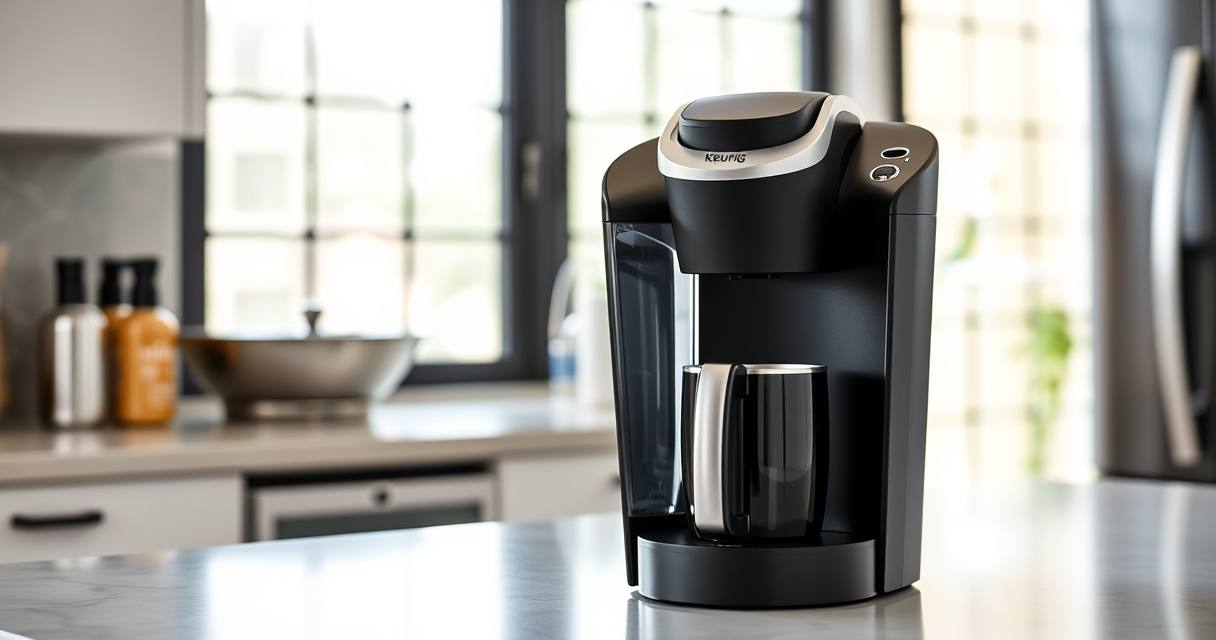
Setting up your new Keurig K-Mini coffee maker is simple, but following the correct steps ensures optimal performance and safety. This guide walks you through the setup process, maintenance tips, and troubleshooting advice to help you enjoy your coffee with ease.
Whether you’re a first-time Keurig user or need a refresher, these practical steps will get your machine ready for daily use.
Key Takeaways
| Compact Design | The K-Mini fits small spaces, making setup quick and easy. |
| Fresh Water Needed | Add fresh water for each brew to ensure optimal flavor. |
| Proper Maintenance | Regular descaling and cleaning maintain coffee quality. |
| Safe Usage | Follow safety tips to avoid damage or injury. |

Keurig K-Mini Single Serve K-Cup Pod Coffee Maker, 6 to 12oz Brew size, with Cord Storage, Perfect for Small Spaces, Black
- Compact Design: Fits spaces less than 5 inches wide
- Adjustable Brew Size: Brew 6-12oz cups with Keurig pods
- Single-Use Reservoir: Add fresh water for each brew
As an affiliate, we earn on qualifying purchases.
Unboxing and Initial Setup
- Remove the Keurig K-Mini from its packaging and place it on a flat, stable surface near an electrical outlet.
- Ensure the power cord is intact and accessible.
- Fill the water reservoir with fresh, clean water. For the K-Mini, just lift the reservoir lid and pour water into the tank, which holds enough for a single brew.
- Plug the machine into the power outlet.
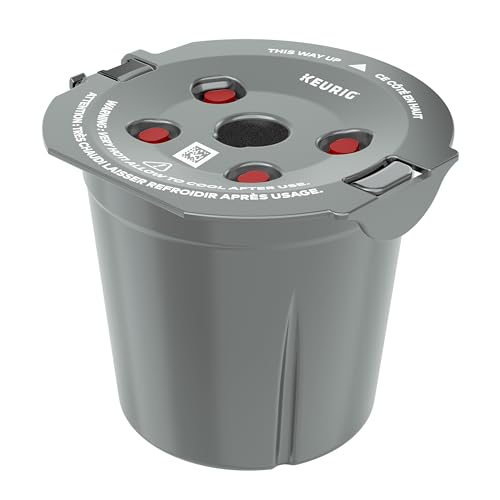
My K-Cup® Reusable Coffee Filter
- Brew with Ground Coffee: Use your favorite ground coffee
As an affiliate, we earn on qualifying purchases.
Preparing Your First Brew
- Power on the Keurig K-Mini by pressing the power button.
- Lift the handle and insert a K-Cup pod of your choice, then close the handle securely.
- Choose your desired brew size (6-12oz) by selecting the appropriate button or manually setting the size if available.
- Place a mug or travel cup on the drip tray, then press the brew button. The machine will heat and brew your coffee in minutes.
Maintenance and Descaling
Regular cleaning ensures your coffee stays fresh and your machine functions properly. Use a descaling solution or a mixture of water and vinegar to remove mineral deposits.
- Run a descaling cycle every 3-6 months, following the descaling kit instructions.
- Remove and clean the drip tray and water reservoir regularly.
- Use the recommended Keurig rinse pods to clear flavor residues after brewing flavored beverages.
Troubleshooting Common Issues
- Machine not turning on: Check the power connection and ensure the outlet works. Reset the plug if necessary.
- No water flow: Ensure the water reservoir is filled correctly and seated properly.
- Brewing too slowly or not at all: Descale the machine to remove mineral build-up.
Safety Tips and Warnings
- Always unplug the machine before cleaning or descaling.
- Do not overfill the water reservoir beyond the MAX line.
- Keep the machine away from water splashes and do not immerse in water.
- Use only compatible K-Cup pods or the recommended reusable filter to prevent damage.
The Products in This Guide

Keurig K-Mini Single Serve K-Cup Pod Coffee Maker
- ✔ Weight: 4.4 pounds
- ✔ Material: Matte finish plastic
- ✔ Power: 120V, 60Hz

My K-Cup® Reusable Coffee Filter
- ✔ Size: Standard
- ✔ Weight: Approx. 2 ounces
- ✔ Color: Black
Keurig K-Mini Single Serve K-Cup Pod Coffee Maker
The Keurig K-Mini is a sleek, space-saving coffee maker that brews quickly and easily. Its single-serve design and removable drip tray make it a practical choice for small kitchens or offices.
Pros:
- Fits in tight spaces
- Brews in minutes
- Removable drip tray
- Cord storage for neatness
Cons:
- Limited water reservoir capacity
- No advanced brew size options
- No on/off switch
Best for: Small apartments, offices, dorm rooms
Not ideal for: Large households needing multiple cups at once
Bottom line: Ideal for small spaces that need quick, fresh coffee on demand.
My K-Cup® Reusable Coffee Filter
The My K-Cup reusable coffee filter allows you to brew your favorite ground coffee with your Keurig, providing a more eco-friendly and cost-effective option.
Pros:
- Brew with ground coffee
- Compatible with many Keurig models
- Reusable and environmentally friendly
- Easy to clean
Cons:
- Requires separate purchase
- Slightly more cleanup than pods
- Limits convenience of pre-packaged pods
Best for: Coffee aficionados wanting control over flavors
Not ideal for: Those preferring quick, pod-based brewing
Bottom line: A versatile accessory for brewing ground coffee with your Keurig.
Frequently Asked Questions
Can I use ground coffee instead of K-Cups?
Yes, with the My K-Cup reusable filter, you can brew your own ground coffee in your Keurig machine.
How often should I descale my Keurig K-Mini?
Descaling every 3 to 6 months helps prevent mineral buildup and ensures the best coffee quality.
Is the K-Mini suitable for travel?
Yes, its compact size and removable drip tray make it travel mug friendly and easy to pack.
What should I do if my coffee tastes off?
Try descaling the machine, cleaning the water reservoir, and using fresh water for each brew.
Enjoy Your Perfect Brew Every Time
Setting up your Keurig K-Mini is straightforward, and with proper maintenance, you’ll enjoy fresh, flavorful coffee daily. Follow these steps and tips for a seamless experience, and consider reusable filters for more control over your favorite ground coffee blends. Cheers to great mornings!
Affiliate disclosure: As an Amazon Associate we earn from qualifying purchases. Prices and availability are accurate as of the time of publishing.