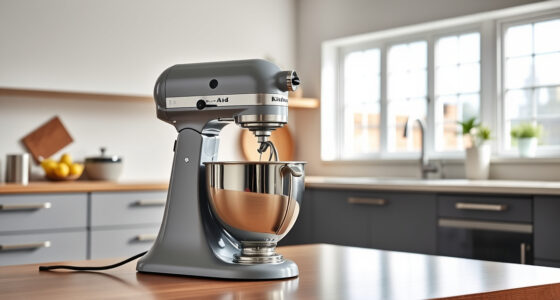

If your KitchenAid Artisan Series 5 Quart Tilt Head Stand Mixer is making a grinding noise, it can be concerning and disrupt your baking routine. Fortunately, many common causes are easy to diagnose and fix with simple steps. This guide will walk you through the troubleshooting process, safety tips, and effective solutions to restore smooth operation.
Understanding the possible reasons behind the grinding sound helps ensure your mixer remains durable and reliable for years to come.
Key Takeaways
| Identify common causes | Grinding noise often due to worn gears, debris, or misaligned parts. |
| Safety first | Always unplug the mixer before inspecting or working on it. |
| Step-by-step fixes | Follow clear instructions to troubleshoot and resolve the issue. |
| Preventative tips | Regular cleaning and maintenance can prevent future problems. |
| Professional repair | Seek expert help if the noise persists after troubleshooting. |

KitchenAid Artisan, 5-Qt Tilt Head Stand Mixer, KSM150PS, Milkshake
- Durable Metal Construction: Built to last with 59 touchpoints
- 5-Quart Stainless Steel Bowl: Handles small or large batches, dishwasher safe
- Tilt-Head Design: Easy ingredient addition and access to bowl
As an affiliate, we earn on qualifying purchases.
Unplug and Inspect the Mixer
- Ensure the mixer is unplugged from the power outlet to prevent accidental activation.
- Remove the attachment (beater, dough hook, or food grinder) and examine the attachment hub for debris or damage.

KitchenAid KSMMGA Food Grinder Attachment for All KitchenAid Stand Mixers
- Compatible with KitchenAid Mixers: Connects to all KitchenAid stand mixers
- Versatile grinding plates: Includes fine, medium, and coarse plates
- Sausage stuffer tubes: Two tubes for sausage making
As an affiliate, we earn on qualifying purchases.
Check the Gear and Drive Assembly
- Locate the gear cover on the underside of the mixer and carefully remove it following the manufacturer’s instructions.
- Inspect gears for signs of wear, broken teeth, or misalignment. If damaged, replacement may be necessary.
Clean and Lubricate Moving Parts
- Remove any accumulated flour, dough, or debris from the gear area and drive shaft.
- Use a small amount of food-grade lubricant on moving parts if recommended by the manufacturer, avoiding excessive application.
Check the Attachments and Bowl
- Ensure attachments are properly fitted and locked into place.
- Verify that the bowl is properly seated and secured to avoid misalignment that causes noise.
Test the Mixer and Seek Further Help
- Plug the mixer back in, run it at low speed, and listen for any abnormal sounds.
- If grinding persists, contact KitchenAid customer service or a qualified repair technician for professional assistance.
The Products in This Guide

KitchenAid Artisan Series 5 Quart Tilt Head Stand Mixer
- ✔ Weight: 26 lbs
- ✔ Dimensions: 14 x 8 x 14 inches
- ✔ Power: 300W

KitchenAid Stand Mixer Attachment
- ✔ Weight: 6 lbs
- ✔ Depth: 8 inches
- ✔ Power: N/A
KitchenAid Artisan Series 5 Quart Tilt Head Stand Mixer
The KitchenAid Artisan Series 5 Quart Tilt Head Stand Mixer is built to last with metal construction and 59 touchpoints for thorough mixing. While it generally performs reliably, some users may experience grinding noises due to gear or attachment issues. Regular maintenance and careful handling help preserve its longevity.
Pros:
- Durable metal construction
- Powerful 10-speed motor
- Easy tilt-head access
- Large 5-quart bowl
Cons:
- Gears may wear over time
- Noise can indicate mechanical issues
- Requires occasional cleaning
Best for: Home bakers needing a durable, versatile mixer
Not ideal for: Heavy users experiencing frequent gear problems
Bottom line: A dependable mixer with a few common maintenance issues manageable with troubleshooting.
KitchenAid Stand Mixer Attachment
The KitchenAid Stand Mixer Attachment Food Grinder allows you to process meats, vegetables, and nuts easily, expanding your appliance’s capabilities. It connects seamlessly to your mixer’s power hub and includes multiple grinding plates for different textures.
Pros:
- Multiple grinding plates
- Sturdy metal construction
- Easy to attach
- Large food tray
Cons:
- Requires refrigeration of ingredients
- Separate purchase
- Cleaning can be tedious
Best for: Homemakers wanting fresh ground foods
Not ideal for: Heavy-duty commercial use
Bottom line: A valuable attachment for fresh grinding needs, enhancing your mixer’s functionality.
Frequently Asked Questions
Why is my KitchenAid mixer making a grinding noise?
It could be caused by worn gears, debris in the gear area, or misaligned attachments. Troubleshooting steps can often resolve this.
Can I repair the gears myself?
If you are comfortable with appliance repair, you can inspect and replace worn gears. Otherwise, professional service is recommended.
Is it safe to continue using my mixer if it makes noise?
No, stop using it immediately to prevent further damage. Unplug the mixer and inspect or seek professional help.
How often should I clean the gear area?
Regular cleaning after use, especially if you notice noise or difficulty in operation, helps maintain smooth functioning.
Keep Your Mixer Running Smoothly
Addressing grinding noises early can extend the life of your KitchenAid stand mixer. Regular inspections, cleaning, and cautious use help prevent mechanical issues. If problems persist despite troubleshooting, professional repair services are your best bet to keep your mixer performing at its best.
Affiliate disclosure: As an Amazon Associate we earn from qualifying purchases. Prices and availability are accurate as of the time of publishing.