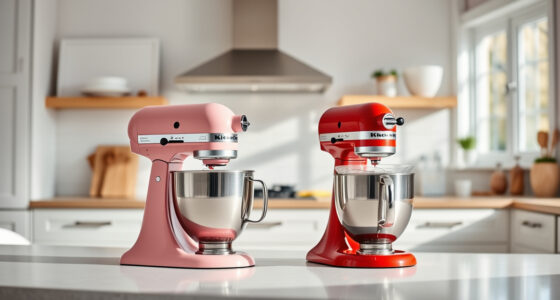

If your KitchenAid Artisan Series 5 Quart Tilt Head Stand Mixer is making a grinding noise, it can be concerning and disruptive. This issue often indicates a mechanical problem that needs attention to prevent further damage. Fortunately, with some basic troubleshooting and maintenance, you can often resolve the noise yourself, avoiding costly repairs or replacements.

Get kitchen gear delivered free with Prime
- Fast, free delivery on millions of items
- Prime Video, Amazon Music and more included
- Member-only deals all year
In this guide, we’ll walk you through the most common causes of grinding sounds, how to identify them, and detailed steps to fix your mixer safely and effectively. Remember, always unplug your mixer before attempting any repairs or maintenance to ensure safety.
Key Takeaways
| Identify the noise source | Grinding usually originates from the gear or motor components. |
| Check for obstructions or debris | Foreign objects or hardened food can cause grinding sounds. |
| Inspect the gear and transmission system | Worn or damaged gears are common culprits. |
| Lubricate moving parts | Proper lubrication can reduce noise and wear. |
| Seek professional repair if needed | Some issues require expert attention to avoid further damage. |
Step 1: Unplug and Access Internal Components
- Ensure the mixer is unplugged from the power outlet to prevent electrical shock.
- Remove the attachment (such as the flat beater, dough hook, or wire whip) from the mixer.
- Carefully tilt the head back to access the internal gear housing. Some models have a tilt lock; release it as needed.
Step 2: Inspect the Gears and Transmission System
- Visually examine the gear assembly for signs of wear, damage, or debris buildup.
- Look for chipped or worn teeth on the gears, which can cause grinding noises during operation.
- Check the transmission shaft and surrounding components for obstructions or dirt.
Step 3: Clean and Lubricate Moving Parts
- Use a soft brush or cloth to remove dust, old grease, or debris from the gears and transmission.
- If your model allows, apply a food-safe lubricant (such as a silicone-based or white lithium grease) to the gear teeth and moving parts.
- Be careful not to over-lubricate; a light coating is sufficient.
Step 4: Test the Mixer and Identify Remaining Issues
Reassemble the mixer partially, plug it in, and run the motor at low and high speeds without any attachments. Listen for whether the grinding noise persists.
If the noise continues, further inspection of the gear assembly or motor may be necessary, or the gear may need replacing.
Step 5: Replace Worn or Damaged Gears
If you find broken or excessively worn gears, consult your mixer’s user manual for part replacement instructions or order a replacement gear set. Replacing gears involves disassembling the gear housing, removing the old gears, and installing new ones carefully.
Ensure all components are properly aligned and secured before reassembling.
Tips and Warnings
- Safety first: Always unplug the mixer before working on it.
- Use appropriate lubricants: Only use food-safe lubricants recommended for kitchen appliances.
- Contact professionals: If you’re unsure or uncomfortable performing repairs, seek professional help to avoid further damage.
- Regular maintenance: Periodically clean and check your mixer to prevent issues from developing.
The Products in This Guide

KitchenAid Artisan Series 5 Quart Tilt Head Stand Mixer
- ✔ Motor Power: 325W
- ✔ Color Options: Over 20
- ✔ Bowl Size: 5 Quart

KitchenAid Stand Mixer Attachment
- ✔ Material: Metal
- ✔ Includes: Multiple grinding plates
- ✔ Chill Needed: Yes
KitchenAid Artisan Series 5 Quart Tilt Head Stand Mixer
The KitchenAid Artisan Series 5 Quart Tilt Head Stand Mixer is built for durability with its metal construction and versatile features. While it’s generally reliable, some users report grinding noises due to gear wear or debris, which can often be fixed with proper inspection and maintenance.
Pros:
- Durable metal construction
- Powerful motor with 10 speeds
- Large 5-quart stainless steel bowl
- Tilt-head design for easy access
Cons:
- Potential gear noise over time
- Requires occasional lubrication
- Parts replacement may be necessary for wear
Best for: Home bakers and cooks needing a versatile, durable stand mixer.
Not ideal for: Users seeking a lightweight or compact mixer, or those uncomfortable with DIY repairs.
Bottom line: A durable, versatile mixer that may require occasional gear maintenance.
KitchenAid Stand Mixer Attachment
The KitchenAid Stand Mixer Attachment, Food Grinder KSMMGA, offers a practical way to expand your mixer’s capabilities. If grinding or processing ingredients is part of your routine, this attachment can help you achieve professional-quality results easily.
Pros:
- Creates fresh ground meats and ingredients
- Uses the mixer’s power hub
- Includes multiple grinding plates
- Easy to store and organize
Cons:
- Additional cost for attachments
- Requires separate purchase of the stand mixer
- Cleaning can be a bit time-consuming
Best for: Home cooks wanting fresh, customizable ingredients.
Not ideal for: If you don’t often grind or process foods, this attachment may be unnecessary.
Bottom line: A versatile attachment to diversify your culinary creations.
Frequently Asked Questions
Why is my KitchenAid mixer making a grinding noise?
The grinding noise may be caused by worn gears, debris buildup, or lack of lubrication in the gear assembly. Inspecting these components can help identify the cause.
Can I fix the grinding noise myself?
Yes, if you are comfortable with basic tools and follow safety precautions. The process involves inspecting, cleaning, lubricating, or replacing worn gears. If unsure, seek professional repair.
Is it safe to open my KitchenAid mixer?
Unplug the mixer before opening or inspecting internal parts. Only attempt repairs if you are confident; otherwise, contact an authorized service technician.
How often should I lubricate my mixer gears?
Lubrication should be done during regular maintenance if you notice increased noise or resistance. Use only food-safe lubricants recommended by the manufacturer.
What parts typically need replacing when grinding noises occur?
Worn or chipped gears are common culprits. Additionally, debris or lack of lubrication can cause issues that are fixable without replacing parts.
Maintain Your Mixer for Smooth, Reliable Performance
By following these troubleshooting steps, you can often resolve the grinding noise in your KitchenAid Artisan stand mixer and extend its lifespan. Regular maintenance, proper cleaning, and timely replacement of worn parts are key to ensuring your mixer continues to deliver excellent results for years to come. If the problem persists despite your efforts, professional repair services are a safe bet to restore full functionality.
Affiliate disclosure: As an Amazon Associate we earn from qualifying purchases. Prices and availability are accurate as of the time of publishing.
Halloween Picks
halloween
As an affiliate, we earn on qualifying purchases.