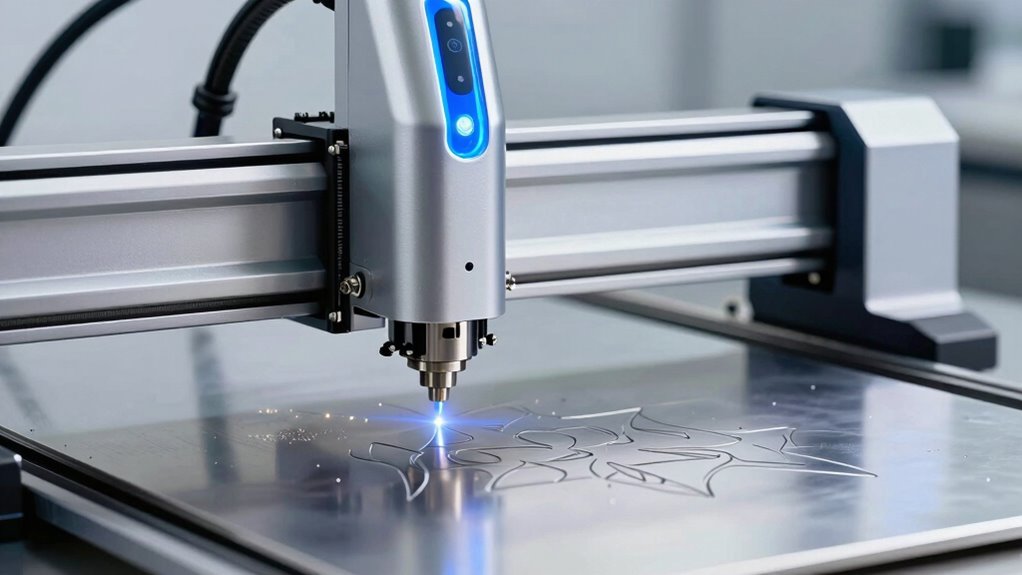

A laser engraver for metal needs the right laser source for the result you want: many diode models mark coated metal, while infrared, fiber, and MOPA systems can handle a wider range of bare-metal work. My best overall pick is the xTool F1 Ultra, whose fiber-and-diode pairing gives it a strong balance of metal capability and material flexibility. For fine color marking and demanding production, the xTool F2 Ultra brings MOPA technology; for an enclosed, more approachable setup, the Creality Falcon A1C is a different kind of starting point. The main tradeoffs are metal capability, work area, speed, safety setup, and how much complexity your projects can justify. Read on for the full comparison and advice on choosing a machine that fits your materials and workflow.

Get kitchen gear delivered free with Prime
- Fast, free delivery on millions of items
- Prime Video, Amazon Music and more included
- Member-only deals all year
Complete the kit

Key Takeaways
- Laser type matters more than headline wattage: the xTool F1 Ultra’s fiber laser is a more direct fit for bare-metal marking than a high-powered diode machine.
- Dual-laser models cover different needs: the F1 Ultra pairs fiber and diode, while the F2 and LP4 combine diode with infrared; those source combinations are not interchangeable.
- MOPA capability targets specialized results: the xTool F2 Ultra is the standout for buyers seeking more control over metal marking, not the simplest route for occasional engraving.
- Enclosures and bundles change the ownership experience: the Falcon A1C and S1 bundle emphasize setup and accessories, while open-frame options can call for more attention to workspace and protection.
- Higher power does not automatically mean better metal engraving: the 40W and 60W cutter-focused models may suit mixed cutting and engraving work, but buyers should confirm bare-metal capability for their intended materials.
| Creality Falcon A1C 5W Enclosed Laser Engraver |  | Best for Safer, Camera-Assisted Metal Marking | Laser output power: 5W | Laser class: Class 1 | Maximum speed: 15,000 mm/min | VIEW ON AMAZON | See Our Full Breakdown |
| xTool F2 Dual-Laser Engraver, 15W Diode and 5W IR |  | Best Overall for Metal Versatility | Diode laser output: 15W | Infrared laser output: 5W | Camera: 50MP | VIEW ON AMAZON | See Our Full Breakdown |
| BlazeX M3 10W Laser Engraver and Cutter |  | Best Starter Kit for Coated Metal Projects | Laser power: 10W | Engraving accuracy: 0.01 mm | Weight: 8 pounds | VIEW ON AMAZON | See Our Full Breakdown |
| LaserPecker LP4 Dual-Laser Engraver, 10W Diode and 2W IR |  | Best Compact Dual-Laser Pick | Laser sources: 10W diode and 2W infrared | Engraving precision: Up to 0.003 mm | Engraving speed: Up to 2000 mm/s | VIEW ON AMAZON | See Our Full Breakdown |
| Aliencell X1 40W Laser Engraver & Cutter – 20,000 mm/s² Acceleration, No PC Required |  | Best for Large-Format Production | Bed size: 26 × 21 inches | Power: 40W | Acceleration: 20,000 mm/s² | VIEW ON AMAZON | See Our Full Breakdown |
| xTool S1 40W Laser Cutter and Engraver with Rotary Bundle |  | Best for Large, Enclosed Projects | Laser power: 40W | Bed size: 23.93 × 15.16 inches | Maximum engraving speed: 600 mm/s | VIEW ON AMAZON | See Our Full Breakdown |
| Carverall K15 Pro 10W Laser Engraver and Cutter |  | Best Compact Starter for Coated Metal | Laser power: 10W | Work area: 11.8 × 7.9 inches | Precision: 0.01 mm | VIEW ON AMAZON | See Our Full Breakdown |
| Carverall K15 Pro 1W Infrared Laser Engraver, 200 × 300 mm |  | Best Compact Pick for Bare Metal | Laser type: 1064 nm infrared | Laser power: 1W (1000 mW) | Work area: 200 × 300 mm (7.87 × 11.81 inches) | VIEW ON AMAZON | See Our Full Breakdown |
| xTool F2 Ultra 60W MOPA and 40W Diode Dual Laser Engraver |  | Best Premium Metal Engraver | Fiber laser: 60W MOPA | Diode laser: 40W | Maximum engraving speed: 15,000 mm/s | VIEW ON AMAZON | See Our Full Breakdown |
| xTool F1 Ultra 20W Fiber and Diode Dual Laser Engraver |  | Best Enclosed Dual-Laser Workstation | Laser types: 20W fiber and 20W diode | Maximum speed: 10,000 mm/s | Camera: 16MP | VIEW ON AMAZON | See Our Full Breakdown |
| Creality Falcon2 Pro 60W Enclosed Laser Engraver and Cutter |  | Best for Enclosed, Multi-Material Work | Adjustable laser output: 60W, 40W, and 22W | Secondary laser: 1.6W | Safety class: Class 1 enclosed design | VIEW ON AMAZON | See Our Full Breakdown |
| laser engraver for metal | Weight |
|---|---|
| Creality Falcon A1C 5W Enclose | — |
| xTool F2 Dual-Laser Engraver | — |
| BlazeX M3 10W Laser Engraver a | 8 pounds |
| LaserPecker LP4 Dual-Laser Eng | 16.29 pounds |
| Aliencell X1 40W Laser Engrave | 104.8 pounds |
| xTool S1 40W Laser Cutter and | 86.8 pounds |
| Carverall K15 Pro 10W Laser En | 2.68 kg |
| Carverall K15 Pro 1W Infrared | — |
| xTool F2 Ultra 60W MOPA and 40 | — |
| xTool F1 Ultra 20W Fiber and D | — |
| Creality Falcon2 Pro 60W Enclo | 44 pounds |
More Details on Our Top Picks
Creality Falcon A1C 5W Enclosed Laser Engraver
The Falcon A1C is a sensible pick for buyers who want an enclosed machine and guided setup more than raw metal-marking power. Its 5W laser is paired with a camera that supports material recognition and batch engraving, which can reduce alignment work when repeating small jobs. The Class 1 enclosure, flame detection, tilt alarm, and USB lock key also make it a more safety-focused choice than the open details provided for the BlazeX M3. For direct metal work, though, the included laser’s capabilities are limited by the stated specs; the optional 1.2W infrared module is the feature that extends material options. I also can’t compare its project capacity confidently because the work-area dimensions aren’t listed. Pick it for controlled, repeatable small work, not maximum metal versatility.
Pros:- Class 1 enclosure with flame detection, tilt alarm, and USB lock key
- Built-in HD camera supports material recognition and batch engraving
- Adjustable lift table accommodates items of different heights
- Maximum speed of 15,000 mm/min supports quicker engraving passes
Cons:- The 1.2W infrared module for expanded material capability is optional
- Working-area dimensions are not specified
- The listed 5W laser output gives less headroom than the higher-powered options in this lineup
Best for: Home makers and small-shop users who value an enclosed setup, camera-assisted alignment, and repeatable batches of modest-sized projects.
Not ideal for: Buyers who need strong, clearly specified metal-marking capability out of the box or require a published work-area size before choosing.
- Laser output power:5W
- Laser class:Class 1
- Maximum speed:15,000 mm/min
- Camera:Built-in HD camera with material recognition
- Work surface:Adjustable lift table
- Optional module:1.2W infrared laser
- Safety features:Enclosed housing, flame detection, tilt alarm, USB lock key
- Warranty:1 year
Our verdict“Choose the Falcon A1C if enclosure safety and camera-guided repeat work matter more than having an included infrared source or a published work-area size.”
xTool F2 Dual-Laser Engraver, 15W Diode and 5W IR
Among these five, the xTool F2 has the clearest case for buyers who want one compact machine to handle varied metal and nonmetal jobs. Its 15W diode and 5W infrared lasers cover different tasks, including metal color marking, while the 50MP camera and stated alignment accuracy of up to 0.1 mm help place designs without relying on guesswork. Compared with the Falcon A1C, the F2 includes a more powerful infrared source rather than making that module optional; compared with the portable LaserPecker LP4, it lists a higher maximum speed and a higher-powered IR laser. The tradeoff is safety: this is a Class 4 laser, so its enclosure does not remove the need for careful operation. Its optional extension and purifier also add to the setup decisions.
Pros:- 15W diode and 5W infrared sources support a broad range of jobs, including metal color marking
- 50MP camera provides workspace visualization and alignment accuracy up to 0.1 mm
- Maximum speed of 6000 mm/s supports fast processing
- Arrives assembled in an enclosed design and includes a base plate and material kit
Cons:- Class 4 classification calls for careful operation despite the enclosed design
- Slide Extension and purifier are optional accessories
- The 10 lb unit is portable, but its listed work-area dimensions are not provided
Best for: Makers and small businesses that need metal color marking alongside varied engraving and cutting tasks, and can follow Class 4 laser safety practices.
Not ideal for: Buyers seeking a lower-risk beginner setup or a machine with all batch-work accessories and air cleaning included.
- Diode laser output:15W
- Infrared laser output:5W
- Camera:50MP
- Maximum speed:6000 mm/s
- Alignment accuracy:Up to 0.1 mm
- Motion accuracy:0.00199 in
- Material compatibility:Over 300 materials
- Design and weight:Enclosed; 10 lb
- Warranty:1 year
Our verdict“Pick the F2 for the most balanced included diode-and-infrared setup here, provided you are prepared to manage Class 4 operation.”
BlazeX M3 10W Laser Engraver and Cutter
The BlazeX M3 is best read as a general-purpose starter machine that can work on coated metal, rather than a dedicated metal-marking solution. Its 10W output and stated 0.01 mm engraving accuracy make it suitable for detailed projects, while the included enclosure, honeycomb bed, tools, and 13 materials reduce the number of basics a new owner has to source separately. Compared with the Falcon A1C, it offers a larger stated laser output but lacks the listed camera-assisted material recognition and Class 1 designation. Compared with the xTool F2, it also lacks a specified infrared source for metal color marking. Its software compatibility is a plus for users who want to choose between LightBurn, LaserGRBL, and CutLabX, but cutting limits and metal performance details aren’t specified, so I wouldn’t select it for demanding metal work.
Pros:- 10W laser supports both engraving and cutting tasks
- Starter kit includes an enclosure, honeycomb bed, tool kit, and 13 materials
- Safety sensors stop operation if the machine tilts or the lid opens
- Compatible with LightBurn, LaserGRBL, and CutLabX
Cons:- Metal compatibility is listed without detail on suitable metal types or marking performance
- Cutting limits are not specified
- Rotary roller, risers, air assist, and purifier are optional upgrades
Best for: First-time hobbyists exploring coated-metal engraving alongside wood, leather, and glass projects who want a kit with useful starter accessories.
Not ideal for: Buyers focused on bare-metal marking, metal color effects, or projects that need clearly stated cutting capacities.
- Laser power:10W
- Engraving accuracy:0.01 mm
- Weight:8 pounds
- Power source:Corded electric
- Included accessories:Enclosure, honeycomb bed, tool kit, 13 engraving materials
- Compatible software:LightBurn, LaserGRBL, CutLabX
- Compatible operating systems:Windows, macOS, iOS, Android
Our verdict“Choose the BlazeX M3 as an accessory-rich starter for mixed craft projects, but look to the xTool F2 if metal marking is your main priority.”
LaserPecker LP4 Dual-Laser Engraver, 10W Diode and 2W IR
The LP4 puts a two-source setup into a relatively compact machine, making it a better fit for users who move between workspaces or have limited bench room. Its 10W diode and 2W infrared lasers cover a broad material list that includes metal, and the stated precision of up to 0.003 mm is aimed at fine detailing. Compared with the xTool F2, the LP4 has a smaller work area, lower listed maximum speed, and lower IR output; in return, its footprint and 16.29-pound weight make it easier to accommodate than the 104.8-pound Aliencell X1. The 160 × 120 mm work area is the main constraint: small items and short runs fit its role, but larger plaques or batch layouts may require repositioning or a different machine. Its cutting specs apply to wood and dark opaque acrylic, not metal.
Pros:- Separate 10W diode and 2W infrared sources support a wide range of materials
- Up to 0.003 mm engraving precision is suited to fine detail
- Maximum engraving speed is 2000 mm/s
- Works with LaserPecker Design Space and LightBurn
Cons:- 160 × 120 mm work area restricts larger pieces and batch layouts
- Lower listed IR output and maximum speed than the xTool F2
- Stated cutting capacities cover wood and dark opaque acrylic, not metal
Best for: Mobile makers and home users who need a compact dual-laser unit for small metal pieces and mixed-material detail work.
Not ideal for: Shops handling large metal parts or batch layouts, and buyers expecting the listed cutting capacity to apply to metal.
- Laser sources:10W diode and 2W infrared
- Engraving precision:Up to 0.003 mm
- Engraving speed:Up to 2000 mm/s
- Working area:160 × 120 mm
- Cutting capacity:Wood up to 8 mm; dark opaque acrylic up to 5 mm
- Material compatibility:300+ materials
- Dimensions:11.22 × 13.19 × 14.96 inches
- Weight:16.29 pounds
- Software compatibility:LaserPecker Design Space and LightBurn
Our verdict“Pick the LP4 when a compact dual-laser setup and fine detail matter more than large-format capacity or faster throughput.”
Aliencell X1 40W Laser Engraver & Cutter – 20,000 mm/s² Acceleration, No PC Required
The Aliencell X1 is the scale-focused choice: its 26 × 21 inch bed gives it room for large workpieces and batch layouts that won’t fit the LP4’s 160 × 120 mm area. A 40W laser and stated 20,000 mm/s² acceleration point toward high-throughput cutting and engraving across several materials, while dual 8MP cameras help with preview and positioning. Its standalone touchscreen Linux system can run jobs without a PC, a meaningful convenience for a dedicated workshop. That size comes with a substantial footprint and 104.8-pound weight, so it is the opposite of the portable LP4. The product data lists metal among compatible materials but does not identify a laser type or spell out metal-marking results; I’d verify suitability for the specific metal job before choosing it over the xTool F2’s explicit infrared metal features.
Pros:- Large 26 × 21 inch work area accommodates bigger projects and batch layouts
- 40W power and 20,000 mm/s² acceleration are geared toward fast processing
- Standalone 6.86-inch touchscreen operation does not require a PC
- Class 1 safety standards, flame sensors, and fire-resistant materials are specified
Cons:- At 104.8 pounds, the unit is difficult to move and needs a substantial installation area
- Metal compatibility is listed without details on laser type or metal-marking performance
- Standalone controls and advanced camera features may take time for beginners to learn
Best for: Established workshops and production-minded makers who need a large bed, standalone controls, and room to process bigger jobs or batches.
Not ideal for: Apartment users, beginners seeking a compact setup, or buyers whose primary need is clearly specified metal marking rather than broad material processing.
- Bed size:26 × 21 inches
- Power:40W
- Acceleration:20,000 mm/s²
- Frequency:20 kHz
- Touchscreen:6.86-inch
- Cameras:Dual 8MP cameras
- Safety:Class 1 standards, flame sensors, fire-resistant materials
- Dimensions:35.6 × 30.99 × 0.1 inches
- Weight:104.8 pounds
Our verdict“Choose the Aliencell X1 for large-format workshop throughput, but favor the xTool F2 if clearly specified metal color marking is the deciding feature.”
xTool S1 40W Laser Cutter and Engraver with Rotary Bundle
The S1 is a strong fit for buyers who want an enclosed machine with room for larger jobs, rather than a compact metal-marking specialist. Its 40W laser, autofocus, and broad bed support mixed engraving and cutting projects, while the included rotary bundle adds scope for cylindrical work. The enclosure, flame sensors, and lid-open shutoff offer more built-in safeguards than the open-frame Carverall K15 Pro models. However, the listed description does not specify a fiber or infrared source for bare-metal marking, so I would not choose it over the xTool F2 Ultra for color engraving or demanding direct metal work. Its size and weight also make it less convenient to move, and long pieces rely on passthrough rather than fitting fully on the bed.
Pros:- Large 23.93 × 15.16-inch bed accommodates sizable projects
- Enclosed design includes flame sensors and lid-open shutoff
- Autofocus and material presets can reduce setup work
- Rotary bundle supports cylindrical projects
Cons:- No fiber or infrared laser is specified for direct bare-metal engraving
- At 86.8 pounds, it is a substantial machine to place or relocate
- Projects longer than the bed require passthrough operation
Best for: Makers who need a large enclosed workspace for wood, coated-metal marking, and mixed-material projects, with a rotary attachment included.
Not ideal for: Buyers focused on bare-metal engraving or color metal marking; the product data does not identify a fiber or infrared laser source.
- Laser power:40W
- Bed size:23.93 × 15.16 inches
- Maximum engraving speed:600 mm/s
- Maximum passthrough length:118 inches (3000 mm)
- Weight:86.8 pounds
- Bundle:Rotary
- Safety features:Enclosed design, 5 flame sensors, emergency stop, lid-open stop
Our verdict“Choose the S1 for roomy, enclosed mixed-material work, but pick the xTool F2 Ultra if direct metal engraving is your main priority.”
Carverall K15 Pro 10W Laser Engraver and Cutter
The K15 Pro is the approachable small-format choice here, especially for a beginner who wants to mark coated metal alongside wood, acrylic, and leather. Its 10W diode, one-touch focus, app control, and offline TF-card jobs keep the workflow simpler than the more specialized xTool F1 Ultra, which pairs fiber and diode lasers for broader metal work. That distinction matters: this Carverall is specified for coated metal, not bare-metal engraving, and the optional 1W infrared head is a separate upgrade. The compact work area suits tags and small craft pieces, but it limits batch size compared with the larger xTool S1. Its stated cutting depth also varies by material, so buyers should treat maximum capacity as material-dependent rather than universal.
Pros:- Supports app control and offline jobs from a TF card
- Works with LightBurn, LaserGRBL, and CutLabX
- Compact work area fits small craft and personalization jobs
- One-touch focus and starter kit help simplify initial setup
Cons:- Bare-metal engraving requires an optional infrared laser head
- 11.8 × 7.9-inch work area constrains larger pieces and batch layouts
- Cutting capacity depends on the material
Best for: First-time makers producing small signs, tags, or craft pieces from wood and coated metal who want app and offline operation.
Not ideal for: Metalworkers who need bare-metal marking, larger production runs, or an infrared laser without buying an optional head.
- Laser power:10W
- Work area:11.8 × 7.9 inches
- Precision:0.01 mm
- Maximum speed:15,000 mm/min
- Supported materials:Wood, acrylic, leather, coated metal, and more
- Software compatibility:CutLabX, LightBurn, and LaserGRBL
- Weight:2.68 kg
Our verdict“Pick the K15 Pro for compact, beginner-friendly work on coated metal and other craft materials, not for direct engraving on bare metal.”
Carverall K15 Pro 1W Infrared Laser Engraver, 200 × 300 mm
Unlike the 10W diode K15 Pro, this version is built around a 1064 nm infrared laser, giving it a clearer role for direct marking on bare metals. That makes it a more targeted metal choice than the xTool S1, whose listed laser specification does not identify a fiber or infrared source. Its 200 × 300 mm work area is generous for a compact engraver, and Wi-Fi app control plus LightBurn and LaserGRBL compatibility offer several ways to prepare jobs. The tradeoff is power: at 1W, it is suited to engraving rather than the faster, heavier-duty metal work associated with the 60W MOPA xTool F2 Ultra. Rotary accessories are not included, and driver installation adds setup friction for users expecting a ready-to-run mobile workflow.
Pros:- 1064 nm infrared laser is specified for bare-metal engraving
- 200 × 300 mm work area is roomy for a compact machine
- Works with CutLabX, LightBurn, and LaserGRBL
- Starter kit includes safety goggles and test metal sheets
Cons:- 1W output is a less suitable fit for fast or heavy-duty metal work
- Rotary roller and other upgrade accessories are sold separately
- Driver installation is required for mobile and desktop operation
Best for: Hobbyists and small shops who want a compact machine for personalization and detail work on bare-metal items, hard plastics, or rubber.
Not ideal for: Production users seeking high-throughput or deep metal engraving, or buyers who need a rotary attachment in the box.
- Laser type:1064 nm infrared
- Laser power:1W (1000 mW)
- Work area:200 × 300 mm (7.87 × 11.81 inches)
- Precision:0.01 mm
- Supported materials:Bare metals, hard plastic, and rubber
- Connectivity:Wi-Fi app control
- Safety classification:Class 1
Our verdict“Choose this K15 Pro for compact bare-metal engraving on a modest scale; step up to the xTool F2 Ultra for faster, more capable metal production.”
xTool F2 Ultra 60W MOPA and 40W Diode Dual Laser Engraver
The F2 Ultra leads this group for metal-focused capability: its 60W MOPA fiber laser supports color metal engraving and the product data lists cutting up to 2 mm metal. A separate 40W diode broadens the machine to wood, acrylic, leather, glass, and fabric, making it more versatile than the metal-specific 1W infrared Carverall K15 Pro. It also offers dual 48MP AI cameras for positioning and setup, plus speeds up to 15,000 mm/s. The premium capability comes with practical limits: the standard 8.7 × 8.7-inch work area is not especially large, and expansion depends on a separately specified auto conveyor. Class 4 classification also calls for careful safety practices, unlike the Class 1 Carverall infrared model.
Pros:- 60W MOPA fiber laser supports color metal engraving
- Separate 40W diode expands the range of compatible materials
- Dual 48MP AI cameras assist with setup and positioning
- High speed and optional conveyor support larger workflows
Cons:- Class 4 classification requires careful safety practices
- Standard work area is 8.7 × 8.7 inches
- Expanded work area requires the optional auto conveyor
Best for: Metal artisans and small businesses seeking color marking, detailed engraving, and a second laser for nonmetal projects.
Not ideal for: Casual users wanting a simple low-power metal marker, or buyers who need a larger work area without an optional conveyor.
- Fiber laser:60W MOPA
- Diode laser:40W
- Maximum engraving speed:15,000 mm/s
- Work area:8.7 × 8.7 inches
- Expanded work area:8.7 × 19.7 inches with auto conveyor
- Maximum metal cutting thickness:2 mm
- Laser class:Class 4
Our verdict“Choose the F2 Ultra for advanced metal work and broad material flexibility if its Class 4 safety demands and optional conveyor fit your workspace.”
xTool F1 Ultra 20W Fiber and Diode Dual Laser Engraver
The F1 Ultra makes sense for buyers who want fiber and diode lasers in one enclosed workstation, but do not need the F2 Ultra’s 60W MOPA output or its stated color-metal capability. The 20W fiber laser is the metal-focused source; the 20W diode handles a range of nonmetals, while the 16MP camera and speeds up to 10,000 mm/s suit repeatable small-batch jobs. Its 220 × 220 mm work area is larger than the Carverall K15 Pro infrared model’s listed area, and the cover, smoke extraction, fire alarm, and emergency stop provide useful safeguards. Even so, it remains a Class 4 machine, not a casual plug-in engraver. The Auto Conveyor is sold separately, so larger work relies on an added accessory.
Pros:- Fiber and diode lasers cover metal and a range of nonmetal materials
- Supports deep engraving, 3D embossing, and cutting
- 16MP camera and high speed suit repeatable batch work
- Enclosure includes smoke extraction, fire alarm, and emergency stop
Cons:- Class 4 classification calls for careful safety practices
- Auto Conveyor is sold separately for an expanded work area
- Its 20W fiber laser is less powerful than the F2 Ultra’s 60W MOPA source
Best for: Small workshops and makers who need an enclosed fiber-and-diode setup for metal personalization and varied nonmetal jobs.
Not ideal for: Buyers prioritizing color metal engraving, maximum fiber power, or an expanded work area without purchasing an add-on conveyor.
- Laser types:20W fiber and 20W diode
- Maximum speed:10,000 mm/s
- Camera:16MP
- Working area:220 × 220 mm
- Expandable working area:220 × 500 mm with optional Auto Conveyor
- Maximum wood cutting thickness:15 mm
- Laser classification:Class 4
Our verdict“Choose the F1 Ultra for an enclosed dual-laser workflow with moderate metal output, but favor the F2 Ultra for stronger MOPA performance and color engraving.”
Creality Falcon2 Pro 60W Enclosed Laser Engraver and Cutter
I’d rank the Falcon2 Pro as a flexible enclosed machine for makers who engrave coated metal alongside wood, acrylic, leather, or slate. Its adjustable 60W, 40W, and 22W output lets you tune the main laser for different jobs, while the separate 1.6W laser supports positioning and fine engraving. The built-in camera can help align pieces and repeat layouts across a batch—useful when accuracy matters more than portability.
For metal-focused work, its scope is narrower than the xTool F1 Ultra or xTool F2 Ultra, which use fiber or MOPA laser technology. The Falcon2 Pro is specified for coated metal, not bare-metal marking. Its enclosed Class 1 design, air assist, and exhaust management make it a more contained setup for mixed-material cutting and engraving, but its 44-pound weight and unspecified included rotary accessories limit flexibility for moving it or engraving cylindrical items.
Pros:- Adjustable 60W, 40W, and 22W output accommodates different materials and task demands.
- Built-in HD camera supports material placement and repeatable batch alignment.
- Class 1 enclosed design includes an emergency stop and safety monitoring.
- Air assist and exhaust management support cleaner cutting and help manage fumes.
Cons:- Metal support is listed for coated metal, making it a poor fit for buyers seeking direct bare-metal marking.
- At 44 pounds, it is cumbersome to move between work areas.
- Rotary accessories are not specified as included.
Best for: Makers who want an enclosed, camera-equipped machine for coated-metal marking and cutting or engraving a range of other materials in one workspace.
Not ideal for: Buyers who need direct engraving on bare metal, a portable machine, or rotary accessories included for cylindrical work.
- Adjustable laser output:60W, 40W, and 22W
- Secondary laser:1.6W
- Safety class:Class 1 enclosed design
- Camera:Built-in HD camera
- Software compatibility:LightBurn and LaserGRBL
- Supported materials:Wood, acrylic, leather, bamboo, slate, and coated metal
- Dimensions:25.98 × 22.44 × 12.99 inches
- Weight:44 pounds
Our verdict“Choose the Falcon2 Pro for enclosed, camera-assisted work across coated metal and other materials, but pick a fiber or MOPA model for bare-metal engraving.”

How We Picked
I ranked these machines by how directly their laser source and stated capabilities match common metal jobs: marking bare metal, engraving coated items, and handling projects that also include wood or other materials. I gave more weight to purpose-built infrared, fiber, and MOPA options for buyers seeking metal results than to diode power alone. I also compared work-area practicality, enclosure or bundle features, operating convenience, and whether a machine appears aimed at occasional personalization or a more involved workflow.
The order reflects tradeoffs rather than a single spec race. The xTool F1 Ultra leads for its fiber-and-diode combination, while the F2 Ultra ranks higher for specialized MOPA work but may be more machine than a casual user needs. Compact dual-laser choices and enclosed entry points follow, while powerful cutter-oriented diode models rank lower for a metal-specific roundup unless the buyer values broader cutting work. Since product configurations and supported materials can vary, I would verify the manufacturer’s current material guidance before buying.
Factors to Consider When Choosing Laser Engraver For Metal
Before choosing a machine, decide what “engraving metal” means for your projects. A permanent mark on stainless steel, an image on anodized aluminum, and deep engraving into a metal part are different jobs, and the same machine may not suit all three.
Match the Laser Source to the Metal and Finish
Start with the exact metal and its surface finish, not the machine’s advertised wattage. Diode lasers are commonly used for coated or anodized surfaces, while infrared, fiber, and MOPA systems are designed for a broader range of metal marking tasks. A machine that marks a dark coating may not produce the same result on bare stainless steel. Ask whether the maker’s material chart covers your specific alloy and finish, and distinguish surface marking from engraving that removes material. A frequent buying mistake is treating all “metal compatible” claims as equivalent. If your work spans coated gifts and bare-metal parts, a dual-source design may be more useful than a higher-power single diode.
Define the Mark You Need Before Paying for More Power
Write down whether you need a visible surface mark, fine detail, color effects, or depth. These goals call for different capabilities, and additional wattage by itself does not guarantee a better metal result. MOPA systems offer control useful for specialized marking effects, while fiber systems are a strong fit for many direct metal applications. Deep engraving can require repeated passes and careful setup, so check examples on the same material rather than relying on a general performance claim. If you only personalize coated tumblers or tags, a specialist metal machine may add complexity without helping your actual work. Pay for advanced laser control when your output depends on it, not just because the specification looks impressive.
Check Work Area, Focus, and Object Shape
The usable work area determines whether a machine fits your largest flat piece, but curved objects need separate attention. Rotary compatibility, clearance, and the time required to align an item can matter more than a large nominal bed. Small machines can be well suited to jewelry, tags, and compact parts; they become frustrating when you regularly handle larger panels or batches. Before buying a rotary bundle, check the included attachment’s supported object sizes and whether it works with your intended workflow. Consider how often you will reposition pieces and whether a smaller field means repeated setups. A realistic fit check prevents the common mistake of choosing by advertised bed dimensions alone.
Budget for the Full Workspace and Safety Setup
An enclosed design can simplify keeping the work area contained, but it does not remove the need to follow the manufacturer’s safety instructions. Open-frame machines may need a more deliberate workspace, suitable eye protection, and attention to fumes and reflections. Metal marking can also produce smoke or residue depending on coatings and preparation, so ventilation deserves a place in the budget. Confirm what is included: enclosure, filtration, rotary tools, software access, and any required accessories can change the real setup cost and effort. A common mistake is comparing machine prices while ignoring extraction or workspace changes. Choose the setup that fits where you can safely operate it, not only the one with the most appealing laser specifications.
Decide How Much Workflow Complexity You Want
Some buyers value a machine that can run jobs without a dedicated computer; others want deeper software control and room to tune settings. Convenience features can reduce friction for repeated simple jobs, but they do not replace material-specific testing or careful focus. If you are new to laser work, prioritize clear setup guidance, reliable alignment, and a manageable safety routine over maximum acceleration. Production users may place more value on speed, repeatability, and batch handling. Ask how often you will change materials and settings, since a flexible machine can mean more options to manage. The right choice is the one whose workflow you will actually use, rather than the one with the longest feature list.
Frequently Asked Questions
Can a diode laser engrave bare metal?
Some diode machines can mark particular metal surfaces, especially coatings and anodized finishes, but that does not mean they can directly engrave every bare metal. Results depend on the laser, material, finish, and settings. For repeated work on bare metal, compare infrared or fiber options and check the manufacturer’s guidance for your exact alloy. If your projects are mostly coated tags or tumblers, a diode may still fit. Confirm the expected result before buying by looking for examples on the same surface, not just a broad claim of metal compatibility.
Should I choose a fiber laser or a dual-laser engraver?
Choose based on the mix of materials you actually work with. A fiber-focused machine is a direct choice for many metal-marking jobs, while a dual-laser model can add flexibility for nonmetal materials or coated surfaces. The xTool F1 Ultra stands out here because its fiber-and-diode pairing covers different material tasks; the F2 and LP4 use different diode-and-infrared combinations. Dual-source systems can cost more and add workflow choices, so they make the most sense when you will use both sources. For a single, well-defined metal job, a more specialized machine may be simpler.
Is a 40W or 60W diode engraver a good choice for metal?
High diode power can be useful for cutting and engraving compatible nonmetal materials, but wattage alone does not establish bare-metal capability. In this lineup, the Falcon2 Pro and Aliencell X1 are more compelling for buyers with mixed cutting and engraving work than for someone choosing solely around direct metal marking. Check whether the specific model supports your metal and whether it marks bare or coated surfaces. If metal is the main workload, compare fiber, infrared, and MOPA systems first. A powerful cutter is not automatically the right metal engraver.
Do I need an enclosure or a rotary attachment for metal projects?
An enclosure can help contain the work area and support a more organized setup, but it does not replace ventilation or the maker’s safety procedures. A rotary attachment is useful when you engrave cylindrical objects such as bottles, yet it adds setup steps and must fit the object’s size and shape. Flat tags, plates, and parts do not need a rotary, so paying for one may bring little value if those are your only jobs. Compare the Falcon A1C and S1 bundle for enclosed or bundled approaches, then check what accessories are actually included. Buy attachments around planned projects rather than possible future uses.
What should I verify before engraving stainless steel or aluminum?
Check the machine maker’s material chart for the exact metal, finish, and laser source, then confirm whether the expected outcome is a surface mark or material removal. Stainless steel and aluminum can behave differently, and coated or anodized versions are not the same as bare stock. Look for sample results made on a similar surface and ask whether they required marking compounds or other preparation. Plan a small test area before running a finished part, since settings may affect contrast and detail. Also review the safety and ventilation guidance for any coating or marking process.
Conclusion
For most buyers who want one machine to handle metal alongside other materials, I would start with the xTool F1 Ultra as the best overall thanks to its fiber-and-diode pairing. The xTool F2 Ultra is my best premium choice for specialized MOPA marking, while the LaserPecker LP4 is a more compact dual-laser option for smaller projects. For beginners, the Creality Falcon A1C is the more approachable enclosed pick, though buyers should verify that its diode-based setup suits their specific metal. I would call the Carverall K15 Pro 10W the best value candidate for buyers whose work fits its diode capabilities, rather than anyone needing broad bare-metal performance. For mixed cutting and engraving, compare the Aliencell X1, xTool S1, and Falcon2 Pro; for metal-first work, prioritize the F1 Ultra or F2 Ultra and confirm material compatibility before ordering.
Evergreen bestsellers Picks

Dyson Cyclone V10 Origin Cordless Vacuum

Ninja CM371 Hot & Iced XL Coffee Maker with Rapid Cold Brew

Dyson V9 Motorbar Cordless Vacuum
As an affiliate, we earn on qualifying purchases.