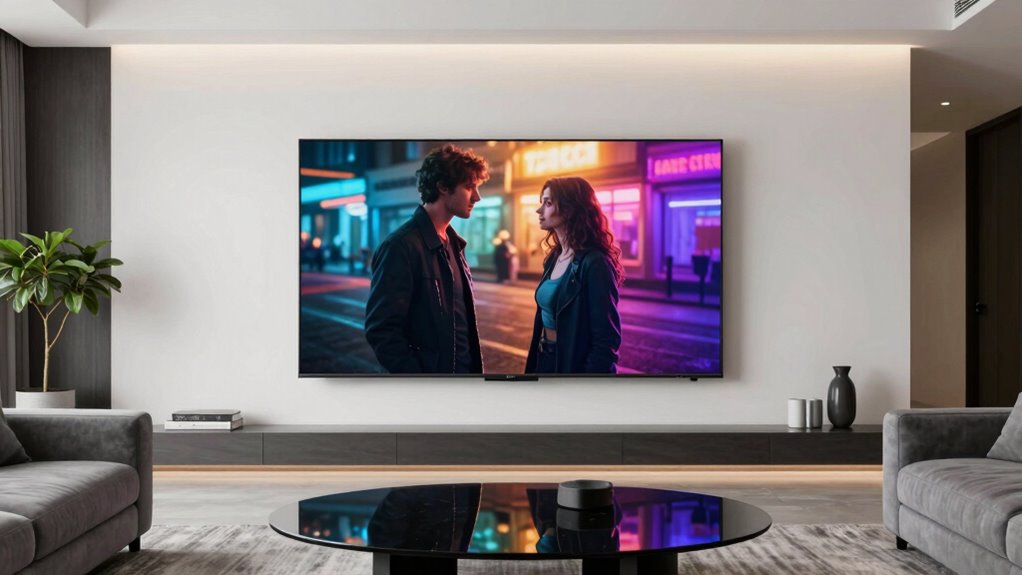

Among these 75-inch TVs, I’d put the TCL QM6K Mini-LED first for its mix of local dimming, QLED color, and Google TV features. The Samsung M70H Mini LED and TCL T7 QLED stand out for buyers who want, respectively, a Samsung-focused smart experience or a higher-refresh gaming screen. The main tradeoffs are picture control and motion performance versus simpler LED designs and different smart platforms. Room brightness, seating distance, gaming needs, and interface preference can matter as much as the panel label. Read on for how all 14 options compare and which one fits your priorities.

Get kitchen gear delivered free with Prime
- Fast, free delivery on millions of items
- Prime Video, Amazon Music and more included
- Member-only deals all year
Complete the kit


Key Takeaways
- Mini-LED separates the picture-focused choices: The TCL QM6K, Hisense U6 Pro, Hisense E7 Cinema, and Samsung M70H/M80H use Mini-LED backlighting, giving buyers more local-dimming potential than the standard LED options.
- Gaming features are uneven across the lineup: The TCL T7 advertises a 144Hz panel, while the TCL F7D lists Game Accelerator 120; buyers should check supported inputs and gaming modes rather than assuming every 75-inch QLED has the same motion capability.
- Smart platform choice is a real differentiator: Roku appears on the Hisense E6SR and TCL R7D, Fire TV on several Hisense, Toshiba, and Insignia models, and Google TV on the TCL QM6K/T7 and Sony BRAVIA 3 II.
- QLED alone does not identify the strongest screen: QLED models range from conventional backlighting to Mini-LED, so backlight design and local dimming matter alongside color technology.
- The lineup offers distinct routes to a large screen: Mini-LED suits shoppers prioritizing contrast control, while LED and standard QLED models may fit buyers who value a straightforward interface or familiar brand ecosystem over advanced backlighting.
| Samsung 75-Inch M70H Series Mini LED 4K Smart TV (2026) |  | Best for Bright-Room Streaming | Screen size: 75 inches | Resolution: 4K | Display technology: Mini LED | VIEW ON AMAZON | See Our Full Breakdown |
| TCL 75-inch F7D Series QLED 4K UHD Smart TV (2026 Model) – Dolby Vision & Atmos, DTS, Alexa+ Voice Remote, Motion Rate 240, Game Accelerator 120, Auto Game Mode |  | Best for Dolby Vision and Fire TV | Screen size: 75 inches | Resolution: 4K UHD | Display technology: QLED | VIEW ON AMAZON | See Our Full Breakdown |
| Samsung 75-Inch Q7F Series QLED 4K Smart TV (2025) |  | Best for Samsung Smart Features | Screen size: 75 inches | Resolution: 4K | Display technology: QLED | VIEW ON AMAZON | See Our Full Breakdown |
| Hisense 75-Inch E6SR Series 4K UHD Hi-QLED Smart Roku TV (2026) |  | Best for Roku Simplicity | Screen size: 75 inches | Resolution: 4K UHD | Display technology: Hi-QLED | VIEW ON AMAZON | See Our Full Breakdown |
| Hisense 75-inch U6 Pro Mini-LED 4K UHD Smart Fire TV |  | Best for High-Refresh Gaming | Screen size: 75 inches | Resolution: 4K UHD | Display technology: Mini LED, Hi-QLED quantum dot | VIEW ON AMAZON | See Our Full Breakdown |
| Toshiba 75-Inch M450 Series QLED 4K UHD Smart Fire TV |  | Best for Alexa and Fire TV | Screen size: 74.5 inches (75-inch class) | Display technology: QLED | Resolution: 4K | VIEW ON AMAZON | See Our Full Breakdown |
| Samsung 75-Inch U8000H Series Crystal UHD 4K Smart TV (2026) |  | Best for Samsung TV Plus | Screen size: 75 inches | Display technology: LED | Resolution: 4K | VIEW ON AMAZON | See Our Full Breakdown |
| TCL T7 Series 75-Inch 4K QLED Smart Google TV, 144Hz (75T7) |  | Best for High-Refresh-Rate Gaming | Screen size: 75 inches | Display technology: 4K UHD QLED | Resolution: 4K | VIEW ON AMAZON | See Our Full Breakdown |
| TCL 75-Inch QM6K Series Mini-LED QLED 4K HDR Smart Google TV |  | Best for HDR Contrast and Built-In Audio | Screen size: 75 inches | Display technology: Mini-LED, QLED (backlight description also lists Edge LED) | Resolution: 4K UHD | VIEW ON AMAZON | See Our Full Breakdown |
| Insignia 75-Inch F50 Series 4K UHD LED Smart Fire TV with Alexa Voice Remote |  | Best Simple Fire TV Pick | Screen size: 74.5 inches (75-inch class) | Display technology: LED | Resolution: 4K UHD (2160p) | VIEW ON AMAZON | See Our Full Breakdown |
| TCL 75-Inch R7D Series 4K QLED Roku Smart TV (75R7D, 2026) |  | Best for Roku Simplicity | Screen size: 75 inches | Display technology: QLED | Resolution: 4K UHD (3840 x 2160) | VIEW ON AMAZON | See Our Full Breakdown |
| Sony BRAVIA 3 II 75-Inch 4K HDR LED Smart TV with Google TV |  | Best for Console Gaming | Screen size: 75 inches | Display technology: LED | Resolution: 4K | VIEW ON AMAZON | See Our Full Breakdown |
| Samsung 75″ M80H Series Mini LED 4K Smart TV (2026) |  | Best for Bright-Room Viewing | Screen size: 75 inches | Display technology: Mini LED | Resolution: 4K | VIEW ON AMAZON | See Our Full Breakdown |
| Hisense 75-Inch E7 Cinema Series Hi-QLED Mini-LED 4K UHD Smart Fire TV |  | Best for High-Refresh Movie and Gaming Mix | Screen size: 75 inches | Display technology: Hi-QLED, Mini-LED, LCD | Resolution: 4K UHD | VIEW ON AMAZON | See Our Full Breakdown |
| inch tv | Screen size | Resolution | Display technology | Refresh rate |
|---|---|---|---|---|
| Samsung 75-Inch M70H Series Mi | 75 inches | 4K | Mini LED | — |
| TCL 75-inch F7D Series QLED 4K | 75 inches | 4K UHD | QLED | — |
| Samsung 75-Inch Q7F Series QLE | 75 inches | 4K | QLED | 60Hz |
| Hisense 75-Inch E6SR Series 4K | 75 inches | 4K UHD | Hi-QLED | 60Hz |
| Hisense 75-inch U6 Pro Mini-LE | 75 inches | 4K UHD | Mini LED, Hi-QLED quantum dot | 144Hz native |
| Toshiba 75-Inch M450 Series QL | 74.5 inches (75-inch class) | 4K | QLED | 60 Hz |
| Samsung 75-Inch U8000H Series | 75 inches | 4K | LED | 60 Hz |
| TCL T7 Series 75-Inch 4K QLED | 75 inches | 4K | 4K UHD QLED | 144 Hz native |
| TCL 75-Inch QM6K Series Mini-L | 75 inches | 4K UHD | Mini-LED, QLED (backlight description also lists Edge LED) | — |
| Insignia 75-Inch F50 Series 4K | 74.5 inches (75-inch class) | 4K UHD (2160p) | LED | 60 Hz |
| TCL 75-Inch R7D Series 4K QLED | 75 inches | 4K UHD (3840 x 2160) | QLED | 60 Hz |
| Sony BRAVIA 3 II 75-Inch 4K HD | 75 inches | 4K | LED | 120 Hz |
| Samsung 75" M80H Series Mini L | 75 inches | 4K | Mini LED | 120 Hz |
| Hisense 75-Inch E7 Cinema Seri | 75 inches | 4K UHD | Hi-QLED, Mini-LED, LCD | 144 Hz |
More Details on Our Top Picks
Samsung 75-Inch M70H Series Mini LED 4K Smart TV (2026)
The M70H makes a strong case for a bright 75-inch living room: its stated 1,000-nit peak brightness and Mini LED backlight aim to keep HDR images lively when the room is not fully dark. Compared with the Samsung Q7F, it steps up from edge LED to Mini LED and adds a higher brightness claim, though its dimming is software-based rather than full-array hardware. Samsung TV Plus also brings more than 750 free channels, a useful bonus for viewers who want live-style programming without another subscription. Gaming Hub and DLG 120Hz add flexibility, but this remains a 60Hz native panel, and the DLG mode can soften detail. I would choose it over the Q7F for brighter-room viewing, not for uncompromised high-frame-rate gaming.
Pros:- 75-inch 4K Mini LED display with stated maximum brightness of 1,000 nits
- HDR10+ support for compatible high-dynamic-range content
- Samsung TV Plus includes more than 750 subscription-free channels
- Gaming Hub and DLG 120Hz provide extra gaming options
Cons:- Native refresh rate is 60Hz; DLG 120Hz can reduce image sharpness
- Software-based dimming is not the same as full-array local dimming
- Network-based smart features require an internet connection and Samsung account
Best for: Viewers placing a 75-inch TV in a bright family room who want high stated brightness, HDR10+, and built-in free channels.
Not ideal for: Competitive gamers and buyers who prioritize sharp native high-refresh motion or hardware-based local dimming.
- Screen size:75 inches
- Resolution:4K
- Display technology:Mini LED
- Native refresh rate:60Hz
- Motion feature:DLG up to 120Hz
- Maximum display brightness:1,000 nits
- HDR format:HDR10+
- Connectivity:Bluetooth, HDMI, USB, Wi-Fi
Our verdict“Choose the M70H for a bright, streaming-heavy room, but look elsewhere if native high-refresh gaming or full-array dimming is your priority.”
TCL 75-inch F7D Series QLED 4K UHD Smart TV (2026 Model) – Dolby Vision & Atmos, DTS, Alexa+ Voice Remote, Motion Rate 240, Game Accelerator 120, Auto Game Mode
The F7D is a good fit for buyers who want a 75-inch screen with broad format support and a familiar Fire TV interface. Its QLED panel and support for Dolby Vision, HDR10+, HDR10, and HLG give it more HDR flexibility than the Samsung Q7F, which lists HDR10+ but not Dolby Vision. Alexa voice control, AirPlay 2, and HomeKit add convenience for households already using those services. The gaming labels need context, though: the panel is native 60Hz, while Game Accelerator 120 and Motion Rate 240 are motion and gaming features, not a 120Hz native refresh rate. Dolby Atmos and DTS:X processing are welcome, but the listed audio features do not guarantee soundbar-level impact. I’d favor it for easy streaming and format variety over high-frame-rate play.
Pros:- QLED panel with Quantum Dot color
- Supports Dolby Vision, HDR10+, HDR10, and HLG
- Fire TV with Alexa voice control, plus AirPlay 2 and HomeKit compatibility
- Auto Game Mode and Game Accelerator 120 features
Cons:- Native refresh rate is 60Hz despite the 120Hz gaming feature label
- Motion Rate 240 and MEMC do not make it a native 240Hz display
- Integrated audio may still leave sound-focused viewers wanting a soundbar
Best for: Fire TV households that watch mixed HDR sources and want Alexa control, AirPlay 2, and broad format support on a large screen.
Not ideal for: Gamers seeking native 120Hz or buyers expecting built-in TV audio to replace a dedicated sound system.
- Screen size:75 inches
- Resolution:4K UHD
- Display technology:QLED
- Native refresh rate:60Hz
- HDR formats:Dolby Vision, HDR10+, HDR10, HLG
- Motion features:MEMC frame insertion, Motion Rate 240, Game Accelerator 120
- Audio formats:Dolby Atmos, DTS Virtual:X
- Smart platform:Fire TV with Alexa voice control
- Weight:39.7 pounds
Our verdict“Pick the F7D for HDR format range and Fire TV convenience, not for true 120Hz gaming.”
Samsung 75-Inch Q7F Series QLED 4K Smart TV (2025)
The Q7F is the straightforward Samsung choice for viewers who care more about a familiar smart-TV setup and color-rich 4K than advanced backlighting. Its QLED panel, Quantum HDR, and HDR10+ support give it a stronger color-focused profile than a basic LED set, while Samsung Vision AI, Alexa, and more than 2,700 free channels add plenty to explore. Against the Samsung M70H, however, the Q7F uses edge LED rather than Mini LED and has no stated 1,000-nit brightness figure, making the M70H the more compelling option for bright HDR viewing. The Q7F’s 60Hz refresh rate and 20-watt, two-channel audio also mark it as a general viewing set rather than a gaming or sound-focused pick. Knox Security is a useful extra for connected homes, but it does not change those picture and audio limits.
Pros:- QLED display supports over a billion colors
- 4K resolution with Quantum HDR and HDR10+
- Samsung Vision AI, Alexa, Gaming Hub, and more than 2,700 free channels
- Samsung Knox Security for personal data and connected devices
Cons:- Edge LED backlighting lacks the Mini LED approach used by the Samsung M70H
- 60Hz refresh rate is less suited to high-frame-rate gaming
- 20-watt, two-channel audio may call for an external sound system
Best for: Samsung households seeking a 75-inch QLED with familiar apps, voice control, free channels, and connected-device security.
Not ideal for: Buyers prioritizing Mini LED contrast, high-refresh gaming, Dolby Vision, or fuller built-in sound.
- Screen size:75 inches
- Resolution:4K
- Display technology:QLED
- Backlight:Edge LED
- Refresh rate:60Hz
- HDR format:HDR10+
- Processor:Q4 AI Gen1
- Audio output:20 watts, 2 channels
- Weight:56.9 pounds
Our verdict“Choose the Q7F for Samsung smart features and QLED color, but step up to the M70H if brighter Mini LED performance matters more.”
Hisense 75-Inch E6SR Series 4K UHD Hi-QLED Smart Roku TV (2026)
The E6SR suits viewers who want a large 4K screen without taking on a more elaborate smart-TV platform. Its Roku interface keeps app access and setup familiar, while Hi-QLED color, Dolby Vision, and AI 4K upscaling cover the essentials for streaming a mix of new and older material. Compared with the TCL F7D, this Hisense trades Fire TV and a wider listed HDR set for Roku’s simpler layout and gaming support that includes VRR and ALLM. Neither product has a native refresh rate above 60Hz, so those gaming features help with responsiveness and variable refresh behavior rather than turning the screen into a high-refresh gaming display. Three HDMI ports are practical for a console, streamer, and cable box, but the single USB port limits accessory flexibility.
Pros:- Hi-QLED color with Dolby Vision, HDR10, and HLG support
- Roku smart platform offers a straightforward streaming interface
- AI 4K upscaling can improve the presentation of lower-resolution sources
- VRR and ALLM support for compatible gaming setups
Cons:- 60Hz refresh rate limits high-frame-rate gaming
- Only one USB port is listed
- No Mini LED or local-dimming specification is provided
Best for: Roku users and families who want an easy-to-use 75-inch TV for mixed streaming, casual gaming, and lower-resolution broadcasts.
Not ideal for: Buyers who need multiple USB connections, native high-refresh gaming, or Mini LED local dimming.
- Screen size:75 inches
- Resolution:4K UHD
- Display technology:Hi-QLED
- Refresh rate:60Hz
- HDR formats:Dolby Vision, HDR10, HLG
- Smart platform:Roku
- HDMI ports:3
- USB ports:1
- VESA mount:200 x 300 mm
Our verdict“Choose the E6SR for Roku simplicity and useful everyday features, but skip it if you need advanced dimming or more USB connections.”
Hisense 75-inch U6 Pro Mini-LED 4K UHD Smart Fire TV
The U6 Pro has the most gaming-focused display specification in this group: its native 144Hz refresh rate is a clearer advantage for fast motion than the 60Hz panels in the Samsung M70H and TCL F7D. Mini LED, full-array local dimming, and Hi-QLED color also give it a more ambitious picture setup than the M70H’s software-based dimming description. The anti-reflection finish is aimed at rooms with bright windows, while Dolby Vision IQ and other HDR formats broaden its streaming appeal. A built-in subwoofer and Dolby Atmos processing add more audio hardware than the Samsung Q7F lists. The main reservation is missing practical detail: the supplied specs do not identify ports or connectivity, and no independent performance measurements are provided. I would shortlist it for gaming, but verify input needs before buying.
Pros:- Native 144Hz refresh rate for smoother compatible gameplay and motion
- Mini LED with full-array local dimming
- Anti-reflection screen designed for brighter rooms
- Built-in subwoofer, Dolby Atmos, and broad HDR format support
Cons:- Connectivity and input details are not provided in the supplied product data
- No independent performance measurements are provided
- Fire TV and Alexa+ may not suit buyers who prefer another smart platform
Best for: Console and PC gamers seeking a 75-inch 4K screen with a native 144Hz refresh rate, plus viewers dealing with glare.
Not ideal for: Buyers who need confirmed port counts and connectivity details before purchase, or who want independently documented performance figures.
- Screen size:75 inches
- Resolution:4K UHD
- Display technology:Mini LED, Hi-QLED quantum dot
- Refresh rate:144Hz native
- Dimming:Full-array local dimming
- HDR formats:Dolby Vision, Dolby Vision IQ, HDR10+, HDR10, HDR10+ Adaptive, HLG
- Audio:Built-in subwoofer, Dolby Atmos
- Smart platform:Fire TV with Alexa+
- Screen finish:Anti-reflection and glare-free
Our verdict“The U6 Pro is the clearest pick here for native high-refresh gaming, provided its unspecified inputs meet your setup needs.”
Toshiba 75-Inch M450 Series QLED 4K UHD Smart Fire TV
The Toshiba M450 suits buyers who want a 75-inch QLED screen with Fire TV and Alexa built into one setup. Dolby Vision adds HDR format support, while Dolby Atmos and eARC make it easier to pair the TV with compatible audio equipment. Compared with the Insignia F50, it adds QLED and VRR support; that makes it the more feature-rich choice for viewers who want brighter color and some gaming flexibility. Both TVs, however, are limited to 60 Hz, so neither is the pick for high-frame-rate gaming. The M450’s four HDMI ports give a larger home theater setup more connection room than the Samsung U8000H’s three. Its tradeoff is that the provided specs don’t state peak brightness or local dimming, so buyers seeking a clearly specified contrast upgrade should compare it with Mini-LED options.
Pros:- QLED 4K display with AI-enhanced picture clarity
- Dolby Vision HDR and Dolby Atmos support
- Fire TV interface with Alexa voice control and Apple AirPlay
- Four HDMI ports, with ALLM, VRR, and eARC listed
Cons:- 60 Hz refresh rate is less suited to high-frame-rate gaming than the TCL T7 or TCL QM6K
- The supplied specifications do not state peak brightness or local-dimming capability
Best for: Households already using Alexa or Fire TV that want a large QLED screen and multiple HDMI connections.
Not ideal for: Competitive console or PC gamers seeking a refresh rate above 60 Hz, or shoppers who want specified Mini-LED local dimming.
- Screen size:74.5 inches (75-inch class)
- Display technology:QLED
- Resolution:4K
- Refresh rate:60 Hz
- HDR and audio:Dolby Vision; Dolby Atmos
- Smart platform:Fire TV with Alexa voice remote
- HDMI ports:4
- Gaming and audio connections:ALLM, VRR, eARC
- Dimensions:3.1 × 66 × 38 inches (D × W × H)
Our verdict“Choose the Toshiba M450 if you want a 75-inch QLED with Fire TV, Alexa, and broad connectivity more than a high refresh rate.”
Samsung 75-Inch U8000H Series Crystal UHD 4K Smart TV (2026)
The Samsung U8000H is a straightforward 75-inch LED choice for viewers who value familiar Samsung smart features over advanced panel hardware. Its Crystal Processor upscaling can make lower-resolution sources more suitable for a large 4K screen, while Samsung TV Plus adds free streaming channels for households that want something to watch without opening a separate app. Compared with the Toshiba M450, this Samsung uses standard LED rather than QLED and offers three HDMI ports instead of four; the Toshiba also lists Dolby Vision and VRR. The U8000H’s specified 350-nit brightness and HDR10+ support clarify its basic HDR tier, but the 60 Hz panel won’t match the TCL T7 or QM6K for fast gaming. Network-based smart services require internet access and a Samsung Account, a less convenient fit for buyers who prefer minimal account setup.
Pros:- Crystal Processor upscaling helps lower-resolution content fit a 4K screen
- Samsung TV Plus provides free streaming channels
- HDR10+ support and a stated 350-nit maximum brightness
- Wi-Fi, Bluetooth, Ethernet, HDMI, and USB connectivity
Cons:- 60 Hz refresh rate limits smoothness for high-frame-rate gaming
- Three HDMI ports are fewer than the four on the Toshiba M450 and TCL models
- Network-based smart features require internet access and a Samsung Account
Best for: Samsung households seeking a large 4K TV for streaming, broadcast channels, and upscaling older or lower-resolution video.
Not ideal for: Gamers seeking 120 Hz or higher, or viewers who want QLED color, Dolby Vision, or a TV that avoids account requirements for online services.
- Screen size:75 inches
- Display technology:LED
- Resolution:4K
- Refresh rate:60 Hz
- HDR format:HDR10+
- Maximum brightness:350 nits
- Contrast ratio:4000:1
- HDMI and USB ports:3 HDMI; 1 USB
- Wireless:Wi-Fi 5; Bluetooth 5.3
Our verdict“Pick the U8000H for Samsung’s streaming-channel offering and everyday 4K viewing, not for advanced gaming or premium panel features.”
TCL T7 Series 75-Inch 4K QLED Smart Google TV, 144Hz (75T7)
For buyers who want a 75-inch screen with a native 144 Hz refresh rate, the TCL T7 offers a clear step beyond the 60 Hz Toshiba M450, Samsung U8000H, and Insignia F50. That faster panel is the main reason to choose it: it can display compatible high-frame-rate games and motion with greater fluidity. Its QLED display supports Dolby Vision, HDR10, HDR10+, and HLG, giving mixed streaming libraries broad HDR compatibility. Four HDMI ports, Google TV, and AirPlay 2 or Google Cast make it flexible for consoles, streamers, and mobile devices. The TCL QM6K is the more ambitious alternative in this lineup, adding Mini-LED and a stated 1000-nit brightness figure; the T7’s supplied data does not specify brightness or local dimming. Buyers should choose the T7 for its stated refresh rate, not assume it has the QM6K’s contrast hardware.
Pros:- Native 144 Hz refresh rate with Motion Rate 480 and MEMC
- QLED 4K display with Dolby Vision, HDR10, HDR10+, and HLG
- Four HDMI ports, including one with eARC
- Google TV with voice control, AirPlay 2, and Google Cast
Cons:- The supplied specs do not state peak brightness or local-dimming capability
- The QM6K adds Mini-LED and a stated 1000-nit brightness figure for viewers prioritizing HDR impact
- The provided product information includes no hands-on performance details
Best for: Console and PC gamers who want a 75-inch QLED with a native 144 Hz panel, plus households using Google TV or wireless casting.
Not ideal for: Viewers whose priority is specified high brightness and local dimming, or buyers who don’t need a refresh rate above 60 Hz.
- Screen size:75 inches
- Display technology:4K UHD QLED
- Resolution:4K
- Refresh rate:144 Hz native
- Motion enhancement:Motion Rate 480 with MEMC
- HDR formats:Dolby Vision, HDR10, HDR10+, HLG
- Audio formats:Dolby Atmos, DTS:X, DTS Virtual:X
- HDMI and USB ports:4 HDMI; 2 USB
- Wireless screen mirroring:AirPlay 2; Google Cast
Our verdict“Choose the TCL T7 if native 144 Hz gaming and broad HDR format support matter more than specified Mini-LED contrast.”
TCL 75-Inch QM6K Series Mini-LED QLED 4K HDR Smart Google TV
The TCL QM6K pairs a 75-inch QLED screen with a listed Mini-LED backlight, local dimming, and up to 1000 nits of brightness. On paper, that makes it a stronger HDR-focused choice than the TCL T7, whose supplied specifications don’t state peak brightness or local dimming. Both TCL models offer native 144 Hz refresh rates, but the QM6K adds Game Accelerator 288 and an Onkyo 2.1 speaker system with built-in subwoofer, which may reduce the need for a separate subwoofer in a smaller setup. There is a specification caveat: the product data also calls its backlight Edge LED, which conflicts with the Mini-LED and local-dimming claims. I’d treat its contrast advantage as a listed feature to verify rather than a settled fact. Its 51.8-pound weight also calls for a suitably rated mount.
Pros:- QLED and listed Mini-LED local dimming for enhanced contrast
- Up to 1000 nits and support for Dolby Vision, HDR10+, HDR10, and HLG
- Native 144 Hz refresh rate with Game Accelerator 288
- Onkyo 2.1 audio system with a built-in subwoofer
Cons:- Backlight data conflicts: Mini-LED and local dimming are listed alongside an Edge LED description
- The product information does not specify HDMI or USB port counts
- At 51.8 pounds, the TV needs a mount rated for its weight
Best for: Movie and sports viewers who want a 75-inch screen with listed Mini-LED local dimming, high stated brightness, and stronger built-in bass.
Not ideal for: Buyers who need unambiguous backlight specifications, or viewers who would rather pay for separate audio and prioritize a lighter TV.
- Screen size:75 inches
- Display technology:Mini-LED, QLED (backlight description also lists Edge LED)
- Resolution:4K UHD
- Native refresh rate:144 Hz
- Maximum display brightness:1000 nits
- HDR formats:Dolby Vision, HDR10+, HDR10, HLG
- Gaming features:Motion Rate 480; Game Accelerator 288
- Audio system:Onkyo 2.1 with built-in subwoofer
- Smart platform:Google TV
Our verdict“The QM6K is the strongest listed pick here for HDR-focused viewing and built-in bass, provided its conflicting backlight specifications are acceptable to verify.”
Insignia 75-Inch F50 Series 4K UHD LED Smart Fire TV with Alexa Voice Remote
The Insignia F50 is a practical fit for buyers who want a large 4K TV with Fire TV and Alexa voice control without paying for features they may not use. Its HDR10 support and upscaling cover everyday streaming and older sources, while three HDMI ports and ARC/eARC provide room for a console, streamer, and audio system. Compared with the Toshiba M450, the F50 uses standard LED rather than QLED and does not list Dolby Vision or VRR; the Toshiba is the better match for buyers seeking those upgrades. The F50 shares the same 60 Hz ceiling as the Samsung U8000H, so fast gaming is not its strength. DTS Virtual:X offers a virtualized audio option, but the listed built-in speakers are unlikely to replace a dedicated sound system for a more immersive setup.
Pros:- 4K UHD resolution with HDR10 and upscaling
- Fire TV streaming platform with Alexa voice remote
- Three HDMI ports with ARC/eARC support
- DTS Virtual:X support for virtualized audio
Cons:- 60 Hz refresh rate is behind the 144 Hz TCL T7 and QM6K for fast gaming
- Standard LED and HDR10 offer fewer listed picture features than the Toshiba M450’s QLED and Dolby Vision
- Built-in speakers may not provide immersive sound without an external audio system
Best for: Fire TV users who want a 75-inch 4K screen for everyday streaming, voice control, and straightforward connection to external devices.
Not ideal for: Gamers seeking high refresh rates or viewers who want QLED, Dolby Vision, or a stronger built-in sound system.
- Screen size:74.5 inches (75-inch class)
- Display technology:LED
- Resolution:4K UHD (2160p)
- Refresh rate:60 Hz
- HDR format:HDR10
- Smart platform:Fire TV
- Voice control:Alexa Voice Remote
- HDMI and USB ports:3 HDMI; 1 USB
- Mounting pattern:VESA 400 × 300
Our verdict“Choose the Insignia F50 for uncomplicated Fire TV streaming and Alexa control, but opt for the Toshiba M450 if QLED and Dolby Vision matter.”
TCL 75-Inch R7D Series 4K QLED Roku Smart TV (75R7D, 2026)
The R7D makes the most sense for buyers who want a 75-inch QLED screen with Roku built in and straightforward access to streaming and live TV. Its support for HDR10, HDR10+, and HLG gives it broader format coverage than a basic 4K set, while AirPlay 2, Google Cast, and smart-home compatibility make sharing or controlling the TV less tied to one ecosystem. Game Accelerator 120 and Auto Low Latency Mode add useful gaming conveniences, but the listed panel refresh rate is 60 Hz; that is a meaningful limit beside the 120 Hz Sony BRAVIA 3 II or the 144 Hz Hisense E7. Three HDMI inputs also leave less room for several consoles and other devices. Choose this TCL for Roku ease and flexible casting, not for high-refresh gaming.
Pros:- 75-inch 4K QLED display with HDR10, HDR10+, and HLG support
- Roku TV offers streaming channels and live-TV access
- Google Cast, AirPlay 2, and Alexa, Google Home, and Apple HomeKit compatibility
- Game Accelerator 120 and Auto Low Latency Mode add gaming-oriented features
Cons:- Listed 60 Hz refresh rate trails the 120 Hz Sony BRAVIA 3 II and 144 Hz Hisense E7
- Three HDMI inputs may be restrictive for multi-device setups
- One USB port limits connections for USB accessories and media
Best for: Households that want an easy-to-use Roku interface, broad casting support, and a large-screen TV for streaming and casual gaming.
Not ideal for: Competitive console or PC gamers seeking native high-refresh playback, or buyers who need more than three HDMI-connected devices.
- Screen size:75 inches
- Display technology:QLED
- Resolution:4K UHD (3840 x 2160)
- Refresh rate:60 Hz
- HDR formats:Open HDR, HDR10, HDR10+, HLG
- Smart platform:Roku TV
- HDMI ports:3, including ARC/eARC
- Casting:Google Cast, AirPlay 2
Our verdict“Choose the R7D if simple Roku streaming and broad device compatibility matter more than native high-refresh gaming.”
Sony BRAVIA 3 II 75-Inch 4K HDR LED Smart TV with Google TV
The BRAVIA 3 II is the clearest fit here for players who want a 75-inch screen with 4K/120Hz support and modern console connections. Its four HDMI 2.1 ports support 4K/120Hz, VRR, and ALLM, giving it a stronger gaming connection setup than the TCL R7D, whose listed panel is 60 Hz and which has three HDMI inputs. Dolby Vision and Sony picture processing also suit movie viewers who want more than a gaming-focused feature list, while Google TV and Gemini support streaming and voice-assisted discovery. The tradeoff is LED rather than Mini LED backlighting: the Samsung M80H and Hisense E7 offer Mini LED designs, which are more appealing for buyers prioritizing bright, contrast-rich HDR. This Sony is the more balanced pick for console features and Google TV, not the lineup’s backlight specialist.
Pros:- 120 Hz refresh rate with 4K/120Hz, VRR, and ALLM support
- Four HDMI 2.1 ports provide room for multiple gaming devices
- Dolby Vision, HDR10, and HLG support
- Google TV with Gemini, AirPlay 2, and Google Cast
Cons:- LED display lacks the Mini LED backlighting listed for the Samsung M80H and Hisense E7
- Listed refresh rate is lower than the Hisense E7’s 144 Hz
- Two USB ports may offer limited expansion for buyers with several USB devices
Best for: Console owners who want 4K/120Hz, VRR, and multiple HDMI 2.1 connections on a large screen, plus Google TV for streaming.
Not ideal for: Movie viewers prioritizing Mini LED backlighting or shoppers who want the higher listed refresh rate of the 144 Hz Hisense E7.
- Screen size:75 inches
- Display technology:LED
- Resolution:4K
- Refresh rate:120 Hz
- HDR formats:Dolby Vision, HDR10, HLG
- HDMI ports:4 (HDMI 2.1)
- USB ports:2, including 1 USB 3.0
- Smart platform:Google TV
- Screen mirroring:AirPlay 2, Google Cast
Our verdict“Pick the BRAVIA 3 II if console connectivity and 4K/120Hz support outrank Mini LED picture hardware for your 75-inch TV.”
Samsung 75″ M80H Series Mini LED 4K Smart TV (2026)
The M80H is the best match of these four for buyers who put Mini LED brightness and a 120 Hz panel ahead of a long connection list. Its listed maximum brightness of 1000 nits and Mini LED backlight are aimed at keeping HDR imagery vivid, while Motion Xcelerator Turbo+ suits sports and gaming better than the 60 Hz TCL R7D. It is also lighter than the 68.8-pound Sony BRAVIA 3 II, though a 75-inch installation still calls for suitable space and support. The compromises are practical: HDR10+ is the only listed HDR format, there are just three HDMI ports and one USB port, and the stated 144 Hz performance is limited to compatible PC games. This Samsung favors brightness and motion over format breadth and connectivity.
Pros:- Mini LED backlight and listed 1000-nit maximum brightness
- 120 Hz refresh rate with Motion Xcelerator Turbo+
- AI processing supports picture enhancement and upscaling
- Lighter listed weight than the Sony BRAVIA 3 II
Cons:- HDR10+ is the only listed HDR format, unlike the Sony BRAVIA 3 II’s Dolby Vision support
- Three HDMI ports and one USB port limit connected-device capacity
- Full 144 Hz performance is limited to compatible PC games
Best for: Viewers placing a 75-inch TV in a bright room who want Mini LED, HDR10+, and 120 Hz motion for sports or gaming.
Not ideal for: Buyers who need Dolby Vision, more than three HDMI devices, or a wider set of listed HDR formats and USB connections.
- Screen size:75 inches
- Display technology:Mini LED
- Resolution:4K
- Refresh rate:120 Hz
- Maximum brightness:1000 nits
- HDR format:HDR10+
- HDMI ports:3
- USB ports:1
- Weight:48.5 pounds
Our verdict“Choose the M80H for a bright-room 75-inch setup where Mini LED and 120 Hz motion matter more than Dolby Vision or extra ports.”
Hisense 75-Inch E7 Cinema Series Hi-QLED Mini-LED 4K UHD Smart Fire TV
The E7 is the standout for buyers who want a 144 Hz 75-inch Mini LED TV without giving up broad HDR format support. Full-array local dimming, quantum dot color, and formats including Dolby Vision IQ and HDR10+ Adaptive make its picture-focused feature set more ambitious than the Roku-based TCL R7D. Its listed 144 Hz refresh rate also exceeds the 120 Hz Samsung M80H and Sony BRAVIA 3 II, giving fast-moving sports and compatible gaming a stronger spec advantage. Fire TV supplies the streaming layer, though the listed 2.0-channel speakers deliver up to 20 W, so viewers wanting more substantial sound may prefer an external audio system. At 54.7 pounds, it is also a substantial 75-inch set to mount. Pick it for picture formats and refresh rate, not built-in audio.
Pros:- Mini LED backlighting with full-array local dimming
- 144 Hz refresh rate with MEMC motion enhancement
- Broad HDR support, including Dolby Vision IQ and HDR10+ Adaptive
- Fire TV streaming platform with AI picture processing and 4K upscaling
Cons:- 2.0-channel, 20 W maximum built-in audio may fall short for viewers seeking powerful TV sound
- Listed 54.7-pound weight can make installation more demanding
- The Samsung M80H offers a listed 1000-nit maximum brightness, while no maximum brightness figure is provided here
Best for: Movie fans and gamers who want a 75-inch Mini LED screen, a 144 Hz refresh rate, and support for several major HDR formats.
Not ideal for: Buyers who expect room-filling sound from built-in speakers or want a lighter set for a difficult wall-mount installation.
- Screen size:75 inches
- Display technology:Hi-QLED, Mini-LED, LCD
- Resolution:4K UHD
- Refresh rate:144 Hz
- Backlight:Mini-LED with full-array local dimming
- HDR formats:Dolby Vision, Dolby Vision IQ, HDR10+, HDR10, HDR10+ Adaptive, HLG
- Audio:Dolby Atmos, 2.0 channels, 20 W maximum output
- Smart platform:Fire TV
- Weight:54.7 pounds
Our verdict“Choose the E7 if you want the most ambitious listed refresh rate and broad HDR support, and are prepared to supplement its built-in sound.”

How We Picked
I compared the 14 models around the needs that become more pronounced at 75 inches: picture consistency across a large viewing area, backlight design, stated motion and gaming support, smart-platform usability, and the practical fit for mixed household use. I gave more weight to features that can change everyday viewing—such as Mini-LED local dimming potential, a higher stated refresh rate, or a platform a household already knows—than to broad labels like “4K” or “smart TV,” which apply across much of this group.
The ranking favors balanced options first, then models with a narrower but valuable strength. The TCL QM6K leads as a feature-rich Mini-LED QLED option; the Samsung M70H and TCL T7 follow for buyers with different platform and gaming priorities. Models with simpler LED backlighting remain relevant for buyers who prefer their smart interface or want a less feature-heavy choice, but they rank below options with more advanced picture or motion features. Exact performance can vary by content, room lighting, settings, and supported input, so I treat listed specifications as buying signals rather than guarantees.
| inch tv | HDR formats |
|---|---|
| Samsung 75-Inch M70H Series Mi | — |
| TCL 75-inch F7D Series QLED 4K | Dolby Vision, HDR10+, HDR10, HLG |
| Samsung 75-Inch Q7F Series QLE | — |
| Hisense 75-Inch E6SR Series 4K | Dolby Vision, HDR10, HLG |
| Hisense 75-inch U6 Pro Mini-LE | Dolby Vision, Dolby Vision IQ, HDR10+, HDR10, HDR10+ Adaptive, HLG |
| Toshiba 75-Inch M450 Series QL | — |
| Samsung 75-Inch U8000H Series | — |
| TCL T7 Series 75-Inch 4K QLED | Dolby Vision, HDR10, HDR10+, HLG |
| TCL 75-Inch QM6K Series Mini-L | Dolby Vision, HDR10+, HDR10, HLG |
| Insignia 75-Inch F50 Series 4K | — |
| TCL 75-Inch R7D Series 4K QLED | Open HDR, HDR10, HDR10+, HLG |
| Sony BRAVIA 3 II 75-Inch 4K HD | Dolby Vision, HDR10, HLG |
| Samsung 75" M80H Series Mini L | — |
| Hisense 75-Inch E7 Cinema Seri | Dolby Vision, Dolby Vision IQ, HDR10+, HDR10, HDR10+ Adaptive, HLG |
Factors to Consider When Choosing 75 Inch Tvs
At 75 inches, a TV’s fit involves more than choosing a screen technology. I’d start with the room and the people using it, then narrow the shortlist by picture priorities, gaming equipment, and preferred smart platform. These checks can prevent a common mismatch: paying for a feature the household will not use while overlooking one that affects every viewing session.
Measure the Room Before Choosing the Screen
A 75-inch TV can dominate a modest room, so measure the available wall or stand width and confirm that the support furniture is rated for the set’s weight. Check the viewing distance from the main seats rather than judging size from a store display. A large screen can make high-quality 4K content feel immersive, but low-resolution broadcasts and compressed streams may reveal flaws more clearly. If several seats sit off to the sides, viewing-angle behavior may matter more than peak brightness. Also plan for cables, sound equipment, and access to ports before mounting the TV. Choosing a slightly less feature-rich model that fits the room can be better than buying the most advanced screen and placing it awkwardly.
Match Backlighting to Your Room and Content
Mini-LED uses many small backlight zones and can offer more precise light control than conventional LED designs, which is useful for scenes that mix bright highlights and dark areas. It is not a guarantee that every scene will look perfect; dimming behavior and picture processing still matter. QLED describes a color-enhancement layer, not the type of backlight, so two QLED TVs can differ substantially in contrast control. For bright daytime viewing, investigate how a specific model handles reflections and brightness rather than relying only on its technology name. For a room used mostly at night, local dimming may matter more than maximum light output. Compare complete display specifications where available, not just labels printed on the box.
Check Gaming Compatibility Beyond the Headline Rate
A stated 120Hz or 144Hz feature can benefit compatible games, but the console or PC, HDMI input, resolution, and selected picture mode all affect what the TV can display. Before choosing, check the exact model’s supported refresh rates and which ports accept them. Features such as variable refresh rate and automatic low-latency mode can improve play, but only when the TV and connected device both support the relevant standard. A high refresh rate may be less useful to someone who mainly watches films or ordinary television. Console owners should also check how many high-bandwidth devices they plan to connect at once. This avoids paying for a gaming feature set that cannot be fully used in the existing setup.
Choose a Smart Platform Your Household Will Use
Roku, Fire TV, and Google TV organize apps and recommendations differently, so the best interface is often the one the household already understands. Check that the streaming services and accessibility features you use are available in your region and on the specific model. Voice controls can be handy for finding content, but they do not replace a clear home screen or responsive menus. A TV’s software support and update policy can also affect how useful its built-in apps remain over time. If you prefer a separate streaming device, platform differences may carry less weight, though available inputs still matter. Avoid choosing solely by the number of apps; ease of finding and playing your usual content is more practical.
Budget for Sound, Mounting, and Connections
A large picture does not automatically provide room-filling sound, and a thin television may have limited space for powerful speakers. If dialogue clarity or movie impact matters, check audio connections and leave room in the setup for a soundbar or receiver. Confirm whether the stand placement works with your furniture, including its width and height, before delivery. Wall mounting calls for checking the VESA pattern, wall type, cable path, and viewing height; a mount may not be included. Count the devices you will connect—console, cable box, streaming player, and sound system—and compare that with the available ports. These practical costs and constraints can change which TV is the better fit even when two models appear similar on paper.
Decide Which Upgrades You Will Notice
It is easy to pay for a long feature list without knowing which improvements will show up in daily viewing. Prioritize local dimming if you watch dark films, higher refresh support if you game on compatible hardware, or a familiar smart platform if several people share the TV. Features such as HDR format support are useful only when your content and connected devices can take advantage of them. If most viewing comes from broadcast television or compressed streams, picture processing and ease of use may matter more than a premium panel label. Compare the full model names carefully, since series names and specifications can vary across years and regions. A short list of must-haves helps separate meaningful upgrades from details that will rarely affect your use.
Frequently Asked Questions
Is Mini-LED worth prioritizing for a 75-inch TV?
Mini-LED is worth a closer look if you often watch films with dark scenes or want stronger control over bright areas against darker backgrounds. Its smaller backlight zones can provide more precise dimming than conventional LED designs, though the result depends on the model’s tuning and content. It does not automatically make a TV the best choice for every room or viewer. If you mostly watch daytime broadcasts, sports, or streamed shows, motion handling, reflections, and interface usability may matter just as much. Compare a Mini-LED model with a non-Mini-LED alternative using the priorities you notice most often.
Should I choose a 144Hz 75-inch TV if I mainly use a console?
Only if your console and the games you play can use the TV’s higher refresh support. Check the exact model’s supported resolution and refresh rate on the HDMI port you plan to use, since a headline specification may not apply to every input or mode. Features like variable refresh rate and automatic low-latency mode can also affect the experience. If you mainly play slower-paced or single-player games, a reliable 4K picture and easy input switching may matter more. For competitive play, confirm the complete gaming feature set before making the refresh rate the deciding factor.
Which smart TV platform should I choose: Roku, Fire TV, or Google TV?
Choose based on the interface your household finds easiest and the services you watch most. The lineup includes Roku models from Hisense and TCL, multiple Fire TV options, and Google TV choices from TCL and Sony, so you can prioritize platform without giving up a 75-inch screen. Check for your essential apps, voice features, and accessibility options on the exact model and in your region. If you already use a separate streaming device, the built-in platform may matter less, but it still affects setup and everyday use. A familiar, straightforward menu can be more valuable than a longer list of features you will not use.
How can I tell whether a 75-inch TV will fit my room?
Measure the actual wall or stand area and compare it with the TV’s full width, height, stand footprint, and mounting pattern. Then measure from the main seats to the screen and consider whether you watch detailed 4K content or lower-resolution channels. A large screen can make fine detail more engaging, but it can also make low-quality sources look more distracting. Check that side seats have a useful view and that windows or lamps will not create troublesome reflections. Leave space for cables, a soundbar, ventilation, and safe access to the television’s connections.
Do I need a soundbar with a 75-inch TV?
Not every household needs one, but built-in TV speakers may not deliver the dialogue clarity or cinematic impact some viewers want from a large screen. Think about your room size, how loudly you listen, and whether voices are easy to follow during ordinary viewing. Before choosing a soundbar, check the TV’s audio connections and confirm that it can pass the formats you use. A soundbar can also take up space under the screen, so check stand height and furniture clearance. If you are satisfied with clear dialogue and modest sound, you can start with the TV alone and add external audio later.
Conclusion
For the best overall balance, I’d start with the TCL QM6K Mini-LED; it combines Mini-LED backlighting, QLED, and Google TV in a strong all-around package. The best value direction is a simpler option such as the Samsung U8000H or Insignia F50 if you prefer familiar smart features and do not need advanced backlighting. For a more premium picture-focused shortlist, compare the Samsung M80H, Samsung M70H, and Hisense E7 Cinema, then verify the specifications that matter to your room and devices. Beginners may find the Roku-based Hisense E6SR or TCL R7D approachable if Roku is their preferred interface. For gaming, look closely at the TCL T7 and its stated 144Hz support; for Fire TV households, the Hisense U6 Pro or Toshiba M450 may fit more naturally. I’d make the final choice by matching your room, gaming setup, and preferred interface—not by screen size alone.