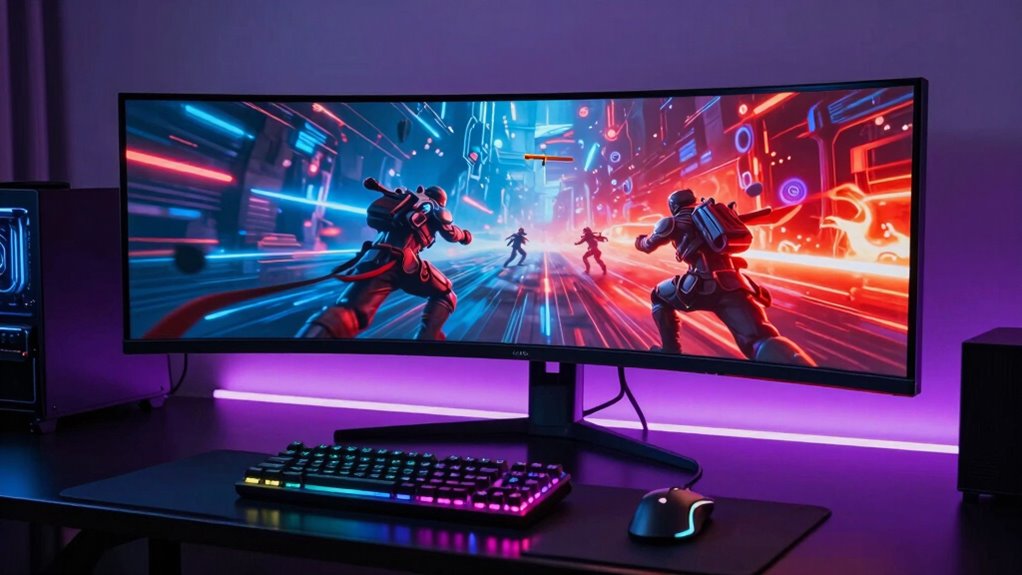

The ASUS TUF VG27AQM5A is my best overall pick for its QHD resolution and 300Hz refresh rate, a rare combination for players who want both detail and speed. The AOC Q27G41ZE stands out for high-refresh QHD gaming, while the Samsung Odyssey OLED G6 is the premium choice for buyers who prize OLED contrast and fast motion. Across these gaming monitors, the main tradeoffs are resolution versus refresh rate, flat versus curved screens, and premium image quality versus simpler, more accessible setups. Screen size and available desk space matter just as much as headline specs. Read on for the full breakdown and help matching a monitor to your games and hardware.

Get kitchen gear delivered free with Prime
- Fast, free delivery on millions of items
- Prime Video, Amazon Music and more included
- Member-only deals all year
Complete the kit


Key Takeaways
- QHD and high refresh can coexist: The ASUS TUF VG27AQM5A combines QHD with 300Hz, making it the strongest all-around fit for players seeking sharp detail and rapid motion.
- OLED is the premium outlier: Samsung’s 27-inch Odyssey OLED G6 brings a different image-quality proposition than the lineup’s LCD options, but it costs buyers flexibility on budget and calls for attention to OLED care.
- 240Hz is not limited to QHD: The Dell SE2726HG and SE2426HG, alongside the SANSUI 27-inch model, show how buyers can prioritize fast refresh at Full HD rather than paying for higher resolution.
- Curved does not automatically mean immersive: The 34-inch Samsung Odyssey G5 offers an ultrawide format, while several smaller curved models remain Full HD; screen shape and usable resolution should be judged together.
- Small-screen choices serve different setups: The 22-inch Sceptre and 24-inch Dell or Samsung models suit tighter desks, but the Sceptre’s 144Hz ceiling gives competitive players less headroom than the 240Hz Dell options.
| Sceptre 27-Inch Curved Full HD Gaming Monitor, 180Hz, 1ms, 1500R, Built-In Speakers |  | Best for Feature-Rich 1080p Gaming | Screen size: 27 inches | Resolution: 1920 × 1080 (Full HD) | Panel type: VA | VIEW ON AMAZON | See Our Full Breakdown |
| Samsung Odyssey G55C 32-Inch QHD 1000R Curved Gaming Monitor |  | Best for Big-Screen Immersion | Screen size: 32 inches | Resolution: 2560 × 1440 (QHD) | Curvature: 1000R | VIEW ON AMAZON | See Our Full Breakdown |
| Samsung Essential G3 24-inch FHD 144Hz Curved Monitor |  | Best Compact Gaming Pick | Screen size: 24 inches | Resolution: 1920 × 1080 (Full HD) | Display type: IPS | VIEW ON AMAZON | See Our Full Breakdown |
| SANSUI 27-Inch Curved FHD 240Hz Gaming Monitor |  | Best for High-Refresh Competitive Play | Screen size: 27 inches | Resolution: 1920 × 1080 (FHD) | Refresh rate: 240Hz | VIEW ON AMAZON | See Our Full Breakdown |
| Samsung 32-inch Odyssey G5 QHD 180Hz Gaming Monitor |  | Best Large QHD All-Rounder | Screen size: 32 inches | Resolution: 2560 × 1440 (QHD) | Panel type: VA | VIEW ON AMAZON | See Our Full Breakdown |
| Sceptre 22-Inch FHD 144Hz Gaming Monitor with Built-In Speakers |  | Best Compact Gaming Monitor | Screen size: 22 inches | Resolution: 1920 × 1080 (FHD) | Refresh rate: Up to 144Hz | VIEW ON AMAZON | See Our Full Breakdown |
| Samsung 34-inch Odyssey G5 Curved Ultra-Wide Gaming Monitor |  | Best for Immersive Ultrawide Gaming | Screen size: 34 inches | Aspect ratio: 21:9 | Resolution: 3440 × 1440 | VIEW ON AMAZON | See Our Full Breakdown |
| Samsung 27-Inch Odyssey G5 QHD Gaming Monitor (G51F) |  | Best Adjustable QHD All-Rounder | Screen size: 27 inches | Resolution: 2560 × 1440 (QHD) | Panel: VA LCD | VIEW ON AMAZON | See Our Full Breakdown |
| ASUS TUF Gaming VG27AQM5A 27-inch QHD 300Hz Gaming Monitor |  | Best for Competitive High-Refresh Play | Screen size: 27 inches | Resolution: 2560 × 1440 (QHD) | Panel type: Fast IPS | VIEW ON AMAZON | See Our Full Breakdown |
| Samsung 27-inch Odyssey OLED G6 QHD Gaming Monitor (G61SH) |  | Best Premium OLED Gaming Monitor | Screen size: 27 inches | Resolution: 2560 × 1440 (QHD) | Display technology: QD-OLED | VIEW ON AMAZON | See Our Full Breakdown |
| Dell SE2726HG 27-Inch FHD 240Hz Gaming Monitor |  | Best for Large-Screen 1080p Competitive Play | Screen size: 27 inches | Resolution: 1920 x 1080 (FHD) | Refresh rate: 240Hz | VIEW ON AMAZON | See Our Full Breakdown |
| AOC Q27G41ZE 27-inch QHD 240Hz Gaming Monitor |  | Best for QHD High-Refresh Gaming | Screen size: 27 inches | Resolution: 2560 × 1440 (QHD) | Refresh rate: 240Hz native, up to 260Hz overclocked | VIEW ON AMAZON | See Our Full Breakdown |
| Sceptre C248W-1920RN 24-Inch Curved 1080p Gaming Monitor |  | Best for Casual, Space-Conscious Gaming | Screen size: 24 inches | Resolution: 1920 × 1080 | Panel type: VA | VIEW ON AMAZON | See Our Full Breakdown |
| Samsung Essential S3 27-Inch Curved FHD Monitor |  | Best for Gaming and Everyday Desktop Use | Screen size: 27 inches | Resolution: 1920 × 1080 (FHD) | Screen curvature: 1800R | VIEW ON AMAZON | See Our Full Breakdown |
| Dell SE2426HG 24-Inch FHD 240Hz Gaming Monitor |  | Best Compact High-Refresh Pick | Screen size: 23.8 inches | Resolution: 1920 x 1080 (FHD) | Refresh rate: 240Hz | VIEW ON AMAZON | See Our Full Breakdown |
| gaming monitor | Screen size | Resolution | Refresh rate | Response time |
|---|---|---|---|---|
| Sceptre 27-Inch Curved Full HD | 27 inches | 1920 × 1080 (Full HD) | Up to 180Hz | 1ms with Blur Reduction |
| Samsung Odyssey G55C 32-Inch Q | 32 inches | 2560 × 1440 (QHD) | 165Hz | 1ms (MPRT) |
| Samsung Essential G3 24-inch F | 24 inches | 1920 × 1080 (Full HD) | 144Hz | 1ms (MPRT) |
| SANSUI 27-Inch Curved FHD 240H | 27 inches | 1920 × 1080 (FHD) | 240Hz | 1ms MPRT |
| Samsung 32-inch Odyssey G5 QHD | 32 inches | 2560 × 1440 (QHD) | 180Hz | 1ms (MPRT) |
| Sceptre 22-Inch FHD 144Hz Gami | 22 inches | 1920 × 1080 (FHD) | Up to 144Hz | 1ms |
| Samsung 34-inch Odyssey G5 Cur | 34 inches | 3440 × 1440 | 165Hz | — |
| Samsung 27-Inch Odyssey G5 QHD | 27 inches | 2560 × 1440 (QHD) | 180Hz | 1ms (MPRT) |
| ASUS TUF Gaming VG27AQM5A 27-i | 27 inches | 2560 × 1440 (QHD) | 300Hz | 0.3ms (GTG, minimum) |
| Samsung 27-inch Odyssey OLED G | 27 inches | 2560 × 1440 (QHD) | 240Hz | 0.03ms (GtG) |
| Dell SE2726HG 27-Inch FHD 240H | 27 inches | 1920 x 1080 (FHD) | 240Hz | 0.5ms |
| AOC Q27G41ZE 27-inch QHD 240Hz | 27 inches | 2560 × 1440 (QHD) | 240Hz native, up to 260Hz overclocked | 0.3ms MPRT |
| Sceptre C248W-1920RN 24-Inch C | 24 inches | 1920 × 1080 | 75Hz | 1ms |
| Samsung Essential S3 27-Inch C | 27 inches | 1920 × 1080 (FHD) | 100Hz | 4ms |
| Dell SE2426HG 24-Inch FHD 240H | 23.8 inches | 1920 x 1080 (FHD) | 240Hz | 0.5ms advertised; 5ms also listed |
More Details on Our Top Picks
Sceptre 27-Inch Curved Full HD Gaming Monitor, 180Hz, 1ms, 1500R, Built-In Speakers
The Sceptre pairs a 180Hz refresh rate with a curved 27-inch screen, making it a strong fit for players who prioritize responsive motion without stepping up to QHD. Its built-in speakers and four video inputs also make it easier to connect several sources without adding separate desktop audio. Compared with the Samsung Essential G3 24-inch, this gives you a larger screen and a faster listed refresh rate, though the G3’s smaller Full HD panel should look sharper at a typical desk distance. The Sceptre’s 100% sRGB gamut is a useful bonus for general viewing, but its 1080p resolution can look coarse across 27 inches. I’d choose it for high-frame-rate play and flexible connections, not fine-detail work.
Pros:- 180Hz refresh rate and 1ms blur-reduction response time support responsive gameplay.
- 1500R curve and Adaptive-Sync add immersion and help limit tearing.
- Four video inputs offer flexibility for multiple connected devices.
- Built-in speakers and 100% sRGB coverage add practical everyday utility.
Cons:- Full HD resolution looks less detailed at 27 inches than QHD alternatives.
- The supplied information does not specify stand height adjustment, limiting setup flexibility.
Best for: PC and console players seeking a large curved Full HD screen, high refresh rate, and built-in audio for a simple setup.
Not ideal for: Players who sit close to the screen or value crisp text and detailed game environments; 27-inch Full HD is less sharp than QHD options such as the Samsung Odyssey G55C.
- Screen size:27 inches
- Resolution:1920 × 1080 (Full HD)
- Panel type:VA
- Curvature:1500R
- Refresh rate:Up to 180Hz
- Response time:1ms with Blur Reduction
- Color gamut:100% sRGB
- Connectivity:2 HDMI ports, 2 DisplayPort inputs, audio out
- Audio:Built-in speakers
Our verdict“Choose this Sceptre if you want a well-connected 27-inch curved monitor for fast Full HD gaming and value built-in speakers over QHD sharpness.”
Samsung Odyssey G55C 32-Inch QHD 1000R Curved Gaming Monitor
The Odyssey G55C is the lineup’s pick for players who want games to fill more of their view: its 32-inch QHD screen and tight 1000R curve offer a more enveloping setup than the flatter, smaller Samsung Essential G3. QHD gives the larger panel more detail than the 27-inch Full HD Sceptre, while 165Hz and FreeSync keep motion-focused play in the mix. HDR10 and the listed 2500:1 contrast ratio support richer-looking scenes, though HDR support alone does not establish how bright or impactful HDR content will appear. The glossy finish can reflect windows and lamps, and the listed connectivity includes only one HDMI port. I’d favor it for an immersive gaming space with controlled lighting, rather than a bright room or a setup with many HDMI devices.
Pros:- 32-inch QHD resolution provides more detail than the 27-inch Full HD options.
- 1000R curve creates a pronounced wraparound view for games.
- 165Hz refresh rate, 1ms MPRT, and FreeSync support smooth gameplay.
- HDR10 and Eye Saver Mode add viewing features for games and everyday use.
Cons:- Glossy screen finish is more prone to reflections than the matte Sceptre and Samsung G5 options.
- Only one HDMI port is listed, which limits convenient multi-device connections.
- At 32 inches, it needs more desk space than compact 24-inch alternatives.
Best for: Players building an immersive desk setup who want a large curved QHD screen for single-player games and smooth high-refresh gameplay.
Not ideal for: Gamers in brightly lit rooms or those connecting several HDMI devices; the glossy finish can reflect light and only one HDMI port is listed.
- Screen size:32 inches
- Resolution:2560 × 1440 (QHD)
- Curvature:1000R
- Refresh rate:165Hz
- Response time:1ms (MPRT)
- Adaptive sync:AMD Radeon FreeSync
- HDR:HDR10
- Contrast ratio:2500:1
- HDMI ports:1
Our verdict“Pick the Odyssey G55C if screen size and a strong curve matter more than reflection control and extra HDMI connections.”
Samsung Essential G3 24-inch FHD 144Hz Curved Monitor
The Samsung Essential G3 is the most desk-friendly choice here: its 24-inch Full HD display keeps pixel density higher than on the 27-inch Full HD Sceptre, which can make text and game details look cleaner at close range. Its 144Hz refresh rate and FreeSync Premium are a sensible match for players who want smoother motion without chasing the faster rates of the SANSUI 240Hz or Sceptre 180Hz models. The matte finish and Eye Saver Mode suit long sessions, while the 1800R curve adds a modest sense of wraparound without demanding a wide desk. The tradeoff is a smaller, less immersive view and only one HDMI port. I’d select it for a compact gaming station, not for players who want the highest refresh rate or QHD detail.
Pros:- Compact 24-inch Full HD panel keeps pixel density higher than 27-inch Full HD models.
- 144Hz refresh rate and FreeSync Premium support smoother, tear-reduced gameplay.
- Matte finish, Eye Saver Mode, and 1800R curve suit extended desk sessions.
- HDMI and DisplayPort provide two types of video connection.
Cons:- 144Hz is lower than the 180Hz Sceptre and 240Hz SANSUI options.
- Full HD offers less detail than the QHD Samsung Odyssey G55C.
- Only one HDMI port is listed.
Best for: Students and apartment gamers who need a compact monitor for Full HD gaming, everyday use, and close desk viewing.
Not ideal for: Competitive players seeking refresh rates above 144Hz or gamers wanting a large, high-resolution picture; the SANSUI reaches 240Hz and the Samsung Odyssey G55C offers QHD.
- Screen size:24 inches
- Resolution:1920 × 1080 (Full HD)
- Display type:IPS
- Curvature:1800R
- Refresh rate:144Hz
- Response time:1ms (MPRT)
- Adaptive sync:AMD FreeSync Premium
- Screen finish:Matte
- Connectivity:1 HDMI port and DisplayPort
Our verdict“Choose the Essential G3 for a compact, close-viewing Full HD setup, but opt for a faster or QHD model if performance headroom or detail matters more.”
SANSUI 27-Inch Curved FHD 240Hz Gaming Monitor
Among these five, the SANSUI makes the clearest case for high-refresh Full HD gaming: its 240Hz rate is higher than the Sceptre’s 180Hz and the Samsung Essential G3’s 144Hz. That extra headroom is most relevant to players whose PC can deliver very high frame rates; it won’t add the same benefit to slower games or systems. The 1500R curve, FreeSync, and 1ms MPRT round out a motion-focused setup, while the matte anti-glare surface is better suited to rooms with ambient light than the glossy Samsung Odyssey G55C. Its 130% sRGB and 95% DCI-P3 coverage are also broad on paper. The main compromise is resolution: like the Sceptre, it spreads Full HD across 27 inches, and it has no built-in speakers.
Pros:- 240Hz refresh rate exceeds the Sceptre’s 180Hz and the Essential G3’s 144Hz.
- FreeSync and 1ms MPRT support responsive, tear-reduced gameplay.
- Matte anti-glare finish is suited to brighter rooms than the glossy Odyssey G55C.
- Wide listed color gamut and HDR support add visual range beyond basic gaming features.
Cons:- Full HD resolution is less sharp at 27 inches than QHD alternatives.
- No built-in speakers, unlike the Sceptre 27-inch model.
- Tilt adjustment is limited to -5° to 15°; height adjustment is not listed.
Best for: Competitive PC players with hardware capable of producing high frame rates who want a curved 27-inch screen and a matte finish.
Not ideal for: Players who prioritize sharp detail, built-in audio, or immersive QHD visuals; the 27-inch Full HD panel is less crisp than the Samsung Odyssey G55C and has no speakers.
- Screen size:27 inches
- Resolution:1920 × 1080 (FHD)
- Refresh rate:240Hz
- Curvature:1500R
- Response time:1ms MPRT
- Contrast ratio:4000:1
- Color gamut:130% sRGB, 95% DCI-P3
- Screen finish:Matte, anti-glare
- Connectivity:HDMI, DisplayPort 1.4, 3.5 mm audio jack
Our verdict“Choose the SANSUI if your priority is a 240Hz ceiling for competitive Full HD play and you can accept lower resolution and separate audio.”
Samsung 32-inch Odyssey G5 QHD 180Hz Gaming Monitor
The Samsung Odyssey G5 combines a 32-inch QHD panel with a 180Hz refresh rate, making it a more balanced large-screen choice than the 165Hz Odyssey G55C for players who want extra refresh-rate headroom and a matte finish. QHD is a meaningful step up from the SANSUI’s 27-inch Full HD resolution for detailed environments and desktop work, while AMD FreeSync helps reduce tearing. The included height and tilt adjustment also gives it a setup advantage over models whose supplied details list tilt alone. Gaming-specific tools such as Black Equalizer and Virtual Aim Point add flexibility, though they may matter more to some genres than others. Its VA panel and 300 cd/m² brightness are not a substitute for a dedicated HDR display, and the listed ports do not include USB.
Pros:- 32-inch QHD resolution offers more detail than the Full HD SANSUI and Sceptre.
- 180Hz refresh rate, 1ms MPRT, and FreeSync suit fast-paced gaming.
- Matte finish avoids the reflection concern of the glossy Odyssey G55C.
- Height and tilt adjustment support a more adaptable desk setup.
Cons:- No USB connectivity is listed for connecting peripherals through the monitor.
- At 32 inches, it takes more desk space than the 24-inch Samsung Essential G3.
- The listed 300 cd/m² brightness and HDR10 support do not establish strong HDR impact.
Best for: Players who want a large QHD display for a mix of immersive games and everyday desktop use, with a stand that adjusts for height.
Not ideal for: Buyers seeking a compact screen, USB-connected peripherals, or a monitor with a more dramatic curve; consider the 24-inch Essential G3 or the 1000R Odyssey G55C instead.
- Screen size:32 inches
- Resolution:2560 × 1440 (QHD)
- Panel type:VA
- Refresh rate:180Hz
- Response time:1ms (MPRT)
- Contrast ratio:3000:1
- Brightness:300 cd/m²
- Features:HDR10, AMD FreeSync, Black Equalizer, Virtual Aim Point, Auto Source Switch+
- Stand adjustment:Tilt and height
Our verdict“Pick this Odyssey G5 if you want a large matte QHD screen with a fast refresh rate and height adjustment, and do not need USB ports.”
Sceptre 22-Inch FHD 144Hz Gaming Monitor with Built-In Speakers
This Sceptre is the lineup’s compact, straightforward pick: its 22-inch FHD screen takes up less desk space than the 27-inch Samsung Odyssey G5 G51F, while 144Hz and a 1ms response time offer a clear step up from basic office displays for fast games. FreeSync can help reduce tearing with compatible systems, and the built-in speakers mean fewer accessories for a simple setup. The tradeoff is screen area: small text and game details will feel less expansive than on the QHD Samsung, and 1080p is less suited to players wanting a sharper, larger desktop. With just one listed HDMI port, connecting several devices may also take planning. I’d choose it for a tight desk or secondary gaming station, not as a large-screen centerpiece.
Pros:- 144Hz refresh rate and 1ms response time support responsive play.
- Compact 22-inch size suits smaller desks.
- Built-in speakers reduce the need for separate desktop audio.
- FreeSync, matte finish, and Blue-Light Shift add useful everyday features.
Cons:- The 22-inch screen offers less room for game detail and multitasking than the 27-inch QHD alternatives.
- Only one HDMI port is listed, limiting convenient device connections.
Best for: PC or console players with limited desk space who want a high-refresh 1080p screen and basic built-in audio.
Not ideal for: Players who want a large, detailed QHD image or need several HDMI-connected devices.
- Screen size:22 inches
- Resolution:1920 × 1080 (FHD)
- Refresh rate:Up to 144Hz
- Response time:1ms
- Adaptive sync:FreeSync
- Screen finish:Matte
- Connectivity:1 HDMI; DisplayPort
- Audio:Built-in speakers
Our verdict“Choose this Sceptre for a space-saving 1080p gaming setup; skip it if screen size or QHD detail matters more.”
Samsung 34-inch Odyssey G5 Curved Ultra-Wide Gaming Monitor
The Odyssey G5 makes a different bet from the standard 16:9 screens here: its 34-inch, 21:9 QHD display spreads compatible games across a wider view, while the 1000R curve wraps that image toward the player. Compared with the Samsung Odyssey G5 G51F, it gives up some vertical compactness in favor of extra horizontal space, so it suits expansive single-player worlds and multitasking better than a small-desk setup. Its 165Hz refresh rate and FreeSync Premium support also make it a credible gaming display, not just a cinematic one. The constraints are practical: at 250 cd/m², the listed brightness is modest for bright rooms, and built-in speakers are not listed. Some games may not make full use of the ultrawide format, so check compatibility with your regular titles.
Pros:- 34-inch 21:9 screen provides substantially more horizontal space than standard 16:9 options.
- 1000R curve is designed to draw the wide image around the viewer.
- 165Hz refresh rate and FreeSync Premium support smoother gameplay.
- 3440 × 1440 resolution offers more detail than FHD ultrawide displays.
Cons:- Listed brightness is 250 cd/m², which may be limiting in brightly lit rooms.
- Built-in speakers are not listed, so external audio may be needed.
- The 21:9 format depends on game support and takes more desk width than 27-inch alternatives.
Best for: PC gamers who want a curved, wide field of view for supported games, immersive single-player play, and side-by-side windows.
Not ideal for: Players with limited desk space, a preference for standard 16:9 framing, or a bright room where higher listed brightness would be useful.
- Screen size:34 inches
- Aspect ratio:21:9
- Resolution:3440 × 1440
- Curvature:1000R
- Refresh rate:165Hz
- Panel type:VA LCD
- Adaptive sync:AMD FreeSync Premium
- Brightness:250 cd/m²
Our verdict“Pick the Odyssey G5 if an immersive ultrawide view matters more than compact size or standard 16:9 compatibility.”
Samsung 27-Inch Odyssey G5 QHD Gaming Monitor (G51F)
This Odyssey G5 is the balanced choice for players who want 27-inch QHD detail without moving to an ultrawide format. Its 180Hz refresh rate is higher than the 165Hz Samsung 34-inch Odyssey G5, while the familiar 16:9 layout is easier to fit into a conventional desk setup and game library. The VA panel’s 3000:1 contrast ratio supports deeper-looking dark scenes, and the stand’s height, pivot, and tilt adjustments make it easier to set a comfortable position than a fixed-stand display. It doesn’t chase the ASUS TUF’s 300Hz speed or the Samsung Odyssey OLED G6’s OLED contrast and 240Hz refresh rate. That makes it a sensible middle ground, though buyers seeking the fastest competitive play or OLED-level contrast should look elsewhere.
Pros:- QHD resolution on a 27-inch screen offers a detailed image without an ultrawide footprint.
- 180Hz refresh rate exceeds the 165Hz Samsung ultrawide in this group.
- VA panel lists a 3000:1 contrast ratio for stronger dark-scene contrast.
- Stand supports height, pivot, and tilt adjustment.
Cons:- Refresh rate is below the 300Hz ASUS TUF and 240Hz Samsung OLED options.
- VA LCD does not offer the OLED contrast characteristics of the Odyssey OLED G6.
Best for: Players who want a standard-size QHD gaming monitor with a high refresh rate and a stand that adjusts to their desk and posture.
Not ideal for: Competitive players prioritizing 300Hz-class motion, or buyers specifically seeking OLED contrast and its associated display features.
- Screen size:27 inches
- Resolution:2560 × 1440 (QHD)
- Panel:VA LCD
- Refresh rate:180Hz
- Response time:1ms (MPRT)
- Contrast ratio:3000:1
- Adaptive sync:AMD FreeSync
- Stand adjustments:Tilt, pivot, and height
Our verdict“Choose this G51F for adaptable, standard-format QHD gaming; pick the ASUS or OLED Samsung if speed or contrast is your main priority.”
ASUS TUF Gaming VG27AQM5A 27-inch QHD 300Hz Gaming Monitor
The ASUS TUF takes the speed-focused spot with a 300Hz QHD display and a stated minimum response time of 0.3ms GTG. Compared with the Samsung Odyssey G5 G51F’s 180Hz, that higher ceiling is aimed at players whose systems can deliver very high frame rates and who value quick motion above OLED contrast or a more immersive ultrawide view. Its Fast IPS panel, Adaptive Sync, and ELMB Sync pair refresh-rate support with tools intended to reduce tearing and motion blur. The 95% DCI-P3 coverage and HDR support also give it broader color appeal than a purely esports-oriented spec sheet might suggest. The tradeoff is that it remains QHD rather than 4K, and the supplied brightness figure is in lumens, making direct comparison with monitors listed in cd/m² difficult. Its 300Hz advantage matters most with a suitably powerful PC.
Pros:- 300Hz refresh rate targets exceptionally fast PC gameplay.
- Fast IPS panel pairs high refresh with a 0.3ms minimum GTG response-time specification.
- Adaptive Sync and ELMB Sync provide motion and tearing reduction features.
- 95% DCI-P3 coverage, HDR support, built-in speakers, and a 3-year warranty broaden its appeal.
Cons:- QHD resolution is less detailed than 4K for buyers prioritizing pixel count over speed.
- The listed brightness figure uses lumens, so it is difficult to compare directly with monitors specified in cd/m².
- The highest refresh rates are most useful with a PC able to produce very high frame rates.
Best for: Competitive PC players with hardware capable of high frame rates who want QHD resolution and very high refresh speed.
Not ideal for: Players seeking 4K resolution, OLED contrast, or a straightforward brightness comparison with displays specified in cd/m².
- Screen size:27 inches
- Resolution:2560 × 1440 (QHD)
- Panel type:Fast IPS
- Refresh rate:300Hz
- Response time:0.3ms (GTG, minimum)
- Color gamut:95% DCI-P3
- Features:ELMB Sync, Adaptive Sync, HDR, Shadow Boost
- Warranty:3 years
Our verdict“Choose the ASUS TUF for competitive QHD play when your PC can take advantage of 300Hz; otherwise, a lower-refresh QHD pick may suit you better.”
Samsung 27-inch Odyssey OLED G6 QHD Gaming Monitor (G61SH)
The Odyssey OLED G6 is the premium image-quality pick here, pairing a QD-OLED panel with a 1,000,000:1 listed contrast ratio for deep blacks and vivid-looking scenes. Its 240Hz refresh rate and 0.03ms GtG response-time specification make it faster on paper than the 180Hz Samsung G51F, though it falls short of the ASUS TUF’s 300Hz ceiling. That distinction helps clarify the choice: the ASUS favors maximum refresh, while this Samsung puts OLED contrast, HDR10, and a matte Glare Free finish at the center. FreeSync Premium and a stand that tilts, pivots, and swivels add flexibility. The tradeoff is that its QHD resolution is not 4K, and buyers choosing OLED should weigh their own usage patterns and comfort with OLED safeguards rather than treating the speed figures as the only deciding factor.
Pros:- QD-OLED technology and a 1,000,000:1 listed contrast ratio emphasize deep blacks.
- 240Hz refresh rate and 0.03ms GtG response-time specification support fast gameplay.
- Matte Glare Free finish and HDR10 support suit varied viewing conditions and content.
- Stand supports tilt, pivot, and swivel, with a 3-year warranty listed.
Cons:- Its 240Hz refresh rate is below the ASUS TUF’s 300Hz for players chasing the highest listed speed.
- QHD resolution does not provide the pixel count of a 4K display.
- OLED safeguards are included, but OLED buyers should still weigh their usage habits when choosing display technology.
Best for: Gamers who prioritize OLED contrast, QHD sharpness, and fast 240Hz play in a 27-inch format.
Not ideal for: Players who need 300Hz-class competitive speed, require 4K, or prefer a conventional LCD display rather than OLED.
- Screen size:27 inches
- Resolution:2560 × 1440 (QHD)
- Display technology:QD-OLED
- Refresh rate:240Hz
- Response time:0.03ms (GtG)
- Contrast ratio:1,000,000:1
- Adaptive sync:AMD FreeSync Premium
- Stand adjustments:Tilt, pivot, and swivel
Our verdict“Pick the Odyssey OLED G6 for QHD gaming where OLED contrast and 240Hz speed matter more than reaching 300Hz or 4K.”
Dell SE2726HG 27-Inch FHD 240Hz Gaming Monitor
The Dell SE2726HG suits players who want a roomy 27-inch view and high refresh rate without moving up to QHD. Its 240Hz IPS panel can make fast motion easier to follow, while FreeSync Premium and HDMI VRR help limit tearing with compatible systems. Compared with the Dell SE2426HG, it offers more screen area, but both share Full HD resolution, so the larger image is less crisp at close viewing distance. The 99% sRGB coverage also gives it broader appeal for everyday media than a basic esports display. The tradeoffs are its 1080p detail level and a stand with tilt-only adjustment; buyers seeking sharper text or more ergonomic positioning should look at a QHD option such as the AOC Q27G41ZE.
Pros:- 240Hz refresh rate supports fluid motion in fast games
- Fast IPS panel offers 178-degree viewing angles
- FreeSync Premium and HDMI VRR support smoother play
- 99% sRGB coverage suits vivid games and general media
Cons:- Full HD resolution looks less detailed than QHD at 27 inches
- Stand adjustment is limited to tilt
Best for: Competitive PC and console players who prefer a 27-inch screen, prioritize high refresh rate, and are comfortable gaming at Full HD.
Not ideal for: Players who sit close to the screen and want crisp QHD detail, or anyone who needs height, swivel, or pivot adjustment.
- Screen size:27 inches
- Resolution:1920 x 1080 (FHD)
- Refresh rate:240Hz
- Panel type:IPS
- Response time:0.5ms
- Adaptive sync:AMD FreeSync Premium, HDMI VRR
- Color gamut:99% sRGB
- Ports:2 HDMI, DisplayPort 1.4
Our verdict“Choose this Dell if you want a large 240Hz gaming screen and value motion clarity over QHD sharpness.”
AOC Q27G41ZE 27-inch QHD 240Hz Gaming Monitor
The AOC Q27G41ZE is the clearest step up for players who want both fine detail and fast motion: its 27-inch QHD resolution packs more pixels than the Dell SE2726HG while retaining a native 240Hz refresh rate. That combination makes it better suited to sharp game scenery and readable desktop text without giving up responsiveness. Adaptive-Sync, with NVIDIA G-SYNC Compatible support, helps reduce tearing, and the listed overclock can push refresh to 260Hz. The tradeoff is the glossy finish, which can reflect windows or room lights more readily than the matte Dells. Its stand only tilts, too. The 0.3ms MPRT figure is a motion-response claim, not a substitute for the panel’s overall image characteristics, so I’d choose it for resolution and refresh rather than that number alone.
Pros:- QHD resolution gives sharper detail than the Full HD Dell SE2726HG
- Native 240Hz refresh rate with a listed 260Hz overclock option
- Adaptive-Sync and NVIDIA G-SYNC Compatible support
- Includes DisplayPort, two HDMI inputs, and tilt adjustment
Cons:- Glossy screen can reflect ambient light
- Stand offers tilt adjustment only
- QHD at high refresh demands more graphics performance than Full HD
Best for: PC gamers with hardware capable of driving QHD at high frame rates who want sharper detail alongside competitive refresh.
Not ideal for: Players in bright, reflective rooms or buyers who need a height-adjustable stand and a matte screen.
- Screen size:27 inches
- Resolution:2560 × 1440 (QHD)
- Refresh rate:240Hz native, up to 260Hz overclocked
- Panel type:IPS
- Response time:0.3ms MPRT
- Brightness:300 nits
- Adaptive sync:Adaptive-Sync; NVIDIA G-SYNC Compatible
- Ports:1 × DisplayPort 1.4, 2 × HDMI 2.0, audio out
- Screen finish:Glossy
Our verdict“Pick the AOC if your PC can drive QHD at high frame rates and you want a sharper image than the Full HD 240Hz alternatives.”
Sceptre C248W-1920RN 24-Inch Curved 1080p Gaming Monitor
The Sceptre C248W-1920RN is a basic, compact option for casual gaming rather than a high-speed competitive setup. Its 24-inch curved VA screen, Full HD resolution, and 75Hz refresh rate offer a modest step beyond standard 60Hz viewing, while FreeSync can help smooth compatible gameplay. Compared with the Samsung Essential S3, it has a smaller footprint and adds VGA alongside two HDMI inputs, which can help when connecting older devices. It cannot match the 240Hz Dell SE2426HG for fast-motion clarity, and its 220 cd/m² listed brightness is less suited to bright rooms. The high stated contrast ratio may make dark scenes look more distinct, but the product details do not establish speaker quality, and its one-year limited warranty is shorter than the three-year coverage listed for the Dell SE2726HG.
Pros:- Compact 24-inch curved VA display
- 75Hz refresh rate and FreeSync support
- Two HDMI ports plus VGA and PC audio input
- VESA wall-mount compatibility
Cons:- 75Hz is far below the 240Hz refresh rate of the Dell SE2426HG
- Listed brightness of 220 cd/m² may be limiting in bright spaces
- One-year limited warranty is shorter than the Dell SE2726HG’s listed coverage
Best for: Casual gamers with a small desk who want a curved Full HD display for older consoles, a secondary PC, or mixed everyday use.
Not ideal for: Competitive players seeking high refresh rates, or users who game in bright rooms and need a particularly bright screen.
- Screen size:24 inches
- Resolution:1920 × 1080
- Panel type:VA
- Curvature:1800R
- Refresh rate:75Hz
- Response time:1ms
- Contrast ratio:3000:1
- Connectivity:2 HDMI ports, VGA, PC audio input
- Mounting:VESA wall-mount compatible
Our verdict“Choose this Sceptre for casual play and older-device connections in a compact setup, not for competitive high-refresh gaming.”
Samsung Essential S3 27-Inch Curved FHD Monitor
The Samsung Essential S3 makes more sense as an everyday monitor that can handle casual gaming than as a dedicated esports display. Its 27-inch 1800R curved screen and 100Hz refresh rate offer a more enveloping view and smoother motion than a standard 60Hz display, while Game Mode can adjust color and contrast for games. Compared with the Sceptre C248W-1920RN, it gives you a larger screen and a higher listed refresh rate, but both remain Full HD models; the Samsung’s image will not have the fine detail of the QHD AOC Q27G41ZE. Eye-comfort features include a blue light filter and flicker-free operation. One setup wrinkle: the listed default is 60Hz, so you need to change settings to reach 100Hz. Its 4ms response time and basic HDMI/D-sub connections suit mixed use better than demanding competitive play.
Pros:- 27-inch curved screen works for games, video, and desktop tasks
- 100Hz refresh rate is smoother than standard 60Hz viewing
- Game Mode adjusts color and contrast for gaming
- Blue light filter and flicker-free features support comfortable viewing
Cons:- Must be switched from its listed 60Hz default to reach 100Hz
- Full HD resolution is less detailed than the QHD AOC Q27G41ZE
- 4ms response time and 100Hz refresh are less suited to competitive play
Best for: Students and home users who split time between everyday computing, video, and casual games on a curved 27-inch screen.
Not ideal for: Competitive players who want 240Hz motion, or users who need QHD detail, multiple modern inputs, or ergonomic stand adjustments.
- Screen size:27 inches
- Resolution:1920 × 1080 (FHD)
- Screen curvature:1800R
- Refresh rate:100Hz
- Response time:4ms
- Contrast ratio:3,000:1
- Brightness:250 cd/m²
- Ports:1 HDMI; D-sub
- Eye comfort features:Blue light filter; flicker-free
Our verdict“Choose the Samsung for mixed everyday use and casual gaming; pick a high-refresh gaming monitor if competitive motion clarity is the priority.”
Dell SE2426HG 24-Inch FHD 240Hz Gaming Monitor
For a tighter desk or a closer viewing distance, the Dell SE2426HG delivers the same core high-refresh approach as its larger sibling, the SE2726HG, in a 23.8-inch Full HD format. Its 240Hz fast IPS panel, FreeSync Premium, and HDMI VRR are aimed at responsive play and reduced tearing, while 99% sRGB coverage keeps colors suitable for everyday media. Compared with the AOC Q27G41ZE, this Dell gives up QHD sharpness and a larger canvas, but its smaller Full HD screen can be a sensible match for players who prioritize frame rate and have limited space. The listed response-time information is inconsistent: 0.5ms is advertised, while 5ms also appears in the product details. It also has tilt-only adjustment and a one-year Advanced Exchange Service listing, shorter than the SE2726HG’s three-year warranty.
Pros:- 240Hz refresh rate targets fluid competitive gameplay
- FreeSync Premium and HDMI VRR help reduce screen tearing
- IPS panel provides 178-degree viewing angles and 99% sRGB coverage
- Compact 23.8-inch size suits smaller desks
Cons:- Full HD resolution offers less detail than the QHD AOC Q27G41ZE
- Response time is listed as both 0.5ms advertised and 5ms in product information
- Stand adjustment is tilt-only and listed warranty coverage is one year
Best for: Competitive players with a compact desk who want a 240Hz IPS screen for Full HD gaming and broad adaptive-sync support.
Not ideal for: Buyers who want QHD detail, an adjustable ergonomic stand, or an unambiguous response-time specification.
- Screen size:23.8 inches
- Resolution:1920 x 1080 (FHD)
- Refresh rate:240Hz
- Panel type:IPS
- Response time:0.5ms advertised; 5ms also listed
- Color coverage:99% sRGB
- Adaptive sync:AMD FreeSync Premium, HDMI VRR
- Connectivity:2 HDMI ports, DisplayPort 1.4
- Adjustments:Tilt
Our verdict“Pick this Dell when desk space and 240Hz Full HD play matter more than QHD sharpness or flexible stand adjustment.”

How We Picked
I ranked these gaming monitors by how well their resolution, refresh rate, screen size, and format fit distinct gaming needs—not by treating the largest number on a spec sheet as an automatic win. For competitive play, I gave weight to refresh rates of 240Hz and above, while also asking whether Full HD or QHD makes sense for the screen size and the graphics hardware driving it. For immersive and general-purpose gaming, I weighed QHD, ultrawide formats, curvature, and the practical demands each places on a desk and PC.
Ranking also reflects versatility and clear tradeoffs. A QHD 300Hz display can serve more types of players than a small Full HD screen, while a compact or curved model may still be a better fit for a constrained setup or a particular preference. OLED receives recognition for its distinct image characteristics, but it is not the default winner because it targets a narrower buyer and brings different ownership considerations. Where product details are not specified in the supplied names, I avoid assuming features beyond those listed.
| gaming monitor | Panel type | Adaptive sync |
|---|---|---|
| Sceptre 27-Inch Curved Full HD | VA | — |
| Samsung Odyssey G55C 32-Inch Q | — | AMD Radeon FreeSync |
| Samsung Essential G3 24-inch F | — | AMD FreeSync Premium |
| SANSUI 27-Inch Curved FHD 240H | — | — |
| Samsung 32-inch Odyssey G5 QHD | VA | — |
| Sceptre 22-Inch FHD 144Hz Gami | — | FreeSync |
| Samsung 34-inch Odyssey G5 Cur | VA LCD | AMD FreeSync Premium |
| Samsung 27-Inch Odyssey G5 QHD | — | AMD FreeSync |
| ASUS TUF Gaming VG27AQM5A 27-i | Fast IPS | — |
| Samsung 27-inch Odyssey OLED G | — | AMD FreeSync Premium |
| Dell SE2726HG 27-Inch FHD 240H | IPS | AMD FreeSync Premium, HDMI VRR |
| AOC Q27G41ZE 27-inch QHD 240Hz | IPS | Adaptive-Sync; NVIDIA G-SYNC Compatible |
| Sceptre C248W-1920RN 24-Inch C | VA | — |
| Samsung Essential S3 27-Inch C | — | — |
| Dell SE2426HG 24-Inch FHD 240H | IPS | AMD FreeSync Premium, HDMI VRR |
Factors to Consider When Choosing Gaming Monitors
Start with the games you play, the computer or console you own, and the space available on your desk. The monitor that best suits a fast competitive game may not be the one that makes a large single-player world feel immersive. I’d use the following factors to narrow the shortlist before weighing individual models.
Match Resolution to Screen Size and Graphics Hardware
Full HD can make sense on a smaller display or when your graphics hardware needs to maintain high frame rates. On a 27-inch or larger screen, QHD gives you more room for fine detail and desktop space, but it also asks more of the GPU. A common mistake is buying a high-resolution monitor without checking whether your PC can render games at that resolution smoothly. Conversely, choosing Full HD solely to chase a high refresh rate can leave a large screen looking less sharp than expected. Think about the games you play and the frame rates your system can actually deliver, not only the monitor’s maximum specification.
Choose Refresh Rate for the Games You Play
Higher refresh rates can make motion look smoother and give competitive players more frequent visual updates, especially when the PC can produce matching frame rates. They do not improve every gaming experience equally: slower-paced strategy and story-driven games may benefit more from resolution, contrast, or screen size. Buyers sometimes pay for an extreme refresh ceiling while using a system that rarely reaches it. Check the monitor’s supported connection and your graphics card’s output before assuming the headline rate will work at your chosen resolution. A balanced QHD display can be a better long-term fit than the fastest Full HD option if you split time between competitive and visually rich games.
Decide Whether Curvature or Ultrawide Fits Your Setup
Curved screens can make a wide display feel more enveloping, but curvature is a preference rather than a guarantee of a better picture. A 1000R curve is pronounced, so it may suit a centered, close viewing position better than a shared desk or frequent off-angle use. Ultrawide monitors add horizontal space for games and multitasking, yet some games may not support the format cleanly. They also need more desk width and can place a greater rendering load on a graphics card. Before buying, check the desk dimensions and whether your most-played games support the aspect ratio you want.
Treat OLED as an Image-Quality Choice With Different Care Needs
OLED can deliver deep blacks and strong contrast, which can make dark scenes feel more distinct than on many conventional LCD screens. That appeal does not make it the right choice for every setup: long sessions with static interface elements call for attention to the manufacturer’s care guidance and built-in panel-protection features. Buyers should also compare the display’s intended use with how much time they spend on desktop applications, not just games. An LCD QHD monitor may be the more straightforward everyday pick if varied use and simple ownership matter more than OLED’s image characteristics. Paying extra for OLED makes most sense when its visual strengths are a priority.
Check Desk Fit, Viewing Distance, and Adjustability
A 32-inch or ultrawide display needs more space and a suitable viewing distance than a 22- or 24-inch model. Measure the desk width and depth, including room for the stand, keyboard, and normal seating position, before choosing a larger screen. Also check what adjustment options are listed for the model, since a screen that sits too high or low can be uncomfortable during long sessions. Built-in speakers may help in a compact setup, but they are not a reason to choose a monitor if audio quality is a priority. A smaller display that fits naturally into your space can be a better gaming upgrade than a larger one that dominates the desk.
Confirm Connections and Compatibility Before Buying
Refresh rate and resolution depend on more than the monitor: the graphics card, console, cable, and selected input all play a part. Check the product specifications for supported resolution and refresh combinations on each connection, especially if you plan to switch between a PC and console. Do not assume every HDMI or DisplayPort input supports the monitor’s highest listed rate. Adaptive-sync support and compatibility can also vary by model and connected device, so verify the exact feature set rather than relying on a product family name. This check can prevent buying a display whose headline performance your current setup cannot access.
Frequently Asked Questions
Is QHD worth choosing over Full HD for a 27-inch gaming monitor?
QHD usually gives a 27-inch screen a sharper image and more desktop space than Full HD, making it appealing for games with detailed environments and mixed everyday use. The tradeoff is that QHD asks more of your graphics hardware, particularly if you also want a high frame rate. Full HD can be the better fit if competitive performance is your priority or your PC struggles to render at higher resolutions. In this roundup, the ASUS TUF VG27AQM5A and AOC Q27G41ZE illustrate the QHD high-refresh route, while several 240Hz Full HD choices put more emphasis on speed. Match the resolution to both your screen size and your system’s real capabilities.
Should I choose 240Hz Full HD or a QHD gaming monitor?
Choose 240Hz Full HD if you mostly play competitive games and your PC can take advantage of very high frame rates. QHD is a stronger fit if sharper detail and versatility matter across different game types, though you may need to lower graphics settings to maintain high frame rates. The choice is not simply about which specification is larger; it is about whether you value motion smoothness or image detail more in your regular games. This roundup includes both paths, from Dell’s 240Hz Full HD SE models to QHD options such as the AOC Q27G41ZE. Also check whether your graphics card can support the combination you prefer.
Does a curved gaming monitor make games more immersive?
A curve can make a wide screen feel more encompassing when you sit centered and close to it, but it does not automatically improve every game or viewing setup. The effect is more relevant on larger or ultrawide displays than on compact screens. A strong curve may feel less natural if you share the display or often view it from the side. Samsung’s 34-inch Odyssey G5 is the lineup’s clearest ultrawide option, while smaller curved Full HD models offer a different, more compact experience. Check desk space, viewing position, and game support before choosing curved over flat.
Is a 300Hz monitor worth choosing over a 240Hz model?
The difference is most relevant to competitive players whose PC can consistently produce very high frame rates and who value smooth motion above resolution or other image features. If your games run well below either refresh rate, the extra headroom may have limited practical value. A 300Hz model can also make sense when it combines that speed with QHD, as the ASUS TUF VG27AQM5A does in this lineup. The 240Hz Full HD models may be a more direct fit if you prefer to prioritize competitive refresh without choosing QHD. Check your system’s expected performance before making refresh rate the deciding factor.
Should I buy an OLED gaming monitor for mixed gaming and desktop use?
OLED can be appealing for games where deep blacks and strong contrast add to the image, but mixed-use buyers should also think about how often static desktop elements stay on screen for long periods. Read the manufacturer’s care guidance and check which panel-protection features the specific model provides. If gaming is only one part of your day and straightforward ownership matters most, an LCD model may be a more comfortable match. Samsung’s Odyssey OLED G6 is the roundup’s premium OLED pick, not a default choice for every buyer. Decide whether its image characteristics justify the extra care and narrower appeal for your own routine.
Conclusion
For the broadest mix of speed and detail, I’d choose the ASUS TUF VG27AQM5A as the best overall gaming monitor in this group. The AOC Q27G41ZE is my best value-style pick for shoppers seeking QHD with a high refresh rate, while the Samsung Odyssey OLED G6 is the best premium option for buyers who specifically want OLED’s contrast characteristics. For beginners or anyone building a compact, straightforward setup, the Sceptre 22-inch FHD 144Hz is a simple starting point; players who want a small screen but higher refresh can look to the 24-inch Dell SE2426HG instead. For an ultrawide desk setup, consider the Samsung 34-inch Odyssey G5; for competitive Full HD play, compare the 240Hz Dell and SANSUI options. Choose based on your hardware, available space, and the games you play most—not the biggest spec alone.
Fall Picks
fall essentials
As an affiliate, we earn on qualifying purchases.