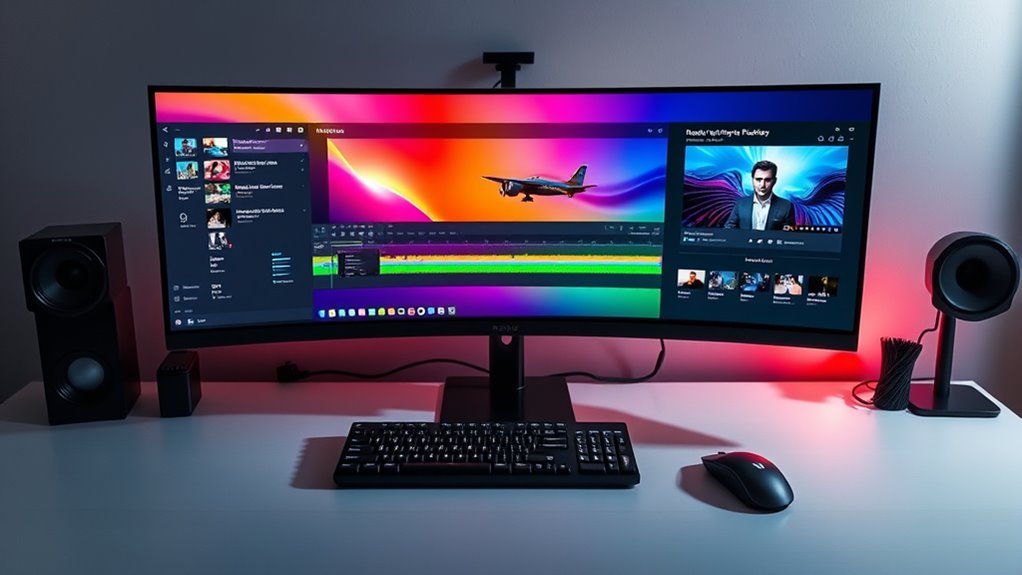
If you’re looking for the best ultrawide monitors of 2025 for video editing and multitasking, I’ve got you covered. I recommend models that feature large screens, high resolutions like QHD and Ultra HD, and excellent color accuracy with wide gamuts. Curved designs and wide viewing angles help provide immersion and comfort, while high refresh rates help guarantee smooth workflows. Keep exploring, and you’ll find the perfect monitor to elevate your editing and multitasking game.
Key Takeaways
- Look for monitors with 34 inches or larger, high resolutions (QHD or Ultra HD), and curved designs for immersive multitasking and detailed editing.
- Prioritize wide color gamuts (99% sRGB, DCI-P3) and hardware calibration for accurate, vibrant visuals essential for professional video work.
- Ensure features like HDMI, DisplayPort, USB-C with Power Delivery, adjustable ergonomics, and wide viewing angles for flexible, comfortable setup.
- Opt for high refresh rates (120Hz-165Hz), low response times, and HDR support to improve editing precision and media playback.
- Consider sleek, bezel-less designs with extended warranties, and additional features like built-in webcams or speakers for comprehensive productivity.

LG 34SR60QC-W 34-inch QHD (3440x1440) Curved Smart Monitor with Streaming, UltraWide Screen, webOS, HDR10, 100Hz, Built-in Speaker, AirPlay2, Screen Share, Bluetooth, ThinQ App, White
Handpicked by Amazon: They did the research so that you don't have to.
As an affiliate, we earn on qualifying purchases.
LG 34-inch QHD Curved Smart Monitor with Streaming
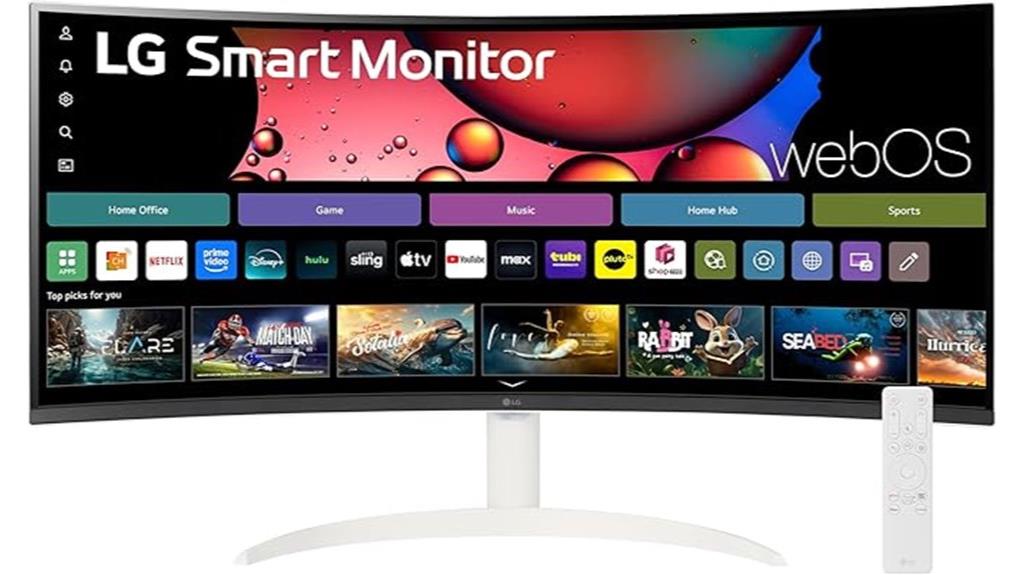
If you’re looking for a monitor that boosts productivity and enhances video editing workflows, the LG 34-inch QHD Curved Smart Monitor is an excellent choice. Its ultra-wide 21:9 curved screen (3440×1440) provides 34% more workspace than standard displays, making multitasking seamless. The 1800R curvature offers an immersive viewing experience, ideal for detailed editing. With a sleek, bezel-less design and built-in webOS23, you get quick access to streaming services and apps. Supporting 99% sRGB and HDR10, visuals are vibrant and accurate. Plus, its connectivity options and wireless casting capabilities make it versatile for professional work, entertainment, and gaming.
Best For: professionals seeking an immersive ultra-wide monitor for multitasking, video editing, and streaming entertainment with versatile connectivity and smart features.
Pros:
- Ultra-wide 34-inch curved QHD display provides expansive workspace and immersive viewing.
- Built-in webOS23 with streaming apps and LG Channels offers convenient entertainment options.
- Supports 99% sRGB, HDR10, and 100Hz refresh rate for vibrant visuals and smooth performance.
Cons:
- Remote control for smart features is sold separately, which might be inconvenient.
- Larger size may require a dedicated workspace and proper ergonomic setup.
- Limited to 60Hz refresh rate for standard use, which may be less ideal for high-end competitive gaming.

Philips 34E1C5600HE 34" UltraWide QHD 21:9 Monitor with Built-in Windows Hello Webcam & Noise Canceling Mic, USB-C Docking, Stereo Speakers, 100Hz, 4-Year Advance Replacement,Black
EXPAND YOUR HORIZONS: 3440 x1440 UltraWide QHD (WQHD) resolution with 21:9 aspect ratio for efficient productivity
As an affiliate, we earn on qualifying purchases.
Philips 34E1C5600HE 34″ UltraWide QHD Monitor with Webcam & USB-C
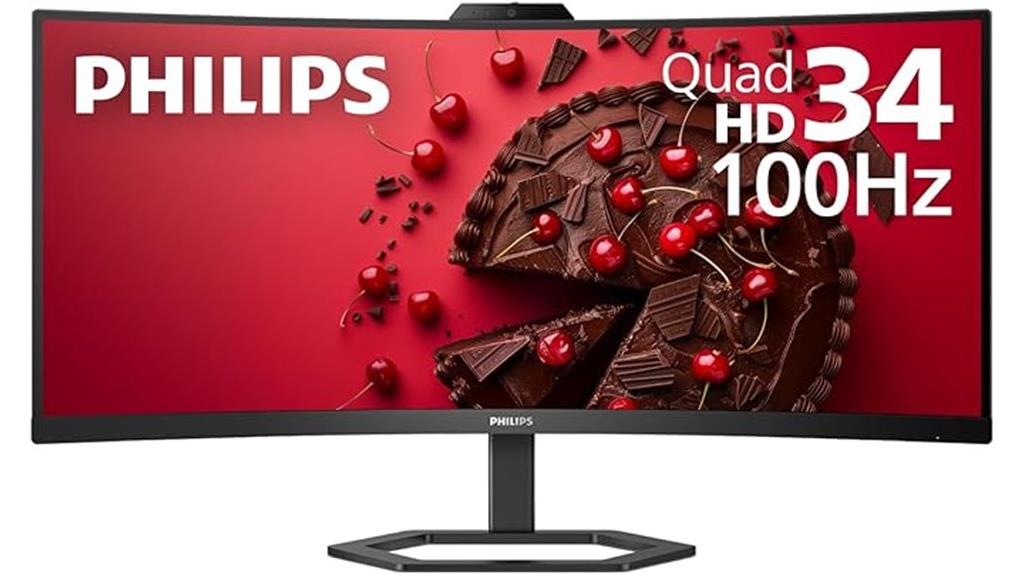
The Philips 34E1C5600HE 34″ UltraWide QHD monitor is an excellent choice for video editors who need a seamless, high-resolution workspace combined with integrated communication tools. Its 3440 x 1440 resolution and curved VA panel deliver immersive visuals with vibrant, true-to-life colors thanks to ultra-wide color technology. The built-in 5MP webcam with facial recognition, noise-canceling mic, and stereo speakers make remote collaboration effortless. Plus, the USB-C docking supports fast data transfer, high-res video, and 65W charging from a single cable. Designed for multitasking and video conferencing, it offers a sleek, reliable solution with a 4-year warranty for peace of mind.
Best For: remote professionals, video editors, and multimedia users seeking an immersive ultra-wide display with integrated webcam and seamless connectivity.
Pros:
- High 3440 x 1440 UltraWide QHD resolution offers detailed and vibrant visuals.
- Built-in 5MP webcam with facial recognition enhances remote collaboration and security.
- USB-C docking provides fast data transfer, high-res video, and up to 65W charging with a single cable.
Cons:
- Curved VA panel may cause color shift when viewed from off-angles.
- Limited to a 4-year warranty, which may be shorter than some higher-end professional displays.
- The large 34″ screen size requires ample desk space and may be overwhelming for smaller work areas.
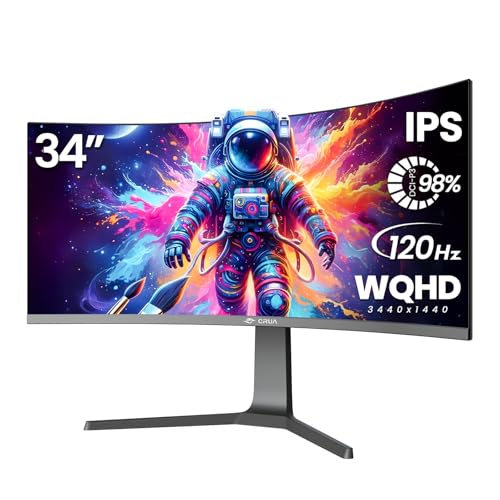
CRUA 34" Curved Gaming Monitor, IPS WQHD(3440x1440P) 120Hz 1900R 21:9 UltraWide PC Display, 130% sRGB, AMD FreeSync, Blue Light Filter, HDMI/DP Ports, Wall Mountable Installs– Black
34Inch Curved Gaming Monitor: The 34 ultra-wide monitor features a 3440x1440 WQHD resolution 1900R curvature and a 178°...
As an affiliate, we earn on qualifying purchases.
CRUA 34″ Curved Gaming Monitor (WQHD, 120Hz, 21:9, Black)

Designed for professionals who demand both immersive visuals and accurate color, the CRUA 34″ Curved Gaming Monitor excels as an ideal choice for video editing. Its 34-inch ultra-wide display with 3440×1440 WQHD resolution and 1900R curvature creates a natural, engaging workspace. The IPS panel offers 178° wide viewing angles and exceptional color accuracy, covering 130% sRGB and 98% DCI-P3. With a 120Hz refresh rate and AMD FreeSync, it delivers smooth, tear-free visuals. The monitor’s deep contrast and bright display support detailed editing, while VESA compatibility allows flexible mounting. It’s perfect for blending professional workflows with immersive media experiences.
Best For: professionals and enthusiasts who need immersive visuals, accurate color reproduction, and smooth performance for video editing, gaming, and creative work.
Pros:
- Wide 34-inch ultra-wide curved display with high-resolution WQHD for an engaging viewing experience
- Excellent color accuracy with 130% sRGB and 98% DCI-P3 coverage, ideal for creative tasks
- 120Hz refresh rate and AMD FreeSync support ensure smooth, tear-free gameplay and media consumption
Cons:
- No built-in speakers, requiring external audio solutions
- Limited to VESA wall-mount compatibility, which may require additional accessories for some setups
- As a specialized monitor, it may be more expensive compared to standard displays with fewer features

SANSUI 34-Inch Curved Gaming Monitor UWQHD 3440 x 1440P Up to 200Hz 165Hz Curved 1500R - PIP/PBP, OD 1ms, HDR, 300nits, sRGB 130%, DCI-P3 97%,AI Crosshair,HDMI2.1x2,DP1.4(Cable Included)
34 inch Curved 1500R UWQHD(3440 x 1440) @ 200Hz Fast VA Ultrawide Gaming Monitor with AI built-in.
As an affiliate, we earn on qualifying purchases.
SANSUI 34-Inch Curved Gaming Monitor (UWQHD 3440×1440, 165Hz, HDR, FreeSync)
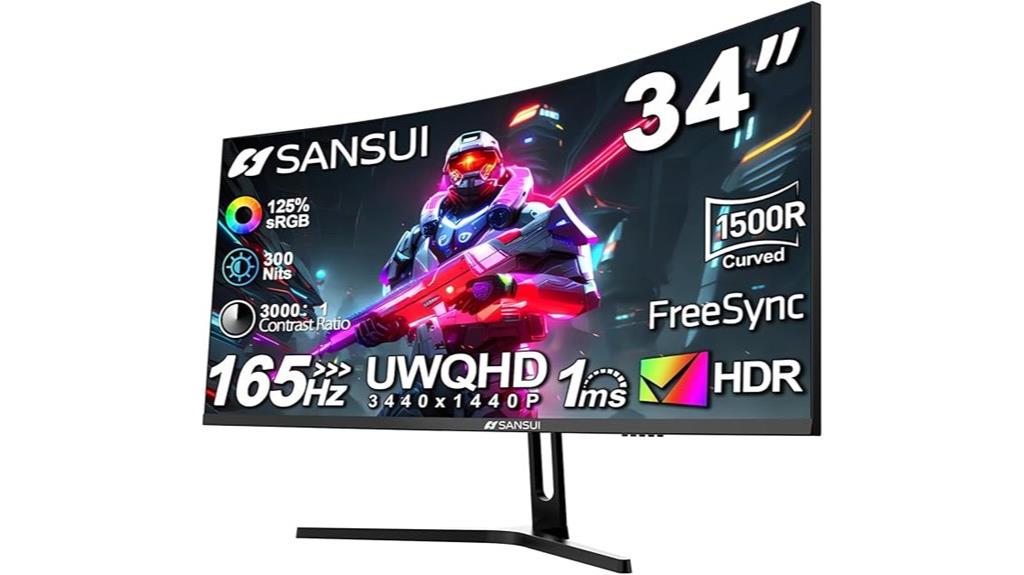
For video editors seeking immersive visuals and ample screen real estate, the SANSUI 34-Inch Curved Gaming Monitor stands out with its ultrawide UWQHD resolution and 165Hz refresh rate. Its 34-inch curved display with a 1500R curve offers an engaging viewing experience, while the 3440×1440 resolution provides sharp detail across a 21:9 aspect ratio. Wide viewing angles and high color coverage (125% sRGB, 95% DCI-P3) ensure color accuracy and consistency. HDR support adds depth, and the 1ms response time combined with FreeSync makes it smooth for fast-paced editing. Adjustable tilt and VESA compatibility boost ergonomics, making it a versatile choice for creative workflows.
Best For: video editors and creative professionals who need an immersive ultrawide display with accurate colors and smooth performance.
Pros:
- Ultrawide UWQHD resolution with 34-inch curved design for immersive viewing
- High refresh rate of 165Hz and 1ms response time for smooth editing and fast-paced workflows
- Wide color coverage (125% sRGB, 95% DCI-P3) and HDR support for vibrant, accurate visuals
Cons:
- Limited to dual HDMI up to 100Hz, which may not support all high-refresh-rate devices simultaneously
- Adjustable tilt range (-5° to 15°) may not suit all ergonomics preferences
- No built-in speakers, requiring external audio solutions
LG 34-inch UltraWide Curved Computer Monitor
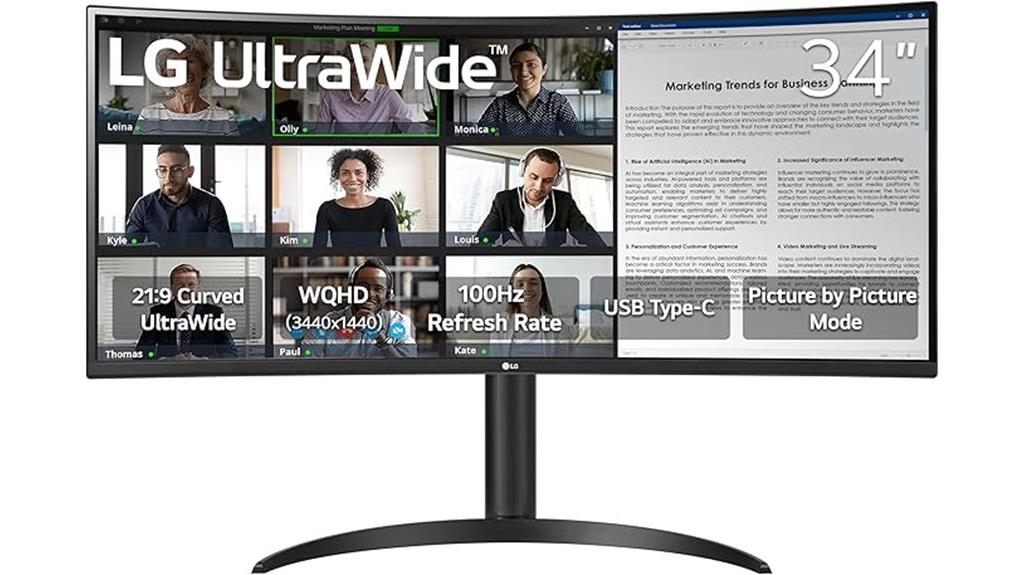
If you need a monitor that can handle extensive multitasking and detailed video editing tasks, the LG 34-inch UltraWide Curved Computer Monitor is an excellent choice. Its 3440 x 1440 WQHD resolution and 21:9 aspect ratio deliver sharp, immersive visuals, enhanced further by HDR10 support and 99% sRGB coverage for vibrant, accurate colors. The curved display improves viewing comfort during long sessions. With a 100Hz refresh rate and 5ms response time, it offers smooth motion. Multiple ports, including USB-C with 65W power delivery, HDMI, and DisplayPort, make connectivity flexible. Its ergonomic stand and borderless design maximize workspace and comfort.
Best For: professionals and enthusiasts who require expansive multitasking capabilities, vibrant color accuracy, and immersive visuals for work and entertainment.
Pros:
- UltraWide 3440 x 1440 resolution with HDR10 support delivers sharp and vivid images.
- Curved design enhances viewing comfort and immersion during extended use.
- Multiple connectivity options, including USB-C with 65W power delivery, HDMI, and DisplayPort, offer versatile device compatibility.
Cons:
- Slightly larger footprint may require more desk space.
- Higher price point compared to standard monitors of similar size.
- Limited to a 100Hz refresh rate, which may be less ideal for high-end competitive gaming.
Factors to Consider When Choosing Ultrawide Monitors for Video Editing and Multitasking

When choosing an ultrawide monitor for video editing and multitasking, I focus on key factors like screen size, resolution, and color accuracy to guarantee clear visuals. I also consider the monitor’s curvature, viewing angles, and connectivity options to optimize comfort and workflow. Finally, adjustable ergonomics help me work longer without strain, making these features essential in my decision.
Screen Size and Resolution
Choosing the right screen size and resolution is essential for optimizing your video editing setup. Larger screens, like 34 inches or more, give you ample space for multitasking and detailed editing work, making it easier to manage timelines and multiple windows simultaneously. Higher resolutions, such as QHD (3440×1440) or Ultra HD (3840×2160), deliver sharper images and more accurate color representation—crucial for professional video editing. Ultrawide aspect ratios (21:9) expand your field of view, reducing the need for multiple monitors and streamlining your workflow. A curved display with a radius of 1500R to 1800R enhances immersion and minimizes eye strain during long sessions. Maintaining high pixel density and resolution guarantees you see fine details clearly and achieve precise color accuracy.
Color Accuracy and Gamut
To achieve accurate and vibrant colors in your video editing workflow, paying close attention to a monitor’s color accuracy and gamut is vital. A wider color gamut, like 99% sRGB or higher, ensures the monitor can display a broader range of colors, making your visuals more vivid and true-to-life. Support for professional color spaces such as Adobe RGB or DCI-P3 further improves color precision, especially during color grading and editing. Color accuracy is often measured by Delta E values; aim for below 2 for critical tasks. Additionally, monitors with hardware calibration capabilities help maintain consistent color accuracy over time. HDR support, like HDR10, enhances dynamic range and color depth, providing richer visuals essential for high-quality video production.
Curvature and Viewing Angle
A curved ultrawide monitor can considerably enhance your video editing and multitasking experience by providing a more natural and immersive viewing environment. A higher curvature radius, like 1500R or 1800R, closely matches the human eye’s natural shape, making it easier to take in the entire screen comfortably. Curved screens also reduce distortion and glare at the edges, ensuring consistent image quality across the display. Wide viewing angles, typically 178° horizontally and vertically, guarantee accurate colors and clarity from different positions, which is essential when working from multiple angles or sharing the screen. The curvature improves peripheral vision, allowing you to see multiple windows or timelines simultaneously with less head movement. Plus, proper curvature can lessen eye strain during long sessions by maintaining a steady focal distance.
Connectivity Options
When selecting an ultrawide monitor for video editing and multitasking, paying attention to connectivity options can make a significant difference in your workflow. Look for models with multiple input ports like HDMI, DisplayPort, and USB-C to connect various devices effortlessly. USB-C ports with Power Delivery are especially useful, as they allow you to charge your laptop and transfer data through a single cable, reducing desk clutter. Support for audio output jacks or built-in speakers helps streamline audio connectivity for editing and playback. Additionally, compatibility with docking stations and hubs can expand your setup’s capabilities. Features like Picture-by-Picture (PbP) or Picture-in-Picture (PiP) enable you to connect multiple sources simultaneously, improving multitasking and overall productivity.
Ergonomics and Adjustability
Ergonomics and adjustability are critical factors in choosing an ultrawide monitor for video editing and multitasking, as they directly impact comfort and productivity during long sessions. Features like adjustable height, tilt, and swivel allow me to customize the monitor’s position, reducing neck and eye strain. Variations in curvature and tilt angles help improve viewing angles and maintain ergonomic posture. A well-designed monitor with VESA compatibility offers flexible mounting options, enabling me to set up my workspace precisely. Additionally, built-in features like blue light filters and flicker-free technology help minimize eye fatigue during extended work periods. Prioritizing these ergonomic qualities guarantees I stay comfortable and focused, even during hours of detailed editing or multitasking.
Refresh Rate and Response
Clear visuals and smooth motion are essential for effective video editing and multitasking on ultrawide monitors. A higher refresh rate, like 100Hz or more, delivers smoother motion, making it easier to work with fast-moving footage and switch between multiple windows seamlessly. Response time, ideally between 1ms and 5ms, minimizes motion blur and ghosting, giving clearer playback and more precise edits. Monitors with faster refresh rates better display dynamic content, reducing lag and enhancing editing accuracy. Additionally, low response times create a more fluid experience when handling multiple tasks or switching views. For video editors, balancing high refresh rates with quick response times improves real-time previews and reduces eye strain during long sessions. These factors ensure your workflow remains smooth and visually accurate.
Price and Warranty
Choosing the right ultrawide monitor for video editing and multitasking involves more than just features—it also depends on your budget and warranty coverage. Prices typically range from $300 to over $1,000, with higher-end models offering better panel quality and features. Premium monitors often include extended warranties of 3 to 5 years, providing peace of mind and protection against defects or damage. Budget options usually come with shorter warranties, around 1 to 2 years, which might not cover all issues that could arise. When evaluating, think about the total cost of ownership, including potential repairs or replacements. Investing in a more expensive monitor with a thorough warranty can save you money and stress in the long run, especially for professional use.
Frequently Asked Questions
How Do Ultrawide Monitors Impact Color Accuracy for Professional Editing?
Ultrawide monitors can considerably impact color accuracy for professional editing, and I’ve found that high-quality models with factory-calibrated color profiles and wide color gamuts like Adobe RGB or DCI-P3 deliver the best results. They offer more screen real estate, but you need to make certain they’re calibrated regularly to maintain accuracy. When I choose one, I look for accurate color reproduction and good uniformity to ensure my edits look consistent across the entire display.
Are There Specific Connectivity Options Recommended for Seamless Multitasking?
For seamless multitasking, I recommend HDMI 2.1 or DisplayPort 1.4 connections. Imagine you’re editing a video while running multiple apps; a high-bandwidth connection guarantees smooth performance without lag. I’ve experienced this firsthand—upgrading to DisplayPort 1.4 dramatically improved my workflow. Look for monitors with multiple ports, so you can connect your laptop, external drives, and other peripherals effortlessly, making your multitasking smooth and efficient.
What Is the Typical Lifespan of an Ultrawide Monitor in Intensive Use?
In intensive use, I find ultrawide monitors typically last between 5 to 7 years. Factors like build quality, usage habits, and maintenance play a role. I make sure to handle them carefully, keep the screen clean, and avoid power surges. Upgrading components when needed also helps extend their lifespan. Overall, with proper care, you can expect your monitor to serve you well for several years.
How Do Ultrawide Monitors Compare to Dual-Monitor Setups for Video Editing?
Imagine wrapping your workspace in a seamless panoramic view—that’s what ultrawide monitors offer compared to dual setups. I find ultrawides provide a more cohesive, immersive experience, making multitasking smoother and less cluttered. With fewer bezels breaking the flow, I can seamlessly move between tasks. Dual monitors work well, but ultrawides streamline my workflow, reduce distractions, and give me that expansive, uninterrupted canvas perfect for detailed video editing.
What Ergonomic Features Should I Prioritize for Long Editing Sessions?
For long editing sessions, I prioritize ergonomic features like height adjustability, tilt, and swivel to keep my posture comfortable. A monitor with a curved screen reduces eye strain by providing a more natural viewing angle. I also look for anti-glare coatings and adjustable brightness to minimize fatigue. Ultimately, a sturdy, adjustable stand helps me maintain proper alignment, so I stay comfortable and focused during those extended editing marathons.
Conclusion
So there you have it—your future best friend for video editing and multitasking. Whether you choose a sleek LG, a versatile Philips, or a gaming monster like CRUA or SANSUI, one thing’s clear: your desk’s about to get a whole lot wider—and your productivity, a whole lot higher. Just don’t forget to clear some space, or your new ultra-wide might turn into a giant paperweight. Happy editing!