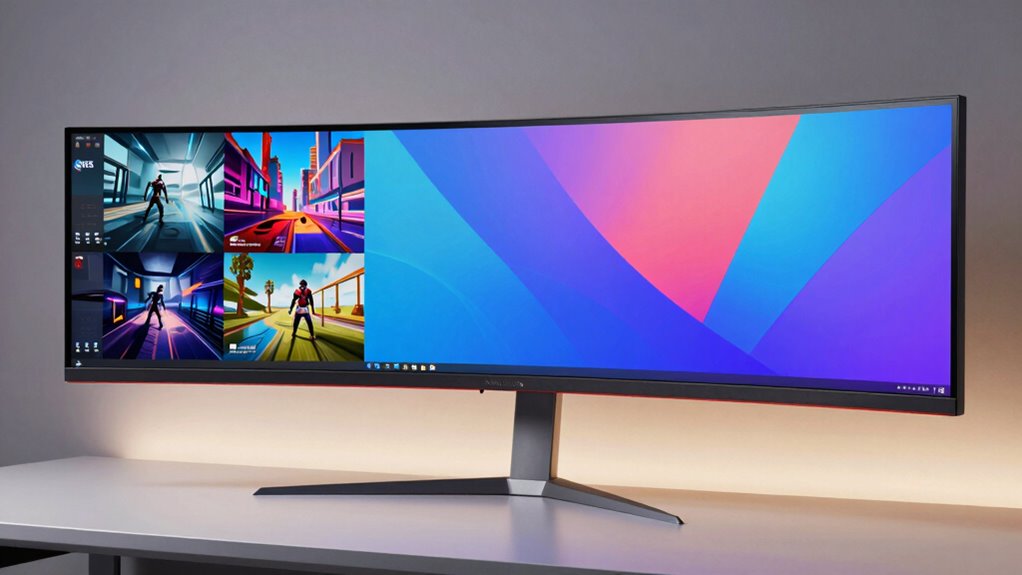
If you’re looking for the 15 best ultrawide monitors of 2026 for smooth productivity and gaming, I’ve got you covered. From ultra-bright OLEDs like Samsung’s 49″ Odyssey OLED Curved Monitor to high-refresh-rate gaming screens like LG’s 34G630A-B and Samsung’s G9, there’s something for everyone. Consider features like resolution, curvature, connectivity, and color accuracy. Stay with me, and I’ll help you find the perfect monitor that balances performance and value.
Key Takeaways
- Highlights of top ultrawide monitors with high resolutions, fast refresh rates, and advanced HDR for gaming and productivity.
- Features and technologies like OLED, curved screens, and VESA compatibility enhance visual experience and ergonomics.
- Connectivity options such as USB-C, HDMI, and DisplayPort support seamless device integration and multitasking.
- Monitors designed for long sessions include eye-care features and ergonomic stands for user comfort.
- Selection criteria include screen size, resolution, refresh rate, color coverage, and adjustability for optimal performance.





More Details on Our Top Picks
Samsung 49″ Odyssey OLED Curved Gaming Monitor
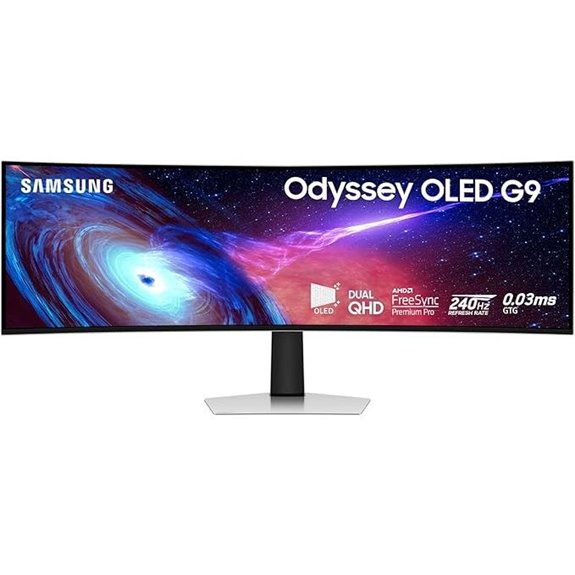
Looking for an ultrawide monitor that delivers stunning visuals and ultra-responsive gameplay? The Samsung 49″ Odyssey OLED Curved Gaming Monitor is exactly that. It uses QD-OLED technology, providing brighter screens, vivid colors, deep blacks, and high contrast supported by DisplayHDR True Black 400. The 1800R curvature offers immersive depth, perfect for gaming and multitasking. With a 240Hz refresh rate and 0.03ms response time, it guarantees smooth, fast action. Support for HDMI 2.1, DisplayPort, G-Sync, and FreeSync Premium Pro ensures seamless gameplay without tearing or lag. Plus, its sleek design and versatile connectivity make it a top choice for serious gamers.
- Screen Size:49 inches
- Resolution:4K UHD (5120×1440)
- Refresh Rate:240Hz
- Response Time:0.03ms
- HDR Support:DisplayHDR True Black 400
- Connectivity Options:HDMI 2.1, DisplayPort, USB Hub
- Additional Feature:Ultra-wide 1800R curvature
- Additional Feature:Height-adjustable ergonomic stand
- Additional Feature:Premium metal finish design
LG 34G630A-B Ultragear Curved Gaming Monitor
If you’re serious about gaming and need a monitor that delivers both speed and immersive visuals, the LG 34G630A-B Ultragear Curved Gaming Monitor is an excellent choice. Its 34-inch WQHD curved display with a 21:9 aspect ratio offers an expansive, distraction-free experience. The 240Hz refresh rate and 1ms response time ensure ultra-smooth gameplay with minimal ghosting. Vivid colors, HDR 400, and features like Black Stabilizer make dark scenes pop. Connectivity is flexible with USB-C, HDMI, and DisplayPort, while adjustable height, tilt, and swivel provide personalized comfort. Built-in speakers add convenience, making this monitor perfect for competitive gaming and productivity alike.
- Screen Size:34 inches
- Resolution:3440×1440
- Refresh Rate:240Hz
- Response Time:1ms MPRT
- HDR Support:VESA DisplayHDR 400
- Connectivity Options:USB-C, HDMI, DisplayPort
- Additional Feature:Built-in speakers included
- Additional Feature:Adjustable stand (height, tilt, swivel)
- Additional Feature:21:9 ultra-wide aspect ratio
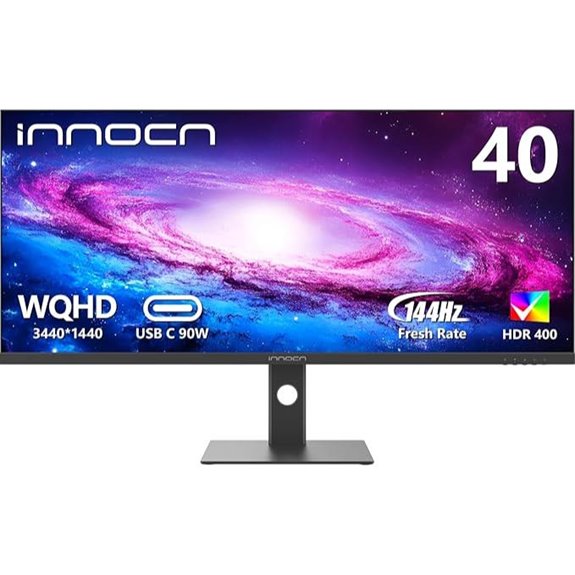
INNOCN 40C1R Ultrawide 40″ 3440×1440 HDR Monitor
The INNOCN 40C1R Ultrawide 40″ monitor stands out as an excellent choice for professionals and gamers who need expansive real estate combined with vibrant visuals. Its 3440×1440 resolution and 21:9 aspect ratio provide ample space for multitasking, editing, or immersive gaming. The premium ADS panel covers 95% DCI-P3, ensuring accurate, vivid colors, while HDR400 enhances contrast and brightness. With a 144Hz refresh rate, FreeSync Premium, and multiple connectivity options like USB-C, DisplayPort, and HDMI, it delivers smooth performance across tasks. Adjustable ergonomics and eye-care features make long hours comfortable, making this monitor a versatile and high-quality addition to any setup.
- Screen Size:40 inches
- Resolution:3440×1440
- Refresh Rate:144Hz
- Response Time:1ms MPRT
- HDR Support:HDR400
- Connectivity Options:USB-C, HDMI, DisplayPort
- Additional Feature:40-inch size increase
- Additional Feature:Multiple ports (USB-C, HDMI, DisplayPort)
- Additional Feature:TÜV Rheinland certified
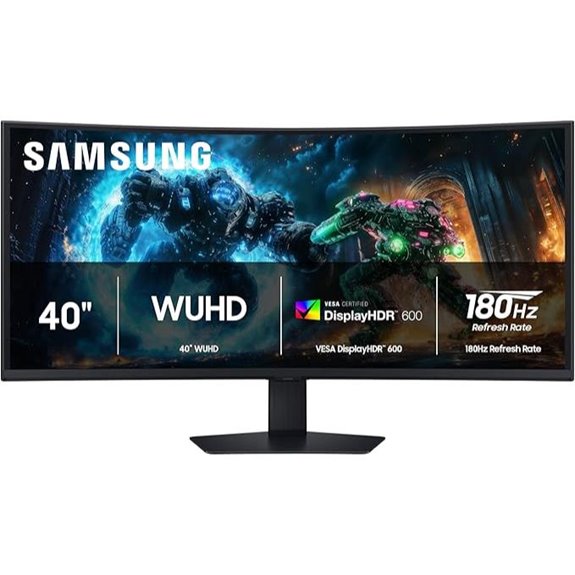
Samsung Odyssey G7 40″ Curved Gaming Monitor
Gamers and professionals seeking an immersive experience will find the Samsung Odyssey G7 40″ Curved Gaming Monitor to be an excellent choice, thanks to its expansive 40-inch 1000R curved display and 5120×2160 WUHD resolution. It delivers smooth gameplay with a 180Hz refresh rate and 1ms response time, reducing lag and motion blur. VESA DisplayHDR 600 enhances contrast, making dark scenes more detailed. Features like AMD FreeSync Premium Pro, Picture-by-Picture, and Picture-in-Picture boost multitasking and visual quality. Its ergonomic stand allows tilt and height adjustments, ensuring comfort during extended use. Overall, it’s a powerful monitor for gaming and productivity alike.
- Screen Size:40 inches
- Resolution:5120×2160
- Refresh Rate:180Hz
- Response Time:1ms GtG
- HDR Support:DisplayHDR 600
- Connectivity Options:Multiple HDMI, DisplayPort, USB
- Additional Feature:CoreSync immersive lighting
- Additional Feature:Picture-by-Picture multitasking
- Additional Feature:Tilt and height ergonomic stand
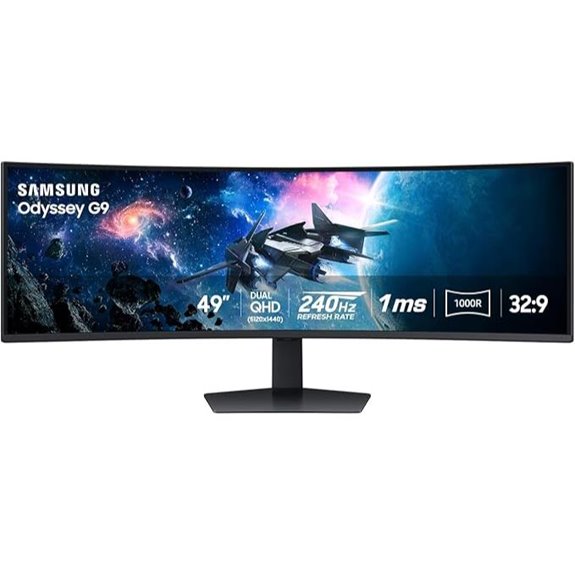
Samsung 49” Odyssey G9 Curved Gaming Monitor
Looking for a monitor that delivers unparalleled immersion and stunning visuals? The Samsung 49” Odyssey G9 Curved Gaming Monitor is exactly that. Its 49-inch DQHD curved screen with a 1000R radius wraps around your field of view, immersing you in the game or work. With dual QHD resolution, 1000 nit brightness, and a 1,000,000:1 contrast ratio, it offers vibrant, detailed images. The 240Hz refresh rate and 1ms response time ensure smooth gameplay, while AMD FreeSync Premium Pro minimizes tearing. Plus, CoreSync technology projects game colors into your real environment, heightening immersion. It’s a powerhouse for gamers and multitaskers alike.
- Screen Size:49 inches
- Resolution:5120×1440
- Refresh Rate:240Hz
- Response Time:1ms MPRT
- HDR Support:DisplayHDR 1000
- Connectivity Options:HDMI, DisplayPort, USB-C, USB
- Additional Feature:Core Lighting Plus ambient
- Additional Feature:Ultrawide peripheral vision
- Additional Feature:Auto Source Switch feature
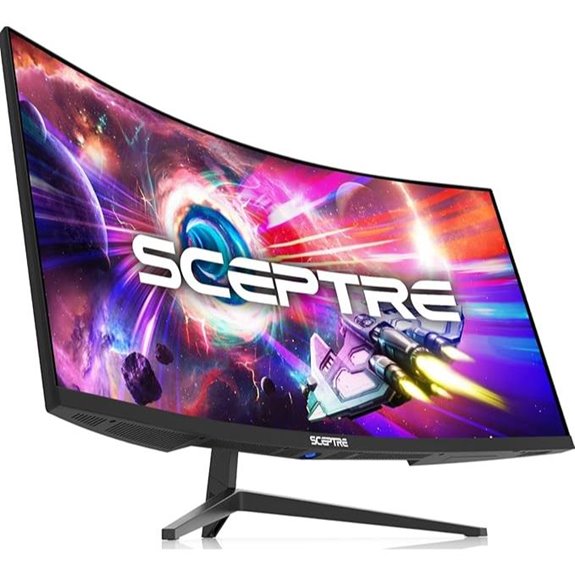
Sceptre 34″ Prime Monitor 3440×1440 115Hz
If you need a versatile ultrawide monitor that balances high-quality visuals with smooth performance, the Sceptre 34″ Prime Monitor is an excellent choice. It features a 34-inch display with a sharp 3440×1440 resolution and a 103% sRGB color gamut, delivering vibrant, true-to-life colors ideal for creative work and multimedia. The monitor reduces eye strain with Blue-Light Shift technology and offers versatile connectivity with HDMI and DisplayPort inputs supporting up to 115Hz refresh rate. Its built-in speakers and sleek, modern design make it perfect for a clutter-free workspace. Overall, this monitor combines excellent image quality, eye care, and flexibility for both work and play.
- Screen Size:34 inches
- Resolution:3440×1440
- Refresh Rate:165Hz
- Response Time:1ms MPRT
- HDR Support:HDR10
- Connectivity Options:HDMI, DisplayPort, USB
- Additional Feature:Built-in speakers
- Additional Feature:Modern sleek design
- Additional Feature:Dynamic Action Sync
SANSUI 34-Inch Curved Gaming Monitor 3440×1440
The SANSUI 34-Inch Curved Gaming Monitor 3440×1440 stands out as an excellent choice for serious gamers and creative professionals who demand immersive visuals and smooth performance. Its 1500R curvature and ultrawide 3440×1440 resolution deliver stunning, panoramic images with vibrant colors thanks to 125% sRGB coverage and DCI-P3 95%. With a 165Hz refresh rate (DisplayPort) and 1ms response time, it guarantees fluid gameplay. The adjustable stand and VESA compatibility offer ergonomic comfort, while dual DisplayPort and HDMI connections provide versatile connectivity. Supporting HDR, FreeSync, and eye-care features, this monitor balances high performance with user comfort for both work and play.
- Screen Size:34 inches
- Resolution:3440×1440
- Refresh Rate:165Hz
- Response Time:1ms MPRT
- HDR Support:HDR support (HDR400)
- Connectivity Options:HDMI, DisplayPort, USB
- Additional Feature:Multiple game modes
- Additional Feature:Adjustable stand (tilt, swivel, height)
- Additional Feature:VESA compatibility (75x75mm)
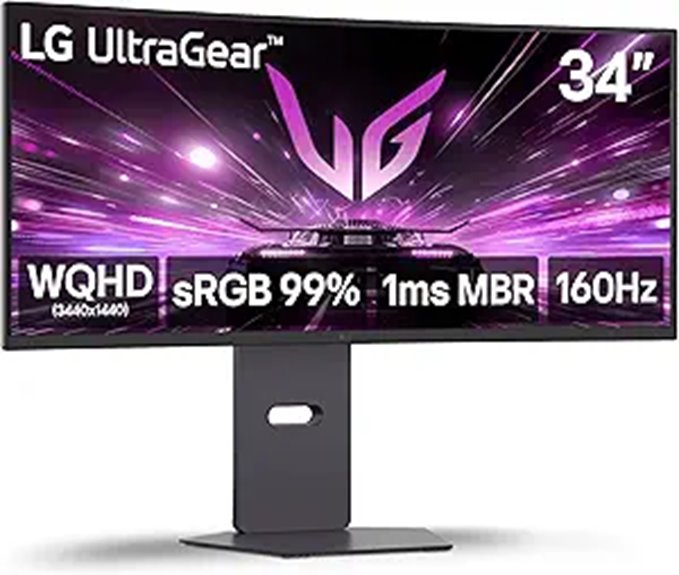
LG 34G600A-B Ultragear 34-inch Curved Gaming Monitor
Gamers seeking a high-performance display will find the LG 34G600A-B Ultragear 34-inch Curved Gaming Monitor to be an excellent choice, thanks to its ultra-responsive 160Hz refresh rate and 1ms Motion Blur Reduction. Its 34-inch ultrawide curved screen with a 3440×1440 resolution provides immersive visuals perfect for gaming and multitasking. The adjustable stand guarantees ergonomic comfort, while AMD FreeSync Premium delivers tear-free gameplay. With HDR10 support, vibrant colors, and features like Black Stabilizer and Crosshair, it’s tailored for fast-paced action. Built-in stereo speakers and multiple connectivity options make it versatile, making this monitor a top pick for serious gamers and content creators alike.
- Screen Size:34 inches
- Resolution:3440×1440
- Refresh Rate:160Hz
- Response Time:1ms MPRT
- HDR Support:HDR10
- Connectivity Options:HDMI, DisplayPort, USB
- Additional Feature:Reader Mode eye comfort
- Additional Feature:Built-in stereo speakers
- Additional Feature:HDR10 support
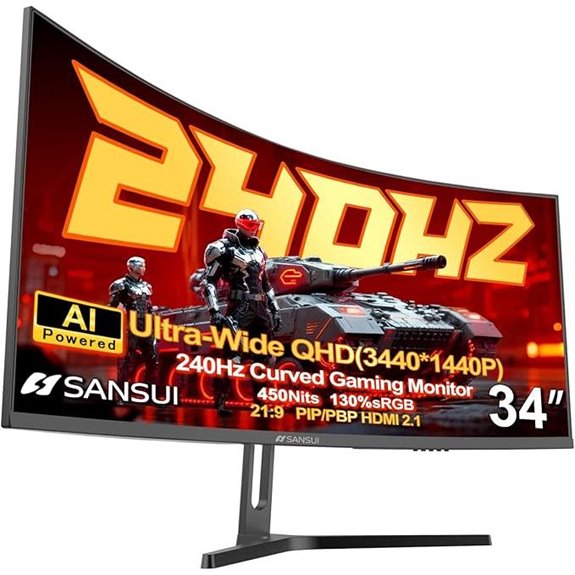
SANSUI 34″ Ultrawide 240Hz Curved Gaming Monitor
For gamers seeking an immersive experience, the SANSUI 34″ Ultrawide 240Hz Curved Gaming Monitor stands out with its high refresh rate and expansive ultrawide display. It features a 3440×1440 UWQHD resolution and a 21:9 aspect ratio, delivering sharp, vivid visuals with HDR400 support. The 1500R curvature and wide viewing angles ensure a consistent experience from any position. With a fast VA panel, 1ms MPRT, and FreeSync support, it’s optimized for fast-paced gaming. Additional AI enhancements improve image clarity and reduce blue light, making long gaming sessions more comfortable. Connectivity options include HDMI 2.1 and DisplayPort 1.4, catering to various setups.
- Screen Size:34 inches
- Resolution:3440×1440
- Refresh Rate:240Hz
- Response Time:1ms MPRT
- HDR Support:HDR400
- Connectivity Options:HDMI, DisplayPort, USB-C
- Additional Feature:AI Blue Light technology
- Additional Feature:Sniper scope mode
- Additional Feature:Wide 178° viewing angles
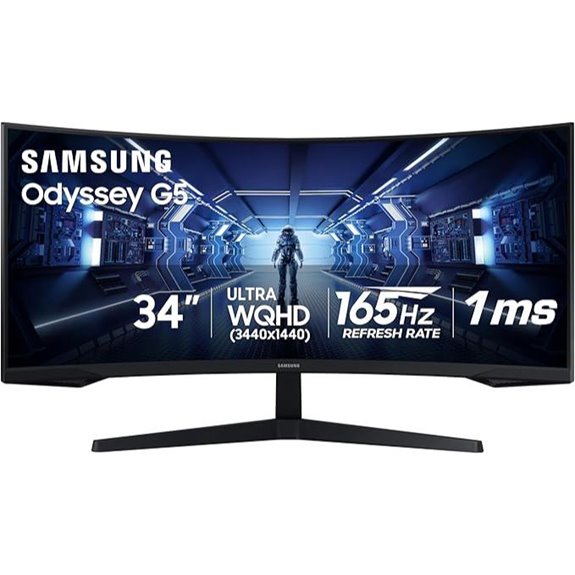
Samsung 34″ Odyssey G5 Ultra-Wide Gaming Monitor
If you’re seeking an immersive gaming experience, the Samsung 34″ Odyssey G5 Ultra-Wide Gaming Monitor stands out with its 1000R curvature that perfectly matches the human field of view. Its 34-inch WQHD display offers seamless dual-monitor-like clarity, reducing eye strain with an all-encompassing curve. HDR10 support delivers vibrant, true-to-life colors, while the VA panel guarantees deep blacks and accurate visuals. With a 165Hz refresh rate and 1ms response time, it guarantees smooth, fast-paced gameplay. Plus, AMD FreeSync Premium minimizes tearing and stuttering, making this monitor ideal for both competitive gaming and extended sessions.
- Screen Size:34 inches
- Resolution:3440×1440
- Refresh Rate:165Hz
- Response Time:1ms MPRT
- HDR Support:HDR10
- Connectivity Options:HDMI, DisplayPort, USB-C
- Additional Feature:Eye comfort technology
- Additional Feature:Multiple connectivity ports
- Additional Feature:Curved immersive display
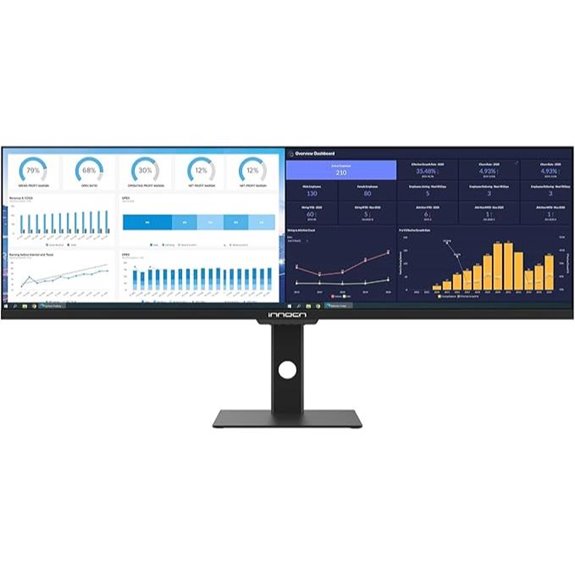
INNOCN 43.8″ Ultrawide HDR Monitor with USB-C
The INNOCN 43.8″ Ultrawide HDR Monitor with USB-C stands out as an excellent choice for professionals who need expansive screen real estate and vibrant visuals. Its 43.8-inch IPS panel with a 32:9 aspect ratio delivers stunning 3840 x 1080p resolution and a 120Hz refresh rate, perfect for multitasking and smooth gaming. The HDR 400 support and 96% DCI-P3 color gamut ensure rich colors and high contrast, while features like blue light reduction and TÜV Rheinland certification promote eye comfort. With versatile connectivity—including USB-C with power delivery—this monitor simplifies setup and enhances workflow, making it ideal for creative work and immersive entertainment.
- Screen Size:43.8 inches
- Resolution:3840×1080
- Refresh Rate:120Hz
- Response Time:1ms MPRT
- HDR Support:HDR400
- Connectivity Options:HDMI, DisplayPort, USB-C
- Additional Feature:USB Type-C port
- Additional Feature:Color calibration report
- Additional Feature:120Hz refresh rate
Sceptre 34-Inch Curved Ultrawide Monitor 3440×1440
The Sceptre 34-Inch Curved Ultrawide Monitor 3440×1440 stands out as an excellent choice for gamers and creative professionals who demand high performance and immersive visuals. Its 34-inch curved display with 3440×1440 resolution offers 21:9 aspect ratio, giving 30% more screen space than standard monitors. With refresh rates up to 180Hz and a 1ms response time, it guarantees smooth, ghosting-free visuals during fast-paced gaming or video editing. The 99% sRGB coverage assures vibrant, accurate colors. Plus, the modern design, built-in speakers, and picture-by-picture feature make it versatile for multitasking and multimedia, making it a top contender for 2026.
- Screen Size:34 inches
- Resolution:3440×1440
- Refresh Rate:180Hz
- Response Time:1ms MPRT
- HDR Support:HDR support (HDR400)
- Connectivity Options:HDMI, DisplayPort, USB-C
- Additional Feature:Built-in LED backlight
- Additional Feature:Picture-in-Picture (PIP)
- Additional Feature:180Hz/165Hz refresh rates
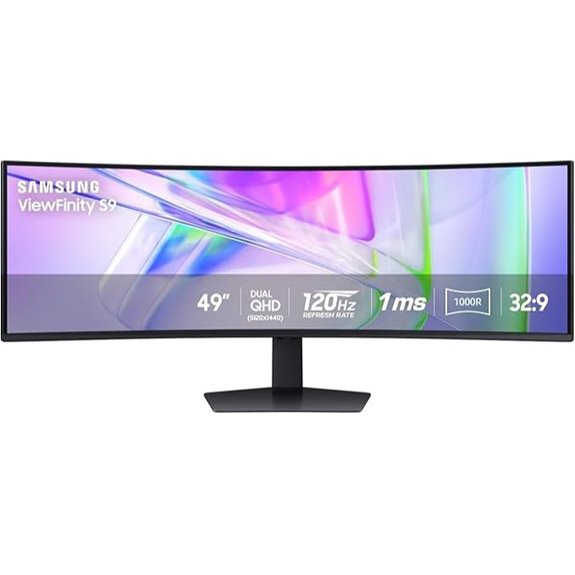
Samsung 49” Ultrawide Curved Business Monitor with USB-C
Designed for professionals who need maximum screen real estate and seamless connectivity, the Samsung 49” Ultrawide Curved Business Monitor with USB-C delivers an immersive viewing experience. Its 49-inch 1000R curved display with a 5120×1440 resolution provides a panoramic, near-human field of view, perfect for multitasking. The ergonomic design includes height adjustment, VESA support, and TÜV-certified Eye Care technology to reduce eye strain. Built-in speakers save space, and versatile ports—including USB-C with 90W charging—turn this monitor into a hub. With a 120Hz refresh rate and HDR 400 support, it balances productivity and entertainment, making it ideal for work and play.
- Screen Size:49 inches
- Resolution:5120×1440
- Refresh Rate:120Hz
- Response Time:1ms MPRT
- HDR Support:DisplayHDR 400
- Connectivity Options:HDMI, DisplayPort, USB-C, USB
- Additional Feature:Docking station features
- Additional Feature:KVM switch included
- Additional Feature:120Hz refresh rate
KTC 34″ Ultrawide Curved Gaming Monitor (3440×1440)
If you’re seeking an ultrawide monitor that combines immersive visuals with smooth gameplay, the KTC 34″ Ultrawide Curved Gaming Monitor is an excellent choice. Its 3440×1440 resolution and 1500R curvature create an expansive, engaging viewing experience. With a 180Hz refresh rate, 1ms MPRT, and adaptive sync, it delivers tear-free, fluid motion ideal for gaming and fast-paced work. The vibrant HVA panel covers 125% sRGB, supports HDR, and offers rich, true-to-life colors. Adjustable ergonomics and VESA compatibility guarantee comfort and flexibility. Multiple input options, including HDMI and DisplayPort, make connecting devices effortless. It’s a powerful, versatile monitor for both productivity and gaming.
- Screen Size:34 inches
- Resolution:3440×1440
- Refresh Rate:180Hz
- Response Time:1ms MPRT
- HDR Support:HDR support (HDR400)
- Connectivity Options:HDMI, DisplayPort, USB
- Additional Feature:VESA mounting support
- Additional Feature:Multiple adjustable stand features
- Additional Feature:HDR support
Samsung 34″ ViewFinity Ultrawide QHD Monitor
For creative professionals and multitaskers who demand maximum screen real estate, the Samsung 34″ ViewFinity Ultrawide QHD Monitor stands out as an excellent choice. Its 34-inch Ultra-WQHD display with a 21:9 aspect ratio maximizes workspace, making multitasking effortless. The minimal bezel design offers a nearly seamless, immersive view, perfect for content creation or gaming. With HDR10 and support for over a billion colors, visuals are vibrant and detailed. The 100Hz refresh rate and AMD FreeSync ensure smooth, tear-free performance, while eye care features like blue light reduction and flicker-free tech maintain your eyes comfortable during long sessions.
- Screen Size:34 inches
- Resolution:3440×1440
- Refresh Rate:100Hz
- Response Time:1ms MPRT
- HDR Support:HDR10
- Connectivity Options:HDMI, DisplayPort, USB-C
- Additional Feature:Nearly bezel-less design
- Additional Feature:Ambient light sensor
- Additional Feature:Wide color gamut (HDR10)
Factors to Consider When Choosing Ultrawide Monitors

When choosing an ultrawide monitor, I consider factors like screen size compatibility and resolution clarity to guarantee it fits my workspace and visuals. The refresh rate impacts how smooth gaming or multitasking feels, while connectivity options determine how easily I can connect my devices. Ergonomic adjustability also matters to keep me comfortable during long hours of use.
Screen Size Compatibility
Choosing the right ultrawide monitor starts with making certain its size fits well within your workspace and ergonomic setup. I recommend measuring your desk space carefully, as ultrawide monitors can range from 34 to over 49 inches wide. Think about how you’ll use the monitor—gaming, multitasking, or professional work—and select a size that enhances your experience without overwhelming your environment. Make certain your computer’s graphics card and connection ports support the monitor’s resolution and aspect ratio for smooth performance. Also, consider your typical viewing distance; larger screens may require sitting farther back to avoid strain and maintain comfortable viewing angles. Ultimately, selecting a size that balances your workspace, usage needs, and ergonomic comfort ensures a seamless experience.
Resolution Clarity
Higher resolution displays like 3440×1440, 5120×1440, or 4K offer sharper, more detailed images that make gaming, editing, and multimedia work look stunning. These resolutions provide increased pixel density, reducing pixelation and delivering smoother visuals. 4K and WUHD screens bring exceptional clarity, making text and fine details more legible and precise. Color accuracy and HDR support enhance vibrancy and contrast, creating more lifelike images. The combination of high resolution and advanced panel technology, such as OLED or IPS, considerably improves overall clarity and color fidelity. When choosing an ultrawide monitor, prioritizing resolution ensures crisp, vibrant visuals essential for productivity and immersive gaming. This focus on clarity helps you get the most out of your display experience.
Refresh Rate Impact
A monitor’s refresh rate plays a crucial role in delivering smooth visuals, especially during fast-paced gaming or video playback. Higher refresh rates, like 144Hz or 240Hz, provide noticeably smoother motion and reduce motion blur, making gameplay more responsive and immersive. Monitors with refresh rates below 60Hz tend to produce choppy visuals, which can hinder both gaming performance and overall experience. To get the best results, match your monitor’s refresh rate with your graphics card’s capabilities, preventing issues like screen tearing and ensuring fluid gameplay. Additionally, a higher refresh rate improves responsiveness, making it easier to track moving objects and enhancing precision in competitive gaming. For professional tasks like video editing, a high refresh rate allows for more accurate motion previews and smoother workflows.
Connectivity Options
Selecting the right connectivity options is essential to guarantee your ultrawide monitor integrates smoothly with your devices and meets your workflow needs. I look for monitors with the necessary input ports like HDMI, DisplayPort, USB-C, or VGA to ensure compatibility with my existing devices. High-bandwidth connections, such as HDMI 2.1 or USB-C with Power Delivery, are crucial for fast data transfer and charging my laptop or peripherals without clutter. I also verify that the monitor supports my device’s output options to avoid adapters or converters, which can complicate setup. Multi-input features like Picture-in-Picture (PIP) or Picture-by-Picture (PBP) modes are handy for multitasking. Ultimately, I choose monitors whose connectivity options align with my workspace to facilitate easy integration and maximum performance.
Ergonomic Adjustability
Ergonomic adjustability is essential when choosing an ultrawide monitor because it directly impacts comfort and reduces fatigue during long hours of work or gaming. Features like height, tilt, swivel, and pivot allow me to customize the monitor’s position for ideal comfort, helping prevent neck and eye strain. Monitors with VESA mounting compatibility offer even more flexibility, letting me attach them to wall mounts or adjustable arms for perfect placement. Proper ergonomic adjustments help maintain good posture and promote better neck and back health by aligning the monitor with my natural eye and head positions. Easy-to-use adjustment mechanisms make fine-tuning quick and precise, ensuring I can adapt the setup as needed. Prioritizing these features leads to a more comfortable, productive, and healthier long-term experience.
Color Accuracy Standards
When choosing an ultrawide monitor, paying attention to color accuracy standards helps guarantee the visuals are true to life and suitable for professional work. Key factors include color gamut coverage like sRGB, DCI-P3, and AdobeRGB, which indicate the range of colors the monitor can display. A ΔE value below 2 signals high color precision, ideal for photo and video editing. HDR support, especially HDR10 or DisplayHDR certifications, enhances color depth and contrast, creating more vibrant visuals. Monitors with factory calibration and certifications from organizations like TÜV Rheinland ensure consistent color fidelity and low blue light emissions, reducing eye strain. Higher color gamut coverage results in more vivid, accurate images, making these standards essential for content creators and professionals seeking reliable, true-to-life visuals.
Curvature Benefits
Curved ultrawide monitors offer a more natural viewing experience by aligning closely with the curvature of the human eye. This design enhances immersion, wrapping the display around your field of vision, which makes gaming and multimedia more engaging. The curvature also helps reduce glare and reflections from ambient light, improving clarity in various lighting conditions. Additionally, it minimizes distortion and edge warping, ensuring consistent image quality across the entire screen. Larger screens benefit from a more pronounced curve, like 1500R or 1000R, providing greater peripheral immersion. Overall, the curvature not only boosts visual comfort but also enhances the sense of depth and involvement, making it an important factor to weigh when choosing an ultrawide monitor for both work and play.
Price and Warranty
Choosing an ultrawide monitor involves balancing features and cost to get the best value. I look at the price relative to the monitor’s specifications, brand reputation, and overall quality to guarantee I’m making a smart investment. It’s also important to check the warranty details—ideally, I want at least a three-year coverage that includes parts, labor, and accidental damage. Longer warranties often mean the manufacturer has confidence in their product’s reliability. I also consider options for extended warranty plans and compare their costs against potential repair or replacement expenses. Additionally, I review return policies and customer support services, since these factors can greatly influence my satisfaction and the monitor’s longevity. A good warranty and support network give me peace of mind long after the purchase.
Frequently Asked Questions
How Do Ultrawide Monitors Impact Eye Strain During Prolonged Use?
Ultrawide monitors can reduce eye strain during long sessions because they minimize the need to switch between windows and provide a more natural, immersive viewing experience. However, if brightness, contrast, or resolution are off, they might cause fatigue. I recommend adjusting settings, using ergonomic positioning, and taking regular breaks. Proper lighting and screen filters also help, ensuring you stay comfortable and avoid unnecessary eye fatigue.
Are Ultrawide Monitors Compatible With All Gaming Consoles?
Yes, ultrawide monitors are generally compatible with most gaming consoles, but there are a few nuances. Many support HDMI or DisplayPort connections, which are common on consoles like PS5 and Xbox Series X. Still, you might need an adapter or specific settings adjustment for best performance. I recommend checking your console’s specs and the monitor’s inputs to guarantee seamless compatibility and a truly immersive gaming experience.
What Are the Best Calibration Settings for Color Accuracy?
To achieve the best calibration for color accuracy, I start by adjusting the monitor’s brightness and contrast to comfortable levels. Then, I use a color calibration tool or software to fine-tune the white balance, gamma, and color temperature, aiming for a neutral gray and consistent tones. I also make certain my monitor is in a well-lit environment and regularly recalibrate to maintain accuracy.
Can Ultrawide Monitors Be Used Effectively for Video Editing?
Absolutely, ultrawide monitors are excellent for video editing, offering more screen real estate for timelines, tools, and preview windows. They help me work more efficiently, see more details at once, and make precise adjustments without constant window switching. The wide view fosters a natural workflow, enhancing my productivity and accuracy. If you’re into video editing, an ultrawide monitor can truly elevate your creative process and overall experience.
Do Ultrawide Monitors Support Multi-Monitor Configurations Seamlessly?
Yes, ultrawide monitors support multi-monitor setups seamlessly. I’ve used them to extend my workspace without the bezel gaps that come with traditional multi-monitor setups. They connect easily via HDMI or DisplayPort, and most have multiple input options for flexible configurations. I find they provide a smooth, immersive experience, whether I’m multitasking or gaming. Overall, they’re a great choice for creating a clean, efficient workspace without the clutter.
Conclusion
Choosing the right ultrawide monitor is like selecting the perfect canvas—one that paints your productivity and gaming worlds seamlessly. Each option is a brushstroke, adding depth, clarity, and immersion to your experience. When you find that ideal screen, it’s as if your workspace transforms into a vibrant horizon, where possibilities stretch endlessly. So, trust your vision, pick your masterpiece, and let your new ultrawide be the window through which your ideas and adventures unfold.